ആമുഖം
Thank you for choosing the LC-dolida Bluetooth Sleep Headband Headphones, Model LC001. This versatile 3-in-1 device combines a comfortable headband with integrated ultra-thin HD stereo speakers, perfect for listening to music, audiobooks, or podcasts while sleeping, exercising, or traveling. This manual provides essential information for setup, operation, and maintenance to ensure optimal performance and longevity of your device.
ഉൽപ്പന്നം കഴിഞ്ഞുview
പ്രധാന സവിശേഷതകൾ:
- 3-ഇൻ-1 ഡിസൈൻ: Functions as a sleep mask, sports headband, and wireless headphones.
- ബ്ലൂടൂത്ത് 5.2 സാങ്കേതികവിദ്യ: Ensures stable connection up to 33 feet (10 meters) with most iOS, Android, and Windows devices.
- Ultra-Thin HD Stereo Speakers: Provides clear, lossless audio quality.
- Comfortable & Breathable Material: Made from a soft, cool, sweat-absorbing fabric (45% chinlon + 40% terylene + 15% elastane) for ultimate comfort.
- നീണ്ട ബാറ്ററി ലൈഫ്: Up to 8-10 hours of playtime (depending on usage) on a single charge.
- ബിൽറ്റ്-ഇൻ മൈക്രോഫോൺ: ഹാൻഡ്സ് ഫ്രീ കോളിംഗിനായി.
- സംയോജിത നിയന്ത്രണ പാനൽ: Easy access to volume, track control, and call management.
- കഴുകാവുന്ന ഡിസൈൻ: Electronic components are removable for easy cleaning of the headband.
ഉൾപ്പെടുത്തിയ ഘടകങ്ങൾ:
- LC-dolida Bluetooth Sleep Headband (Model LC001)
- യുഎസ്ബി ചാർജിംഗ് കേബിൾ
- ഉപയോക്തൃ മാനുവൽ
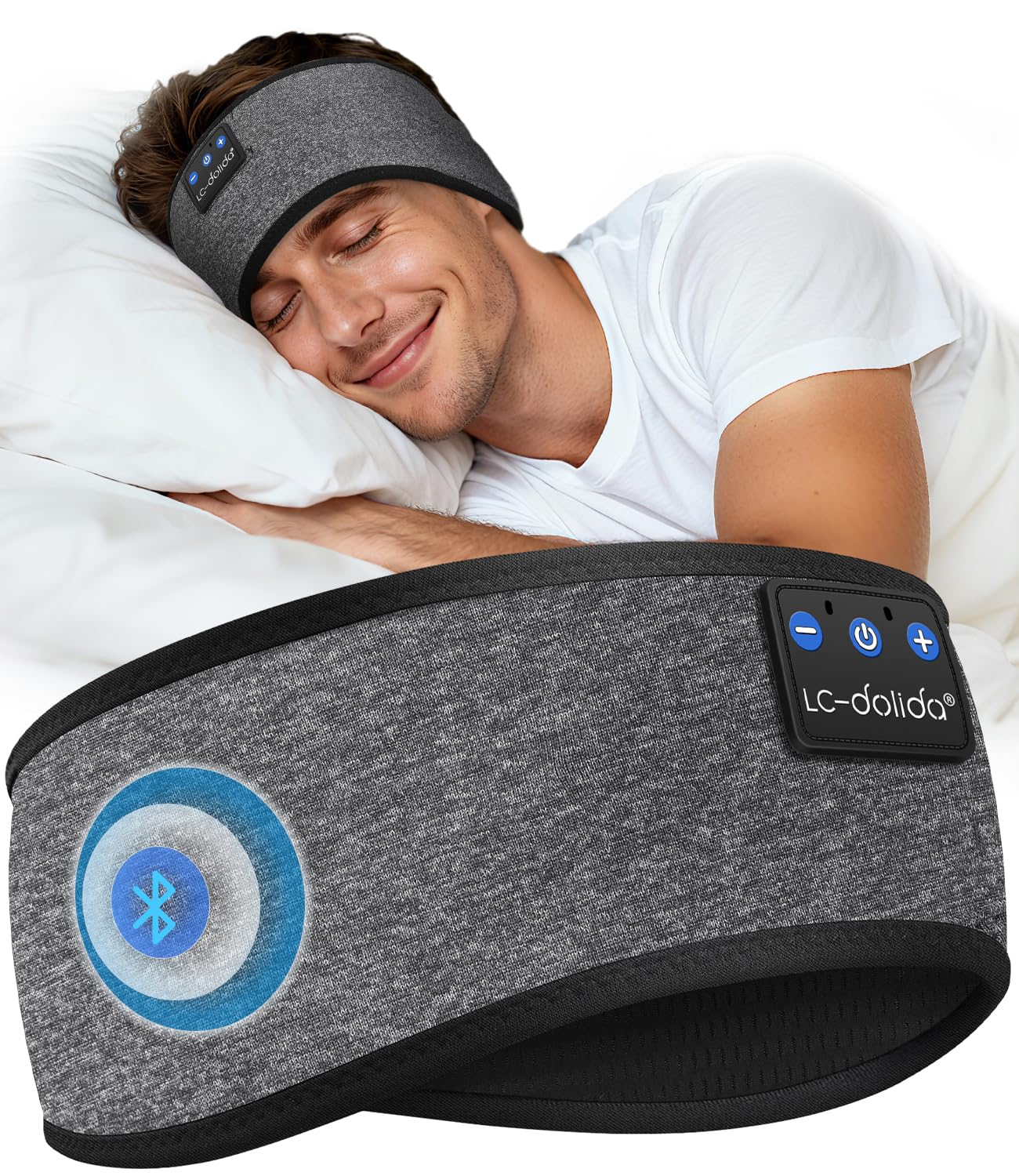
Image: The LC-dolida Bluetooth Sleep Headband, Model LC001, in grey. The image displays its dual functionality, being worn by a man during a workout and by a woman while sleeping, emphasizing its use as an all-in-one sport and music companion.
സജ്ജമാക്കുക
1. Charging the Headband:
- Locate the charging port on the control panel embedded in the headband.
- Connect the provided USB charging cable to the headband's charging port.
- USB കേബിളിന്റെ മറ്റേ അറ്റം അനുയോജ്യമായ ഒരു USB പവർ സ്രോതസ്സിലേക്ക് (ഉദാ: കമ്പ്യൂട്ടർ, വാൾ അഡാപ്റ്റർ) പ്ലഗ് ചെയ്യുക.
- The LED indicator light on the control panel will illuminate red during charging.
- Once fully charged (approx. 2 hours), the LED indicator light will turn blue.
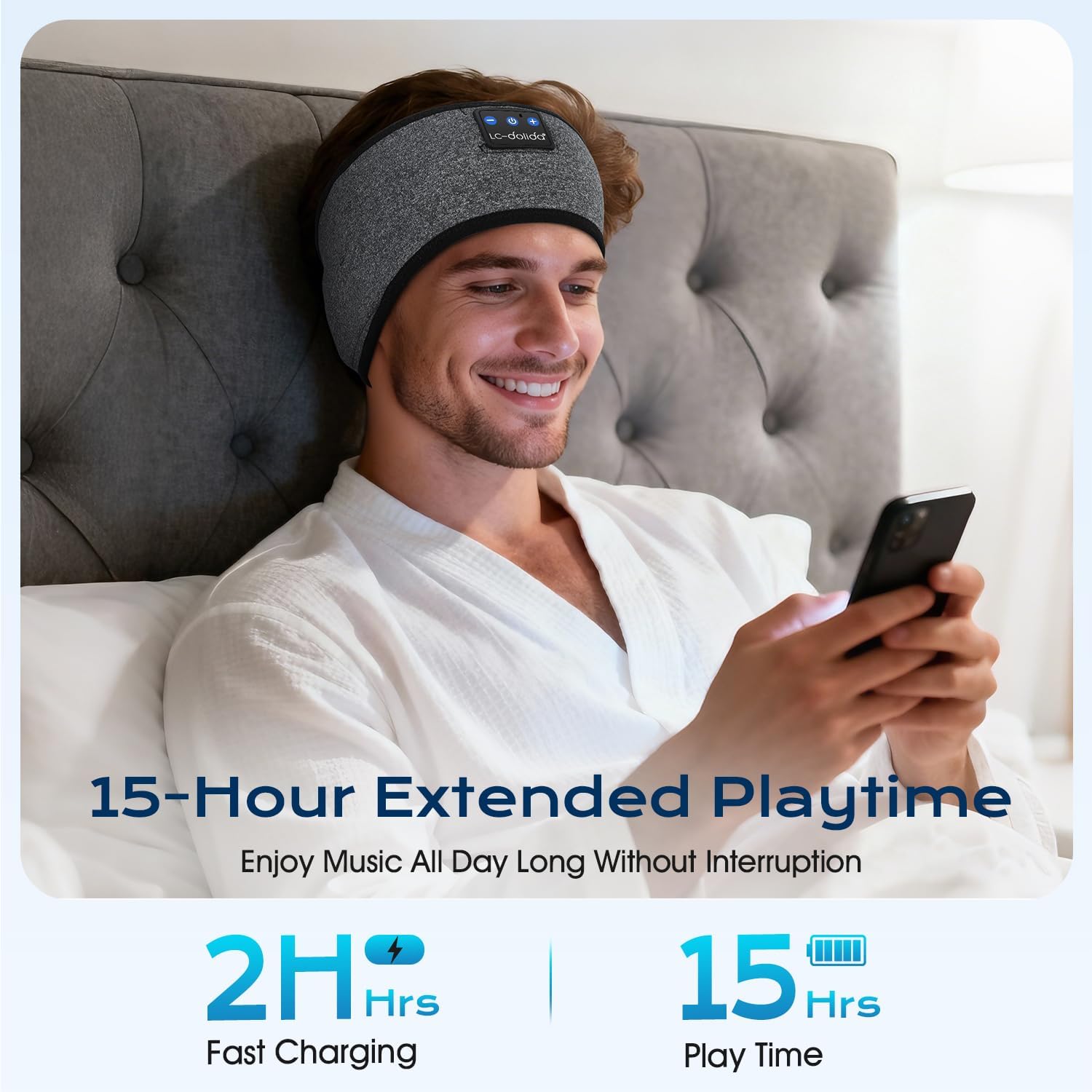
Image: A man wearing the LC-dolida Bluetooth Sleep Headband while relaxing in bed, illustrating the product's extended playtime of up to 15 hours and fast charging capability of 2 hours.
2. ബ്ലൂടൂത്ത് ഉപകരണവുമായി ജോടിയാക്കൽ:
- Ensure the headband is charged.
- പവർ ബട്ടൺ അമർത്തിപ്പിടിക്കുക (Ⓘ) on the control panel for 3-5 seconds until the LED indicator light flashes blue and red, indicating pairing mode.
- നിങ്ങളുടെ സ്മാർട്ട്ഫോണിലോ, ടാബ്ലെറ്റിലോ, അല്ലെങ്കിൽ മറ്റ് ബ്ലൂടൂത്ത് പ്രവർത്തനക്ഷമമാക്കിയ ഉപകരണത്തിലോ, ബ്ലൂടൂത്ത് ക്രമീകരണങ്ങളിലേക്ക് പോകുക.
- ഇതിനായി തിരയുക available devices. The headband should appear as "LC-dolida" or "musiCozy" (refer to your device's Bluetooth list).
- Select "LC-dolida" or "musiCozy" to connect.
- Once successfully paired, the LED indicator light will flash blue slowly or turn solid blue, and you may hear an audible confirmation.
Video: A demonstration of how to charge the LC-dolida Bluetooth Sleep Headband and pair it with a mobile device via Bluetooth. The video shows the control panel, charging port, and the pairing process on a smartphone screen.
പ്രവർത്തന നിർദ്ദേശങ്ങൾ
Wearing the Headband:
- Place the headband around your head, ensuring the control panel is positioned at the front or side, and the integrated speakers are aligned with your ears.
- Adjust the headband for a snug yet comfortable fit. The flexible material accommodates various head sizes.
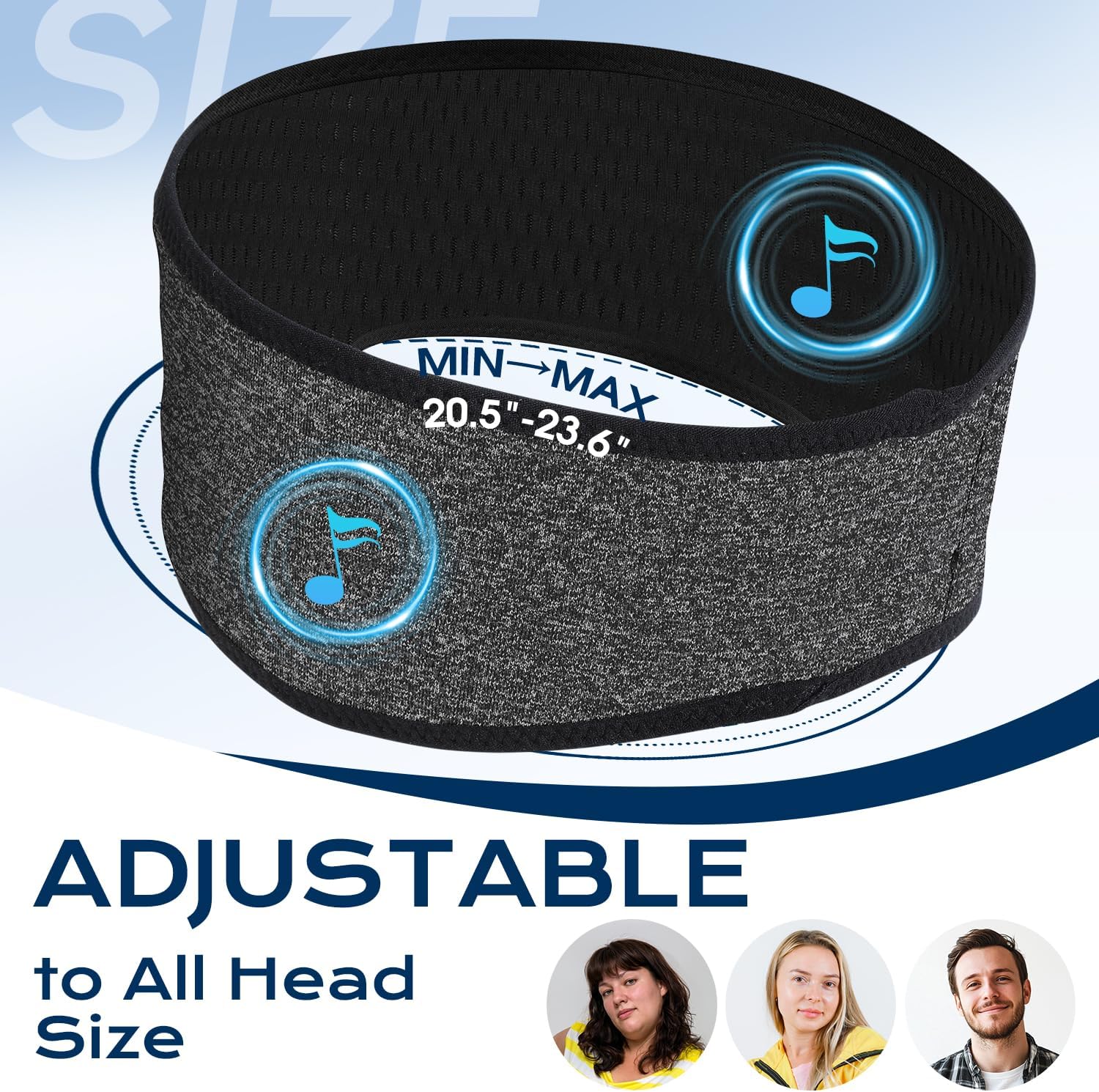
Image: A close-up of the LC-dolida Bluetooth Sleep Headband highlighting its adjustable design, suitable for head sizes ranging from 20.5 to 23.6 inches, ensuring a comfortable fit for various users.
നിയന്ത്രണ പാനൽ പ്രവർത്തനങ്ങൾ:
| ബട്ടൺ | ഫംഗ്ഷൻ |
|---|---|
| Power Button (Ⓘ) |
|
| വോളിയം കൂട്ടുക (+) |
|
| വോളിയം താഴേക്ക് (-) |
|
LED സൂചകം:
- ചുവന്ന വെളിച്ചം: ചാർജിംഗ്
- നീല വെളിച്ചം: Fully charged / Connected
- ചുവപ്പും നീലയും മിന്നുന്നു: ജോടിയാക്കൽ മോഡ്
മെയിൻ്റനൻസ്
Cleaning the Headband:
The LC-dolida Bluetooth Sleep Headband is designed for easy cleaning. Before washing, ensure you remove the electronic components.
- Locate the small opening on the inside of the headband.
- Carefully slide out the control panel and both speaker units from their pockets.
- Once all electronic components are removed, the fabric headband can be hand-washed or machine-washed on a gentle cycle with cold water.
- Air dry the headband completely before reinserting the electronic components.
- Reinsert the speakers and control panel into their respective pockets, ensuring the control panel buttons align with the external markings.
Video: A detailed guide on how to properly remove the electronic components from the LC-dolida Bluetooth Sleep Headband for washing, and how to reassemble them afterwards.
ട്രബിൾഷൂട്ടിംഗ്
- പവർ ഓൺ ചെയ്യാൻ കഴിയില്ല: Ensure the headband is fully charged. Connect it to a power source and allow it to charge for at least 30 minutes before attempting to power on again.
- ഉപകരണവുമായി ജോടിയാക്കാൻ കഴിയില്ല:
- Ensure the headband is in pairing mode (flashing red and blue LED).
- നിങ്ങളുടെ ഉപകരണത്തിലെ ബ്ലൂടൂത്ത് ഓഫാക്കി വീണ്ടും ഓണാക്കുക.
- Delete "LC-dolida" or "musiCozy" from your device's Bluetooth history and try pairing again.
- Ensure the headband is within 33 feet (10 meters) of your device.
- ശബ്ദമില്ല:
- Check the volume levels on both the headband and your connected device.
- Ensure the headband is successfully paired and connected to your device.
- Verify that the speakers are correctly positioned over your ears within the headband.
- മോശം ശബ്ദ നിലവാരം:
- Ensure the headband is fully charged. Low battery can affect sound quality.
- ഇടപെടൽ കുറയ്ക്കുന്നതിന് നിങ്ങളുടെ കണക്റ്റുചെയ്ത ഉപകരണത്തിന് അടുത്തേക്ക് നീങ്ങുക.
- Check for any physical obstructions between the headband and your device.
സ്പെസിഫിക്കേഷനുകൾ
| മോഡൽ നമ്പർ: | LC001 |
| ബ്ലൂടൂത്ത് പതിപ്പ്: | 5.2 |
| വയർലെസ് ശ്രേണി: | 33 അടി വരെ (10 മീറ്റർ) |
| ബാറ്ററി ലൈഫ്: | 8-10 മണിക്കൂർ (ഉപയോഗത്തെ ആശ്രയിച്ച്) |
| ചാർജിംഗ് സമയം: | ഏകദേശം 2 മണിക്കൂർ |
| ചാർജിംഗ് പോർട്ട്: | USB-C |
| മെറ്റീരിയൽ: | 45% Chinlon, 40% Terylene, 15% Elastane (Mesh fabric) |
| അളവുകൾ: | 25 x 8.5 x 1.2 സെ.മീ (9.8 x 3.3 x 0.5 ഇഞ്ച്) |
| ഭാരം: | 88 ഗ്രാം (3.1 ഔൺസ്) |
| ജല പ്രതിരോധം: | വിയർപ്പ് പ്രതിരോധം |
| സ്പീക്കർ തരം: | Integrated Ultra-Thin HD Stereo Speakers |
വാറൻ്റി & പിന്തുണ
LC-dolida offers a 2-year replacement service for this product. If you encounter any issues or have questions, please do not hesitate to contact us. Our customer support team is ready to assist you.
For support, please refer to the contact information provided with your purchase or visit the official LC-dolida webസൈറ്റ്.


