1. ആമുഖം
This manual provides detailed instructions for setting up, operating, and maintaining your Logitech C920x HD Pro Webcam. Designed for crisp, clear Full HD 1080p video calls and recordings, this webcam features HD autofocus, light correction, and dual microphones for superior audio quality. Please read this manual thoroughly to ensure optimal performance and longevity of your device.
2. ബോക്സിൽ എന്താണുള്ളത്?
- C920x Webക്യാമറ
- 5 അടി യുഎസ്ബി കേബിൾ
- ഉപയോക്തൃ ഡോക്യുമെൻ്റേഷൻ

Figure 2.1: Logitech C920x HD Pro Webcam with its included USB cable.
3. സജ്ജീകരണം
3.1. ഭൗതിക സ്ഥാനം
The C920x webcam features a versatile mounting clip that allows for secure placement on various devices:
- ഒരു മോണിറ്റർ/ലാപ്ടോപ്പ് സ്ക്രീനിൽ: ക്ലിപ്പ് തുറന്ന് webcam on top of your monitor or laptop screen, ensuring the front lip rests securely on the top edge and the adjustable arm supports the back.
- ഒരു ട്രൈപോഡിൽ: ദി webcam's base includes a standard tripod thread for mounting on a tripod (not included).
- പരന്ന പ്രതലത്തിൽ: The clip can also be folded to create a stable base for placement on a desk or shelf.

ചിത്രം 3.1: Webcam securely mounted on a laptop screen.

Figure 3.2: The adjustable clip allows for various mounting options.
3.2. നിങ്ങളുടെ കമ്പ്യൂട്ടറുമായി ബന്ധിപ്പിക്കുന്നു
Connect the integrated 5ft USB cable from the webനിങ്ങളുടെ കമ്പ്യൂട്ടറിൽ ലഭ്യമായ ഒരു USB പോർട്ടിലേക്ക് ക്യാമറ ബന്ധിപ്പിക്കുക. webcam is plug-and-play and should be automatically recognized by most operating systems (Windows, macOS, Chrome OS).

Figure 3.3: USB connection for easy setup.
4. പ്രവർത്തന നിർദ്ദേശങ്ങൾ
4.1. Video Calls and Recording
The C920x delivers Full HD 1080p video at 30 frames per second, ensuring crisp and clear visuals for your video conferences and content creation. It is compatible with popular video calling applications like Skype, Zoom, and FaceTime.

Figure 4.1: High-quality video for professional communication.
4.2. ഓഡിയോ സവിശേഷതകൾ
Equipped with dual stereo microphones, the C920x captures natural sound, making your voice clear during calls and recordings. The microphones are positioned on either side of the lens for optimal sound pickup.

Figure 4.2: Dual microphones for clear stereo audio.
4.3. Automatic Light Correction and Autofocus
ദി webcam automatically fine-tunes lighting conditions and features HD autofocus to produce bright, razor-sharp images even in low-light settings. This ensures consistent high-definition quality without manual adjustments.

Figure 4.3: Automatic adjustments for optimal image quality.
4.4. Logitech Capture Software
For advanced control and content creation, download and install the Logitech Capture software. This software allows you to easily create and share video content, offering features like background removal, replacement, and blurring (with included XSplit VCam license).
Figure 4.4: Logitech Capture App for enhanced control.
4.5 അനുയോജ്യത
The Logitech C920x is broadly compatible with various operating systems and platforms, including Windows, macOS, Chrome OS, and popular video conferencing applications.
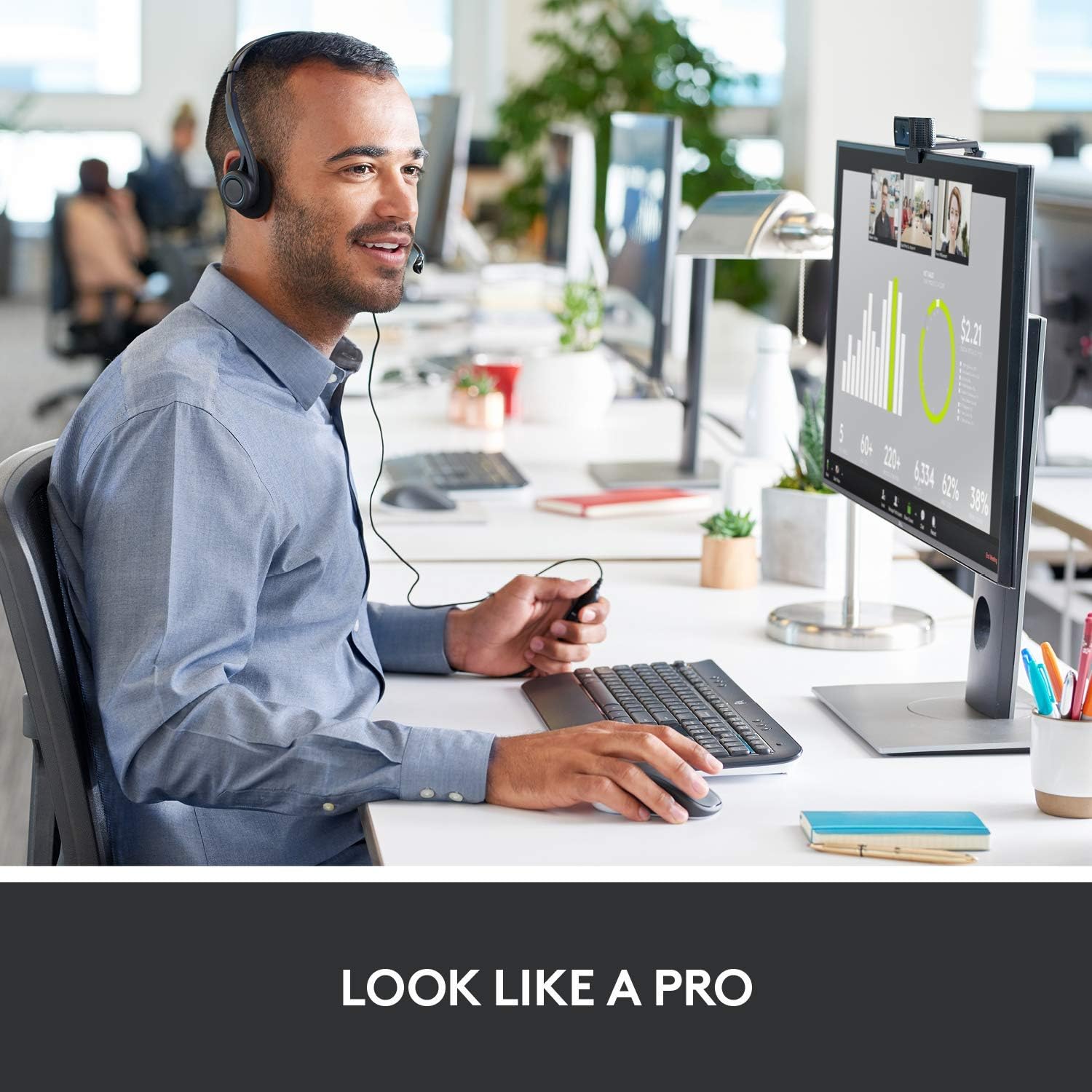
Figure 4.5: Broad compatibility with various platforms.
5. പരിപാലനം
To ensure the longevity and optimal performance of your Logitech C920x HD Pro Webcam, ഈ ലളിതമായ പരിപാലന മാർഗ്ഗനിർദ്ദേശങ്ങൾ പാലിക്കുക:
- ലെൻസ് വൃത്തിയാക്കൽ: Gently wipe the lens with a soft, lint-free cloth. Avoid using abrasive materials or harsh chemicals that could scratch the lens.
- ശരീരം വൃത്തിയാക്കൽ: ഒരു സോഫ്റ്റ് ഉപയോഗിക്കുക, ഡിamp ശരീരം വൃത്തിയാക്കാൻ ഉപയോഗിക്കുന്ന തുണി webക്യാമറ. മുക്കരുത് webവെള്ളത്തിൽ മുക്കിവയ്ക്കുക അല്ലെങ്കിൽ അമിതമായ ഈർപ്പം ഉപയോഗിക്കുക.
- സംഭരണം: ഉപയോഗത്തിലില്ലാത്തപ്പോൾ, സംഭരിക്കുക webനേരിട്ടുള്ള സൂര്യപ്രകാശത്തിൽ നിന്നും ഉയർന്ന താപനിലയിൽ നിന്നും മാറി തണുത്തതും വരണ്ടതുമായ സ്ഥലത്ത് ക്യാം വയ്ക്കുക.
- കേബിൾ കെയർ: Avoid bending or kinking the USB cable excessively to prevent internal damage.
6. പ്രശ്നപരിഹാരം
If you encounter issues with your Logitech C920x HD Pro Webcam-ൽ, ഇനിപ്പറയുന്ന ട്രബിൾഷൂട്ടിംഗ് ഘട്ടങ്ങൾ പരീക്ഷിക്കുക:
| പ്രശ്നം | സാധ്യമായ പരിഹാരം |
|---|---|
| Webകമ്പ്യൂട്ടർ ക്യാമറ കണ്ടെത്തിയില്ല. |
|
| മോശം വീഡിയോ നിലവാരം (മങ്ങിയത്, ഇരുണ്ടത്, ഗ്രെയിനി). |
|
| ഓഡിയോ ഇല്ല അല്ലെങ്കിൽ മോശം ഓഡിയോ നിലവാരം. |
|
For further assistance, refer to the official Logitech support webസൈറ്റ് അല്ലെങ്കിൽ പൂർണ്ണ ഉപയോക്തൃ മാനുവൽ PDF.
7 സ്പെസിഫിക്കേഷനുകൾ
| ഫീച്ചർ | വിശദാംശങ്ങൾ |
|---|---|
| ഉൽപ്പന്ന അളവുകൾ | 2.8 x 1.7 x 3.7 ഇഞ്ച് |
| ഇനത്തിൻ്റെ ഭാരം | 5.7 ഔൺസ് |
| ഇനം മോഡൽ നമ്പർ | 960-001335 |
| വീഡിയോ ക്യാപ്ചർ റെസല്യൂഷൻ | 1080p (പൂർണ്ണ HD) |
| ഫ്രെയിം റേറ്റ് | 30 fps |
| ഫോട്ടോ സെൻസർ ടെക്നോളജി | CMOS |
| പരമാവധി അപ്പേർച്ചർ | 1.8 എഫ് |
| കണക്റ്റിവിറ്റി ടെക്നോളജി | USB |
| മൈക്രോഫോൺ | Dual Stereo Microphones |
| ഓട്ടോഫോക്കസ് | HD Autofocus |
| ലൈറ്റ് തിരുത്തൽ | Automatic HD Light Correction |
| നിർമ്മാതാവ് | ലോജിടെക് |
| മാതൃരാജ്യം | വിയറ്റ്നാം |
8. വാറൻ്റിയും പിന്തുണയും
ലോജിടെക് ഉൽപ്പന്നങ്ങൾ സാധാരണയായി പരിമിതമായ ഹാർഡ്വെയർ വാറണ്ടിയോടെയാണ് വരുന്നത്. നിർദ്ദിഷ്ട വാറന്റി വിശദാംശങ്ങൾ, രജിസ്ട്രേഷൻ, സാങ്കേതിക പിന്തുണ എന്നിവയ്ക്കായി, ദയവായി ഔദ്യോഗിക ലോജിടെക് പിന്തുണ സന്ദർശിക്കുക. website or refer to the user documentation included with your product.
നിങ്ങൾക്ക് ഔദ്യോഗിക ഉപയോക്തൃ മാനുവലും (PDF) കണ്ടെത്താം. ഇവിടെ.
Protection plans are available for purchase separately to extend coverage:
- 2-വർഷ സംരക്ഷണ പദ്ധതി
- 3-വർഷ സംരക്ഷണ പദ്ധതി
- കംപ്ലീറ്റ് പ്രൊട്ടക്റ്റ് (പ്രതിമാസ പ്ലാൻ)