1. ആമുഖം
This manual provides essential information for the proper use and maintenance of your Huawei Watch GT2e HCT-B19 Smart Watch. Please read this manual thoroughly before using the device to ensure optimal performance and longevity.
The Huawei Watch GT2e is a versatile smartwatch designed to support an active lifestyle, featuring advanced health monitoring, extensive workout tracking, and smart notifications.
2 സുരക്ഷാ വിവരങ്ങൾ
- Do not attempt to disassemble or modify the device. Unauthorized modifications may void your warranty and pose safety risks.
- ഉപകരണത്തെ തീവ്രമായ താപനില, നേരിട്ടുള്ള സൂര്യപ്രകാശം, ഈർപ്പം എന്നിവയിൽ നിന്ന് അകറ്റി നിർത്തുക.
- അംഗീകൃത ചാർജറുകളും അനുബന്ധ ഉപകരണങ്ങളും മാത്രം ഉപയോഗിക്കുക.
- പുതിയ വ്യായാമ പദ്ധതികൾ ആരംഭിക്കുന്നതിന് മുമ്പ് ഒരു മെഡിക്കൽ പ്രൊഫഷണലിനെ സമീപിക്കുക, പ്രത്യേകിച്ച് നിങ്ങൾക്ക് മുൻകാല ആരോഗ്യപ്രശ്നങ്ങൾ ഉണ്ടെങ്കിൽ.
- The device is water-resistant up to 5 ATM. Avoid using it in hot showers, saunas, or during high-speed water sports.
- Clean the device regularly to prevent skin irritation.
3. പാക്കേജ് ഉള്ളടക്കം
നിങ്ങളുടെ ഉൽപ്പന്ന പാക്കേജിൽ എല്ലാ ഇനങ്ങളും ഉണ്ടെന്ന് ഉറപ്പാക്കുക:
- Huawei Watch GT2e HCT-B19 Smart Watch
- ചാർജ്ജിംഗ് തൊട്ടിൽ
- ചാർജിംഗ് കേബിൾ
- ദ്രുത ആരംഭ ഗൈഡ്
- സുരക്ഷാ വിവരങ്ങൾ
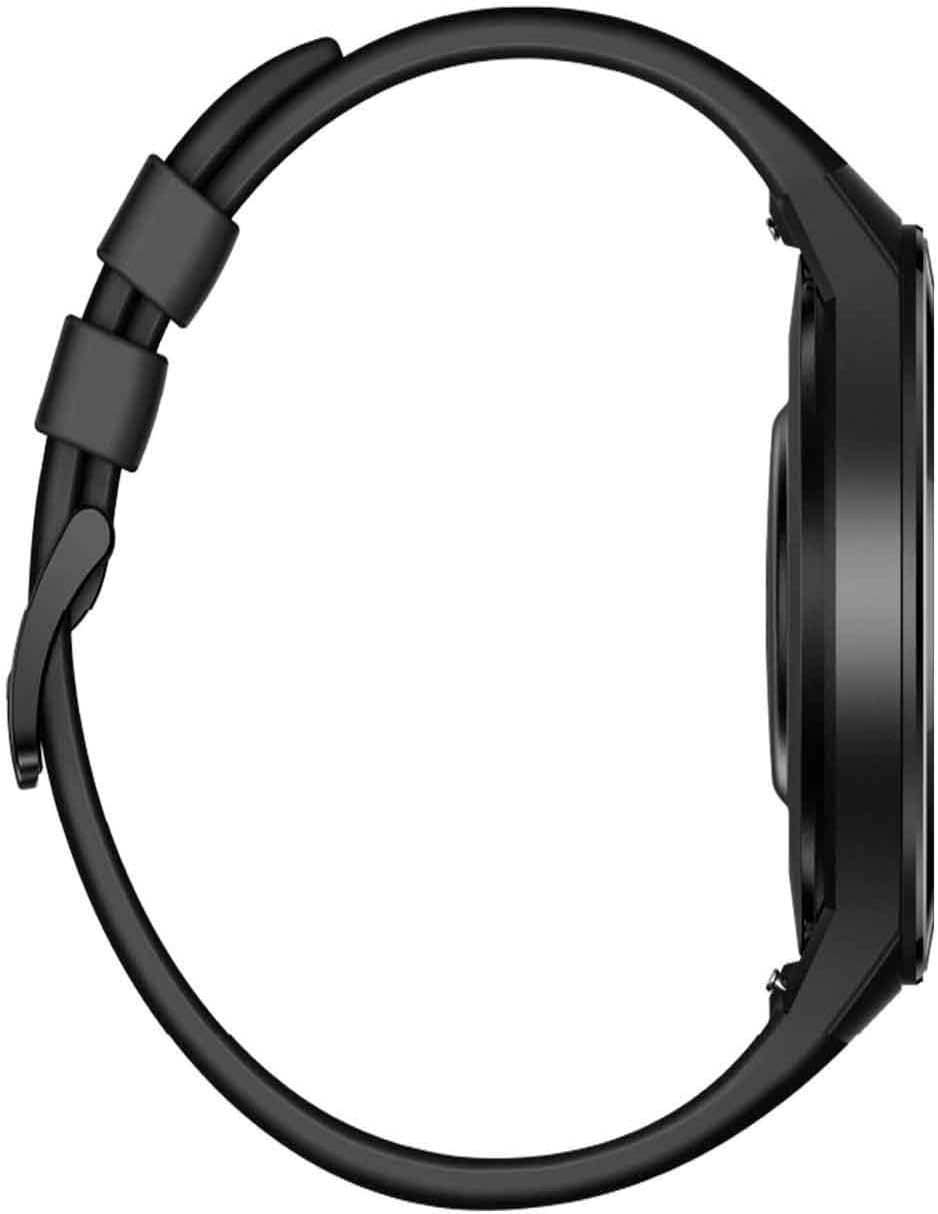
4. ഡിവൈസ് ഓവർview


5. സജ്ജീകരണം
5.1 ഉപകരണം ചാർജ് ചെയ്യുന്നു
- Connect the charging cable to the charging cradle.
- Align the charging contacts on the back of the watch with the pins on the charging cradle. The watch will magnetically snap into place.
- ചാർജിംഗ് കേബിളിന്റെ USB അറ്റം ഒരു പവർ അഡാപ്റ്ററുമായി (ഉൾപ്പെടുത്തിയിട്ടില്ല) അല്ലെങ്കിൽ കമ്പ്യൂട്ടറിന്റെ USB പോർട്ടുമായി ബന്ധിപ്പിക്കുക.
- The watch display will show a charging indicator. A full charge typically takes approximately 1.5 to 2 hours.
5.2 പവർ ഓൺ/ഓഫ്
- പവർ ഓൺ: Press and hold the top button until the Huawei logo appears.
- പവർ ഓഫ്: Press and hold the top button, then select 'Power off' from the options on the screen.
5.3 Pairing with Your Phone
- ഡൗൺലോഡ് ചെയ്ത് ഇൻസ്റ്റാൾ ചെയ്യുക Huawei ആരോഗ്യം app on your smartphone from your phone's app store or by scanning the QR code in the Quick Start Guide.
- Open the Huawei Health app and navigate to 'Devices' > 'Add device'.
- Select 'Smart watches' and choose 'HUAWEI WATCH GT Series'.
- Follow the on-screen instructions in the app to search for and pair with your Huawei Watch GT2e.
- നിങ്ങളുടെ ഫോണിലും വാച്ചിലും ജോടിയാക്കൽ അഭ്യർത്ഥന സ്ഥിരീകരിക്കുക.
6. പ്രവർത്തന നിർദ്ദേശങ്ങൾ
6.1 അടിസ്ഥാന നാവിഗേഷൻ
- ടച്ച് സ്ക്രീൻ: Swipe up, down, left, or right to navigate through menus and notifications. Tap to select an item.
- ടോപ്പ് ബട്ടൺ: Press to access the app list or return to the home screen. Press and hold for power options.
- താഴെയുള്ള ബട്ടൺ: Press to access workout modes by default, or customize its function via the Huawei Health app.
6.2 വാച്ച് ഫെയ്സുകൾ
The Huawei Watch GT2e offers a variety of watch faces. To change the watch face, press and hold the current watch face on the screen, then swipe left or right to browse and tap to select a new one. More watch faces can be downloaded via the Huawei Health app.
6.3 അറിയിപ്പുകൾ
Once paired with your phone, the watch will display notifications for incoming calls, messages, emails, and other app alerts. Swipe up from the watch face to view your notification center.
6.4 മ്യൂസിക് പ്ലേബാക്ക്

The watch supports music storage and playback. You can transfer music from your phone to the watch using the Huawei Health app. Connect Bluetooth earbuds directly to the watch for phone-free music listening during workouts.
6.5 വർക്ക്ഔട്ട് മോഡുകൾ

The Huawei Watch GT2e features 15 professional sports modes, including climbing, running, swimming, and cycling. It also offers 85 custom workout modes. The watch can automatically detect and track activities such as indoor/outdoor running, walking, elliptical, and rowing.
6.6 ആരോഗ്യ നിരീക്ഷണം
- ഹൃദയമിടിപ്പ്: Provides 24/7 real-time heart rate monitoring. Access heart rate data from the watch or the Huawei Health app.
- സ്ട്രെസ് മോണിറ്ററിംഗ്: ദിവസം മുഴുവൻ സമ്മർദ്ദ നിലകൾ ട്രാക്ക് ചെയ്യുന്നു.
- ഉറക്ക ട്രാക്കിംഗ്: Analyzes sleep patterns, including sleep stages and quality, to provide insights for better sleep.
- VO2max: Monitors your VO2max during specific workouts to assess cardiovascular fitness.
6.7 ജിപിഎസ് പ്രവർത്തനം
Equipped with built-in GPS and GLONASS positioning systems, the watch provides precise route tracking for outdoor workouts without needing your phone.
6.8 ജല പ്രതിരോധം
The device has a 5 ATM water resistance rating, making it suitable for shallow-water activities like swimming in a pool or ocean. It is not recommended for diving, hot springs, or saunas.
7. പരിപാലനം
7.1 വൃത്തിയാക്കൽ
- Wipe the watch and strap with a soft, damp തുണി.
- കഠിനമായ രാസവസ്തുക്കളോ ഉരച്ചിലുകളോ ഉപയോഗിക്കുന്നത് ഒഴിവാക്കുക.
- ചാർജ് ചെയ്യുന്നതിനുമുമ്പ് ചാർജിംഗ് കോൺടാക്റ്റുകൾ വൃത്തിയുള്ളതും വരണ്ടതുമാണെന്ന് ഉറപ്പാക്കുക.
7.2 ബാറ്ററി കെയർ
- To maximize battery life, avoid fully discharging the watch frequently.
- Charge the watch regularly, even if not in use for extended periods.
- The watch features a power-saving algorithm for extended battery performance, offering up to 2 weeks of typical use.
7.3 സംഭരണം
When storing the watch for an extended period, ensure it is partially charged and kept in a cool, dry place away from direct sunlight.
8. പ്രശ്നപരിഹാരം
8.1 ഉപകരണം ഓണാക്കുന്നില്ല
- Ensure the watch is sufficiently charged. Place it on the charging cradle for at least 10 minutes.
- Press and hold the top button for at least 15 seconds to attempt a forced restart.
8.2 ജോടിയാക്കൽ പ്രശ്നങ്ങൾ
- നിങ്ങളുടെ ഫോണിലും വാച്ചിലും ബ്ലൂടൂത്ത് പ്രവർത്തനക്ഷമമാക്കിയിട്ടുണ്ടെന്ന് ഉറപ്പാക്കുക.
- Make sure the watch is not already paired with another device.
- നിങ്ങളുടെ ഫോണും വാച്ചും പുനരാരംഭിക്കുക, തുടർന്ന് വീണ്ടും ജോടിയാക്കാൻ ശ്രമിക്കുക.
- Ensure the Huawei Health app is updated to the latest version.
8.3 Inaccurate Heart Rate Readings
- Ensure the watch is worn snugly on your wrist, about one finger-width above the wrist bone.
- വാച്ചിന്റെ പിൻഭാഗത്തുള്ള ഹൃദയമിടിപ്പ് സെൻസർ വൃത്തിയാക്കുക.
- അളക്കുന്ന സമയത്ത് അമിതമായ ചലനം ഒഴിവാക്കുക.
8.4 കുറഞ്ഞ ബാറ്ററി ലൈഫ്
- Disable features like 'Always-on display' or frequent heart rate monitoring if not needed.
- സ്ക്രീൻ തെളിച്ചം കുറയ്ക്കുക.
- വാച്ചിലേക്ക് അറിയിപ്പുകൾ അയയ്ക്കുന്ന ആപ്പുകളുടെ എണ്ണം പരിമിതപ്പെടുത്തുക.
- Ensure the watch software is up to date.
9 സ്പെസിഫിക്കേഷനുകൾ
| ഫീച്ചർ | സ്പെസിഫിക്കേഷൻ |
|---|---|
| മോഡൽ നമ്പർ | HCT-B19 (Internal: GT5) |
| പ്രദർശിപ്പിക്കുക | 1.39-inch AMOLED HD Touchscreen (454 x 454 resolution) |
| ഓപ്പറേറ്റിംഗ് സിസ്റ്റം | മറ്റുള്ളവ |
| മെമ്മറി സ്റ്റോറേജ് കപ്പാസിറ്റി | 4 ജിബി |
| റാം | 4 ജിബി |
| കണക്റ്റിവിറ്റി | Bluetooth (2.4 GHz Radio Frequency) |
| ജിപിഎസ് | Built-in GPS, GLONASS |
| ജല പ്രതിരോധം | 5 എ.ടി.എം |
| ബാറ്ററി ലൈഫ് | Up to 2 weeks (typical usage) |
| ബാറ്ററി തരം | ലിഥിയം പോളിമർ |
| ഉൽപ്പന്ന അളവുകൾ | 53 x 46.8 x 10.8 സെ.മീ |
| ഇനത്തിൻ്റെ ഭാരം | 44 ഗ്രാം |
| ഹ്യൂമൻ ഇന്റർഫേസ് ഇൻപുട്ട് | ബട്ടണുകൾ, മൈക്രോഫോൺ, ടച്ച്സ്ക്രീൻ |
| പ്രത്യേക സവിശേഷതകൾ | Alarm Clock, GPS, Time Display, Heart Rate Monitor, Sleep Tracker, Stress Monitor, VO2max |
10. വാറൻ്റിയും പിന്തുണയും
For warranty information and customer support, please refer to the warranty card included in your product package or visit the official HUAWEI webസൈറ്റ്. വാറന്റി ക്ലെയിമുകൾക്കായി നിങ്ങളുടെ വാങ്ങലിന്റെ തെളിവ് സൂക്ഷിക്കുക.


