DIGITNOW! AV to HDMI Adapter
ഉപയോക്തൃ മാനുവൽ
1. ആമുഖം
വാങ്ങിയതിന് നന്ദി.asing the DIGITNOW! AV to HDMI Adapter. This device is designed to convert analog RCA composite video and audio signals into a digital HDMI output, allowing you to connect older devices with RCA outputs (such as VCRs, DVD players, gaming consoles, and set-top boxes) to modern HD televisions, monitors, or projectors that only have HDMI inputs. It supports both 1080p and 720p HDMI output resolutions.

Image: The DIGITNOW! AV to HDMI Adapter with its included USB power cable, illustrating its function as an AV to HDMI converter.
2 സുരക്ഷാ വിവരങ്ങൾ
ഉപകരണം ഉപയോഗിക്കുന്നതിന് മുമ്പ് ദയവായി ഇനിപ്പറയുന്ന സുരക്ഷാ മുൻകരുതലുകൾ വായിച്ച് മനസ്സിലാക്കുക:
- വെള്ളം, ഈർപ്പം, തീവ്രമായ താപനില എന്നിവയിൽ നിന്ന് ഉപകരണം അകറ്റി നിർത്തുക.
- ഉപകരണം വേർപെടുത്താനോ പരിഷ്ക്കരിക്കാനോ ശ്രമിക്കരുത്. ഇത് വാറന്റി അസാധുവാക്കുകയും കേടുപാടുകൾക്ക് കാരണമാവുകയും ചെയ്തേക്കാം.
- Use only the provided USB power cable and a compatible 5V power source.
- അമിതമായി ചൂടാക്കുന്നത് തടയാൻ ഉപകരണത്തിന് ചുറ്റും ശരിയായ വായുസഞ്ചാരം ഉറപ്പാക്കുക.
- Disconnect the power supply if the device is not in use for an extended period.
3. പാക്കേജ് ഉള്ളടക്കം
പാക്കേജിൽ ഇനിപ്പറയുന്ന ഇനങ്ങൾ അടങ്ങിയിരിക്കണം:
- 1x DIGITNOW! AV to HDMI Adapter
- 1x USB പവർ കേബിൾ
ഏതെങ്കിലും ഇനങ്ങൾ നഷ്ടപ്പെട്ടാലോ കേടുപാടുകൾ സംഭവിച്ചാലോ, ദയവായി ഉപഭോക്തൃ പിന്തുണയുമായി ബന്ധപ്പെടുക.
4. ഉൽപ്പന്നം കഴിഞ്ഞുview
The DIGITNOW! AV to HDMI Adapter is a compact device designed for ease of use. It features standard RCA input ports for composite video and stereo audio, a USB power input, and an HDMI output port. A switch is also present to select the desired output resolution.

ചിത്രം: ഒരു വ്യക്തമായ view of the DIGITNOW! AV to HDMI Adapter, showing its compact size and port labels.

Image: Top-down perspective of the adapter, highlighting the RCA input ports (yellow for video, white for left audio, red for right audio), the USB power input, and the 720P/1080P resolution switch.
5. സജ്ജീകരണം
Follow these steps to connect your DIGITNOW! AV to HDMI Adapter:
- ആർസിഎ കേബിളുകൾ ബന്ധിപ്പിക്കുക: Plug the yellow RCA cable (video) from your source device (e.g., DVD player, VCR, game console) into the yellow 'CVBS' input port on the adapter. Connect the white RCA cable (left audio) to the white 'L' input port and the red RCA cable (right audio) to the red 'R' input port on the adapter.
- HDMI കേബിൾ ബന്ധിപ്പിക്കുക: Connect one end of an HDMI cable (not included) to the 'OUTPUT' HDMI port on the adapter. Connect the other end of the HDMI cable to an available HDMI input port on your HD TV, monitor, or projector.
- USB പവർ ബന്ധിപ്പിക്കുക: Plug the small end of the included USB power cable into the 'USB/POWER' port on the adapter. Plug the standard USB-A end into a 5V USB power source (e.g., a USB wall adapter, a USB port on your TV, or a computer USB port). The adapter requires external power to function.
- Select Input on Display: Turn on your TV/monitor and select the correct HDMI input source that the adapter is connected to.

Image: A detailed diagram illustrating the connection process, showing RCA cables from a source device connecting to the adapter's input, the USB power cable connected, and an HDMI cable connecting the adapter's output to a display.

Image: A visual representation of the signal flow, demonstrating various input devices (VCR, PS4, HD Player, Set-top Box) connecting to the adapter's AV input, and the HDMI output connecting to different display types (Digital TV, Projector, HD Monitor).
6. പ്രവർത്തന നിർദ്ദേശങ്ങൾ
Once the adapter is set up, operating it is straightforward:
- പവർ ഓൺ ഉപകരണങ്ങൾ: Ensure your source device (e.g., DVD player) and your display (TV/monitor) are powered on.
- Select Output Resolution: The adapter has a switch labeled '720P' and '1080P'. Slide this switch to select your desired HDMI output resolution. Most modern HD TVs support both, but 1080p generally provides a sharper image if supported by your display.
- ഉള്ളടക്കം പ്ലേ ചെയ്യുക: Start playing content on your source device. The video and audio should now be displayed on your HDMI-connected screen.
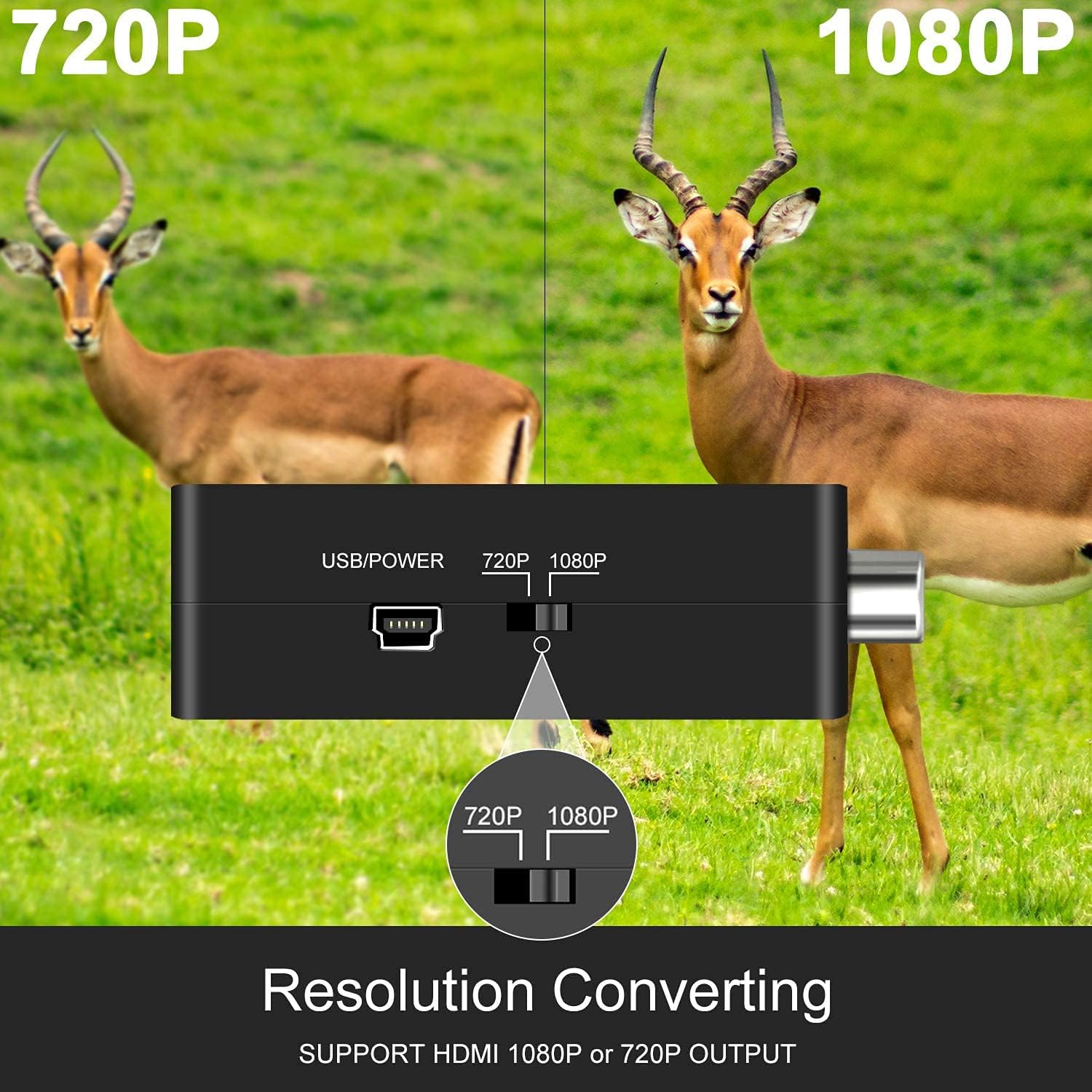
ചിത്രം: ഒരു ക്ലോസ്-അപ്പ് view of the adapter's side, clearly showing the switch for selecting between 720P and 1080P output resolutions.
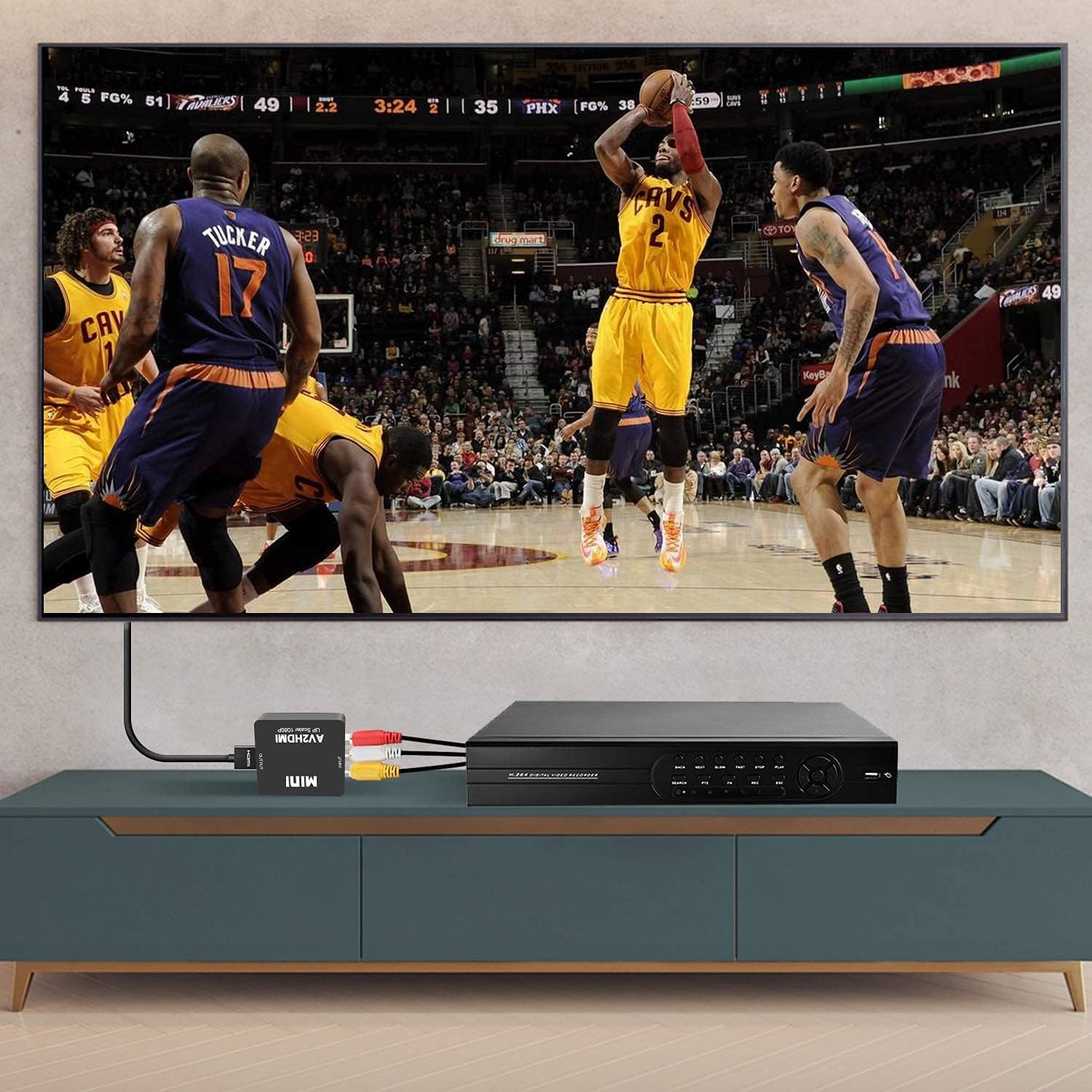
Image: The adapter connected to a VCR player via RCA cables and to a television via an HDMI cable, demonstrating a typical setup for converting analog video to digital for display.
7. പ്രശ്നപരിഹാരം
നിങ്ങൾക്ക് പ്രശ്നങ്ങൾ നേരിടുകയാണെങ്കിൽ, ഇനിപ്പറയുന്ന പൊതുവായ പ്രശ്നങ്ങളും പരിഹാരങ്ങളും പരിശോധിക്കുക:
| പ്രശ്നം | സാധ്യമായ കാരണം | പരിഹാരം |
|---|---|---|
| No picture/No signal on TV | Incorrect input selected on TV, loose cables, no power to adapter, incompatible resolution. | Ensure TV is on the correct HDMI input. Check all cable connections (RCA, HDMI, USB power). Verify the USB power cable is connected to a 5V source. Try switching the 720P/1080P resolution on the adapter. |
| ഓഡിയോ ഇല്ല | Loose audio RCA cables, TV audio settings. | Check white and red RCA audio cable connections. Ensure TV volume is up and not muted. |
| Poor picture quality/Distorted image | Poor quality source signal, damaged cables, resolution mismatch. | The adapter converts the signal but does not improve the original source quality. Ensure RCA cables are not damaged. Try switching the 720P/1080P resolution. |
| Image delay/Lag | Processing delay, specific to certain source devices or displays. | This can sometimes occur due to the conversion process. Ensure all connections are secure. Some TVs have a 'Game Mode' which can reduce input lag. |
8 സ്പെസിഫിക്കേഷനുകൾ
| ഫീച്ചർ | വിശദാംശങ്ങൾ |
|---|---|
| മോഡൽ | V305 |
| ഇൻപുട്ട് പോർട്ടുകൾ | 1x RCA (Yellow, White, Red) |
| ഔട്ട്പുട്ട് പോർട്ടുകൾ | 1x HDMI |
| പവർ ഇൻപുട്ട് | USB 5V |
| Supported Input Formats | PAL, NTSC3.58, NTSC4.43, SECAM, PAL/M, PAL/N |
| HDMI ഔട്ട്പുട്ട് റെസല്യൂഷൻ | 1080p (60Hz) or 720p (60Hz) |
| അളവുകൾ | 6 x 2 x 7 സെ.മീ |
| ഭാരം | 60 ഗ്രാം |
| അനുയോജ്യമായ ഉപകരണങ്ങൾ | PC, Laptop, Xbox, PS4, PS3, TV, VCR, Camera, DVD players, N64, WII, STB |
9. പരിപാലനം
നിങ്ങളുടെ അഡാപ്റ്ററിന്റെ ദീർഘായുസ്സും ഒപ്റ്റിമൽ പ്രകടനവും ഉറപ്പാക്കാൻ:
- വൃത്തിയാക്കൽ: ഉപകരണത്തിന്റെ പുറംഭാഗം വൃത്തിയാക്കാൻ മൃദുവായതും ഉണങ്ങിയതുമായ തുണി ഉപയോഗിക്കുക. ലിക്വിഡ് ക്ലീനറുകളോ എയറോസോളുകളോ ഉപയോഗിക്കരുത്.
- സംഭരണം: ഉപയോഗത്തിലില്ലാത്തപ്പോൾ നേരിട്ടുള്ള സൂര്യപ്രകാശവും കടുത്ത താപനിലയും ഏൽക്കാത്ത ഒരു തണുത്തതും വരണ്ടതുമായ സ്ഥലത്ത് അഡാപ്റ്റർ സൂക്ഷിക്കുക.
- കൈകാര്യം ചെയ്യൽ: ഉപകരണം ഉപേക്ഷിക്കുകയോ ശക്തമായ ആഘാതങ്ങൾക്ക് വിധേയമാക്കുകയോ ചെയ്യരുത്.
10. വാറൻ്റിയും പിന്തുണയും
The DIGITNOW! AV to HDMI Adapter comes with a standard manufacturer's warranty. For specific warranty terms and conditions, please refer to the product packaging or contact your retailer.
If you experience any issues or have questions regarding your product, please contact DIGITNOW! customer support through the retailer's platform or the official DIGITNOW! website. Please have your product model number (V305) and purchase information ready when contacting support.


