ആമുഖം
This manual provides detailed instructions for the Keychron K8 Wireless Bluetooth/USB Wired Mechanical Keyboard. The K8 is a hot-swappable, tenkeyless (87-key) keyboard featuring RGB LED backlighting, Gateron Brown switches, and N-Key Rollover. It is designed for compatibility with both Mac and Windows operating systems, and includes an aluminum frame for durability.
സജ്ജമാക്കുക
പാക്കേജ് ഉള്ളടക്കം
- കീക്രോൺ K8 മെക്കാനിക്കൽ കീബോർഡ്
- യുഎസ്ബി ടൈപ്പ്-സി കേബിൾ
- കീക്യാപ് പുള്ളർ
- സ്വിച്ച് പുള്ളർ
- വിൻഡോസ്, മാക് ഓപ്പറേറ്റിംഗ് സിസ്റ്റങ്ങൾക്കുള്ള അധിക കീക്യാപ്പുകൾ
പ്രാരംഭ ചാർജിംഗ്
Before first use, connect the keyboard to a USB power source using the provided USB Type-C cable to ensure the internal 4000mAh battery is fully charged. The charging indicator light will provide status.
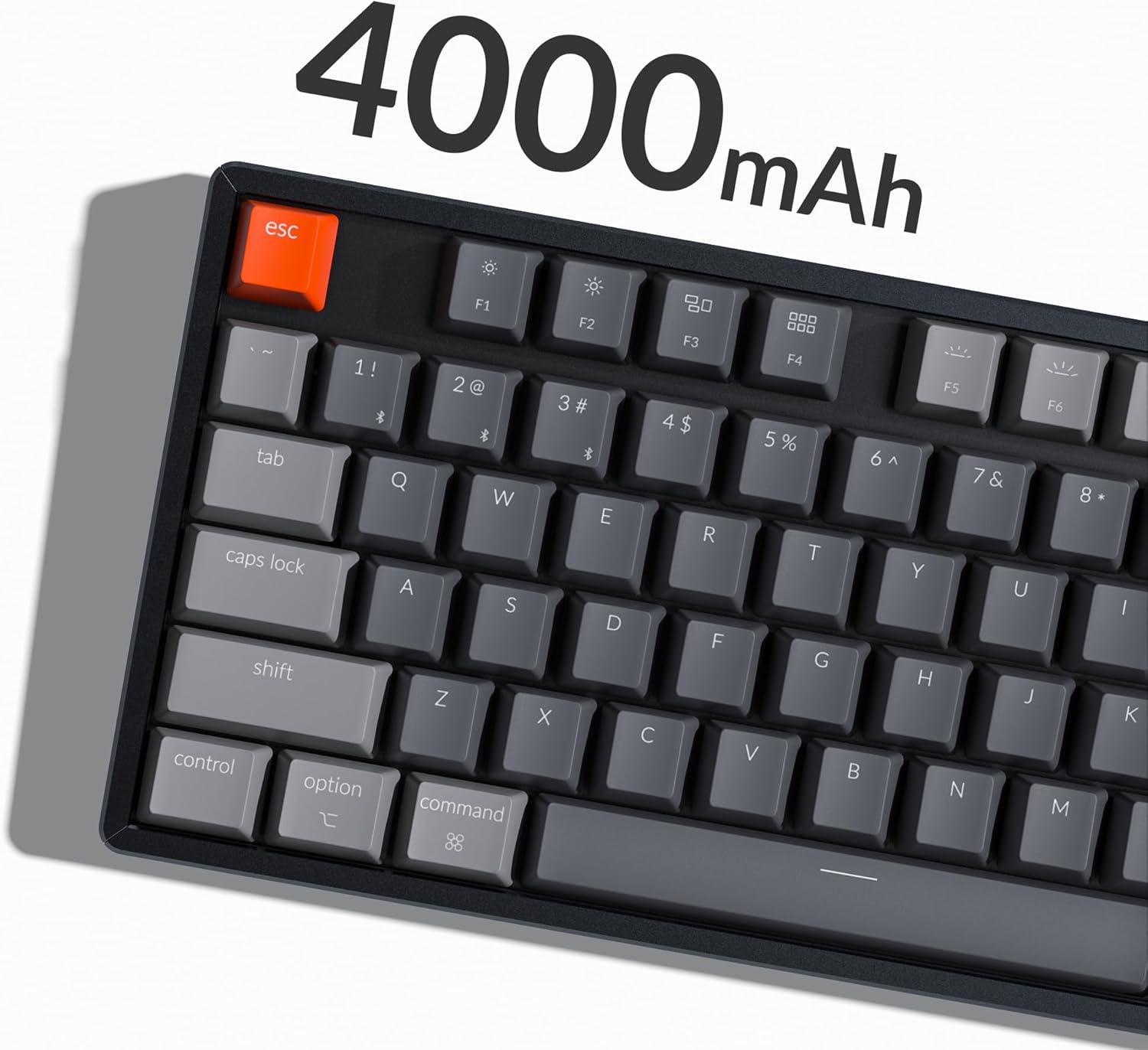
Image: The Keychron K8 keyboard highlighting its 4000mAh battery capacity.
കണക്റ്റിവിറ്റി ഓപ്ഷനുകൾ
The Keychron K8 supports both wireless Bluetooth 5.1 and wired USB Type-C connections.

Image: The Keychron K8 keyboard demonstrating its dual wireless and wired connectivity options alongside a laptop and smartphone.
ബ്ലൂടൂത്ത് കണക്ഷൻ
- Ensure the keyboard's mode switch (located on the side) is set to "Bluetooth".
- അമർത്തിപ്പിടിക്കുക Fn + 1 (അല്ലെങ്കിൽ Fn + 2 / Fn + 3) key combination for 4 seconds until the indicator light flashes rapidly, indicating pairing mode.
- നിങ്ങളുടെ ഉപകരണത്തിൽ (സ്മാർട്ട്ഫോൺ, ലാപ്ടോപ്പ്, ഐപാഡ്), ബ്ലൂടൂത്ത് പ്രവർത്തനക്ഷമമാക്കി "Keychron K8" എന്ന് തിരയുക.
- Select "Keychron K8" to pair. The indicator light will stop flashing upon successful connection.
- The keyboard can connect with up to 3 devices and switch between them easily using Fn + 1, Fn + 2, അല്ലെങ്കിൽ Fn + 3.

Image: The Keychron K8 keyboard positioned with a laptop, tablet, and smartphone, demonstrating its ability to connect to three devices simultaneously.
വയർഡ് കണക്ഷൻ
- Ensure the keyboard's mode switch is set to "Cable".
- കീബോർഡിൽ നിന്ന് യുഎസ്ബി ടൈപ്പ്-സി കേബിൾ നിങ്ങളുടെ കമ്പ്യൂട്ടറിന്റെ യുഎസ്ബി പോർട്ടിലേക്ക് ബന്ധിപ്പിക്കുക.
- കീബോർഡ് യാന്ത്രികമായി തിരിച്ചറിയപ്പെടുകയും ഉപയോഗത്തിന് തയ്യാറാകുകയും ചെയ്യും.
ഓപ്പറേറ്റിംഗ് സിസ്റ്റം അനുയോജ്യത
The K8 features a unique Mac layout with all necessary Mac function keys, and is also fully compatible with Windows. Extra keycaps for both operating systems are included. For Linux users, a dedicated user group is available for support.
പ്രവർത്തന നിർദ്ദേശങ്ങൾ
പ്രധാന പ്രവർത്തനങ്ങളും ലേഔട്ടും
The Keychron K8 is a tenkeyless (TKL) 87-key layout keyboard, designed for productivity. It supports N-Key Rollover for accurate input during fast typing or gaming.

ചിത്രം: മുകളിൽ നിന്ന് താഴേക്ക് view of the Keychron K8 mechanical keyboard, showcasing its 87-key tenkeyless layout, with a Gateron Brown switch displayed separately.

ചിത്രം: ഒരു ആംഗിൾ view of the Keychron K8, highlighting its compact tenkeyless layout.
RGB ബാക്ക്ലൈറ്റ് നിയന്ത്രണം
The K8 features charming RGB LED backlighting with elegant keycap legends, aiding visibility in dim environments. You can cycle through various static color backlight modes and 15+ types of RGB lighting effects.

Image: The Keychron K8 keyboard displaying its vibrant RGB LED backlighting.
Refer to the included quick start guide or Keychron's official website for specific key combinations to control backlight modes and brightness.
Adjustable Angled Feet
The keyboard is equipped with two adjustable angled feet, allowing you to customize the typing angle for ergonomic comfort.
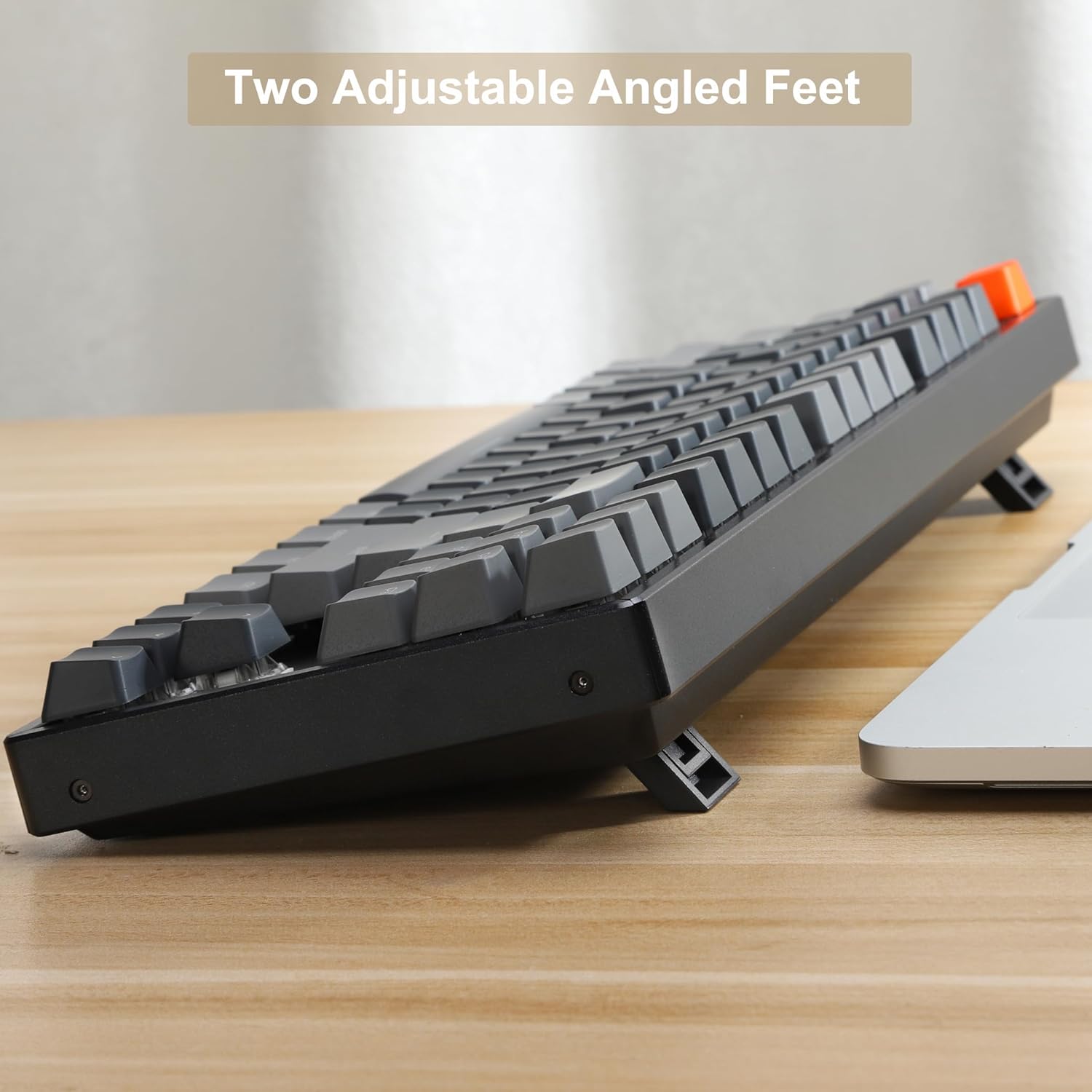
ചിത്രം: ഒരു വശം view of the Keychron K8 keyboard, illustrating its two adjustable angled feet in an extended position.
മെയിൻ്റനൻസ്
കീബോർഡ് വൃത്തിയാക്കുന്നു
- മൃദുവായ, ലിൻ്റ് രഹിത തുണി ഉപയോഗിക്കുകampened with water or a mild cleaning solution to wipe down the keycaps and frame.
- താക്കോലുകൾക്കിടയിലുള്ള പൊടിയും അവശിഷ്ടങ്ങളും ഒഴിവാക്കാൻ, കംപ്രസ് ചെയ്ത വായു ഉപയോഗിക്കുക.
- കീബോർഡിലേക്ക് നേരിട്ട് ദ്രാവകങ്ങൾ സ്പ്രേ ചെയ്യുന്നത് ഒഴിവാക്കുക.
ഹോട്ട്-സ്വാപ്പ് ചെയ്യാവുന്ന സ്വിച്ചുകൾ
The K8 features hot-swappable mechanical switches, allowing you to easily change switches without soldering. The PCB supports both 3-pin and 5-pin MX mechanical switches.

ചിത്രം: ഒരു ക്ലോസ്-അപ്പ് view of the Keychron K8 keyboard demonstrating its hot-swappable switch sockets, with examples of different switch types.
- To remove a keycap, use the provided keycap puller.
- To remove a switch, use the provided switch puller. Gently grasp the switch and pull upwards.
- To install a new switch, align the pins with the holes on the PCB and press down firmly until it clicks into place. Ensure pins are not bent.
ട്രബിൾഷൂട്ടിംഗ്
കണക്റ്റിവിറ്റി പ്രശ്നങ്ങൾ
- ബ്ലൂടൂത്ത് ബന്ധിപ്പിക്കുന്നില്ല:
- Ensure the keyboard is in Bluetooth mode and pairing mode (indicator light flashing).
- നിങ്ങളുടെ ഉപകരണത്തിൽ ബ്ലൂടൂത്ത് പ്രവർത്തനക്ഷമമാണോയെന്ന് പരിശോധിക്കുക.
- നിങ്ങളുടെ കമ്പ്യൂട്ടറിൽ/ഫോണിൽ ഉപകരണം മറന്ന് വീണ്ടും ജോടിയാക്കാൻ ശ്രമിക്കുക.
- കീബോർഡ് ചാർജ് ചെയ്തിട്ടുണ്ടെന്ന് ഉറപ്പാക്കുക.
- വയർ കണക്ഷൻ പ്രവർത്തിക്കുന്നില്ല:
- Ensure the keyboard is in Cable mode.
- നിങ്ങളുടെ കമ്പ്യൂട്ടറിൽ മറ്റൊരു USB പോർട്ട് പരീക്ഷിക്കുക.
- മറ്റൊരു USB ടൈപ്പ്-സി കേബിൾ പരീക്ഷിക്കുക.
ബാക്ക്ലൈറ്റ് പ്രശ്നങ്ങൾ
- Backlight not turning on:
- കീബോർഡ് ചാർജ് ചെയ്തിട്ടുണ്ടെന്ന് ഉറപ്പാക്കുക.
- Check backlight control key combinations (e.g., Fn + Light key, Fn + arrow keys for brightness).
Key Responsiveness
- പ്രതികരിക്കാത്ത കീകൾ:
- Check if the keyboard is properly connected (Bluetooth or wired).
- If a specific key is not working, try removing and re-inserting the switch for that key, ensuring it is seated correctly.
- Clean around the affected key.
സ്പെസിഫിക്കേഷനുകൾ
| ഫീച്ചർ | വിശദാംശങ്ങൾ |
|---|---|
| മോഡൽ നമ്പർ | K8J3 |
| ലേഔട്ട് | Tenkeyless (87-key) |
| സ്വിച്ചുകൾ | ഗേറ്ററോൺ ബ്രൗൺ (ഹോട്ട്-സ്വാപ്പ് ചെയ്യാവുന്നത്) |
| കണക്റ്റിവിറ്റി | ബ്ലൂടൂത്ത് 5.1, യുഎസ്ബി ടൈപ്പ്-സി (വയർഡ്) |
| ബാറ്ററി ശേഷി | 4000mAh |
| ബാക്ക്ലൈറ്റിംഗ് | RGB LED |
| ഫ്രെയിം മെറ്റീരിയൽ | അലുമിനിയം |
| അനുയോജ്യമായ ഉപകരണങ്ങൾ | ലാപ്ടോപ്പ്, സ്മാർട്ട്ഫോൺ, ടാബ്ലെറ്റ് |
| ഓപ്പറേറ്റിംഗ് സിസ്റ്റം അനുയോജ്യത | മാക്, വിൻഡോസ്, ലിനക്സ് |
| ഉൽപ്പന്ന അളവുകൾ | 14.13 x 14.13 x 5 ഇഞ്ച് |
| ഇനത്തിൻ്റെ ഭാരം | 2.9 പൗണ്ട് |
വാറൻ്റിയും പിന്തുണയും
വാറൻ്റി വിവരങ്ങൾ
Specific warranty details for the Keychron K8 keyboard are typically provided with the product packaging or can be found on the official Keychron webസൈറ്റ്. വാറന്റി ക്ലെയിമുകൾക്കായി നിങ്ങളുടെ വാങ്ങലിന്റെ തെളിവ് സൂക്ഷിക്കുക.
ഉപഭോക്തൃ പിന്തുണ
For further assistance, technical support, or inquiries, please visit the official Keychron support page or contact their customer service. A dedicated user group is also available for Linux users.
ഔദ്യോഗിക കീക്രോൺ സ്റ്റോർ: കീക്രോൺ ആമസോൺ സ്റ്റോർ
അനുബന്ധ രേഖകൾ - K8J3
 |
Keychron K8 വയർലെസ് മെക്കാനിക്കൽ കീബോർഡ് ഉപയോക്തൃ ഗൈഡ് കീക്രോൺ കെ8 ടികെഎൽ വയർലെസ് മെക്കാനിക്കൽ കീബോർഡിനുള്ള നിർദ്ദേശങ്ങളും സവിശേഷതകളും, ബ്ലൂടൂത്ത്, വയർഡ് കണക്റ്റിവിറ്റി, കീ റീമാപ്പിംഗ്, ഓട്ടോ-സ്ലീപ്പ് മോഡ് പ്രവർത്തനരഹിതമാക്കൽ എന്നിവ ഉൾപ്പെടുന്നു. |
 |
കീക്രോൺ Q3 ക്വിക്ക് സ്റ്റാർട്ട് ഗൈഡും VIA സോഫ്റ്റ്വെയർ സജ്ജീകരണവും കീക്രോൺ ക്യു3 മെക്കാനിക്കൽ കീബോർഡ് സജ്ജീകരിക്കുന്നതിനുള്ള നിർദ്ദേശങ്ങൾ ഈ ഗൈഡ് നൽകുന്നു, ഇതിൽ സിസ്റ്റം സ്വിച്ചിംഗ്, വിഐഎ കീ റീമാപ്പിംഗ് സോഫ്റ്റ്വെയർ ഉപയോഗിക്കൽ, ബാക്ക്ലൈറ്റിംഗ് നിയന്ത്രിക്കൽ, വാറന്റി നിബന്ധനകൾ മനസ്സിലാക്കൽ, ഫാക്ടറി റീസെറ്റ് നടത്തൽ എന്നിവ ഉൾപ്പെടുന്നു. ആവശ്യമായ സോഫ്റ്റ്വെയറും ഫേംവെയറും ഡൗൺലോഡ് ചെയ്യുന്നതിനുള്ള ലിങ്കുകളും ഇതിൽ ഉൾപ്പെടുന്നു. |
 |
കീക്രോൺ K5SE ബ്ലൂടൂത്ത് മെക്കാനിക്കൽ കീബോർഡ് ഉപയോക്തൃ മാനുവൽ കീക്രോൺ K5SE ബ്ലൂടൂത്ത് മെക്കാനിക്കൽ കീബോർഡിലേക്കുള്ള ഒരു സമഗ്ര ഗൈഡ്, സജ്ജീകരണം, സവിശേഷതകൾ, ട്രബിൾഷൂട്ടിംഗ്, സ്പെസിഫിക്കേഷനുകൾ എന്നിവ ഉൾക്കൊള്ളുന്നു. എങ്ങനെ കണക്റ്റുചെയ്യാമെന്നും ലൈറ്റിംഗ് ഇഷ്ടാനുസൃതമാക്കാമെന്നും നിങ്ങളുടെ ടൈപ്പിംഗ് അനുഭവം ഒപ്റ്റിമൈസ് ചെയ്യാമെന്നും അറിയുക. |
 |
കീക്രോൺ V5 മാക്സ് ക്വിക്ക് സ്റ്റാർട്ട് ഗൈഡ് 2.4GHz, ബ്ലൂടൂത്ത്, വയർഡ് കണക്ഷനുകൾ, ബാക്ക്ലൈറ്റിംഗ്, കീ റോൾഓവർ, VIA സോഫ്റ്റ്വെയർ, ട്രബിൾഷൂട്ടിംഗ് എന്നിവ ഉൾക്കൊള്ളുന്ന കീക്രോൺ V5 മാക്സ് കസ്റ്റം വയർലെസ് മെക്കാനിക്കൽ കീബോർഡ് സജ്ജീകരിക്കുന്നതിനും ഉപയോഗിക്കുന്നതിനുമുള്ള ഒരു സമഗ്ര ഗൈഡ്. |
 |
കീക്രോൺ K3 അൾട്രാ-സ്ലിം മെക്കാനിക്കൽ കീബോർഡ്: ക്വിക്ക് സ്റ്റാർട്ട് ഗൈഡ് നിങ്ങളുടെ Keychron K3 അൾട്രാ-സ്ലിം വയർലെസ് മെക്കാനിക്കൽ കീബോർഡ് ഉപയോഗിച്ച് ആരംഭിക്കുക. ഈ ഗൈഡ് Mac, Windows എന്നിവയ്ക്കായുള്ള Bluetooth, വയർഡ് കണക്ഷനുകൾ, ലൈറ്റിംഗ് ഇഫക്റ്റുകൾ, കീക്യാപ്പ് മാറ്റിസ്ഥാപിക്കൽ, ഓട്ടോ-സ്ലീപ്പ് ക്രമീകരണങ്ങൾ, കീ റീമാപ്പിംഗ്, ഫാക്ടറി റീസെറ്റ് എന്നിവ ഉൾക്കൊള്ളുന്നു. |
 |
കീക്രോൺ K6 65% കോംപാക്റ്റ് വയർലെസ് മെക്കാനിക്കൽ കീബോർഡ് ഉപയോക്തൃ ഗൈഡ് Keychron K6 65% കോംപാക്റ്റ് വയർലെസ് മെക്കാനിക്കൽ കീബോർഡ് സജ്ജീകരിക്കുന്നതിനും ഉപയോഗിക്കുന്നതിനുമുള്ള നിർദ്ദേശങ്ങൾ ഈ ഗൈഡ് നൽകുന്നു. ബ്ലൂടൂത്ത്, വയർഡ് കണക്ഷനുകൾ, ബാക്ക്ലൈറ്റിംഗ് ഇഷ്ടാനുസൃതമാക്കൽ, സ്ലീപ്പ് മോഡ് പ്രവർത്തനരഹിതമാക്കൽ, കീകൾ റീമാപ്പ് ചെയ്യൽ, മൾട്ടിമീഡിയ ഫംഗ്ഷനുകൾ ആക്സസ് ചെയ്യൽ എന്നിവയെക്കുറിച്ച് അറിയുക. |