1. ആമുഖം
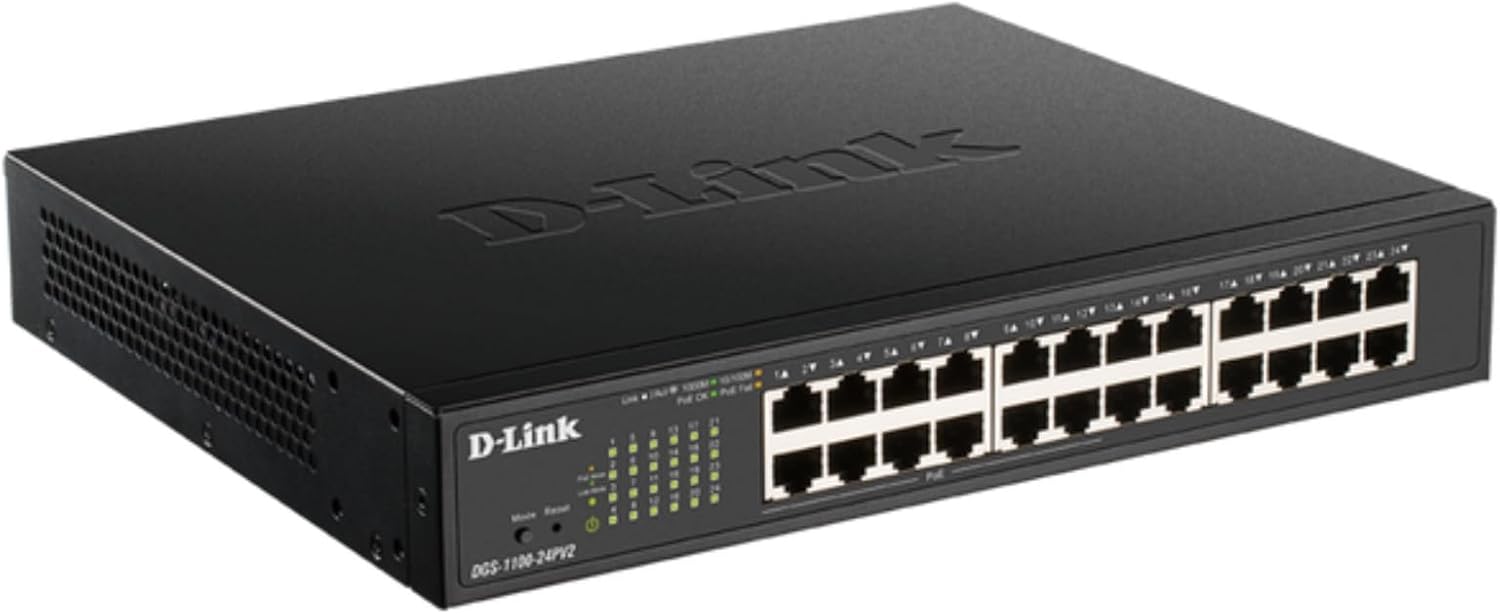
The D-Link DGS-1100-24PV2 is a 24-Port Gigabit Smart Managed PoE+ Switch designed to meet the demands of small to medium-sized businesses (SMBs). It offers a comprehensive suite of features for high performance, reliable connectivity, and efficient network management. This model includes 24 Gigabit Ethernet ports, with 12 of these ports supporting Power over Ethernet Plus (PoE+) with a total power budget of 100W. This allows for powering devices such as IP cameras, VoIP phones, and wireless access points directly through the Ethernet cable, simplifying network setup and reducing cabling complexity.
2 പ്രധാന സവിശേഷതകൾ
- 24 Gigabit Ports for High-Speed Networking: Delivers high-speed connectivity to devices across your network. Supports desktop or rackmount placement for flexible installation.
- 12x PoE+ Ports: Power up to 12 devices directly over Ethernet, supporting up to 30W per port with a total power budget of 100W. Ideal for access points, IP cameras, VoIP phones, access controls, smart lighting solutions, and other PoE-enabled devices.
- Advanced Traffic Management: Offers bandwidth control, Quality of Service (QoS), VLAN support, and IGMP Snooping to optimize network performance and minimize congestion. Ensures smooth operation of critical voice and video applications.
- Loopback Detection & Cable Diagnostics: Quickly identify and resolve network issues to help maintain a reliable connection.
- PD Alive for Enhanced Reliability: Equipped with PD Alive to automatically reboot unresponsive PoE devices, minimizing downtime and ensuring continuous network availability without manual intervention.
- Energy-Efficient and Silent Operation: Fanless design for silent running, energy savings, and a longer lifespan. Complies with IEEE 802.3az for reduced power consumption.
- അവബോധജന്യമായ Web-അടിസ്ഥാന മാനേജ്മെൻ്റ്: Easy setup and management via a user-friendly web interface. Provides comprehensive tools for efficient remote or local switch management, streamlining network administration tasks.
- NDAA കംപ്ലയിന്റ്: Meets strict regulatory standards, suitable for government and enterprise projects.
- 35+ Years of Reliability: Trust the brand that’s been building reliable networks for over 35 years. D-Link's Lifetime Warranty provides long-term confidence.
3. പാക്കേജ് ഉള്ളടക്കം
Verify the following items are included in your DGS-1100-24PV2 package:
- D-Link DGS-1100-24PV2 Switch
- ദ്രുത ഇൻസ്റ്റാളേഷൻ ഗൈഡ് (QIG)
- റാക്ക്മ ount ണ്ട് കിറ്റ്
- യുഎസ് പവർ കോർഡ്
- പവർ കോർഡ് റിട്ടെയ്നർ
- 4 റബ്ബർ അടി
4. ഫിസിക്കൽ ഓവർview
4.1 ഫ്രണ്ട് പാനൽ

The front panel features 24 Gigabit Ethernet ports (RJ45). Ports 1-12 are PoE+ enabled, providing power to connected devices. LED indicators for each port display link/activity status (Link/Act) and speed (1000Mbps, 100Mbps, 10Mbps). Additional LEDs indicate PoE status (PoE, PoE Fail) and overall power status of the switch.
4.2 പിൻ പാനൽ

The rear panel includes the AC power input (100-240VAC, 50/60Hz, 1.4A Max) with a power cord retainer, and a switch ground connection for safety.
5. സജ്ജീകരണ നിർദ്ദേശങ്ങൾ
5.1 പ്ലേസ്മെൻ്റ്
The DGS-1100-24PV2 switch can be deployed in various environments, supporting both desktop and rackmount installations. For desktop use, attach the provided rubber feet to the bottom of the switch. For rackmount installation, use the included rackmount kit to secure the switch in a standard 19-inch equipment rack.


5.2 പവർ കണക്ഷൻ
Connect the provided AC power cord to the power input on the rear panel of the switch and then to a suitable power outlet. Use the power cord retainer to secure the connection.
5.3 നെറ്റ്വർക്ക് കണക്ഷൻ
Connect your network devices (e.g., computers, servers, network-attached storage) to any of the 24 Gigabit Ethernet ports using standard Ethernet cables. For Power over Ethernet (PoE) enabled devices, connect them to ports 1-12 to supply both data and power over a single cable.


6. സ്വിച്ച് പ്രവർത്തിപ്പിക്കൽ
6.1 Web-അധിഷ്ഠിത മാനേജ്മെന്റ്
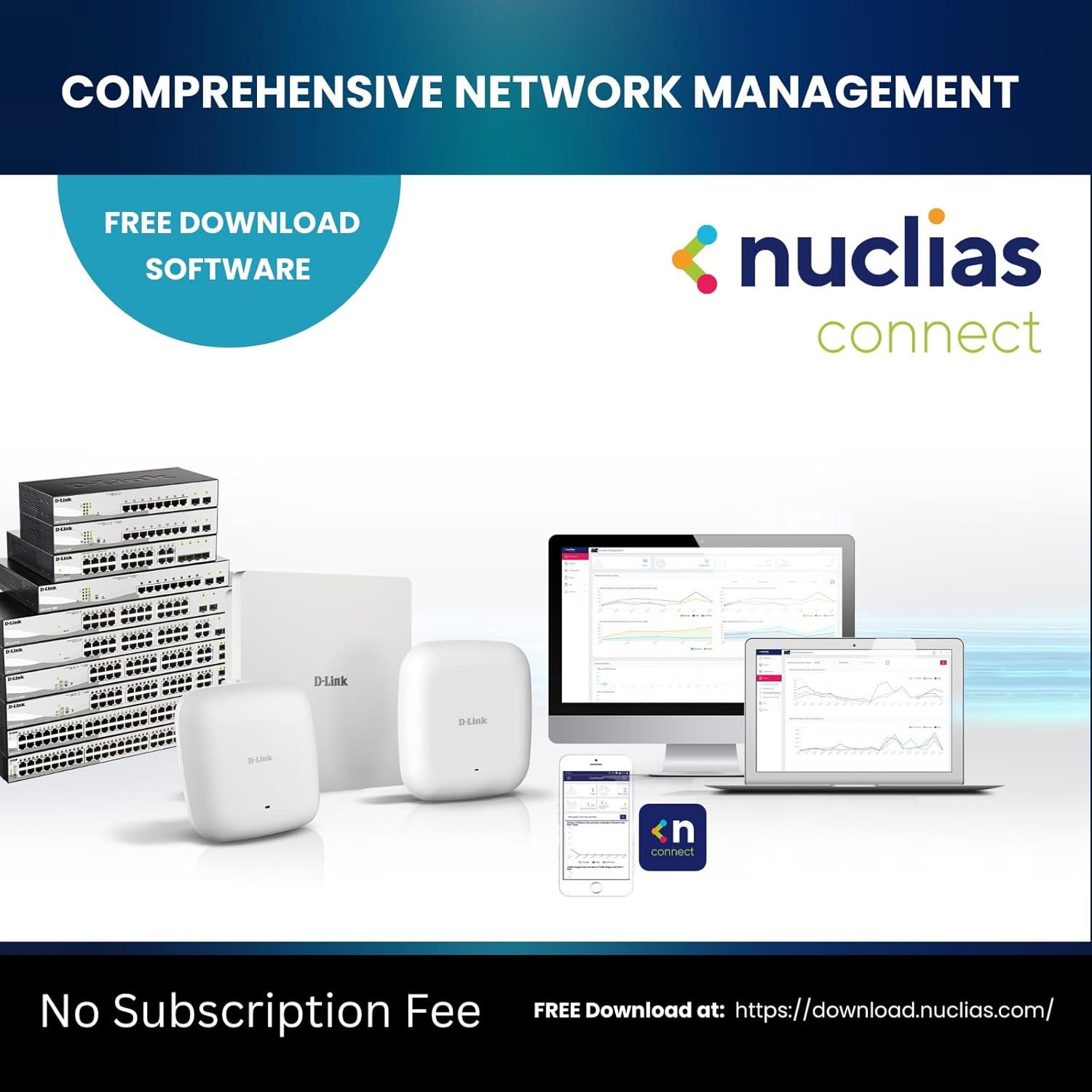
The DGS-1100-24PV2 is a Smart Managed switch, offering an intuitive web-based user interface for configuration and monitoring. Connect a computer to any port on the switch and access the management interface via a web browser. Refer to the Quick Installation Guide for initial access details, including the default IP address and login credentials.

6.2 Advanced Traffic Management
ഉപയോഗിക്കുക web interface to configure advanced features such as:
- Bandwidth Control: Manage network traffic flow to prevent congestion.
- സേവനത്തിൻ്റെ ഗുണനിലവാരം (QoS): Prioritize critical network traffic (e.g., VoIP, video streaming) for optimal performance.
- VLAN പിന്തുണ: Segment your network into virtual local area networks for enhanced security and efficiency.
- IGMP സ്നൂപ്പിംഗ്: Optimize multicast traffic delivery, particularly useful for IP-based video applications.
7. Maintenance and Reliability
7.1 PD Alive
The PD Alive feature actively monitors PoE-powered devices. If a connected PoE device becomes unresponsive, the switch can automatically detect this and reboot the specific port, restoring functionality without manual intervention. This minimizes downtime and ensures continuous operation of critical devices like surveillance cameras.

7.2 ഡയഗ്നോസ്റ്റിക്സ്
The switch includes built-in Loopback Detection and Cable Diagnostics tools. These features help administrators quickly identify and resolve common network issues, such as cable faults or network loops, ensuring stable and reliable connectivity.
7.3 ഊർജ്ജ കാര്യക്ഷമത
The DGS-1100-24PV2 features a fanless design, contributing to silent operation and reduced power consumption. It complies with IEEE 802.3az Energy Efficient Ethernet standards, further minimizing operational costs and extending the product's lifespan.
8. പ്രശ്നപരിഹാരം
If you encounter issues with your DGS-1100-24PV2 switch, consider the following basic troubleshooting steps:
- പവർ പരിശോധിക്കുക: Ensure the power cord is securely connected and the power LED on the front panel is illuminated.
- കേബിൾ കണക്ഷനുകൾ പരിശോധിക്കുക: Confirm that all Ethernet cables are properly seated in their respective ports and that the Link/Act LEDs are active.
- Inspect PoE Status: If a PoE device is not powering on, check the PoE status LEDs for the corresponding port. Utilize the PD Alive feature or manually power cycle the port via the web ഇൻ്റർഫേസ്.
- Consult LED Indicators: The front panel LEDs provide visual cues for network status. Refer to the Quick Installation Guide for a detailed explanation of each LED's meaning.
- പ്രവേശനം Web ഇൻ്റർഫേസ്: If network connectivity is an issue, try accessing the switch's web-based management interface to check port status, run diagnostics, or review സിസ്റ്റം ലോഗുകൾ.
- ഫാക്ടറി ഡിഫോൾട്ടുകളിലേക്ക് പുനഃസജ്ജമാക്കുക: As a last resort, if configuration issues persist, you may reset the switch to factory default settings. Refer to the user manual for the procedure.
9 സാങ്കേതിക സവിശേഷതകൾ
| ഫീച്ചർ | സ്പെസിഫിക്കേഷൻ |
|---|---|
| ഉൽപ്പന്ന അളവുകൾ | 11.02"L x 9.05"W x 1.75"H |
| ഇനത്തിൻ്റെ ഭാരം | 4.6 പൗണ്ട് (4.55 പൗണ്ട്) |
| വാല്യംtage | 110 വോൾട്ട് (എസി) |
| കേസ് മെറ്റീരിയൽ | ലോഹം |
| താഴ്ന്ന താപനില റേറ്റിംഗ് | 23 ഡിഗ്രി ഫാരൻഹീറ്റ് |
| ഉയർന്ന താപനില റേറ്റിംഗ് | 122 ഡിഗ്രി ഫാരൻഹീറ്റ് |
| ഇൻ്റർഫേസ് തരം | RJ45 |
| ഡാറ്റ കൈമാറ്റ നിരക്ക് | സെക്കൻഡിൽ 48 ജിഗാബൈറ്റ്സ് |
| നിലവിലെ റേറ്റിംഗ് | 0.01 Amps |
| യു.പി.സി | 790069451782 |
| ഇനം മോഡൽ നമ്പർ | ഡിജിഎസ് -1100-24 പിവി 2 |
| തുറമുഖങ്ങളുടെ എണ്ണം | 24 |
| നിറം | കറുപ്പ് |
| അനുയോജ്യമായ ഉപകരണങ്ങൾ | ഡെസ്ക്ടോപ്പ് |
10. വാറൻ്റിയും പിന്തുണയും
The D-Link DGS-1100-24PV2 switch comes with a Lifetime Warranty, reflecting D-Link's commitment to reliability and product quality. For technical assistance, troubleshooting, or warranty claims, please refer to the official D-Link support channels. D-Link Systems, Inc. has over 35 years of experience in building reliable networks.
11. അധിക ഉൽപ്പന്നം Views