ആമുഖം
Thank you for choosing the MEIZE 10.1 Inch Tablet. This manual provides essential information for setting up, operating, and maintaining your device. Please read it carefully to ensure optimal performance and longevity of your tablet.

Figure 1: MEIZE 10.1 Inch Tablet
This image displays the MEIZE 10.1 Inch Tablet from an angled perspective, showcasing its vibrant display with a variety of application icons and widgets, including a clock, calendar, weather, and common communication apps.
ഉൽപ്പന്ന സവിശേഷതകൾ
The MEIZE 10.1 Inch Tablet is designed for versatile use, offering a blend of performance and connectivity. Key features include:
- ഡിസ്പ്ലേ: 10.1-inch HD IPS touchscreen with 1280x800 resolution for clear and vibrant visuals.
- പ്രകടനം: Powered by a 1.3 GHz Quad-Core processor and 2GB RAM for smooth operation.
- സംഭരണം: 32GB internal storage, expandable up to 128GB via microSD card (not included).
- കണക്റ്റിവിറ്റി: Dual SIM card slots for 3G phone calls and multi-network connection, Wi-Fi (802.11 b/g/n), Bluetooth 4.0, GPS, and OTG.
- ക്യാമറകൾ: Equipped with a 5MP rear camera and a 2MP front camera.
- ബാറ്ററി: 6000mAh rechargeable lithium battery for extended usage.
- ഓപ്പറേറ്റിംഗ് സിസ്റ്റം: Android 9.0 Pie.

Figure 2: High-Definition IPS Screen
This image highlights the tablet's 1280x800 IPS screen, emphasizing its fast response time and wide 178-degree viewing angle, ideal for immersive visual experiences.

Figure 3: Front and Rear Cameras
This image illustrates the tablet's camera capabilities, featuring a 2MP front camera suitable for video calls and a 5MP rear camera for capturing photos and videos.
ബോക്സിൽ എന്താണുള്ളത്
അൺബോക്സിംഗ് ചെയ്യുമ്പോൾ, നിങ്ങൾ ഇനിപ്പറയുന്ന ഇനങ്ങൾ കണ്ടെത്തണം:
- 1 x MEIZE Tablet
- 1 x പവർ അഡാപ്റ്റർ
- 1 x USB കേബിൾ
- 1 x ഉപയോക്തൃ മാനുവൽ
സജ്ജീകരണ ഗൈഡ്
1. പ്രാരംഭ ചാർജിംഗ്
Before first use, fully charge your MEIZE tablet. Connect the provided USB cable to the tablet's charging port and the other end to the power adapter. Plug the adapter into a wall outlet. The charging indicator will typically light up.
2. സിം, SD കാർഡുകൾ ചേർക്കൽ
The tablet supports dual SIM cards for 3G phone calls and a microSD card for expandable storage.
- Locate the SIM/SD card tray on the side of the tablet.
- Carefully open the tray cover.
- Insert your SIM cards (SIM1, SIM2) and/or microSD card into the designated slots, ensuring correct orientation as indicated on the tray.
- Close the tray cover securely.
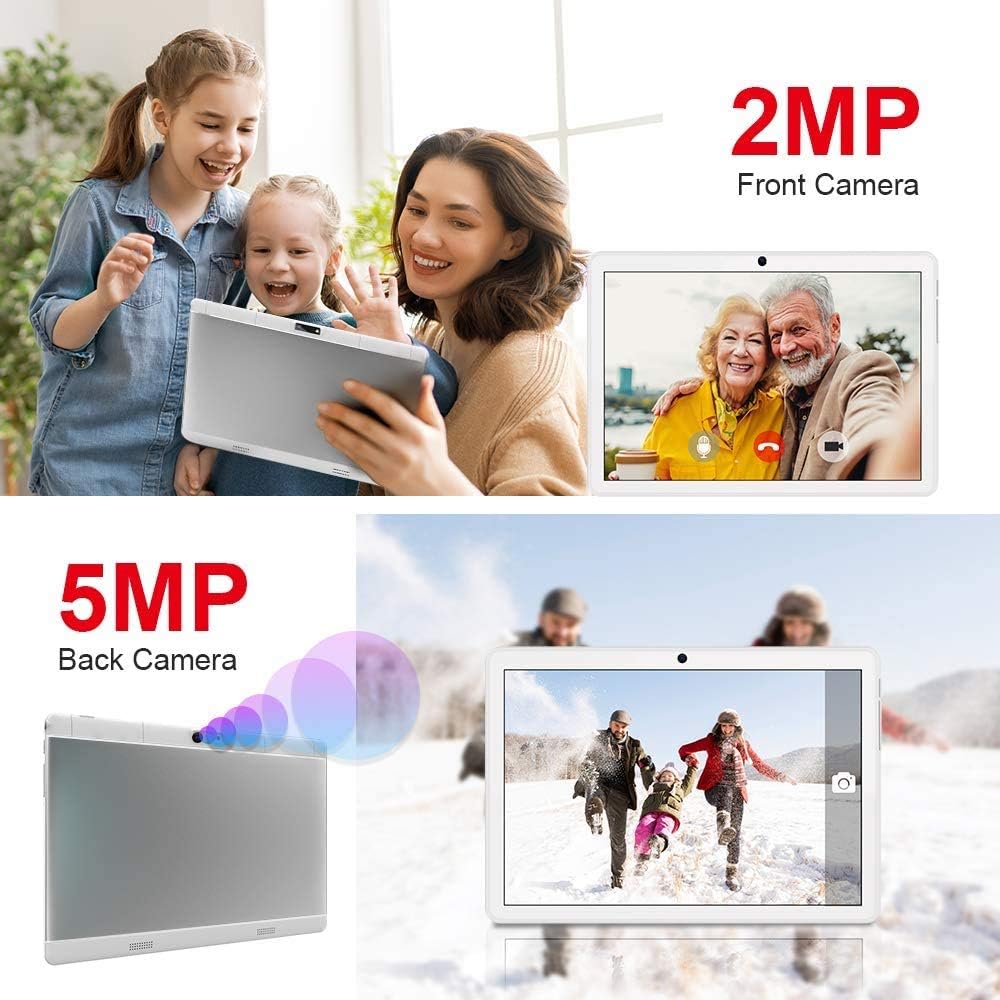
Figure 4: SIM and SD Card Installation
This image demonstrates the location and method for inserting an SD card, SIM1, and SIM2 into the tablet's dedicated slots, highlighting its dual SIM and expandable storage capabilities.
3. പവർ ഓൺ/ഓഫ്
- പവർ ഓണാക്കാൻ: Press and hold the Power button until the MEIZE logo appears on the screen.
- പവർ ഓഫ് ചെയ്യാൻ: പവർ-ഓഫ് മെനു ദൃശ്യമാകുന്നതുവരെ പവർ ബട്ടൺ അമർത്തിപ്പിടിക്കുക. "പവർ ഓഫ്" തിരഞ്ഞെടുത്ത് സ്ഥിരീകരിക്കുക.
- പുനരാരംഭിക്കാൻ: പവർ-ഓഫ് മെനുവിൽ നിന്ന്, "പുനരാരംഭിക്കുക" തിരഞ്ഞെടുക്കുക.
4. പ്രാരംഭ സജ്ജീകരണം
Upon first power-on, the tablet will guide you through the initial setup process. This typically includes:
- നിങ്ങളുടെ ഭാഷ തിരഞ്ഞെടുക്കുന്നു.
- ഒരു Wi-Fi നെറ്റ്വർക്കിലേക്ക് കണക്റ്റുചെയ്യുന്നു.
- Setting up your Google account (optional, but recommended for app downloads).
- തീയതിയും സമയവും ക്രമീകരിക്കുന്നു.
- Configuring screen lock options.
പ്രവർത്തന നിർദ്ദേശങ്ങൾ
1. അടിസ്ഥാന നാവിഗേഷൻ
The MEIZE tablet uses a capacitive touchscreen for interaction:
- ടാപ്പ് ചെയ്യുക: ഒരു ആപ്പ് തുറക്കാൻ, ഒരു ഇനം തിരഞ്ഞെടുക്കുക, അല്ലെങ്കിൽ ഒരു ബട്ടൺ അമർത്തുക.
- ടാപ്പ് & ഹോൾഡ്: സന്ദർഭോചിത മെനുകൾ ആക്സസ് ചെയ്യുന്നതിനോ ഐക്കണുകൾ നീക്കുന്നതിനോ.
- സ്വൈപ്പ്: പേജുകളിലൂടെയോ ലിസ്റ്റുകളിലൂടെയോ സ്ക്രോൾ ചെയ്യാനോ ഹോം സ്ക്രീനുകൾക്കിടയിൽ മാറാനോ.
- പിഞ്ച്: ചിത്രങ്ങൾ സൂം ഇൻ ചെയ്യാനോ ഔട്ട് ചെയ്യാനോ, web പേജുകൾ.
2. Wi-Fi-ലേക്ക് ബന്ധിപ്പിക്കുന്നു
- പോകുക ക്രമീകരണങ്ങൾ > നെറ്റ്വർക്കും ഇൻ്റർനെറ്റും > വൈഫൈ.
- വൈഫൈ ടോഗിൾ ചെയ്യുക On.
- ലിസ്റ്റിൽ നിന്ന് നിങ്ങൾക്ക് ആവശ്യമുള്ള വൈഫൈ നെറ്റ്വർക്ക് തിരഞ്ഞെടുക്കുക.
- ആവശ്യപ്പെടുകയാണെങ്കിൽ പാസ്വേഡ് നൽകി ടാപ്പ് ചെയ്യുക ബന്ധിപ്പിക്കുക.
3. ബ്ലൂടൂത്ത് ജോടിയാക്കൽ
- പോകുക ക്രമീകരണങ്ങൾ > ബന്ധിപ്പിച്ച ഉപകരണങ്ങൾ > ബ്ലൂടൂത്ത്.
- ബ്ലൂടൂത്ത് ടോഗിൾ ചെയ്യുക On.
- Ensure the device you wish to pair with is in pairing mode.
- Select the device from the "Available devices" list and follow on-screen prompts to complete pairing.
4. ജിപിഎസ് ഉപയോഗിക്കുന്നു
The tablet features built-in GPS for navigation and location-based services. Ensure location services are enabled in ക്രമീകരണങ്ങൾ > സ്ഥാനം. You can then use pre-installed map applications or download others from the Google Play Store.
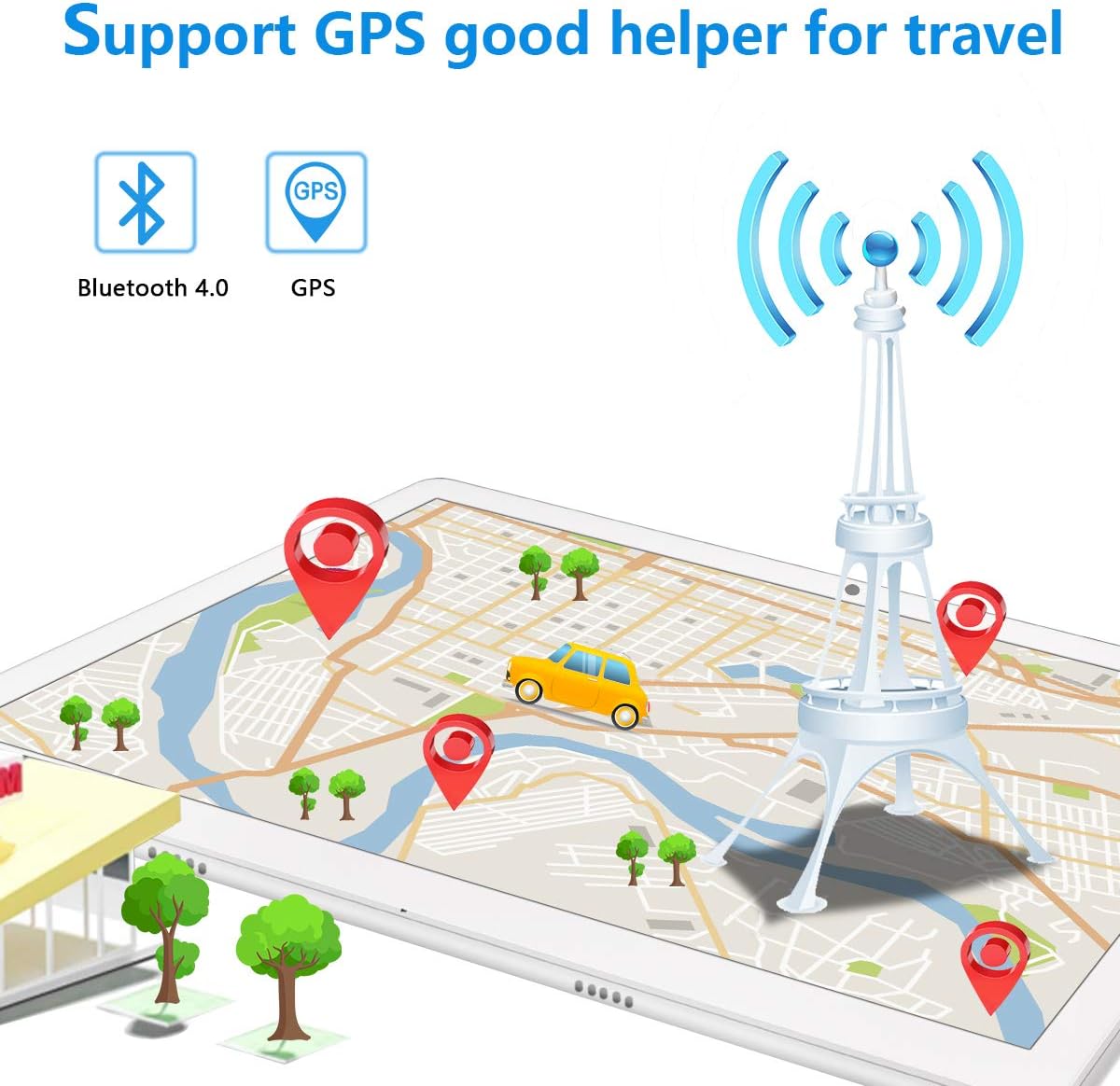
Figure 5: GPS and Bluetooth Functionality
This image illustrates the tablet's integrated GPS and Bluetooth 4.0 capabilities, showing a map with navigation points, indicating its utility for travel and connectivity with external devices.
5. Making Phone Calls (3G)
With a compatible 3G SIM card inserted, you can make and receive phone calls directly from your tablet.
- തുറക്കുക ഫോൺ അപേക്ഷ.
- Dial the desired number using the on-screen keypad or select a contact.
- കോൾ ആരംഭിക്കാൻ കോൾ ബട്ടൺ ടാപ്പുചെയ്യുക.
6. ക്യാമറ ഉപയോഗം
The tablet features a 5MP rear camera and a 2MP front camera for photos and videos.
- തുറക്കുക ക്യാമറ അപേക്ഷ.
- ക്യാമറ സ്വിച്ച് ഐക്കൺ ഉപയോഗിച്ച് മുൻ ക്യാമറയും പിൻ ക്യാമറയും തമ്മിൽ മാറുക.
- Tap the shutter button to take a photo or record a video.
7. സ്റ്റോറേജ് മാനേജ്മെൻ്റ്
Your tablet comes with 32GB of internal storage. You can expand this by up to 128GB using a microSD card. To manage storage:
- പോകുക ക്രമീകരണങ്ങൾ > സംഭരണം വരെ view സംഭരണ ഉപയോഗവും സ്ഥലം ശൂന്യമാക്കലും.
- Regularly transfer photos and videos to your computer or cloud storage to prevent storage issues.

Figure 6: App and Media Enjoyment
This image showcases the tablet's ability to run various applications and display media, including social media, video streaming, and photo galleries, emphasizing its entertainment capabilities.
മെയിൻ്റനൻസ്
1. ബാറ്ററി പരിചരണം
ബാറ്ററി ലൈഫും ആയുസ്സും പരമാവധിയാക്കാൻ:
- തീവ്രമായ താപനില ഒഴിവാക്കുക.
- ഇടയ്ക്കിടെ റീചാർജ് ചെയ്യുന്നതിനുമുമ്പ് ബാറ്ററി പൂർണ്ണമായും തീർന്നുപോകാൻ അനുവദിക്കരുത്.
- നൽകിയിരിക്കുന്ന ഒറിജിനൽ ചാർജറും കേബിളും ഉപയോഗിക്കുക.
- For prolonged storage, charge the tablet to about 50% and power it off.
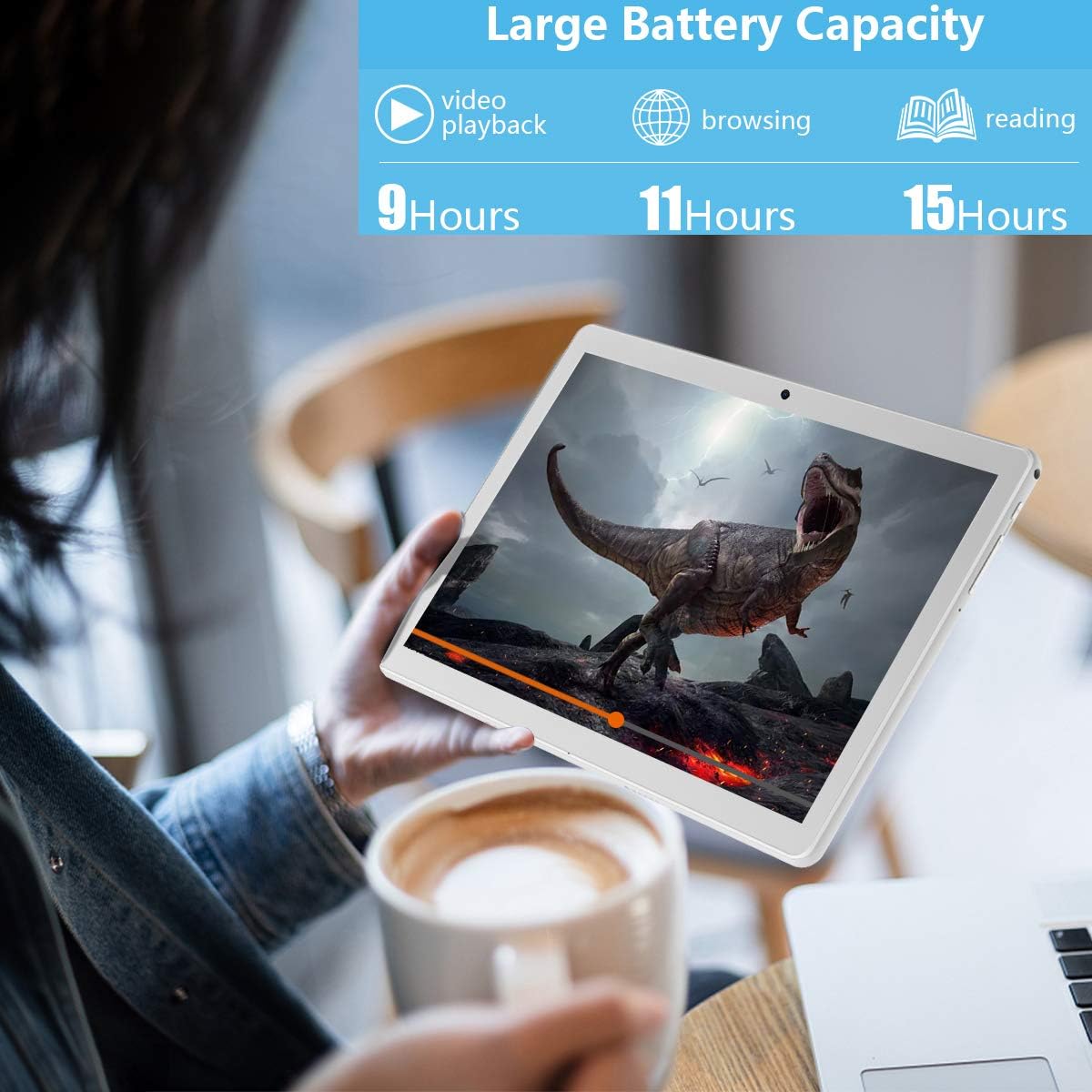
ചിത്രം 7: എക്സ്റ്റൻഡഡ് ബാറ്ററി ലൈഫ്
This image highlights the tablet's large battery capacity, indicating approximately 9 hours of video playback, 11 hours of browsing, and 15 hours of reading on a single charge.
2. വൃത്തിയാക്കൽ
ടാബ്ലെറ്റിന്റെ സ്ക്രീനും ബോഡിയും വൃത്തിയാക്കാൻ മൃദുവായ, ലിന്റ് രഹിത തുണി ഉപയോഗിക്കുക. കഠിനമായ രാസവസ്തുക്കളോ ഉരച്ചിലുകളോ ഉള്ള വസ്തുക്കൾ ഉപയോഗിക്കുന്നത് ഒഴിവാക്കുക.
3. സോഫ്റ്റ്വെയർ അപ്ഡേറ്റുകൾ
നിങ്ങളുടെ ടാബ്ലെറ്റിൽ ഏറ്റവും പുതിയ സവിശേഷതകളും സുരക്ഷാ പാച്ചുകളും ഉണ്ടെന്ന് ഉറപ്പാക്കാൻ ഇടയ്ക്കിടെ സിസ്റ്റം അപ്ഡേറ്റുകൾക്കായി പരിശോധിക്കുക. പോകുക ക്രമീകരണങ്ങൾ > സിസ്റ്റം > സിസ്റ്റം അപ്ഡേറ്റ്.
ട്രബിൾഷൂട്ടിംഗ്
If you encounter issues with your MEIZE tablet, refer to the following common solutions:
| പ്രശ്നം | സാധ്യമായ പരിഹാരം |
|---|---|
| ടാബ്ലെറ്റ് ഓണാക്കുന്നില്ല. | ബാറ്ററി ചാർജ്ജ് ചെയ്തിട്ടുണ്ടെന്ന് ഉറപ്പാക്കുക. വീണ്ടും പവർ ഓൺ ചെയ്യാൻ ശ്രമിക്കുന്നതിന് മുമ്പ് കുറഞ്ഞത് 30 മിനിറ്റെങ്കിലും ചാർജറുമായി കണക്റ്റ് ചെയ്യുക. |
| Wi-Fi connection is unstable or drops frequently. | നിങ്ങളുടെ വൈഫൈ റൂട്ടർ പുനരാരംഭിക്കുക. നിങ്ങളുടെ ടാബ്ലെറ്റിലെ നെറ്റ്വർക്ക് മറന്ന് വീണ്ടും കണക്റ്റുചെയ്യുക. നിങ്ങൾ വൈഫൈ സിഗ്നലിന്റെ പരിധിയിലാണെന്ന് ഉറപ്പാക്കുക. |
| ആപ്പുകൾ മന്ദഗതിയിലാണ് അല്ലെങ്കിൽ ക്രാഷാകുന്നു. | പശ്ചാത്തല ആപ്ലിക്കേഷനുകൾ അടയ്ക്കുക. ആപ്പ് കാഷെ മായ്ക്കുക (ക്രമീകരണങ്ങൾ > ആപ്പുകളും അറിയിപ്പുകളും > ആപ്പ് തിരഞ്ഞെടുക്കുക > സംഭരണവും കാഷെയും > കാഷെ മായ്ക്കുക). ടാബ്ലെറ്റ് പുനരാരംഭിക്കുക. |
| ടാബ്ലെറ്റ് ചാർജ് ചെയ്യുന്നില്ല. | Check if the charging cable and adapter are securely connected. Try a different power outlet. Inspect the charging port for any debris. |
| സിം കാർഡ് കണ്ടെത്തിയില്ല. | Ensure the SIM card is correctly inserted into the tray. Restart the tablet. Verify the SIM card is active with your carrier. |
If the problem persists after trying these solutions, please contact MEIZE customer support.
സ്പെസിഫിക്കേഷനുകൾ
| ഫീച്ചർ | വിശദാംശങ്ങൾ |
|---|---|
| ബ്രാൻഡ് | MEIZE |
| മോഡലിൻ്റെ പേര് | k105 |
| ഓപ്പറേറ്റിംഗ് സിസ്റ്റം | ആൻഡ്രോയിഡ് 9 പൈ |
| സ്ക്രീൻ വലിപ്പം | 10.1 ഇഞ്ച് |
| സ്ക്രീൻ റെസല്യൂഷൻ | 1280 x 800 |
| പ്രോസസ്സർ | 1.3 GHz ക്വാഡ് കോർ |
| റാം | 2 ജിബി എസ്ഡിആർഎഎം ഡിഡിആർ3 |
| ആന്തരിക സംഭരണം | 32 ജിബി |
| വികസിപ്പിക്കാവുന്ന സംഭരണം | 128 ജിബി വരെ (മൈക്രോ എസ്ഡി) |
| പിൻ ക്യാമറ റെസല്യൂഷൻ | 5 എം.പി |
| ഫ്രണ്ട് ക്യാമറ റെസല്യൂഷൻ | 2 MP (from image) |
| വയർലെസ് തരം | 802.11b (Wi-Fi), Bluetooth 4.0 |
| ബാറ്ററി ശേഷി | 6000mAh |
| ശരാശരി ബാറ്ററി ലൈഫ് | 8 മണിക്കൂർ |
| അളവുകൾ (LxWxH) | 9.84 x 6 x 0.5 ഇഞ്ച് |
| ഇനത്തിൻ്റെ ഭാരം | 1.65 പൗണ്ട് |
| നിറം | വെള്ളി |
വാറൻ്റിയും പിന്തുണയും
MEIZE offers customer support for its products. For any inquiries, technical assistance, or warranty claims, please refer to the contact information provided with your purchase or visit the official MEIZE website. The product typically includes a 30-day replacement service and lifetime support.
കൂടുതൽ സഹായത്തിന്, നിങ്ങൾക്ക് സന്ദർശിക്കാവുന്നതാണ് MEIZE Store on Amazon.


