ആമുഖം
This manual provides detailed instructions for the setup, operation, and maintenance of your AUSDOM AW335 1080P Full HD Webcam. Please read this manual thoroughly before using the product to ensure proper functionality and to maximize your user experience.
പാക്കേജ് ഉള്ളടക്കം
- AUSDOM AW335 1080P Full HD Webക്യാമറ
- ഉപയോക്തൃ മാനുവൽ
Note: Please check all items upon unboxing. If any components are missing or damaged, contact customer support.
ഉൽപ്പന്നം കഴിഞ്ഞുview
The AUSDOM AW335 webcam is designed for high-definition video communication and recording. It features a 1080P Full HD lens, an integrated microphone with noise cancellation, and a versatile mounting clip.

ചിത്രം 1: ഫ്രണ്ട് view of the AUSDOM AW335 Webcam, showing the lens and integrated microphone.

ചിത്രം 2: The AUSDOM AW335 Webcam demonstrating its 360-degree rotation and 180-degree adjustable base for flexible positioning. It also highlights the 1.5m USB cable.
സജ്ജീകരണ നിർദ്ദേശങ്ങൾ
- മൗണ്ട് ചെയ്യുന്നു Webക്യാം:
The AW335 webcam features an adjustable clip/stand. You can mount it on top of your computer monitor, laptop screen, or place it on a flat surface. The base also supports tripod mounting.

ചിത്രം 3: The AUSDOM AW335 Webcam securely mounted on top of a laptop screen, ready for use.
- നിങ്ങളുടെ കമ്പ്യൂട്ടറിലേക്ക് ബന്ധിപ്പിക്കുന്നു:
എന്നതിൽ നിന്ന് USB കേബിൾ ബന്ധിപ്പിക്കുക webcam to an available USB port on your computer (PC, Mac, Desktop, or Smart TV Box). The webcam പ്ലഗ്-ആൻഡ്-പ്ലേ ആണ്, അതായത് അടിസ്ഥാന പ്രവർത്തനത്തിന് സാധാരണയായി അധിക ഡ്രൈവറുകൾ ആവശ്യമില്ല.
- Initial Setup (Windows/macOS):
Once connected, your operating system should automatically detect the webcam. You may need to select the "AUSDOM AW335" as your preferred camera and microphone in your video conferencing software (e.g., Skype, Zoom, Google Meet) or recording applications.
- വിൻഡോസ്: പോകുക Settings > Devices > Cameras or Sound > Input to verify the webcam is recognized.
- മാകോസ്: പോകുക സിസ്റ്റം മുൻഗണനകൾ > ശബ്ദം > ഇൻപുട്ട് or use applications like Photo Booth or FaceTime to select the camera.
പ്രവർത്തന നിർദ്ദേശങ്ങൾ
മാനുവൽ ഫോക്കസ് അഡ്ജസ്റ്റ്മെൻ്റ്
The AW335 features a manual focus lens. To adjust the focus, gently rotate the lens ring until the image appears clear and sharp on your screen.
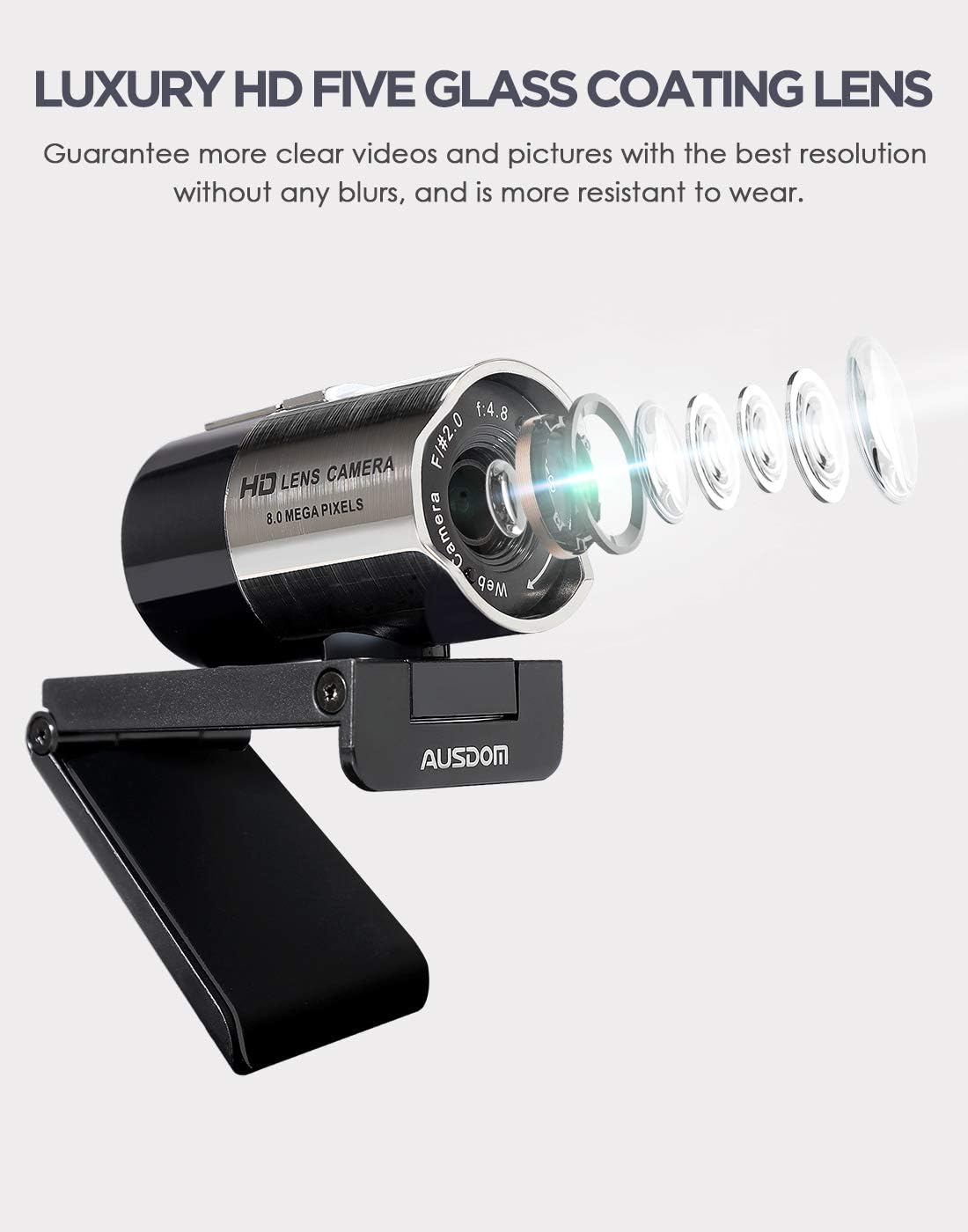
ചിത്രം 4: ക്ലോസ് അപ്പ് view of the AUSDOM AW335 Webcam lens, indicating the manual focus ring for sharpness adjustment.
പ്രധാന സവിശേഷതകളും ഉപയോഗവും
- 1080P Full HD Video: ദി webcam delivers high-definition video at 1920 x 1080 pixels, suitable for video calls, streaming, and recording.
- Integrated Noise-Cancelling Microphone: The built-in omni-directional microphone captures clear audio and filters out background noise. Ensure the webcam's microphone is selected as the input device in your application settings.
- ഓട്ടോമാറ്റിക് ലോ-ലൈറ്റ് കറക്ഷൻ: ദി webcam automatically adjusts to dim or overexposed lighting conditions to maintain clear video quality.
- വിശാലമായ അനുയോജ്യത: Compatible with Windows (7/8/10/XP), macOS, Chrome OS, Android, and Linux. It supports various platforms like Skype, Zoom, OBS, YouTube, Twitch, and more.
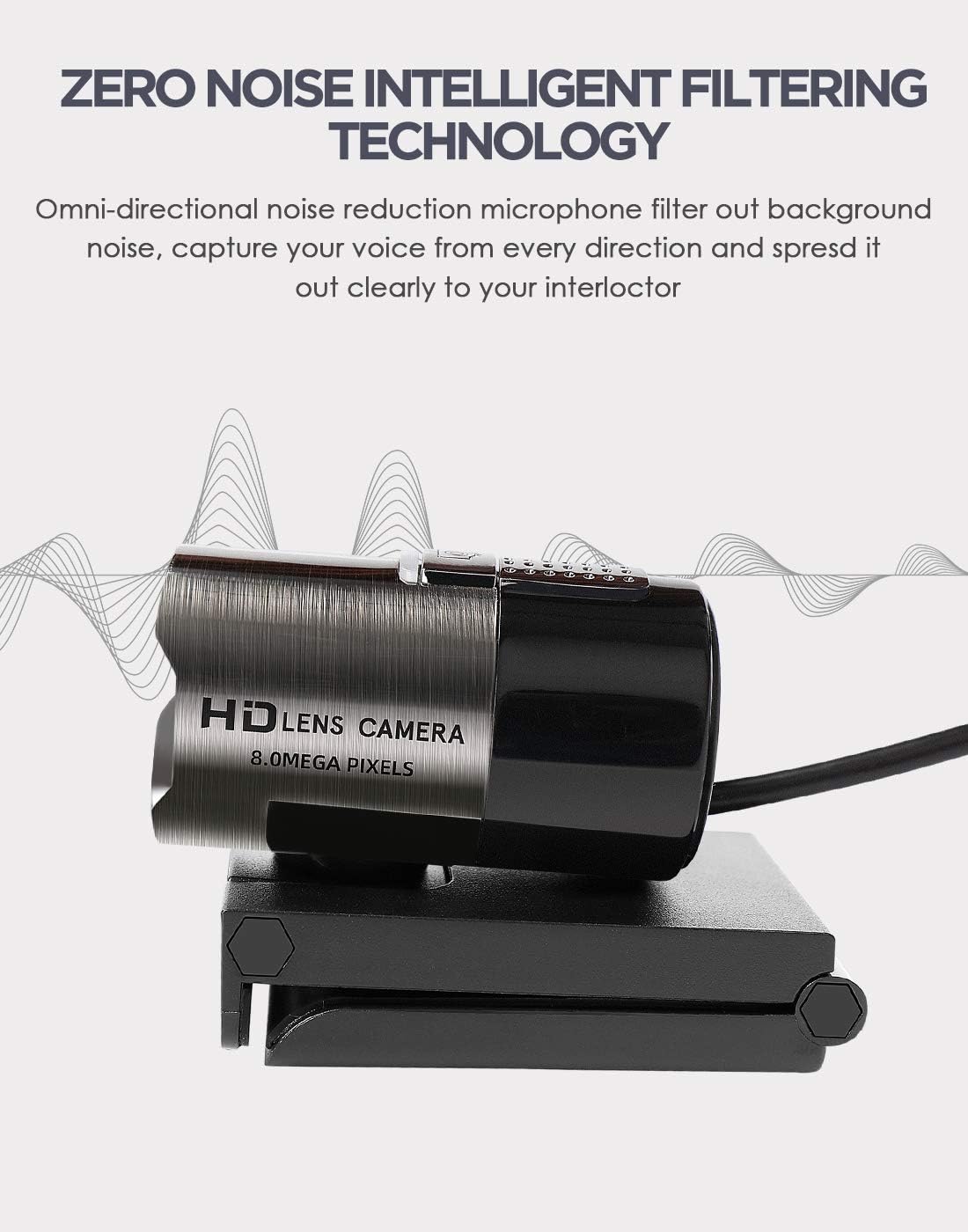
ചിത്രം 5: Illustration highlighting the omni-directional noise-cancelling microphone feature of the AUSDOM AW335 Webcam, designed to capture clear audio.
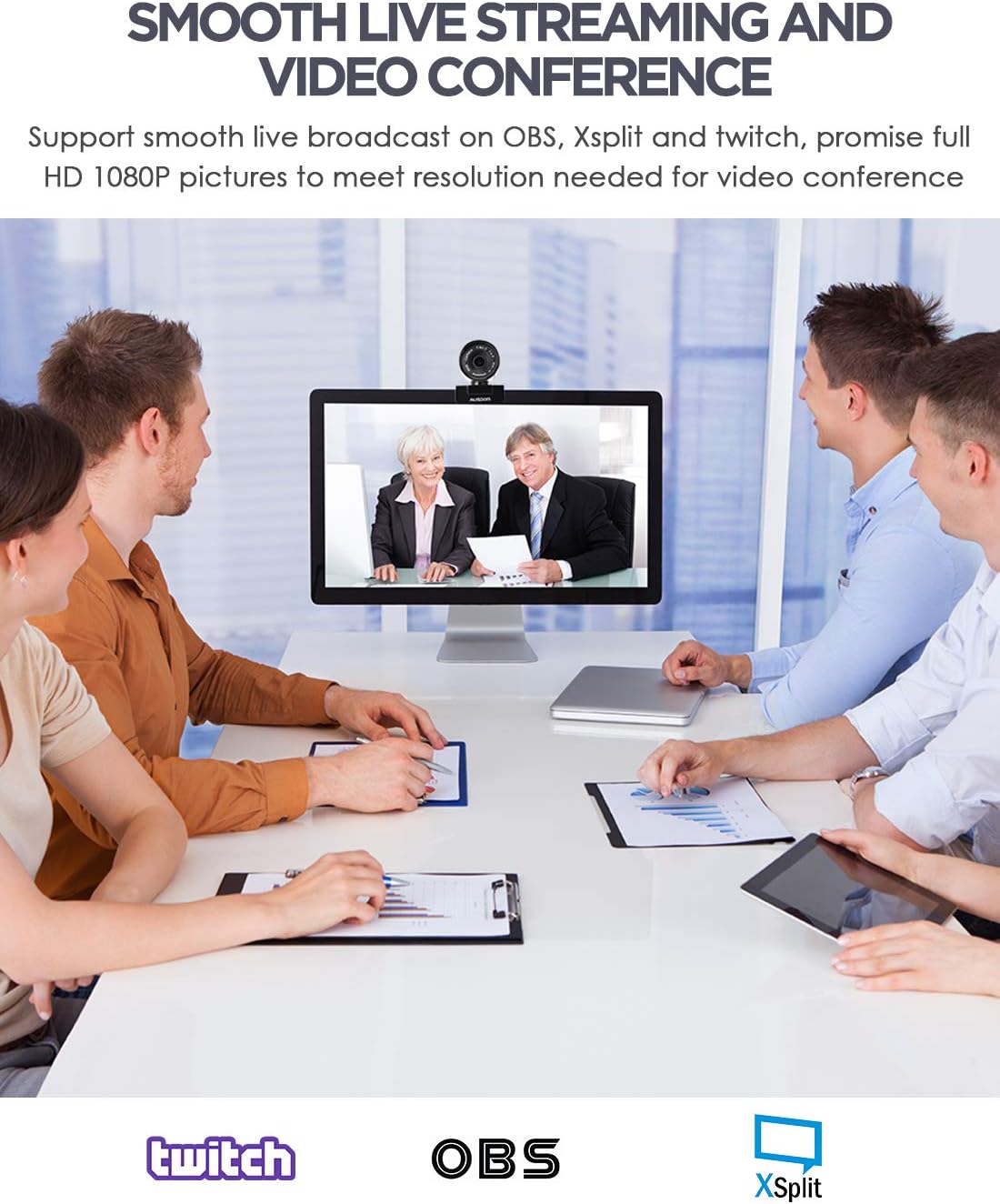
ചിത്രം 6: The AUSDOM AW335 Webcam in use for smooth live streaming and video conferencing, demonstrating its 1080P resolution capability.

ചിത്രം 7: Visual representation of the AUSDOM AW335 Webcam's automatic low-light correction feature, showing improved image quality in dim conditions.

ചിത്രം 8: Collage illustrating diverse applications of the AUSDOM AW335 Webcam, including video conferencing, widescreen video calls, and game streaming.

ചിത്രം 9: ഡയഗ്രം ഷോasing the broad compatibility of the AUSDOM AW335 Webcam with operating systems such as Windows, Mac OS, Chrome OS, Android, Linux, and Ubuntu.
മെയിൻ്റനൻസ്
- ലെൻസ് വൃത്തിയാക്കൽ: ഒപ്റ്റിക്കൽ ലെൻസുകൾക്കായി പ്രത്യേകം രൂപകൽപ്പന ചെയ്ത മൃദുവായ, ലിന്റ് രഹിത തുണി ഉപയോഗിച്ച് മൃദുവായി തുടയ്ക്കുക. webകാം ലെൻസ്. ഉരച്ചിലുകൾ ഉള്ള വസ്തുക്കളോ കഠിനമായ രാസവസ്തുക്കളോ ഒഴിവാക്കുക.
- പൊതുവായ ശുചീകരണം: ശരീരം തുടയ്ക്കുക webcam with a soft, dry cloth. Do not use liquid cleaners directly on the device.
- സംഭരണം: ഉപയോഗത്തിലില്ലാത്തപ്പോൾ, സംഭരിക്കുക webഉയർന്ന താപനിലയിൽ നിന്നും നേരിട്ടുള്ള സൂര്യപ്രകാശത്തിൽ നിന്നും മാറി വൃത്തിയുള്ളതും വരണ്ടതുമായ സ്ഥലത്ത് ക്യാം വയ്ക്കുക.
ട്രബിൾഷൂട്ടിംഗ്
| പ്രശ്നം | സാധ്യമായ കാരണം | പരിഹാരം |
|---|---|---|
| ചിത്രം/വീഡിയോ ഇല്ല |
|
|
| Fuzzy or blurry image |
|
|
| ഓഡിയോ ഇല്ല അല്ലെങ്കിൽ മോശം ഓഡിയോ നിലവാരം |
|
|
| Webcam not recognized by OS |
|
|
സ്പെസിഫിക്കേഷനുകൾ
| ഫീച്ചർ | വിശദാംശങ്ങൾ |
|---|---|
| മോഡൽ | AW335 |
| വീഡിയോ ക്യാപ്ചർ റെസല്യൂഷൻ | 1080p Full HD (1920 x 1080 pixels) |
| ലെൻസ് തരം | Luxury HD 5-glass coating lens |
| ഫോക്കസ് തരം | മാനുവൽ ഫോക്കസ് |
| മൈക്രോഫോൺ | Built-in Omni-directional, Noise-Cancelling |
| കണക്റ്റിവിറ്റി | USB |
| പ്രത്യേക സവിശേഷതകൾ | High Dynamic Range Tech (HDR), Automatic Low-Light Correction |
| അനുയോജ്യത | Windows (7/8/10/XP), macOS, Chrome OS, Android, Linux |
| ഉൽപ്പന്ന അളവുകൾ | 11.5 x 12 x 5 സെ.മീ |
| ഭാരം | 181 ഗ്രാം |
വാറൻ്റിയും പിന്തുണയും
For warranty information and technical support, please refer to the official AUSDOM webസൈറ്റിൽ ബന്ധപ്പെടുകയോ അവരുടെ ഉപഭോക്തൃ സേവനവുമായി നേരിട്ട് ബന്ധപ്പെടുകയോ ചെയ്യുക. വാറന്റി ക്ലെയിമുകൾക്കുള്ള വാങ്ങലിന്റെ തെളിവായി നിങ്ങളുടെ വാങ്ങൽ രസീത് സൂക്ഷിക്കുക.
കുറിപ്പ്: നിർദ്ദിഷ്ട വാറന്റി നിബന്ധനകൾ പ്രദേശത്തിനനുസരിച്ച് വ്യത്യാസപ്പെടാം.


