1. ആമുഖം
This manual provides detailed instructions for the proper use, setup, and maintenance of your boAt Airdopes 131 Bluetooth Truly Wireless Earbuds. Please read this manual thoroughly before using the product to ensure optimal performance and longevity.

Image 1.1: The boAt Airdopes 131 Truly Wireless Earbuds in Midnight Blue, shown with their charging case.
2. ബോക്സിൽ എന്താണുള്ളത്?
താഴെ പട്ടികപ്പെടുത്തിയിരിക്കുന്ന എല്ലാ ഇനങ്ങളും നിങ്ങളുടെ ഉൽപ്പന്ന പാക്കേജിംഗിൽ ഉണ്ടെന്ന് ഉറപ്പാക്കുക:
- 1 x boAt Airdopes 131 Truly Wireless Earbuds (Left and Right)
- 1 x ചാർജിംഗ് കേസ്
- 1 x യുഎസ്ബി ടൈപ്പ്-സി ചാർജിംഗ് കേബിൾ
- 1 x ഉപയോക്തൃ മാനുവൽ
- 2 x Additional Ear Tips (various sizes)
3. ഉൽപ്പന്നം കഴിഞ്ഞുview
The boAt Airdopes 131 are designed for a seamless audio experience. Key features include:
- ശരിക്കും വയർലെസ് ഡിസൈൻ: Freedom from cables for unrestricted movement.
- ബ്ലൂടൂത്ത് v5.0: സ്ഥിരതയുള്ളതും കാര്യക്ഷമവുമായ വയർലെസ് കണക്റ്റിവിറ്റി.
- IWP™ Technology: Instant Wake N' Pair for automatic connection upon opening the case.
- 13 എംഎം ഡൈനാമിക് ഡ്രൈവറുകൾ: For immersive sound quality.
- Multifunction Button Control: Easy management of music, calls, and voice assistant.
- ബിൽറ്റ്-ഇൻ മൈക്രോഫോൺ: For clear stereo calling.
- ടൈപ്പ്-സി ചാർജിംഗ് പോർട്ട്: For convenient charging of the case.
- വോയ്സ് അസിസ്റ്റന്റ് പിന്തുണ: നിങ്ങളുടെ ഉപകരണത്തിന്റെ വോയ്സ് അസിസ്റ്റന്റിലേക്ക് വേഗത്തിലുള്ള ആക്സസ്.

Image 3.1: An illustration of the boAt Airdopes 131 charging case with an earbud, highlighting features like IWP Technology, Bluetooth V5.0, 650mAh battery, Type-C charging, Instant Voice Assistant, and Multifunction Controls.
4. സജ്ജീകരണം
4.1 ഉപകരണം ചാർജ് ചെയ്യുന്നു
Before initial use, ensure both the charging case and earbuds are fully charged.
4.1.1 കേസ് ചാർജ് ചെയ്യൽ
- കേസിലെ ചാർജിംഗ് പോർട്ടിലേക്ക് യുഎസ്ബി ടൈപ്പ്-സി ചാർജിംഗ് കേബിൾ ബന്ധിപ്പിക്കുക.
- കേബിളിന്റെ മറ്റേ അറ്റം ഒരു USB പവർ അഡാപ്റ്ററുമായി (ഉൾപ്പെടുത്തിയിട്ടില്ല) അല്ലെങ്കിൽ ഒരു കമ്പ്യൂട്ടറിന്റെ USB പോർട്ടുമായി ബന്ധിപ്പിക്കുക.
- The LED indicators on the case will show charging status. A full charge typically takes approximately 1.5 hours.
4.1.2 ഇയർബഡുകൾ ചാർജ് ചെയ്യുന്നു
- ചാർജിംഗ് കെയ്സിൽ ഇയർബഡുകൾ അവയുടെ സ്ലോട്ടുകളിൽ സ്ഥാപിക്കുക.
- Ensure the case has sufficient charge or is connected to a power source.
- The earbuds will begin charging automatically. The LED indicators on the earbuds will confirm charging status.

Image 4.1: The boAt Airdopes 131 earbuds illustrating the ASAP Charge feature, providing 90 minutes of playback from a 5-minute charge.
The Airdopes 131 offer up to 3 hours of playback per earbud charge and an additional 12 hours with the charging case. With ASAP™ Charge, 5 minutes of charging can provide up to 90 minutes of playback.
4.2 Initial Pairing (IWP™ Technology)
The Airdopes 131 feature Instant Wake N' Pair (IWP™) Technology for quick and effortless connection.
- Ensure the earbuds are inside the charging case and the case is charged.
- ചാർജിംഗ് കേസിന്റെ ലിഡ് തുറക്കുക. ഇയർബഡുകൾ സ്വയമേവ ഓൺ ചെയ്യുകയും ജോടിയാക്കൽ മോഡിൽ പ്രവേശിക്കുകയും ചെയ്യും.
- On your smartphone or Bluetooth-enabled device, open the Bluetooth settings.
- ഇതിനായി തിരയുക "Airdopes 131" in the list of available devices and select it to connect.
- Once connected, you will hear an audio prompt, and the LED indicators on the earbuds will change.

Image 4.2: A visual representation of the IWP Technology, showing a smartphone displaying a pairing notification for "Airdopes 131" as the charging case lid is opened.
4.3 Connecting to a New Device
To connect to a different device, first disconnect from the currently paired device. Then, follow the initial pairing steps (Section 4.2) to connect to the new device.
5. പ്രവർത്തന നിർദ്ദേശങ്ങൾ
The Airdopes 131 feature intuitive multifunction button controls on each earbud.
5.1 പവർ ഓൺ/ഓഫ്
- പവർ ഓൺ: Open the charging case lid (IWP™ Technology) or long-press the Multifunction Button on both earbuds for 3 seconds.
- പവർ ഓഫ്: Place the earbuds back into the charging case and close the lid, or long-press the Multifunction Button on both earbuds for 5 seconds.
5.2 സംഗീത നിയന്ത്രണങ്ങൾ
- പ്ലേ/താൽക്കാലികമായി നിർത്തുക: Single tap the Multifunction Button on either earbud.
- അടുത്ത ട്രാക്ക്: Double tap the Multifunction Button on the right earbud.
- മുമ്പത്തെ ട്രാക്ക്: Double tap the Multifunction Button on the left earbud.
5.3 കോൾ നിയന്ത്രണങ്ങൾ
- ഉത്തരം/അവസാന കോൾ: Single tap the Multifunction Button on either earbud.
- കോൾ നിരസിക്കുക: Long press the Multifunction Button on either earbud for 2 seconds.
5.4 വോയ്സ് അസിസ്റ്റന്റ്
Activate your device's voice assistant (e.g., Google Assistant, Siri) with a single press.
- വോയ്സ് അസിസ്റ്റന്റിനെ സജീവമാക്കുക: Single press the Multifunction Button on either earbud.
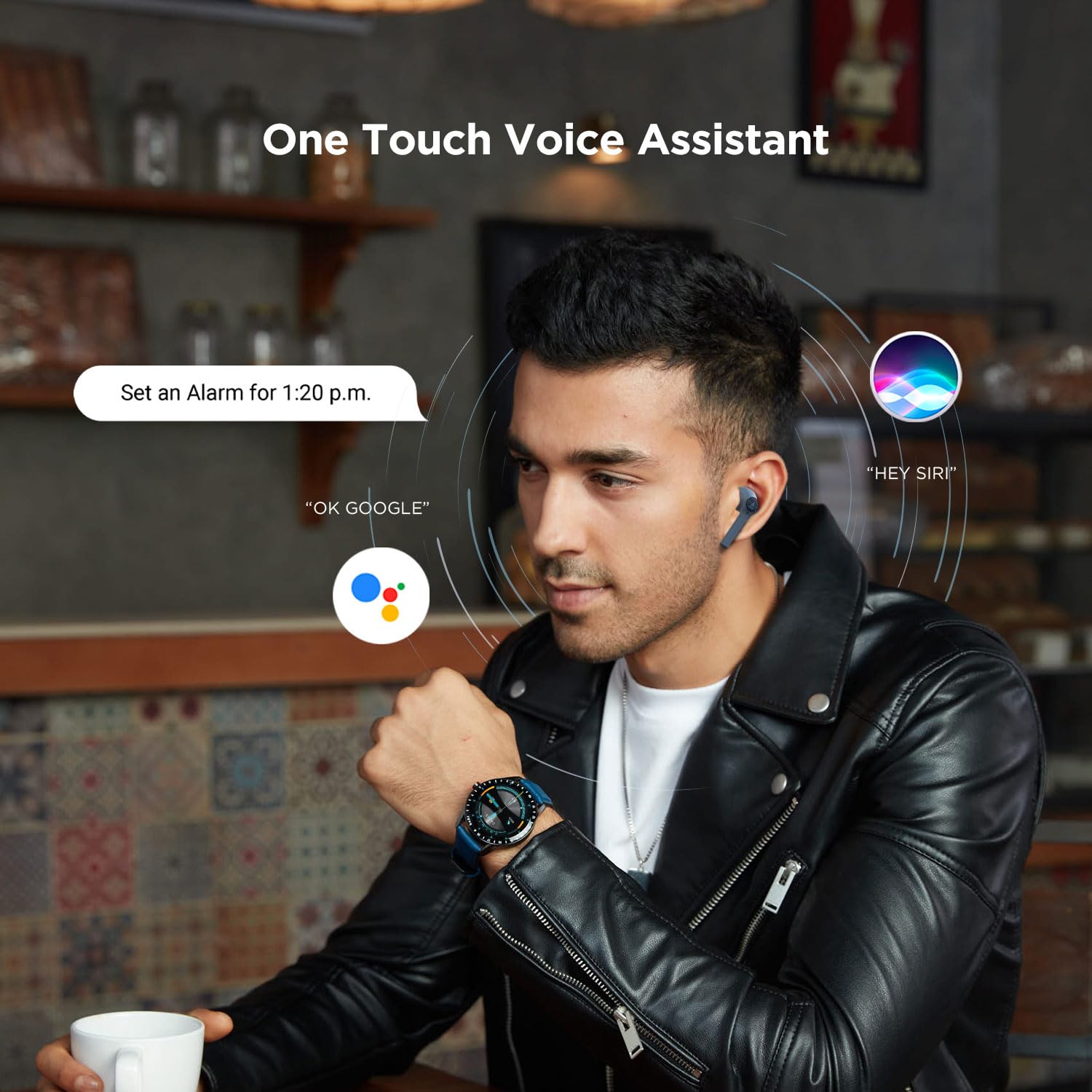
Image 5.1: A user interacting with a voice assistant via the boAt Airdopes 131 earbuds, demonstrating the "One Touch Voice Assistant" feature.
6. പരിപാലനം
Proper maintenance ensures the longevity and optimal performance of your Airdopes 131.
6.1 വൃത്തിയാക്കൽ
- ഇയർബഡുകളും ചാർജിംഗ് കെയ്സും വൃത്തിയാക്കാൻ മൃദുവായതും ഉണങ്ങിയതും ലിന്റ് രഹിതവുമായ തുണി ഉപയോഗിക്കുക.
- കഠിനമായ രാസവസ്തുക്കൾ, ക്ലീനിംഗ് ലായകങ്ങൾ അല്ലെങ്കിൽ ശക്തമായ ഡിറ്റർജന്റുകൾ ഉപയോഗിക്കരുത്.
- ഏതെങ്കിലും ദ്വാരങ്ങളിൽ ഈർപ്പം കയറുന്നത് ഒഴിവാക്കുക.
6.2 സംഭരണം
- ഉപയോഗത്തിലില്ലാത്തപ്പോൾ, ഇയർബഡുകൾ സംരക്ഷിക്കുന്നതിനും ചാർജ്ജ് ചെയ്ത നിലയിൽ നിലനിർത്തുന്നതിനും അവ ചാർജിംഗ് കേസിൽ സൂക്ഷിക്കുക.
- തീവ്രമായ താപനിലയിൽ നിന്നും നേരിട്ടുള്ള സൂര്യപ്രകാശത്തിൽ നിന്നും അകന്ന്, തണുത്തതും വരണ്ടതുമായ സ്ഥലത്ത് ഉപകരണം സൂക്ഷിക്കുക.
6.3 ബാറ്ററി കെയർ
- To preserve battery life, charge the device regularly, even if not in frequent use.
- ബാറ്ററി ഇടയ്ക്കിടെ പൂർണ്ണമായും ഡിസ്ചാർജ് ചെയ്യുന്നത് ഒഴിവാക്കുക.
7. പ്രശ്നപരിഹാരം
If you encounter issues with your Airdopes 131, refer to the following common solutions:
| പ്രശ്നം | പരിഹാരം |
|---|---|
| ഇയർബഡുകൾ ഉപകരണവുമായി ജോടിയാക്കുന്നില്ല. |
|
| ഒരു ഇയർബഡ് മാത്രമാണ് പ്രവർത്തിക്കുന്നത്. |
|
| ചാർജിംഗ് കേസ് ചാർജ് ചെയ്യുന്നില്ല. |
|
| കുറഞ്ഞ വോളിയം അല്ലെങ്കിൽ മോശം ശബ്ദ നിലവാരം. |
|
8 സ്പെസിഫിക്കേഷനുകൾ
| ഫീച്ചർ | വിശദാംശങ്ങൾ |
|---|---|
| മോഡലിൻ്റെ പേര് | എയർഡോപ്പുകൾ 131 |
| കണക്റ്റിവിറ്റി ടെക്നോളജി | ബ്ലൂടൂത്ത് |
| വയർലെസ് കമ്മ്യൂണിക്കേഷൻ ടെക്നോളജി | ശരിക്കും വയർലെസ് |
| ബ്ലൂടൂത്ത് പതിപ്പ് | 5.0 |
| ബ്ലൂടൂത്ത് ശ്രേണി | 10 മീറ്റർ |
| ഓഡിയോ ഡ്രൈവർ തരം | ഡൈനാമിക് ഡ്രൈവർ (13mm) |
| ഫ്രീക്വൻസി റേഞ്ച് | 20Hz-20kHz |
| ഇയർബഡ് ബാറ്ററി ലൈഫ് | Up to 3 Hours per charge |
| ആകെ പ്ലേടൈം (കേസിനൊപ്പം) | 12 മണിക്കൂർ വരെ |
| ചാർജിംഗ് സമയം (കേസ്) | ഏകദേശം 1.5 മണിക്കൂർ |
| ചാർജിംഗ് പോർട്ട് | യുഎസ്ബി ടൈപ്പ്-സി |
| മൈക്രോഫോൺ ഫോർമാറ്റ് | ബിൽറ്റ്-ഇൻ |
| നിയന്ത്രണ തരം | Multifunction Button, Voice Control |
| ജല പ്രതിരോധ നില | വെള്ളത്തെ പ്രതിരോധിക്കുന്ന |
| ഇനത്തിൻ്റെ ഭാരം | 7 ഗ്രാം (ഇയർബഡുകൾ) |
| ഉൽപ്പന്ന അളവുകൾ | 5.3 x 2.5 x 2.5 സെ.മീ |
| മെറ്റീരിയൽ | പ്ലാസ്റ്റിക് |
| അനുയോജ്യമായ ഉപകരണങ്ങൾ | iOS, Android, Windows |
9. വാറൻ്റിയും പിന്തുണയും
For warranty information and customer support, please refer to the official boAt webസൈറ്റ് അല്ലെങ്കിൽ അവരുടെ ഉപഭോക്തൃ സേവനവുമായി നേരിട്ട് ബന്ധപ്പെടുക.
- ഉദ്യോഗസ്ഥൻ Webസൈറ്റ്: സന്ദർശിക്കുക boAt Store on Amazon ഉൽപ്പന്ന വിവരങ്ങൾക്കും പിന്തുണയ്ക്കും.
- കസ്റ്റമർ സർവീസ്: Contact boAt customer support for technical assistance, warranty claims, or service inquiries.

Image 9.1: A smartphone displaying the boAt Hearables App with a QR code for scanning and exploring. The app offers features like streaming music, listening to audiobooks, and accessing user help guides. Scan the QR code to access the app: https://l.ead.me/bdAX6k


