ആമുഖം
Thank you for choosing the Moukey MAMX2 6-Channel Audio Mixer. This compact and versatile line mixer is designed for various audio applications, offering ultra-low noise operation and easy setup. This manual provides detailed instructions on how to set up, operate, and maintain your mixer to ensure optimal performance.
1. സജ്ജീകരണം
Before using your Moukey MAMX2 mixer, please follow these steps for proper setup:
- അൺപാക്ക് ചെയ്യുന്നു: Carefully remove the mixer from its packaging and ensure all components are present.
- പവർ കണക്ഷൻ: The mixer operates on DC 5V power. Connect the provided USB power cable to the DC 5V input port on the mixer. For best performance and to minimize noise, it is recommended to connect the USB cable to a dedicated power adapter (not included) rather than directly to a computer's USB port.
- ഇൻപുട്ട് കണക്ഷനുകൾ: The mixer features six 1/4-inch (6.35mm) input jacks. You can connect various audio sources such as microphones, guitars, basses, keyboards, or other line-level devices. Use 1/4-inch TRS stereo audio cables for stereo input or TS mono audio cables for mono input.
- ഔട്ട്പുട്ട് കണക്ഷൻ: നിങ്ങളുടെ ബന്ധിപ്പിക്കുക amplifier, powered speakers, or recording device to the 1/4-inch (6.35mm) OUTPUT jack using a suitable audio cable.
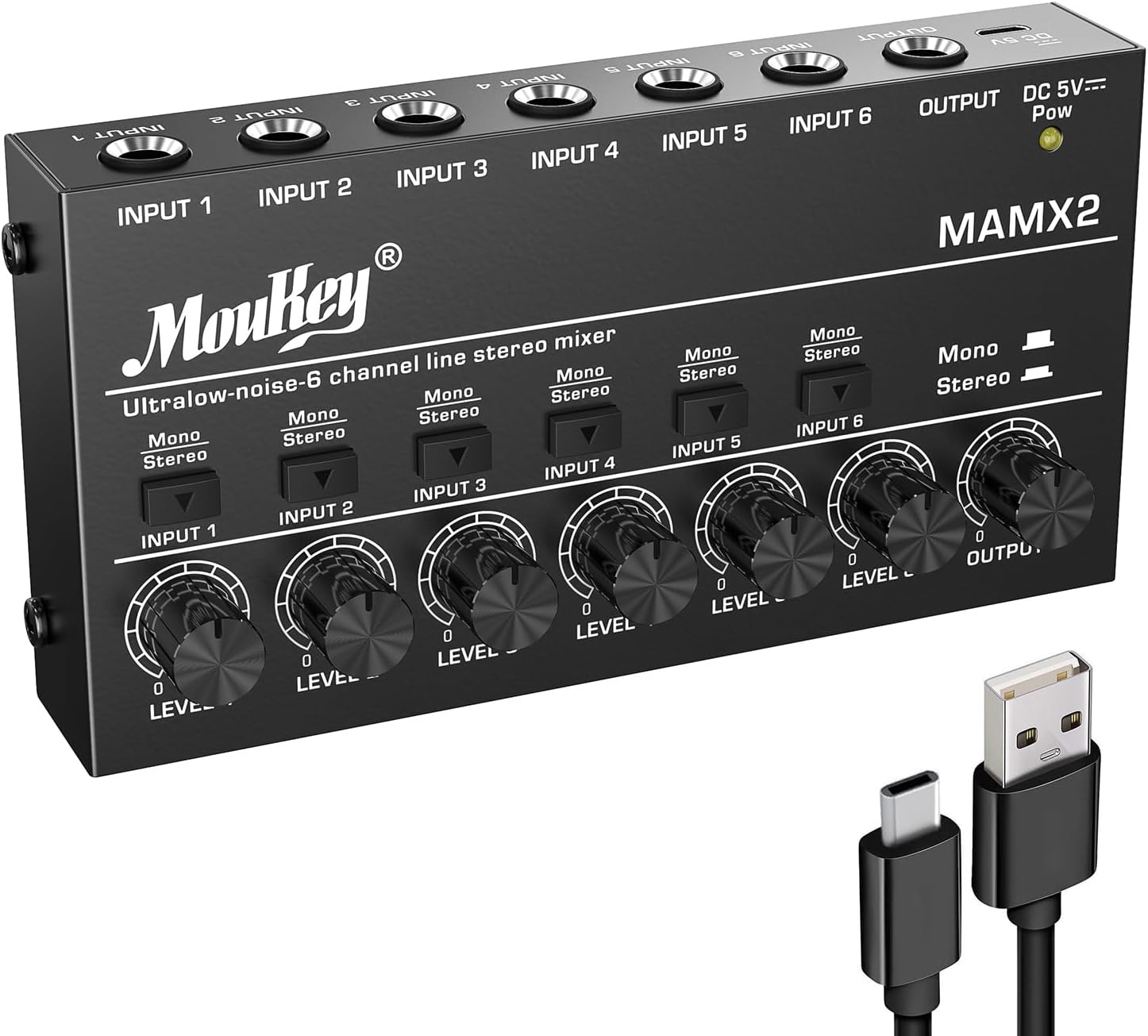
ചിത്രം 1.1: മുൻഭാഗം view of the Moukey MAMX2 mixer with its USB power cable.

Image 1.2: Illustration of TRS (stereo) and TS (mono) cable connections for inputs and outputs.
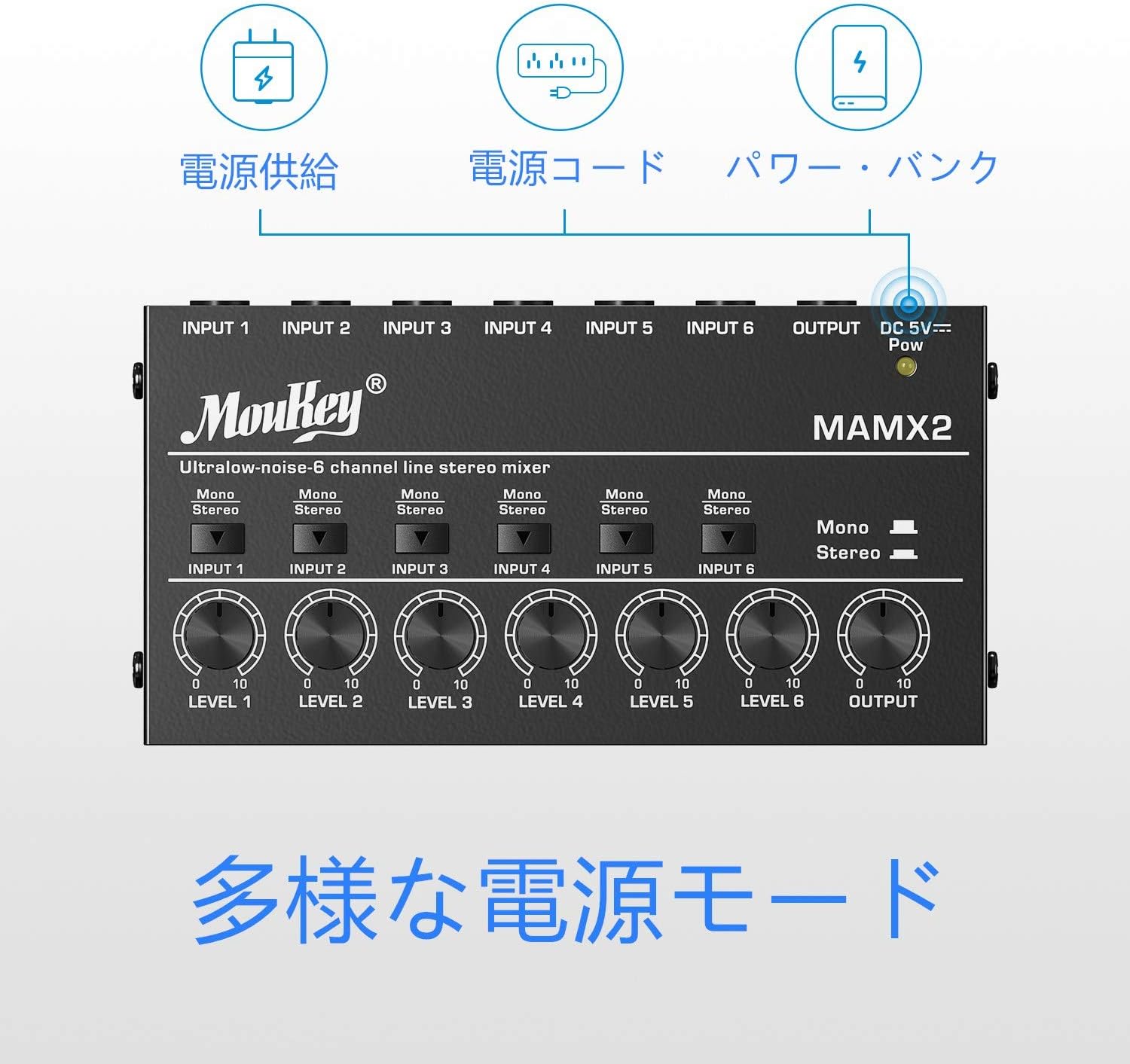
Image 1.3: Different power supply modes for the Moukey MAMX2, including power bank and power cord.
2. പ്രവർത്തന നിർദ്ദേശങ്ങൾ
The Moukey MAMX2 mixer is designed for straightforward operation:
- പവർ ഓൺ: Once connected to a DC 5V power source, the power indicator light will illuminate, indicating the unit is on.
- Individual Channel Volume Control: Each of the six input channels has an independent volume knob (LEVEL 1-6). Rotate these knobs clockwise to increase the volume of the corresponding input source and counter-clockwise to decrease it.
- Stereo/Mono Switching: Each input channel features a switch to toggle between Mono and Stereo modes.
- In സ്റ്റീരിയോ mode, the input will be treated as a stereo signal, requiring a TRS cable.
- In മോണോ mode, the input will be treated as a mono signal, suitable for TS cables or summing stereo inputs to mono.
- Master Output Volume: The 'OUTPUT' knob controls the overall master volume of the mixed signal. Adjust this to control the final output level sent to your connected ampലൈഫ്ഫയർ അല്ലെങ്കിൽ റെക്കോർഡിംഗ് ഉപകരണം.
- മിക്സിംഗ്: Adjust the individual channel volume knobs to achieve the desired balance between all connected audio sources. The mixer will combine these signals into a single output.
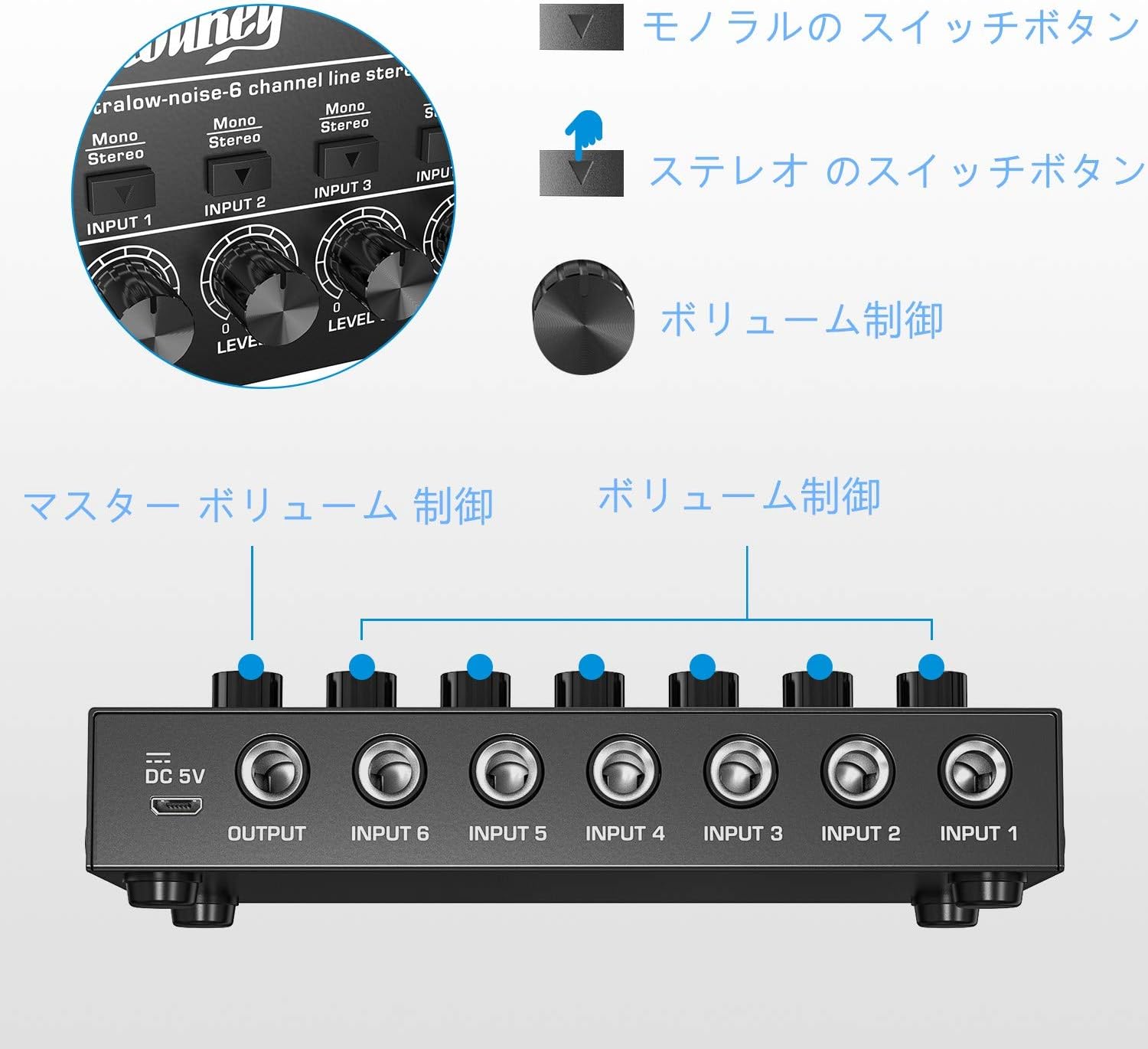
ചിത്രം 2.1: കഴിഞ്ഞുview of the mixer's controls, including individual channel volume knobs and stereo/mono switches.

Image 2.2: The Moukey MAMX2 mixer integrated into a typical audio setup, demonstrating its practical use.
3. പരിപാലനം
Proper maintenance will extend the life of your Moukey MAMX2 mixer:
- വൃത്തിയാക്കൽ: Use a soft, dry cloth to clean the exterior of the mixer. Do not use liquid cleaners or aerosols, as they may damage the unit.
- സംഭരണം: ഉപയോഗത്തിലില്ലാത്തപ്പോൾ, നേരിട്ട് സൂര്യപ്രകാശം ഏൽക്കാത്തതും കടുത്ത താപനില ഏൽക്കാത്തതുമായ ഒരു തണുത്ത വരണ്ട സ്ഥലത്ത് മിക്സർ സൂക്ഷിക്കുക.
- കൈകാര്യം ചെയ്യൽ: മിക്സർ താഴെയിടുകയോ ശക്തമായ ആഘാതങ്ങൾക്ക് വിധേയമാക്കുകയോ ചെയ്യുന്നത് ഒഴിവാക്കുക.
- വെൻ്റിലേഷൻ: Ensure the mixer has adequate ventilation to prevent overheating.

Image 3.1: The robust metal casing of the Moukey MAMX2, designed for durability.
4. പ്രശ്നപരിഹാരം
If you encounter issues with your Moukey MAMX2 mixer, refer to the following common problems and solutions:
- സൗണ്ട് ഔട്ട്പുട്ട് ഇല്ല:
- Check all cable connections to ensure they are securely plugged into the correct input and output jacks.
- Verify that the mixer is receiving power (power indicator light is on).
- Ensure all individual channel volume knobs and the master OUTPUT knob are turned up sufficiently.
- Check the volume levels of your connected audio sources and the receiving device (amplifier, speakers).
- അമിതമായ ശബ്ദം/ഹം:
- Ensure you are using a stable DC 5V power supply. Connecting the mixer to a wall outlet via a USB power adapter (not included) is often more effective at reducing noise compared to powering it directly from a computer's USB port.
- ഗ്രൗണ്ട് ലൂപ്പുകൾ പരിശോധിക്കുക. എല്ലാ ഓഡിയോ ഉപകരണങ്ങളും ഒരേ പവർ സ്ട്രിപ്പിലേക്ക് ബന്ധിപ്പിക്കാൻ ശ്രമിക്കുക.
- എല്ലാ കേബിളുകളും നല്ല നിലയിലാണെന്നും ശരിയായി സംരക്ഷിച്ചിട്ടുണ്ടെന്നും ഉറപ്പാക്കുക.
- വികലമായ ശബ്ദം:
- Reduce the input volume of the source device.
- Lower the individual channel volume knobs or the master OUTPUT knob on the mixer.
- കണക്റ്റ് ചെയ്തിട്ടുണ്ടെന്ന് ഉറപ്പാക്കുക amplifier or speakers are not overdriven.
5 സ്പെസിഫിക്കേഷനുകൾ
| ഫീച്ചർ | വിവരണം |
|---|---|
| മോഡൽ നമ്പർ | MAMX2 |
| ചാനലുകളുടെ എണ്ണം | 6 |
| വൈദ്യുതി വിതരണം | DC 5V (USB Power Cord Type) |
| വാല്യംtage | 5 വോൾട്ട് |
| കണക്റ്റിവിറ്റി ടെക്നോളജി | USB |
| ഉൽപ്പന്ന അളവുകൾ (L x W x H) | 7.5 സെ.മീ x 14.5 സെ.മീ x 2.5 സെ.മീ (ഏകദേശം 2.95 x 5.7 x 0.95 ഇഞ്ച്) |

Image 5.1: The compact and lightweight design of the Moukey MAMX2 mixer.
6. വാറൻ്റിയും പിന്തുണയും
For information regarding product warranty, technical support, or service, please refer to the warranty card included with your purchase or visit the official Moukey website. Contact details for customer support are typically provided on the manufacturer's official channels.


