1. ആമുഖം
This manual provides comprehensive instructions for the setup, operation, and maintenance of your AURSINC MMDVM Hotspot. This device is a digital voice modem designed for amateur radio enthusiasts, enabling communication across various digital modes such as C4FM, YSF, NXDN, DSTAR, P25, and DMR. It integrates with a Raspberry Pi Zero W and comes with pre-installed Pi-Star software for ease of use.
The hotspot operates on specified UHF and VHF frequencies, providing a reliable link for digital voice communications. Please read this manual thoroughly before using the device to ensure proper functionality and to maximize your experience.

Figure 1.1: The AURSINC MMDVM Hotspot, including the main unit, antenna, Ethernet adapter, and an elbow connector.
2. എന്താണ് ഉൾപ്പെടുത്തിയിരിക്കുന്നത്
താഴെ കൊടുത്തിരിക്കുന്ന എല്ലാ ഇനങ്ങളും നിങ്ങളുടെ പാക്കേജിൽ ഉണ്ടെന്ന് ദയവായി ഉറപ്പാക്കുക:
- 1x MMDVM Hotspot Spot Radio Unit
- 1x ഇഥർനെറ്റ് കേബിൾ
- 1x Elbow Connector (for antenna)
- 1x മൈക്രോ യുഎസ്ബി ചാർജിംഗ് കേബിൾ

Figure 2.1: Contents of the AURSINC MMDVM Hotspot package.
3. സജ്ജീകരണ ഗൈഡ്
3.1 Initial Setup and Powering On
- ആന്റിന ബന്ധിപ്പിക്കുക: Screw the included antenna onto the gold connector on the MMDVM Hotspot unit. If desired, use the elbow connector for a different antenna orientation.
- പവർ കണക്ഷൻ: Connect the micro USB charging cable to the hotspot unit and to a power source (e.g., power bank, laptop USB port, or USB wall adapter). The device will power on automatically.
- പ്രാരംഭ ബൂട്ട്: Allow the hotspot approximately 2 minutes to boot up and attempt to auto-connect to a Wi-Fi network. The Pi-Star software is preloaded on the TF card, eliminating the need for initial software installation.
3.2 Wi-Fi കോൺഫിഗറേഷൻ
The Raspberry Pi Zero W in the hotspot supports 2.4GHz Wi-Fi networks only. Ensure your Wi-Fi network's SSID is for a 2.4GHz band and the password type is WPA, not WEP.
- Access Pi-Star Configuration: After the hotspot has been powered on for about 2 minutes, open a web browser on a computer connected to the same network and navigate to
pi-star/admin/configure.php. - നെറ്റ്വർക്ക് ക്രമീകരണങ്ങൾ: Within the Pi-Star configuration interface, locate the network settings section to enter your Wi-Fi SSID and password. Save the changes.

Figure 3.1: Pi-Star configuration interface accessed via a laptop.
3.3 Optimized System Recommendation
For enhanced performance and additional features, it is recommended to switch to an optimized system such as WPSD. Detailed instructions for installing WPSD can be found on their official webസൈറ്റ്:
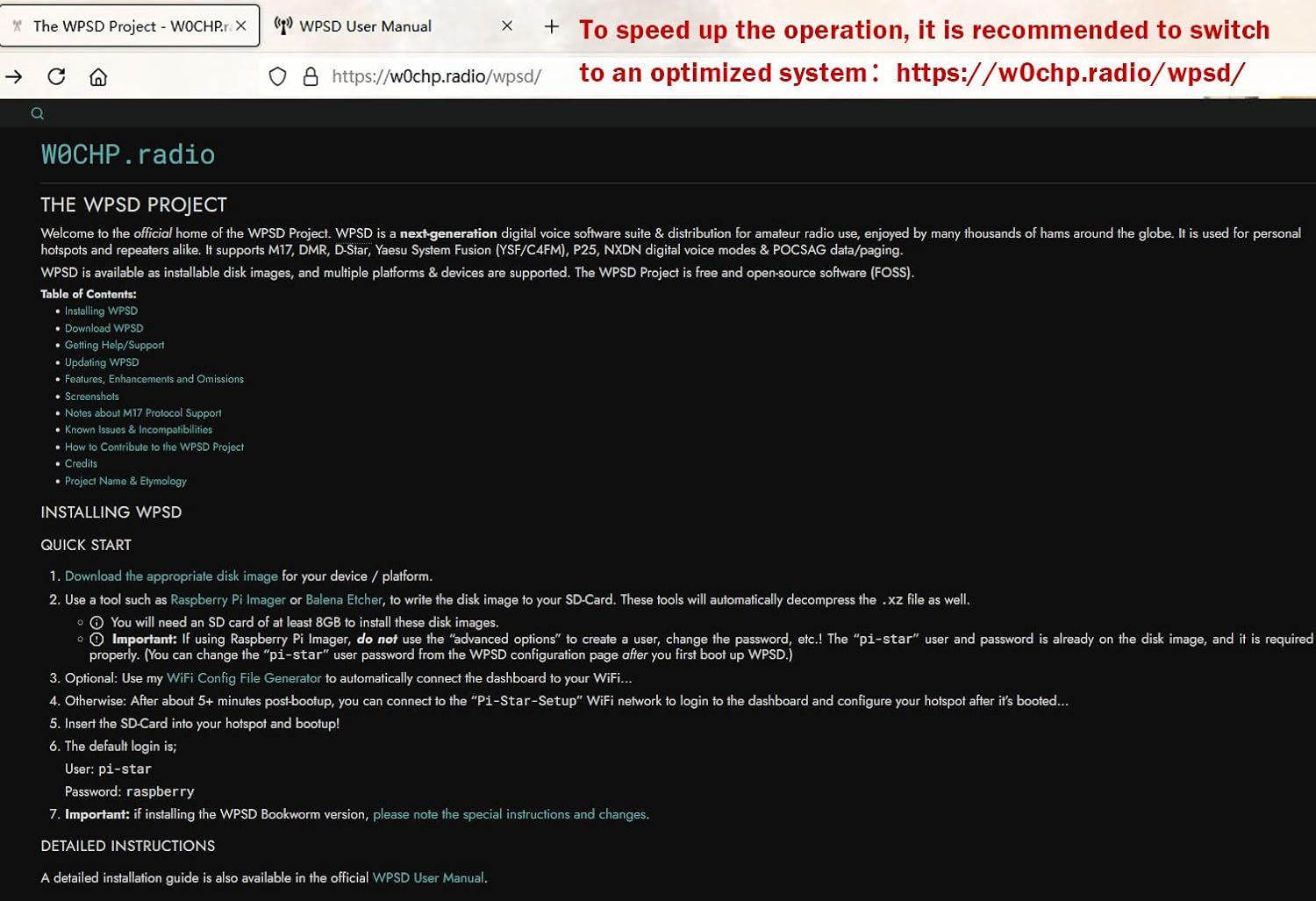
Figure 3.2: The WPSD Project website, a resource for an optimized hotspot system.
4. ഓപ്പറേഷൻ
4.1 Supported Digital Modes
The AURSINC MMDVM Hotspot supports a wide range of digital voice modes, including:
- C4FM (System Fusion)
- YSF (Yaesu System Fusion)
- എൻഎക്സ്ഡിഎൻ
- DSTAR
- P25
- ഡിഎംആർ (ഡിജിറ്റൽ മൊബൈൽ റേഡിയോ)
The device defaults to working with UHF frequencies. Configuration for specific modes and parameters can be adjusted within the Pi-Star dashboard.
4.2 Radio Frequencies
The supported radio frequencies are:
- UHF: 430-440 MHz
- വിഎച്ച്എഫ്: 144-146 MHz
This upgraded version of the hotspot does not require setting RXOFFSET and TXOFFSET; they are defaulted to 0.
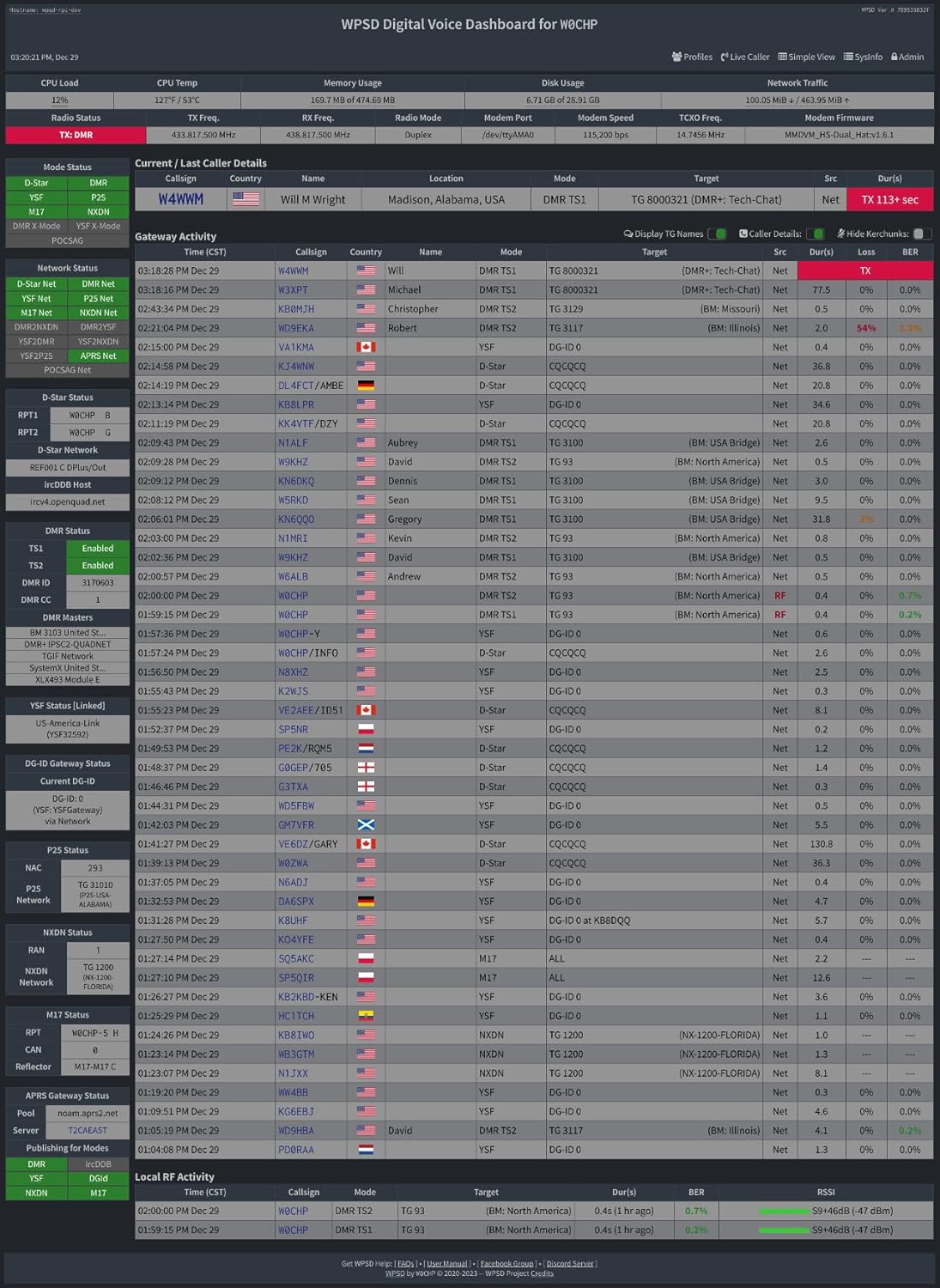
Figure 4.1: Pi-Star Digital Voice Dashboard, providing real-time operational status.
5. പരിപാലനം
5.1 ഫേംവെയർ അപ്ഡേറ്റുകൾ
The MMDVM hotspot board supports firmware updates. While it comes with Firmware V1.5.2, it can be updated to V1.6.1, especially if you switch to the WPSD system. Instructions for updating the MMDVM_HS firmware for WPSD 1.6.1 can be found at:
5.2 പൊതു പരിചരണം
- ഉപകരണം വരണ്ട അന്തരീക്ഷത്തിൽ സൂക്ഷിക്കുക, നേരിട്ടുള്ള സൂര്യപ്രകാശം, തീവ്രമായ താപനില എന്നിവയിൽ നിന്ന് അകറ്റി നിർത്തുക.
- ഉപകരണം ഉപേക്ഷിക്കുകയോ ശക്തമായ ആഘാതങ്ങൾക്ക് വിധേയമാക്കുകയോ ചെയ്യരുത്.
- മൃദുവായതും ഉണങ്ങിയതുമായ തുണി ഉപയോഗിച്ച് പുറംഭാഗം വൃത്തിയാക്കുക. ലിക്വിഡ് ക്ലീനറുകൾ ഉപയോഗിക്കരുത്.
6. പ്രശ്നപരിഹാരം
6.1 Device Cannot Connect to Network
If the device fails to connect to the network after setup, try the following:
- Verify Wi-Fi Settings: Double-check that the Wi-Fi SSID and password entered in the Pi-Star configuration are correct and that the network is 2.4GHz with WPA encryption.
- Reflash SD Card: If connectivity issues persist, reflash the SD card using the provided firmware package. The package can be downloaded from: Google ഡ്രൈവ് ലിങ്ക്.
6.2 Signal Reception or Transmission Issues
To test whether your device can receive or transmit signals, refer to the following webസൈറ്റ്:
If you continue to experience issues with signal reception or transmission, please contact AURSINC customer support for assistance.
7 സ്പെസിഫിക്കേഷനുകൾ
| ഫീച്ചർ | വിശദാംശങ്ങൾ |
|---|---|
| ഉൽപ്പന്ന അളവുകൾ | 4 x 4 x 2 ഇഞ്ച് |
| ഇനത്തിൻ്റെ ഭാരം | 4.6 ഔൺസ് |
| കണക്റ്റിവിറ്റി ടെക്നോളജി | വൈഫൈ (2.4GHz മാത്രം) |
| അനുയോജ്യമായ ഉപകരണങ്ങൾ | Laptop (for configuration) |
| ആകെ ഇതർനെറ്റ് പോർട്ടുകൾ | 1 (via adapter) |
| നിറം | കറുപ്പ് |
| റേഡിയോ ആവൃത്തി | UHF: 430-440 MHz, VHF: 144-146 MHz |
| പിന്തുണയ്ക്കുന്ന മോഡുകൾ | C4FM, YSF, NXDN, DSTAR, P25, DMR |
| ഫേംവെയർ പതിപ്പ് | V1.5.2 (upgradable to V1.6.1) |
8. വാറൻ്റിയും പിന്തുണയും
For any technical assistance, troubleshooting, or inquiries regarding your AURSINC MMDVM Hotspot, please contact AURSINC customer support directly. While specific warranty details are not provided in this manual, extended protection plans may be available for purchase separately.
Please refer to your purchase documentation or the AURSINC official website for the most current support contact information and warranty policies.
You can also find additional resources and an installation manual (PDF) at the following link: ഇൻസ്റ്റലേഷൻ മാനുവൽ (PDF).


