1. ആമുഖം
This manual provides essential information for the proper setup, operation, and maintenance of your KODAK Mini Shot 2 Retro 4PASS 2-in-1 Instant Digital Camera and Photo Printer. Please read it thoroughly before using the device to ensure optimal performance and longevity.
1.1 പ്രധാന സവിശേഷതകൾ
- Instant Camera + Photo Printer: The KODAK Mini Shot 2 Retro functions as both a digital camera and a built-in photo printer. You can capture images and choose to print them immediately or discard them.
- സ്മാർട്ട്ഫോൺ കണക്റ്റിവിറ്റി: Print 2.1x3.4 inch photos directly from your mobile device's gallery via Bluetooth. Compatible with Apple iPhone, iPad, and Android devices.
- 4PASS Technology: Utilizes 4PASS technology for high-quality, laminated photos that are protected against fingerprints and water, designed to last over 100 years.
- Two Photo Types: Offers options to print both bordered and borderless pictures. Bordered photos allow space for notes, while borderless photos provide a larger image area.
- KODAK Photo Printer Application: Download the dedicated app for additional features such as filters, frames, and editing tools to enhance your photos before printing.
2. സജ്ജീകരണം
2.1 ബോക്സിൽ എന്താണുള്ളത്
നിങ്ങളുടെ പാക്കേജിൽ എല്ലാ ഘടകങ്ങളും ഉണ്ടെന്ന് ഉറപ്പാക്കുക:
- KODAK Mini Shot 2 Retro Camera
- പ്രാരംഭ ഫോട്ടോ പേപ്പർ കാട്രിഡ്ജ് (8 ഷീറ്റുകൾ)
- Additional Photo Paper Sheets (60 sheets)
- USB-C ടൈപ്പ് ചാർജിംഗ് കേബിൾ
- റിസ്റ്റ് സ്ട്രാപ്പ്
- ഉപയോക്തൃ ഗൈഡ്

Image: Contents of the KODAK Mini Shot 2 Retro package.
2.2 ഉപകരണം ചാർജ് ചെയ്യുന്നു
Before first use, fully charge your KODAK Mini Shot 2 Retro using the provided USB-C cable. Connect the cable to the device's charging port and a compatible USB power source. The charging indicator light will show the charging status.
2.3 ഫോട്ടോ പേപ്പർ ലോഡുചെയ്യുന്നു
To load photo paper into your device:
- Open the paper cartridge compartment on the side of the camera.
- Insert a new KODAK 2.1"x3.4" Instant Print Cartridge into the compartment. Ensure it clicks into place.
- കമ്പാർട്ട്മെൻ്റ് കവർ സുരക്ഷിതമായി അടയ്ക്കുക.

Image: Instructions for inserting the photo paper cartridge.
3. പ്രവർത്തന നിർദ്ദേശങ്ങൾ
3.1 Taking Photos with the Camera
The KODAK Mini Shot 2 Retro allows you to capture digital images and preview them before printing.
- പവർ ബട്ടൺ ഉപയോഗിച്ച് ക്യാമറ ഓണാക്കുക.
- ഉപയോഗിച്ച് നിങ്ങളുടെ ഷോട്ട് ഫ്രെയിം ചെയ്യുക viewfinder or the small LCD screen on the back.
- ഒരു ഫോട്ടോ എടുക്കാൻ ഷട്ടർ ബട്ടൺ അമർത്തുക.
- Review the image on the LCD screen. You can choose to print, delete, or retake the photo.

Image: Previewing a photo on the camera's screen before printing.
3.2 Printing Photos from the Camera
After capturing an image, you can print it directly from the camera:
- ശേഷം വീണ്ടുംviewing your photo on the LCD screen, select the print option.
- The camera will use 4PASS technology to print the image in layers (Yellow, Magenta, Cyan, and a protective laminate).
- The printed photo will emerge from the side slot.

Image: The 4PASS printing process in action.
3.3 Printing Photos from a Smartphone
You can also print photos stored on your smartphone using the KODAK Photo Printer application.
- Download and install the KODAK Photo Printer app from your device's app store.
- Ensure Bluetooth is enabled on your smartphone and the KODAK Mini Shot 2 Retro.
- Open the app and connect to your camera via Bluetooth.
- Select a photo from your phone's gallery within the app.
- Use the app's editing features (filters, frames, etc.) if desired.
- Initiate printing from the app. The photo will be sent to the camera and printed.
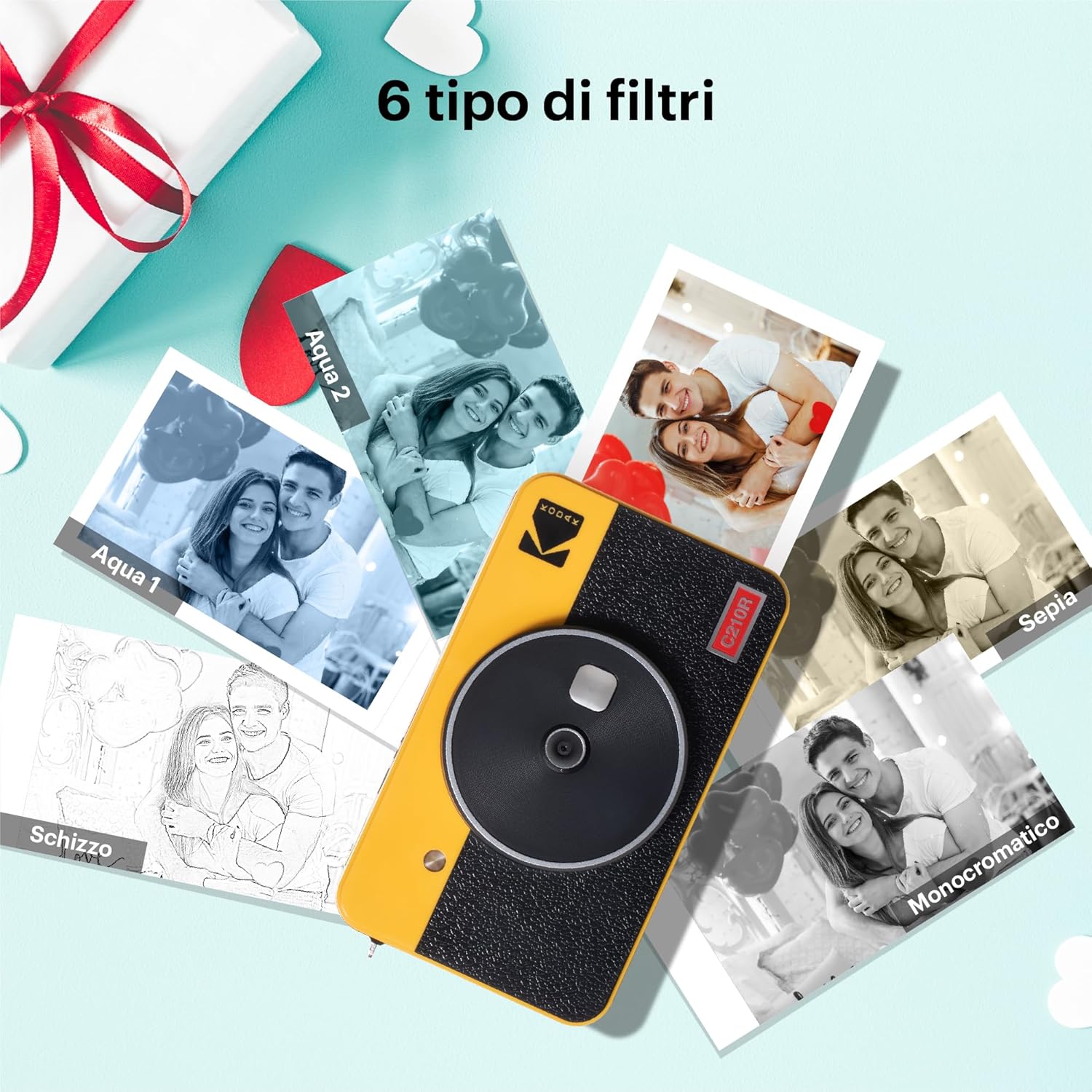
Image: Printing a photo from a smartphone using the KODAK Photo Printer app.
3.4 Photo Types: Bordered and Borderless
The camera supports two types of photo prints:
- Bordered: Prints with a white border around the image, ideal for writing notes or dates.
- Borderless: Prints the image to the edge of the paper, providing a larger visual area.

ചിത്രം: ഉദാamples of bordered and borderless prints.
3.5 ഔദ്യോഗിക ഉൽപ്പന്ന വീഡിയോകൾ
വീഡിയോ: ഒരു ഓവർview of the KODAK Mini Shot 2 Retro camera and its features, including instant printing and smartphone connectivity.
Video: A demonstration of the KODAK Mini Shot 2 Retro camera and printer in use, highlighting its instant photo capabilities.
4. പരിപാലനം
4.1 ഉപകരണം വൃത്തിയാക്കുന്നു
To maintain optimal performance, keep your camera and printer clean. Use a soft, dry cloth to wipe the exterior. Avoid using liquid cleaners or solvents, as they may damage the device.
4.2 സംഭരണം
Store the KODAK Mini Shot 2 Retro in a cool, dry place away from direct sunlight and extreme temperatures. When not in use for extended periods, ensure the device is fully charged before storage and periodically recharge it to preserve battery life.
5. പ്രശ്നപരിഹാരം
If you encounter issues with your KODAK Mini Shot 2 Retro, refer to the following common solutions:
- ഉപകരണം ഓണാക്കുന്നില്ല: ബാറ്ററി ചാർജ്ജ് ചെയ്തിട്ടുണ്ടെന്ന് ഉറപ്പാക്കുക. USB-C കേബിൾ ഉപയോഗിച്ച് ഉപകരണം ഒരു പവർ സ്രോതസ്സിലേക്ക് ബന്ധിപ്പിക്കുക.
- Photos not printing: Check if the paper cartridge is correctly inserted and contains enough photo paper. Ensure the device is not low on battery.
- മോശം പ്രിന്റ് നിലവാരം: Verify that you are using genuine KODAK 4PASS photo paper. Ensure the lens is clean and free of smudges.
- Cannot connect to smartphone: Make sure Bluetooth is enabled on both devices and that the KODAK Photo Printer app is open and attempting to connect. Restart both devices if necessary.
- App not functioning correctly: Ensure your KODAK Photo Printer app is updated to the latest version. Try restarting the app or reinstalling it.
For further assistance, consult the KODAK Photo Printer application or the official KODAK support webസൈറ്റ്.
6 സ്പെസിഫിക്കേഷനുകൾ
| ഫീച്ചർ | വിശദാംശങ്ങൾ |
|---|---|
| മോഡലിൻ്റെ പേര് | Kodak Mini Shot 2 Retro |
| ഇനം മോഡൽ നമ്പർ | CAR-C210RY |
| ബ്രാൻഡ് | കൊഡാക്ക് |
| നിർമ്മാതാവ് | Prinics Co., Ltd. |
| ഉൽപ്പന്ന അളവുകൾ | 6.42 x 6.06 x 4.57 ഇഞ്ച് |
| ഇനത്തിൻ്റെ ഭാരം | 1.54 പൗണ്ട് (700 ഗ്രാം) |
| ബാറ്ററികൾ | 1 ലിഥിയം മെറ്റൽ ബാറ്ററി ആവശ്യമാണ് (ഉൾപ്പെടുത്തിയിരിക്കുന്നു) |
| പ്രത്യേക ഫീച്ചർ | ബിൽറ്റ്-ഇൻ ഫ്ലാഷ് |
| ഫിലിം ഫോർമാറ്റ് തരം | Instant (2.1 x 3.4 inches) |
| അനുയോജ്യമായ ഉപകരണങ്ങൾ | സ്മാർട്ട്ഫോൺ |
| പരമാവധി ഷട്ടർ സ്പീഡ് | 1s |
7. വാറൻ്റിയും പിന്തുണയും
For detailed warranty information, please refer to the documentation included with your product or visit the official KODAK Photo Printer website. For technical support, troubleshooting, and frequently asked questions, utilize the KODAK Photo Printer application or contact KODAK customer service directly.


