1. ആമുഖം
This manual provides essential information for the assembly, operation, and maintenance of your new Walker Edison Modern Wood Ladder Computer Desk. Designed for versatility, this desk features a unique ladder-inspired metal frame, durable laminate shelving, and a magnetic board, making it an ideal workstation for any home office or living space. Please read these instructions carefully before beginning assembly and retain them for future reference.

ചിത്രം: മുൻഭാഗം view of the assembled Walker Edison Modern Wood Ladder Computer Desk, showcasing its dark walnut finish and black metal frame.
2. സജ്ജീകരണവും അസംബ്ലിയും
2.1 നിങ്ങൾ ആരംഭിക്കുന്നതിന് മുമ്പ്
- അൺപാക്ക് ചെയ്യുന്നു: Carefully unpack all components and hardware from the packaging. Lay them out on a clean, soft surface (e.g., a blanket or carpet) to prevent scratches.
- ഉള്ളടക്കം പരിശോധിക്കുക: Verify that all parts listed in the included hardware and parts list are present. If any parts are missing or damaged, do not proceed with assembly. Contact customer support for assistance.
- ആവശ്യമായ ഉപകരണങ്ങൾ (ഉൾപ്പെടുത്തിയിട്ടില്ല): Phillips head screwdriver, hammer (optional, for dowels), measuring tape (optional).
- സുരക്ഷ ആദ്യം: Assembly is recommended for two people. Keep small parts away from children and pets. Ensure adequate space for assembly.
2.2 അസംബ്ലി ഘട്ടങ്ങൾ
Your desk ships ready-to-assemble with detailed, step-by-step instructions included in the product packaging. Please refer to those specific instructions for the most accurate and detailed assembly process. The following is a general overview:
- സൈഡ് ഫ്രെയിമുകൾ ഘടിപ്പിക്കുക: Begin by connecting the horizontal support bars to the vertical ladder side frames using the provided hardware. Ensure all connections are secure but do not fully tighten screws until the desk is fully assembled.
- Install Desk Surface: Secure the main desk surface to the lower section of the ladder frame. Align pre-drilled holes carefully.
- Assemble Storage Cubbies: Construct and attach the two open storage cubbies to the desk surface, ensuring they are properly aligned for cord management features.
- Mount Shelves: Install the upper shelves onto the ladder frame, positioning them according to the design.
- Attach Magnetic Board: Secure the metal magnetic board to the designated area between the shelves and the desk surface.
- അന്തിമ മുറുക്കൽ: Once all components are in place and the desk is standing upright, carefully tighten all screws and fasteners. Do not overtighten.

ചിത്രം: ആംഗിൾഡ് view of the Walker Edison Modern Wood Ladder Computer Desk, illustrating its structure and various components.
3. പ്രവർത്തനവും ഉപയോഗവും
The Walker Edison Ladder Computer Desk is designed to provide a functional and organized workspace. Its multi-level design offers ample സംഭരണ, പ്രദർശന ഓപ്ഷനുകൾ.
- വർക്ക് ഉപരിതലം: Use the main desk surface for your computer, laptop, or writing tasks. Ensure even weight distribution.
- സ്റ്റോറേജ് കബ്ബീസ്: The two open storage cubbies below the desk surface are ideal for organizing small office supplies, notebooks, or charging cables.
- മുകളിലെ അലമാരകൾ: Utilize the two shelves above the desk for books, decorative items, or additional storage. Avoid overloading shelves beyond their capacity.
- Magnetic Board: The integrated metal magnetic board allows you to hang notes, calendars, or photos, keeping important items visible and accessible.
- ചരട് മാനേജുമെന്റ്: The desk includes features to help manage electronic wires, keeping your workspace tidy and organized.
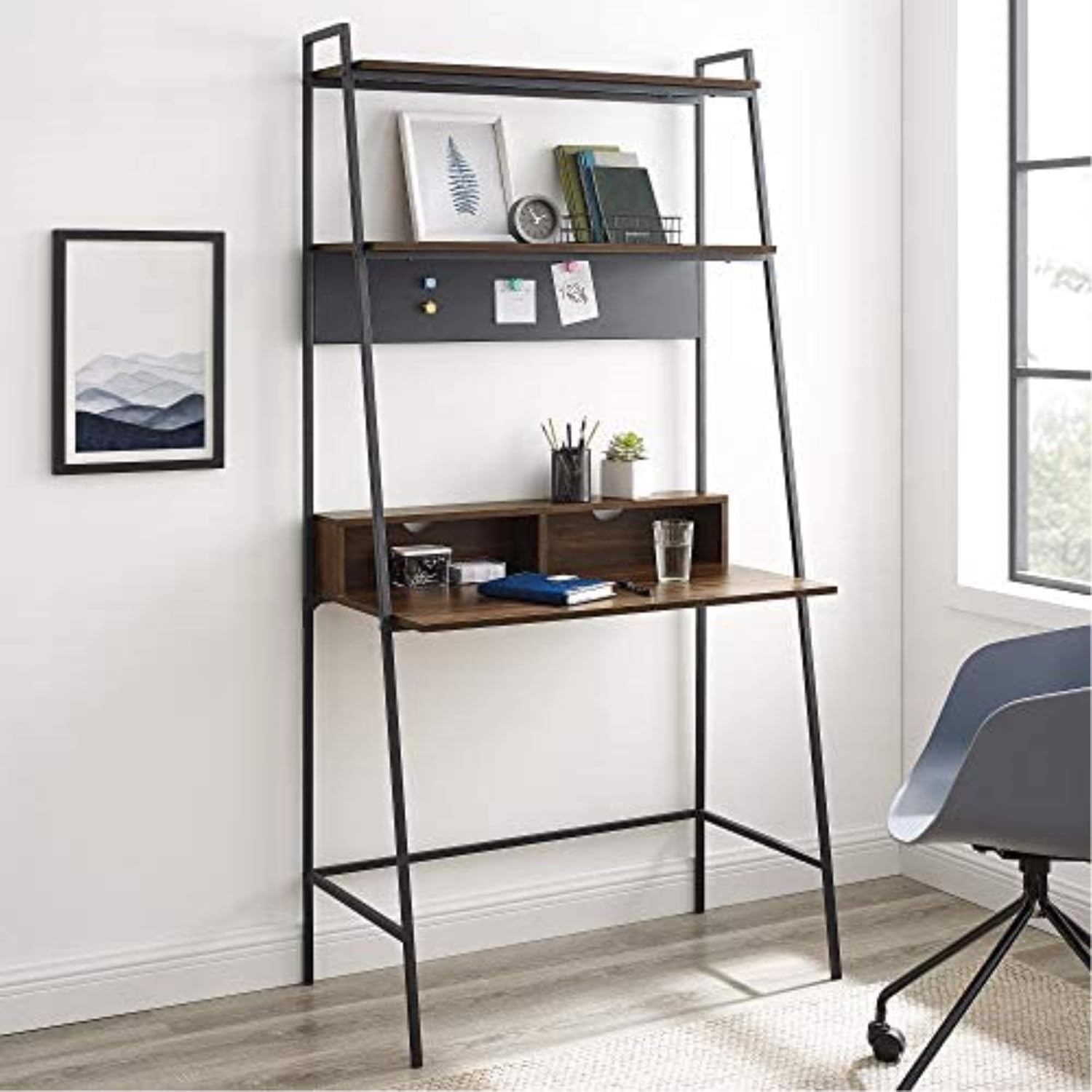
Image: The desk in a room setting, demonstrating its use as a computer workstation with books and decorative items on the shelves.
4. പരിചരണവും പരിപാലനവും
ശരിയായ പരിചരണം നിങ്ങളുടെ മേശയുടെ ആയുസ്സും രൂപവും വർദ്ധിപ്പിക്കും.
- വൃത്തിയാക്കൽ: മൃദുവായ, ഡി ഉപയോഗിച്ച് ഉപരിതലങ്ങൾ തുടയ്ക്കുകamp cloth. Avoid harsh chemicals, abrasive cleaners, or polishes that may damage the laminate finish or metal frame.
- ചോർച്ച: Immediately wipe up any spills to prevent moisture damage to the wood laminate.
- ചൂടും ഈർപ്പവും: ചൂടുള്ള വസ്തുക്കൾ മേശയുടെ പ്രതലത്തിൽ നേരിട്ട് വയ്ക്കുന്നത് ഒഴിവാക്കുക. വെള്ളം വളയുന്നത് തടയാൻ പാനീയങ്ങൾക്ക് കോസ്റ്ററുകൾ ഉപയോഗിക്കുക.
- സൂര്യപ്രകാശം: നേരിട്ടുള്ള സൂര്യപ്രകാശം ദീർഘനേരം എക്സ്പോഷർ ചെയ്യുന്നത് ഫിനിഷിന്റെ മങ്ങലിനോ നിറവ്യത്യാസത്തിനോ കാരണമായേക്കാം.
- ഹാർഡ്വെയർ പരിശോധന: എല്ലാ സ്ക്രൂകളും ഫാസ്റ്റനറുകളും ഇറുകിയതാണെന്ന് ഉറപ്പാക്കാൻ ഇടയ്ക്കിടെ പരിശോധിക്കുക. ആവശ്യമെങ്കിൽ വീണ്ടും മുറുക്കുക, പക്ഷേ അമിതമായി മുറുക്കരുത്.
- ഡെസ്ക് നീക്കുന്നു: When moving the desk, always lift it rather than dragging it to prevent damage to the frame and floor.
5. പ്രശ്നപരിഹാരം
നിങ്ങളുടെ മേശയിൽ എന്തെങ്കിലും പ്രശ്നങ്ങൾ നേരിടുകയാണെങ്കിൽ, താഴെ പറയുന്ന പൊതുവായ പ്രശ്നങ്ങളും പരിഹാരങ്ങളും പരിശോധിക്കുക:
| പ്രശ്നം | സാധ്യമായ കാരണം | പരിഹാരം |
|---|---|---|
| Desk is wobbly after assembly. | Screws are not fully tightened or desk is on an uneven surface. | Ensure all screws are securely tightened. Move the desk to a level surface. If necessary, use furniture glides or shims under the feet. |
| അസംബ്ലി സമയത്ത് ഭാഗങ്ങൾ വിന്യസിക്കില്ല. | Incorrect orientation of parts or screws tightened too early. | Double-check the assembly diagram for part orientation. Loosen all screws slightly, align parts, then retighten. Do not fully tighten screws until all components are loosely assembled. |
| ഹാർഡ്വെയർ നഷ്ടപ്പെട്ടു അല്ലെങ്കിൽ കേടായ ഭാഗങ്ങൾ. | പാക്കേജിംഗ് പിശക് അല്ലെങ്കിൽ ഗതാഗത കേടുപാടുകൾ. | Do not proceed with assembly. Contact Walker Edison customer support with your model number and a description of the missing/damaged parts. |
| Magnetic board not holding magnets well. | Weak magnets or board surface issue. | Ensure you are using strong magnets. The board is designed for light magnetic items. |
6. ഉൽപ്പന്ന സവിശേഷതകൾ
| ഫീച്ചർ | സ്പെസിഫിക്കേഷൻ |
|---|---|
| ബ്രാൻഡ് | വാക്കർ എഡിസൺ |
| മോഡൽ നമ്പർ | D36ARLODW |
| ഉൽപ്പന്ന അളവുകൾ | 91.44 x 50.8 x 182.88 സെ.മീ (36 x 20 x 72 ഇഞ്ച്) |
| ഇനത്തിൻ്റെ ഭാരം | 19.96 കി.ഗ്രാം (44 പൗണ്ട്) |
| നിറം | ഇരുണ്ട വാൽനട്ട് |
| ശൈലി | ആധുനികം |
| ഡെസ്ക് ഡിസൈൻ | ലാഡർ ഡെസ്ക് |
| മികച്ച മെറ്റീരിയൽ തരം | Wood (Durable Laminate) |
| അടിസ്ഥാന മെറ്റീരിയൽ | Iron (Metal Framing) |
| ഫിനിഷ് തരം | പൗഡർ കോട്ടഡ് (മെറ്റൽ) |
| പ്രത്യേക ഫീച്ചർ | Ships ready-to-assemble with step-by-step instructions |
7. വാറൻ്റിയും പിന്തുണയും
For specific warranty information regarding your Walker Edison Modern Wood Ladder Computer Desk, please refer to the documentation included with your product at the time of purchase. Warranty terms and conditions typically cover manufacturing defects.
If you require further assistance, have questions about assembly, or need to report missing/damaged parts, please contact Walker Edison customer support directly. Contact information can usually be found on the product packaging or on the official Walker Edison webസൈറ്റ്.


