ആമുഖം
The Trust Primo Touch Bluetooth True Wireless Earphones offer a truly wireless audio experience with intuitive touch controls. Designed for freedom and convenience, these earphones provide up to 10 hours of playtime on the go, thanks to their compact charging case.
- Truly wireless earphones for ultimate freedom (10 meter range).
- Stylish and on-trend design.
- Comfort fit ear shell pods that keep you alert for nearby sounds.
ഉൽപ്പന്നം കഴിഞ്ഞുview

The Trust Primo Touch True Wireless Earbuds are shown in their open charging case, with both earbuds upright and ready for use or charging.

A detailed close-up of the Trust Primo Touch True Wireless Earbuds, showcasing their sleek design and the subtle Trust branding.

A user enjoying music outdoors with the Trust Primo Touch Earbuds, demonstrating the freedom of movement provided by the wireless design.
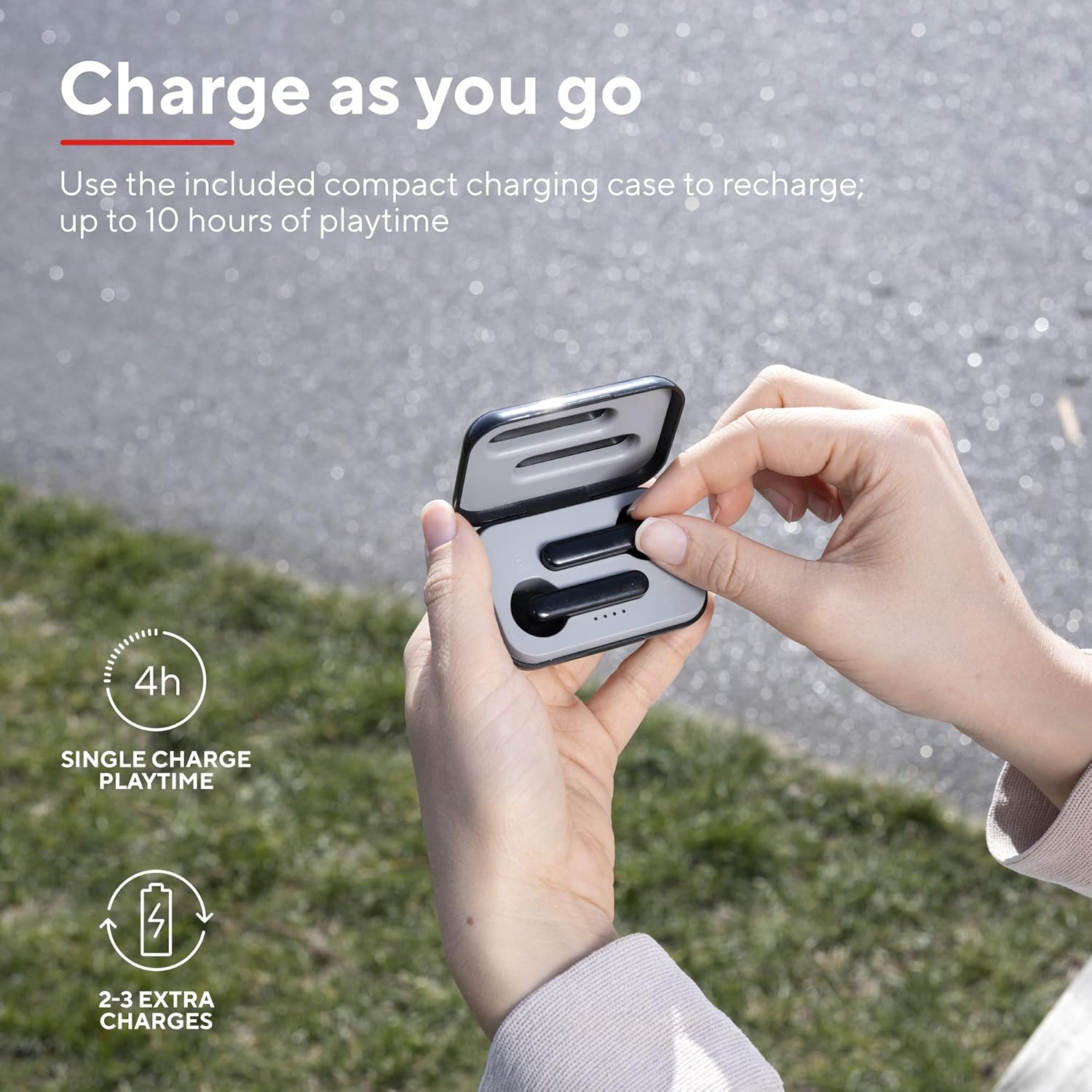
A user placing an earbud into the compact charging case, highlighting the convenience of recharging on the go for extended playtime.

ഒരു ക്ലോസപ്പ് view of the earbuds, showcasing their modern, minimalist design and emphasizing their clear sound quality.

A user interacting with the touch controls on an earbud, illustrating the ease of managing audio playback and calls without reaching for a device.

ഒരു സൈഡ് പ്രോfile of a person wearing one of the earbuds, demonstrating its ergonomic design for a comfortable and secure fit.
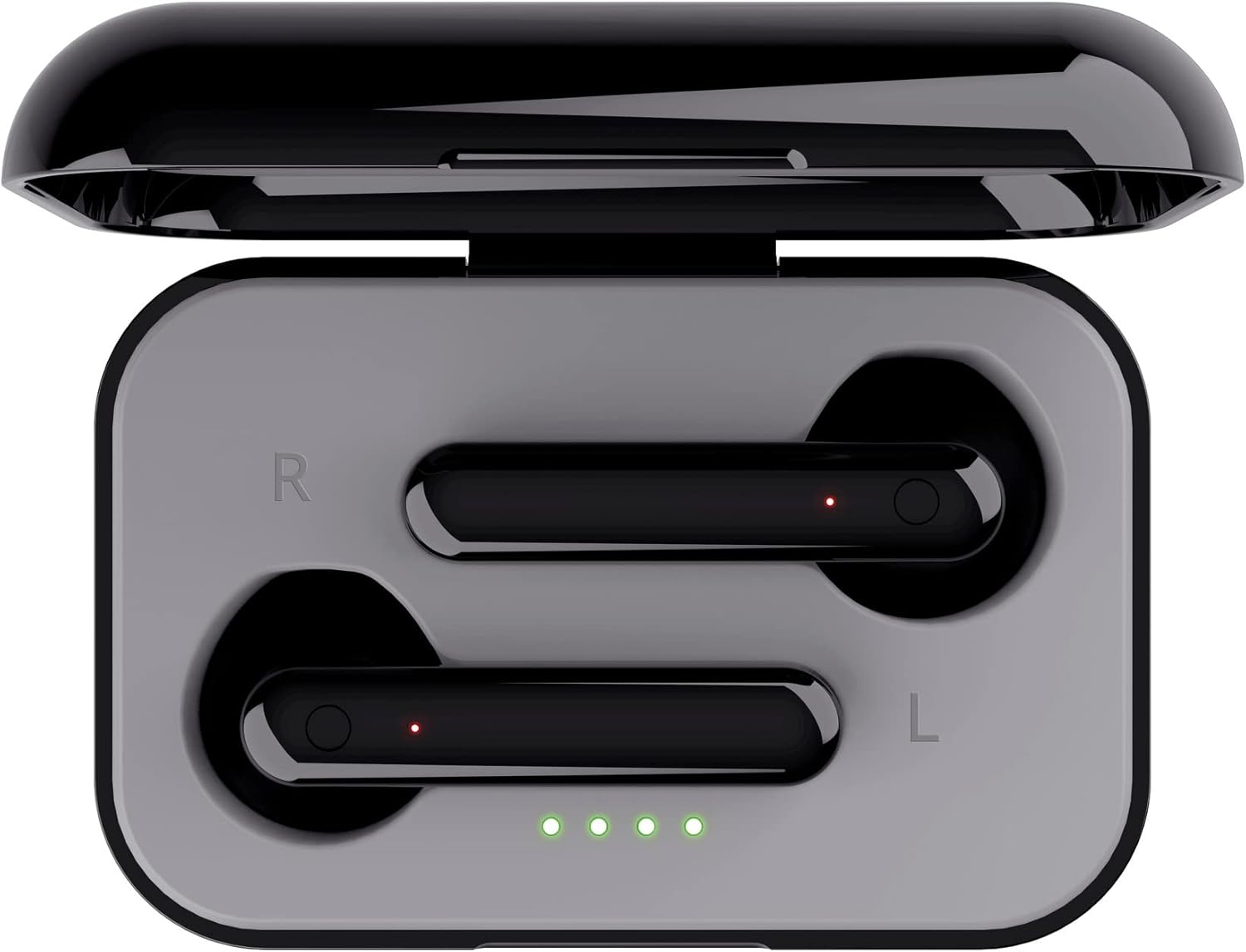
മുകളിൽ നിന്ന് താഴേക്ക് view of the open charging case with the earbuds inside, clearly showing the LED charging indicators.

മുകളിൽ നിന്ന് താഴേക്ക് view of the closed charging case, featuring the Trust brand logo on its sleek black surface.

The Trust Primo Touch Earbuds are displayed alongside their open charging case, providing a complete view ഉൽപ്പന്ന ഘടകങ്ങളുടെ.
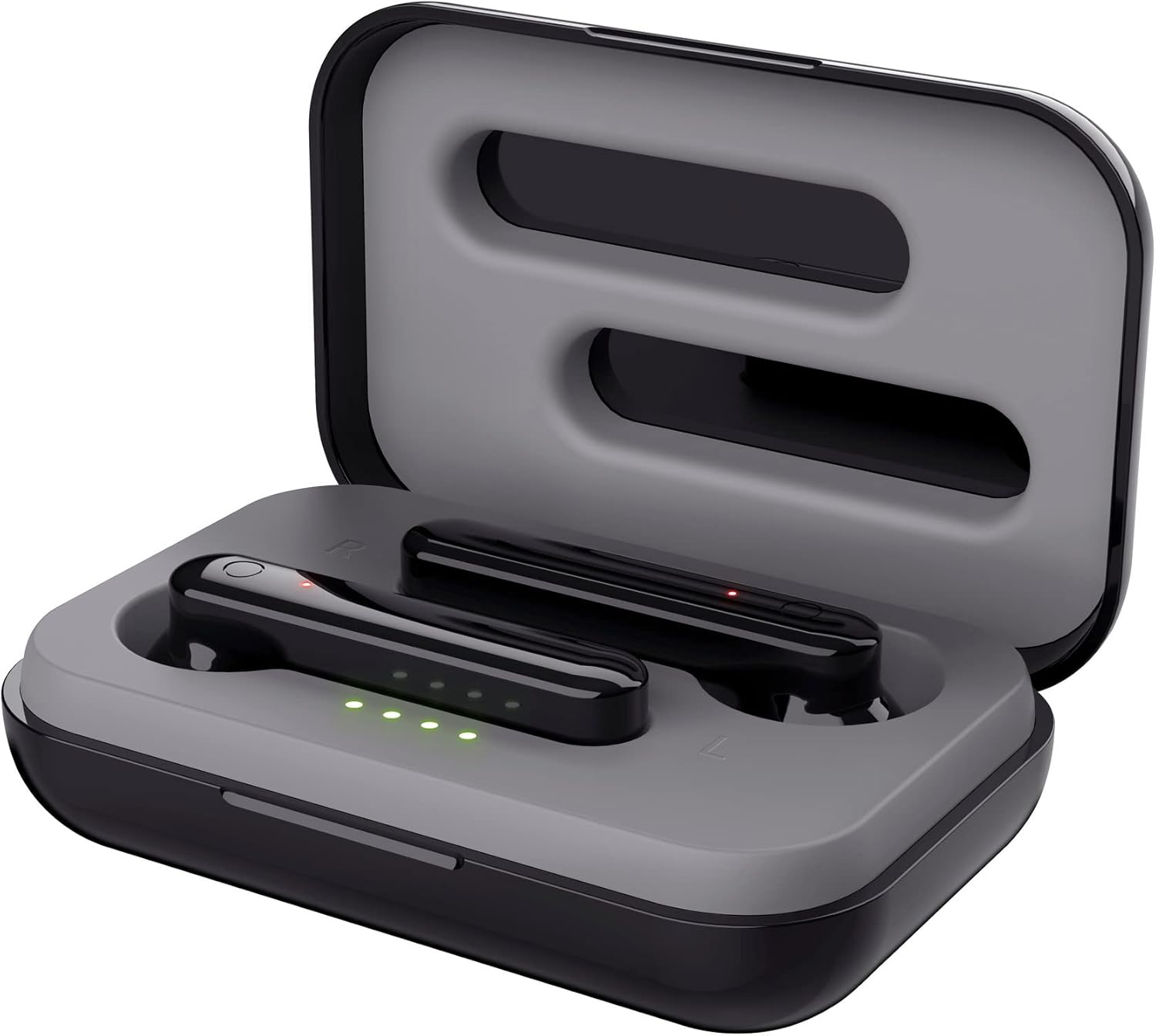
ഒരു കോണാകൃതിയിലുള്ള മുകൾഭാഗം view of the earbuds nestled within their open charging case, showing the precise fit and charging contacts.

The retail packaging for the Trust Primo Touch Wireless Earphones, showcasing പ്രധാന സവിശേഷതകളും ഡിസൈൻ ഘടകങ്ങളും.
സജ്ജമാക്കുക
1. ഇയർഫോണുകളും കേസും ചാർജ് ചെയ്യുന്നു
Before first use, fully charge the earphones and the charging case. Place the earbuds into the charging case. Connect the charging case to a USB power source using the provided cable. The LED indicators on the case will show the charging status. A full charge provides up to 4 hours of playtime for the earbuds, with the case offering 2-3 additional charges.
2. നിങ്ങളുടെ ഉപകരണവുമായി ജോടിയാക്കുന്നു
- ഇയർഫോണുകൾ ചാർജ് ചെയ്തിട്ടുണ്ടെന്ന് ഉറപ്പാക്കുക.
- Open the charging case. The earphones will automatically enter pairing mode (indicated by flashing LEDs on the earbuds).
- നിങ്ങളുടെ ഉപകരണത്തിൽ (സ്മാർട്ട്ഫോൺ, ടാബ്ലെറ്റ് മുതലായവ), ബ്ലൂടൂത്ത് ക്രമീകരണങ്ങളിലേക്ക് പോയി ബ്ലൂടൂത്ത് ഓണാക്കുക.
- ഇതിനായി തിരയുക available devices and select "Trust Primo Touch" from the list.
- Once connected, the earbud LEDs will stop flashing, indicating successful pairing.
പ്രവർത്തിക്കുന്നു
ടച്ച് നിയന്ത്രണങ്ങൾ
The Trust Primo Touch earphones feature intuitive touch controls on each earbud. Refer to the following for common functions:
| ആക്ഷൻ | ഫംഗ്ഷൻ |
|---|---|
| ഒറ്റ ടാപ്പ് (ഇടത്/വലത് ഇയർബഡ്) | സംഗീതം പ്ലേ ചെയ്യുക/താൽക്കാലികമായി നിർത്തുക, കോൾ സ്വീകരിക്കുക/അവസാനിപ്പിക്കുക |
| ഡബിൾ ടാപ്പ് (വലത് ഇയർബഡ്) | അടുത്ത ട്രാക്ക് |
| ഡബിൾ ടാപ്പ് (ഇടത് ഇയർബഡ്) | മുമ്പത്തെ ട്രാക്ക് |
| ദീർഘനേരം അമർത്തുക (ഇടത്/വലത് ഇയർബഡ്) | വോയ്സ് അസിസ്റ്റന്റ് (സിരി, ഗൂഗിൾ അസിസ്റ്റന്റ്) സജീവമാക്കുക |
| Long Press (during incoming call) | കോൾ നിരസിക്കുക |
പവർ ഓൺ/ഓഫ്
- പവർ ഓൺ: Open the charging case, or long-press the touch area on both earbuds for a few seconds if they are out of the case and off.
- പവർ ഓഫ്: Place the earbuds back into the charging case and close the lid, or long-press the touch area on both earbuds for a few seconds until the indicator light turns off.
മെയിൻ്റനൻസ്
വൃത്തിയാക്കൽ
- ഇയർബഡുകളും ചാർജിംഗ് കെയ്സും മൃദുവായതും ഉണങ്ങിയതും ലിന്റ് രഹിതവുമായ തുണി ഉപയോഗിച്ച് പതിവായി വൃത്തിയാക്കുക.
- അബ്രാസീവ് ക്ലീനറുകൾ, ആൽക്കഹോൾ, കെമിക്കൽ ലായകങ്ങൾ എന്നിവ ഉപയോഗിക്കരുത്.
- ശരിയായ ചാർജിംഗ് ഉറപ്പാക്കാൻ ഇയർബഡുകളിലെയും കേസിലെയും ചാർജിംഗ് കോൺടാക്റ്റുകൾ സൌമ്യമായി വൃത്തിയാക്കുക.
സംഭരണം
ഉപയോഗത്തിലില്ലാത്തപ്പോൾ, പൊടിയിൽ നിന്നും കേടുപാടുകളിൽ നിന്നും സംരക്ഷിക്കാൻ ഇയർഫോണുകൾ ചാർജിംഗ് കേസിൽ സൂക്ഷിക്കുക. കടുത്ത താപനിലയിൽ നിന്ന് മാറി തണുത്തതും വരണ്ടതുമായ സ്ഥലത്ത് സൂക്ഷിക്കുക.
ട്രബിൾഷൂട്ടിംഗ്
Earbuds Not Pairing with Each Other or Device
- രണ്ട് ഇയർബഡുകളും ചാർജ്ജ് ചെയ്തിട്ടുണ്ടെന്ന് ഉറപ്പാക്കുക.
- രണ്ട് ഇയർബഡുകളും ചാർജിംഗ് കെയ്സിലേക്ക് തിരികെ വയ്ക്കുക, ലിഡ് അടയ്ക്കുക, കുറച്ച് നിമിഷങ്ങൾ കാത്തിരിക്കുക, തുടർന്ന് അത് വീണ്ടും തുറക്കുക.
- On your device, forget or unpair "Trust Primo Touch" from your Bluetooth settings.
- Restart your device and attempt the pairing process again.
ശബ്ദമോ കുറഞ്ഞ ശബ്ദമോ ഇല്ല
- നിങ്ങളുടെ ഉപകരണത്തിലെയും ഇയർബഡുകളിലെയും വോളിയം ലെവൽ പരിശോധിക്കുക.
- ഇയർബഡുകൾ നിങ്ങളുടെ ഉപകരണവുമായി ശരിയായി ബന്ധിപ്പിച്ചിട്ടുണ്ടെന്ന് ഉറപ്പാക്കുക.
- Clean any debris from the earbud speaker grilles.
മൈക്രോഫോൺ പ്രശ്നങ്ങൾ
- Ensure the earbuds are properly connected and selected as the audio input device on your phone.
- Check for any obstructions near the microphone opening on the earbuds.
സ്പെസിഫിക്കേഷനുകൾ
| ഫീച്ചർ | വിശദാംശങ്ങൾ |
|---|---|
| ബ്രാൻഡ് | വിശ്വസിക്കുക |
| മോഡൽ നമ്പർ | 23712 |
| നിറം | കറുപ്പ് |
| ചെവി പ്ലേസ്മെൻ്റ് | ചെവിയിൽ |
| ഫോം ഫാക്ടർ | ചെവിയിൽ |
| ശബ്ദ നിയന്ത്രണം | സൗണ്ട് ഐസൊലേഷൻ |
| ഉൽപ്പന്ന അളവുകൾ | 150 x 5 x 5 സെ.മീ; 40 ഗ്രാം |
| ബാറ്ററികൾ | 1 എ ബാറ്ററികൾ ആവശ്യമാണ് (ഉൾപ്പെടുന്നു) |
| നിർമ്മാതാവ് | വിശ്വസിക്കുക |
| ആദ്യം ലഭ്യമായ തീയതി | 14 ജൂലൈ 2020 |
വാറൻ്റിയും പിന്തുണയും
വാറന്റി വിവരങ്ങൾക്കും സാങ്കേതിക പിന്തുണയ്ക്കും, ദയവായി ഔദ്യോഗിക ട്രസ്റ്റ് സന്ദർശിക്കുക. website or contact Trust customer service directly. Keep your proof of purchase for any warranty claims.
നിർമ്മാതാവിന്റെ ഔദ്യോഗിക വെബ്സൈറ്റിൽ നിങ്ങൾക്ക് സാധാരണയായി പിന്തുണാ ഉറവിടങ്ങൾ, പതിവുചോദ്യങ്ങൾ, ബന്ധപ്പെടാനുള്ള വിശദാംശങ്ങൾ എന്നിവ കണ്ടെത്താൻ കഴിയും. webസൈറ്റ്:


