ആമുഖം
The Vixen Celestron StarSense Explorer DX102AZ is a refractor telescope designed to simplify celestial observation through its innovative StarSense Explorer smartphone application. This manual provides comprehensive instructions for assembling, operating, and maintaining your telescope, enabling you to explore the night sky with ease.
The StarSense Explorer series features a dedicated app that, when downloaded to your smartphone and attached to the telescope, allows you to locate celestial objects by viewing your smartphone screen. This makes finding planets like Jupiter, Saturn, and Venus, as well as more challenging objects like double stars, nebulae, and star clusters, accessible even for beginners. Enjoy the experience of finding stars with a game-like feel.
സുരക്ഷാ വിവരങ്ങൾ
Before using your telescope, please read and understand all safety precautions.
- ഒരിക്കലും സൂര്യനെ നേരിട്ട് നോക്കരുത് through the telescope or its finderscope without a professionally manufactured solar filter. Permanent and irreversible eye damage may result.
- Do not use the telescope in extreme weather conditions.
- Keep the telescope away from children without adult supervision.
- പോറലുകൾ അല്ലെങ്കിൽ കേടുപാടുകൾ ഒഴിവാക്കാൻ ഒപ്റ്റിക്കൽ ഘടകങ്ങൾ ശ്രദ്ധയോടെ കൈകാര്യം ചെയ്യുക.
പാക്കേജ് ഉള്ളടക്കം
Your Vixen Celestron StarSense Explorer DX102AZ package includes the following items:
- ദൂരദർശിനി ട്യൂബ്
- DX Type Alt-Azimuth Mount with Tripod
- സ്റ്റാർപോയിന്റർ ഫൈൻഡർസ്കോപ്പ്
- Eyepieces: 10mm and 25mm
- 31.7mm Erect Image Diagonal
- Smartphone Dock (smartphone sold separately)
- ആക്സസറി ബാഗ്
- ഇൻസ്ട്രക്ഷൻ മാനുവൽ
- വാറൻ്റി കാർഡ്

Image: Included accessories for the StarSense Explorer DX102AZ.
അസംബ്ലിയും സജ്ജീകരണവും
Follow these steps to assemble and set up your StarSense Explorer DX102AZ telescope.

Image: Fully assembled StarSense Explorer DX102AZ telescope.
1. Tripod and Mount Assembly
Unfold the tripod legs and secure them. Attach the DX type alt-azimuth mount to the tripod. Ensure all knobs are tightened for stability. The DX mount features fine adjustment handles for precise movement.
2. Attaching the Telescope Tube
The telescope tube uses a CG-5 standard plate receiver, allowing for quick attachment and removal. Slide the telescope tube onto the mount and secure it firmly.
3. Installing Eyepieces and Diagonal
Insert the 31.7mm erect image diagonal into the focuser. Then, insert either the 10mm or 25mm eyepiece into the diagonal. The 25mm eyepiece provides a wider field of view and lower magnification (approximately 26x), while the 10mm eyepiece offers higher magnification (approximately 66x) for more detailed views.
4. Attaching the StarPointer Finderscope
Mount the StarPointer finderscope onto the telescope tube. This will assist in locating objects before viewപ്രധാന ദൂരദർശിനിയിലൂടെ അവയെ പകർത്തുന്നു.
5. Smartphone Dock Installation and App Calibration
Attach the smartphone dock to the telescope. Download the dedicated "StarSense Explorer" app to your smartphone. Place your smartphone into the dock, ensuring the camera lens aligns with the mirror in the dock. The app will use your phone's camera to capture images of the night sky and calculate its position, guiding you to celestial objects. Follow the in-app instructions for initial calibration.
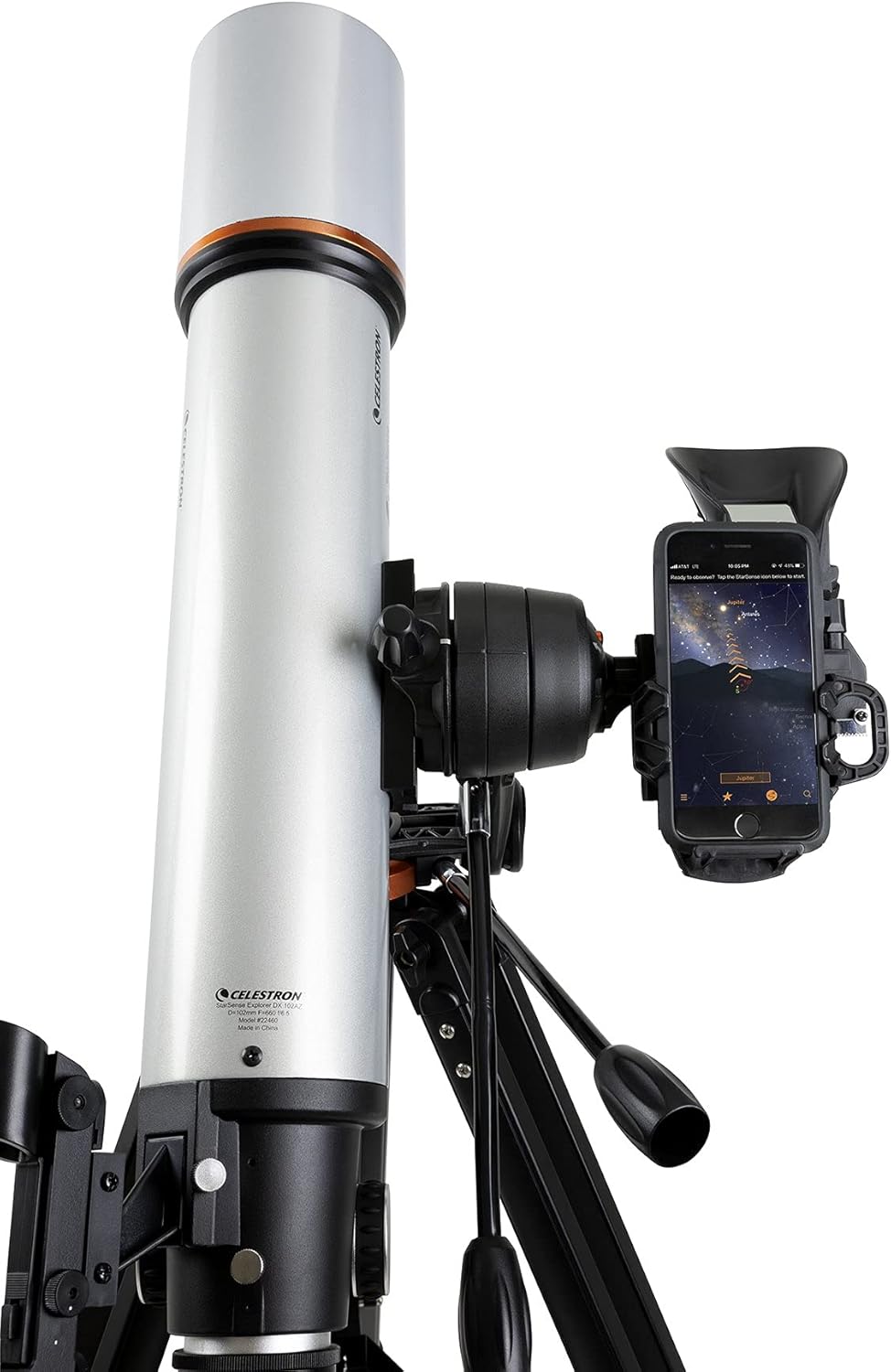
Image: Smartphone mounted on the telescope with the StarSense Explorer app active.
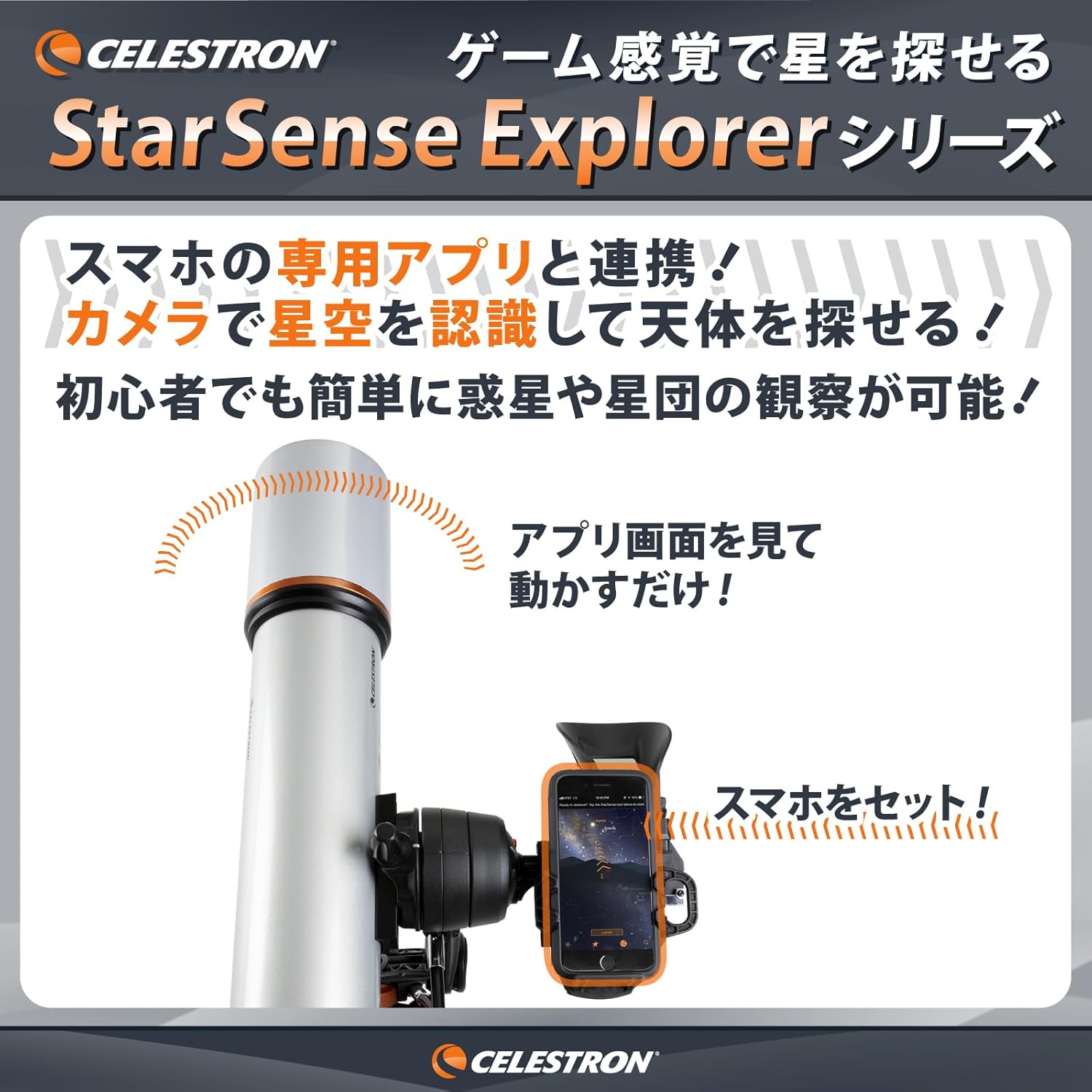
Image: Visual representation of the StarSense Explorer app guiding celestial observation.
ഓപ്പറേഷൻ
The StarSense Explorer system makes finding celestial objects intuitive and engaging.
1. Using the StarSense Explorer App
Once calibrated, the StarSense Explorer app displays a real-time view of the night sky on your smartphone screen. Select a desired celestial object from the app's database. An arrow will appear on the screen, guiding you to manually move the telescope towards the target.
2. Locating Celestial Objects
Follow the directional arrows on your smartphone screen. As you move the telescope, the arrow will change from red to green when you are aligned with the target. Use the altitude and azimuth fine adjustment handles on the DX mount for smooth, precise movements to center the object.
3. ഐപീസുകൾ ഉപയോഗിച്ച് നിരീക്ഷിക്കൽ
Once the object is centered in the app, look through the telescope's eyepiece. You should see the celestial object. Adjust the focuser knob for a sharp image. The included 10mm and 25mm eyepieces offer different magnifications suitable for various objects, from the Moon's craters to star clusters and nebulae. Additional eyepieces (sold separately) can provide even higher magnifications.

ചിത്രം: ഉദാamples of celestial objects visible with the StarSense Explorer telescope.
മെയിൻ്റനൻസ്
Proper maintenance ensures the longevity and performance of your telescope.
- ക്ലീനിംഗ് ഒപ്റ്റിക്സ്: Use a soft, lint-free cloth and specialized optical cleaning solution. Avoid touching optical surfaces with bare hands.
- ശരീരം വൃത്തിയാക്കൽ: Wipe the telescope tube and mount with a soft, damp തുണി. ഉരച്ചിലുകൾ ഉള്ള ക്ലീനറുകൾ ഉപയോഗിക്കരുത്.
- സംഭരണം: Store the telescope in a dry, dust-free environment. Use the provided accessory bag for protection during transport and storage.
- പൊടി മൂടുന്ന വസ്തുക്കൾ: Always keep dust caps on the front of the telescope and eyepieces when not in use.
ട്രബിൾഷൂട്ടിംഗ്
If you encounter issues with your telescope, refer to the following common solutions.
- മങ്ങിയ ചിത്രങ്ങൾ: Adjust the focuser knob until the image is sharp. Ensure eyepieces are clean.
- Difficulty Finding Objects: Re-calibrate the StarSense Explorer app. Ensure the smartphone camera is properly aligned with the dock's mirror. Verify the StarPointer finderscope is aligned with the main telescope.
- അസ്ഥിരമായ View: Ensure the tripod legs are fully extended and locked, and all mount knobs are tightened. Avoid observing in windy conditions.
- ആപ്പ് പ്രശ്നങ്ങൾ: Check for app updates. Ensure your smartphone meets the app's system requirements.
For further assistance, please contact Vixen Customer Support.
സ്പെസിഫിക്കേഷനുകൾ
Detailed specifications for the Vixen Celestron StarSense Explorer DX102AZ Refractor Telescope:
| ബ്രാൻഡ് | Vixen (Vixen) |
| മോഡൽ നമ്പർ | 36162 |
| ഒപ്റ്റിക്കൽ ഡിസൈൻ | റിഫ്രാക്റ്റർ |
| അപ്പേർച്ചർ | 102 മി.മീ |
| ഫോക്കൽ ലെങ്ത് | 660 മി.മീ |
| Magnification (with included eyepieces) | Approx. 26x (25mm), 66x (10mm) |
| മൌണ്ട് തരം | Alt-Azimuth (DX Type) |
| അനുയോജ്യമായ ഉപകരണങ്ങൾ | സ്മാർട്ട്ഫോൺ |
| ഉൽപ്പന്ന അളവുകൾ | 70 x 70 x 130 സെ.മീ; 10 കി.ഗ്രാം |
| റിലീസ് തീയതി | 2020/7/17 |
| ആദ്യ തീയതി ലഭ്യമാണ് | 2020/6/29 |
For a comparison of different StarSense Explorer models, please refer to the image below:

Image: StarSense Explorer series model comparison.
വാറൻ്റിയും പിന്തുണയും
Vixen provides comprehensive customer support. If you have any questions regarding the use of your telescope, please do not hesitate to contact us.
- ഉൽപ്പന്ന വാറൻ്റി: വാങ്ങിയ തീയതി മുതൽ 2 വർഷം.
- Vixen Customer Support: TEL: 04-29690222 (Weekdays 9:00-12:00 / 13:00-17:30 JST)
- For inquiries related to Amazon orders, please contact Amazon Customer Support.


