ആമുഖം
The Fitbit Sense is an advanced smartwatch designed to help users monitor and improve their overall health and well-being. It integrates various sensors and features to provide insights into heart health, stress levels, sleep quality, and skin temperature trends. This manual provides essential information for setting up, operating, maintaining, and troubleshooting your Fitbit Sense.
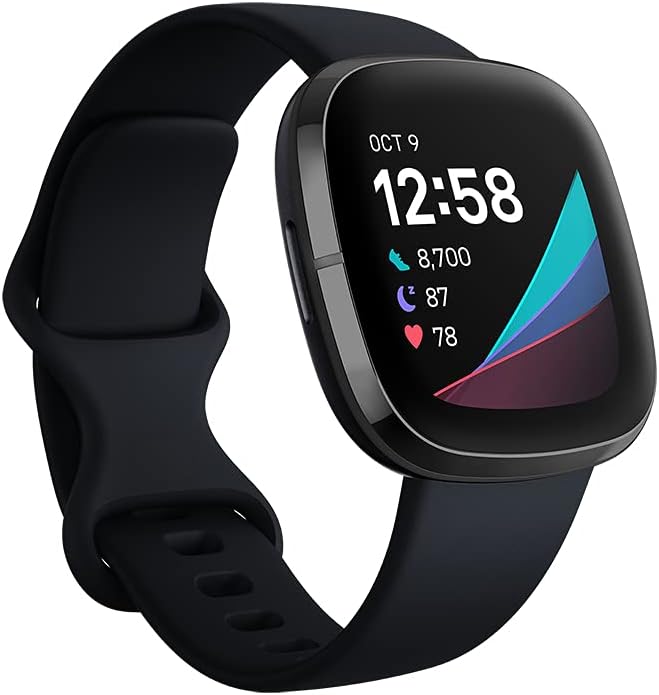
Figure 1: Fitbit Sense Advanced Smartwatch
പ്രധാന സവിശേഷതകൾ
- EDA Scan App: Detects electrodermal activity, indicating your body's response to stress.
- Skin Temperature Sensor: Logs nightly skin temperature trends.
- ഇസിജി ആപ്പ്: Assesses heart for atrial fibrillation (Afib) and allows sharing results with a doctor. (Note: Availability may vary by region. Not for users under 22 years old.)
- ഹൃദയമിടിപ്പ് അറിയിപ്പുകൾ: Alerts for high or low heart rates.
- നീണ്ട ബാറ്ററി ലൈഫ്: Up to 6+ days on a single charge, with fast charging providing a full day's charge in 12 minutes. (Note: Battery life varies with use and other factors.)
- അന്തർനിർമ്മിത ജിപിഎസ്: Tracks pace and distance during outdoor activities without a phone.
- Built-in Mic and Speaker: Enables hands-free Bluetooth calls when connected to a nearby phone.
- വോയ്സ് അസിസ്റ്റന്റ്: Integrated Google Assistant or Amazon Alexa for quick news, reminders, and smart home control.

Figure 2: Stress Management with EDA Scan App
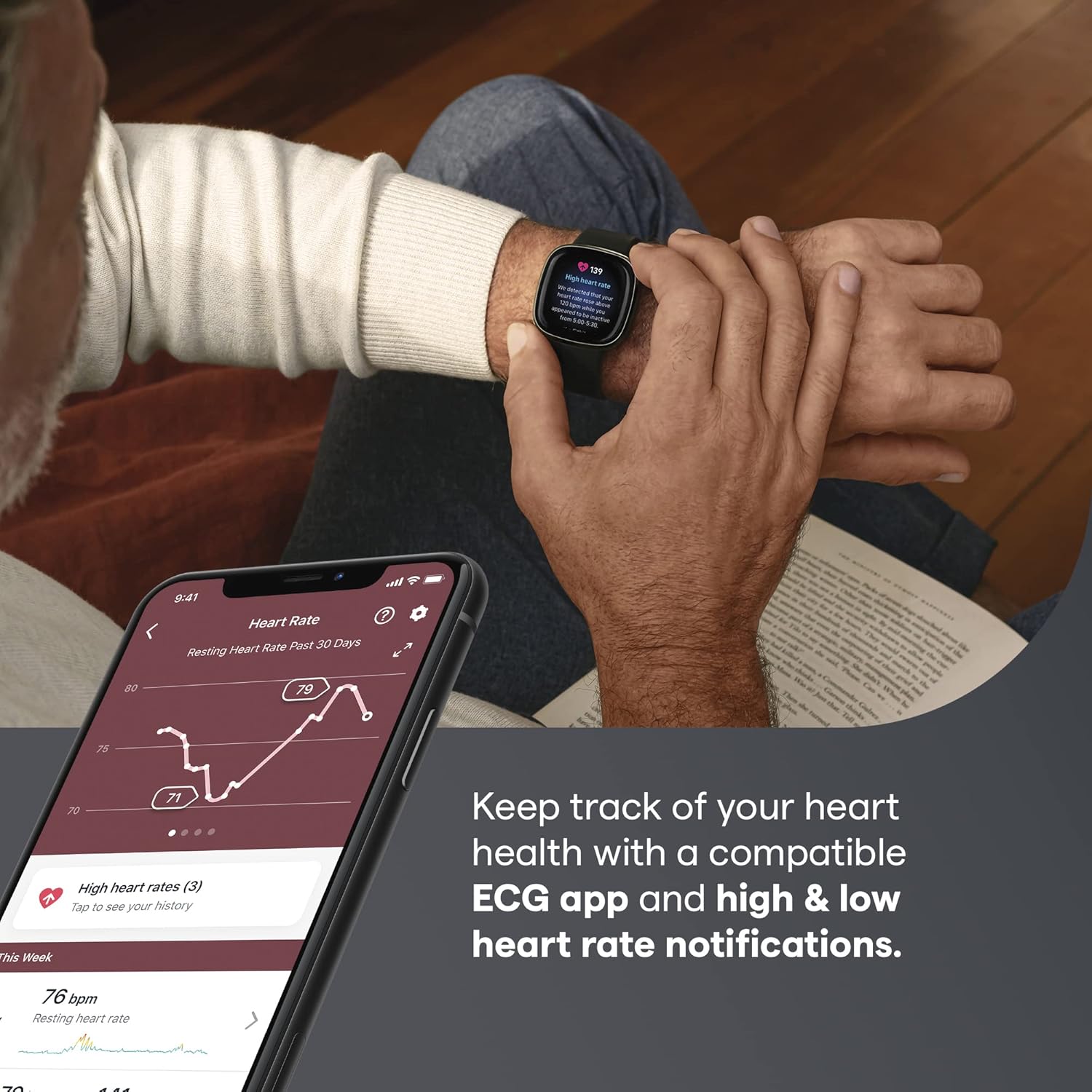
Figure 3: Heart Health Monitoring with ECG App

Figure 4: Built-in GPS for Activity Tracking
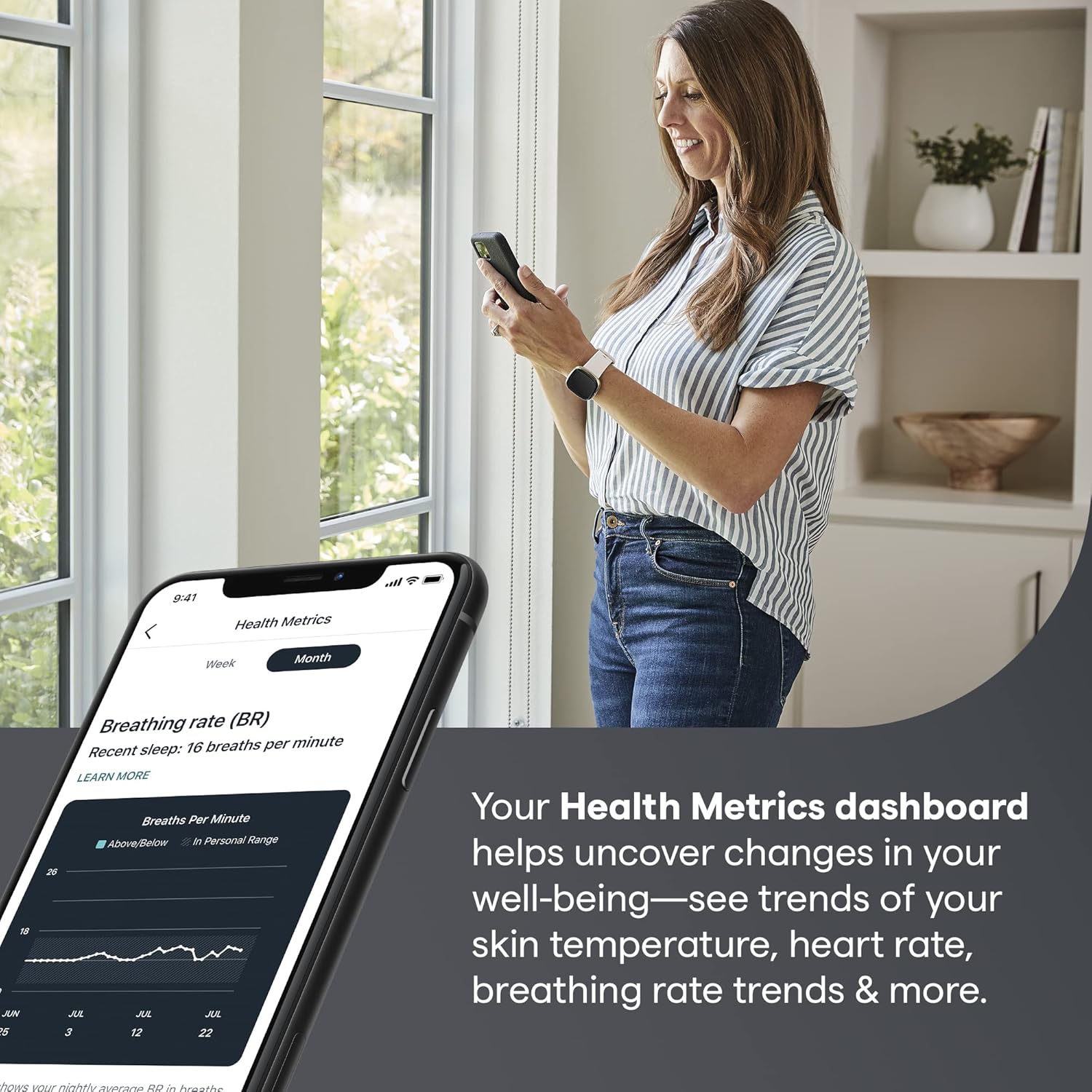
Figure 5: Health Metrics Dashboard
സജ്ജമാക്കുക
- നിങ്ങളുടെ ഉപകരണം ചാർജ് ചെയ്യുക: Connect the charging cable to the back of your Fitbit Sense. Plug the other end into a USB port on your computer or a UL-certified USB wall charger. Ensure the device is fully charged before initial use.
- Download the Fitbit App: Download and install the Fitbit app on your compatible smartphone or tablet from the Apple App Store or Google Play Store.
- Create or Log In to Your Account: Open the Fitbit app and follow the on-screen instructions to create a new account or log in to an existing one.
- നിങ്ങളുടെ ഉപകരണം ജോടിയാക്കുക: In the Fitbit app, tap your profile picture > Set Up a Device. Select Fitbit Sense and follow the pairing instructions. Ensure Bluetooth is enabled on your smartphone.
- നിങ്ങളുടെ ഉപകരണം സമന്വയിപ്പിക്കുക: After pairing, your Fitbit Sense will automatically sync data to the app. You can also manually sync by pulling down on the dashboard in the Fitbit app.
Operating Your Fitbit Sense
നാവിഗേഷൻ
- സ്വൈപ്പ്: Swipe left or right on the screen to access different apps and stats.
- താഴേക്ക് സ്വൈപ്പ് ചെയ്യുക: Swipe down from the clock face to access quick settings (e.g., Do Not Disturb, Sleep Mode, Screen Wake).
- മുകളിലേക്ക് നീക്കുക: Swipe up from the clock face to view your daily stats (e.g., steps, heart rate, active zone minutes).
- ബട്ടൺ: Press the button on the left side of the watch to return to the clock face or access shortcuts.
ആരോഗ്യ അളവുകൾ നിരീക്ഷിക്കുന്നു
- ഹൃദയമിടിപ്പ്: Your heart rate is continuously tracked. View real-time data on your watch or detailed trends in the Fitbit app.
- സ്ട്രെസ് മാനേജ്മെൻ്റ്: Use the EDA Scan app by placing your palm over the watch face. Follow the on-screen prompts to measure electrodermal activity. Review your Stress Management Score in the Fitbit app.
- ചർമ്മത്തിൻ്റെ താപനില: Wear your Sense to sleep to track nightly skin temperature variations. View trends in the Health Metrics dashboard of the Fitbit app.
- ഉറക്ക ട്രാക്കിംഗ്: Wear your Sense to bed to automatically track your sleep stages (Light, Deep, REM) and sleep score. Access detailed sleep insights in the Fitbit app.
പ്രവർത്തന ട്രാക്കിംഗ്
- Exercise App: Open the Exercise app on your Sense to select and track various workouts (e.g., Run, Bike, Swim). Built-in GPS will track outdoor activities.
- ദിനചര്യ: Your Sense tracks daily steps, distance, calories burned, and active zone minutes automatically.
വോയ്സ് അസിസ്റ്റൻ്റ്
Set up Google Assistant or Amazon Alexa in the Fitbit app. Once configured, press and hold the button on your Sense to activate the voice assistant and speak your commands or questions.
പരിപാലനവും പരിചരണവും
- വൃത്തിയാക്കൽ: Regularly clean your Sense and band, especially after workouts or exposure to sweat. Use a mild, soap-free cleanser and rinse thoroughly. Dry completely before wearing.
- ബാൻഡ് കെയർ: If you experience skin irritation, ensure the band is not too tight and clean it regularly. Allow your wrist to breathe by taking off the watch for an hour after extended wear.
- ജല പ്രതിരോധം: Fitbit Sense is water-resistant up to 50 meters. It can be worn in the shower, pool, or ocean. After getting it wet, dry the device and band thoroughly.
- ചാർജിംഗ്: Use only the official Fitbit charging cable. Avoid exposing the charging contacts to liquids or debris.
ട്രബിൾഷൂട്ടിംഗ്
- Device Not Syncing: Ensure Bluetooth is enabled on your phone, the Fitbit app is open, and your Sense is within range. Try restarting both your Sense and your phone.
- ഉപകരണം ചാർജ് ചെയ്യുന്നില്ല: Check that the charging cable is securely connected to both the Sense and the power source. Ensure the charging contacts on the device and cable are clean.
- സ്ക്രീൻ പ്രതികരിക്കുന്നില്ല: Restart your Fitbit Sense by holding the button for 10 seconds until you see the Fitbit logo.
- കൃത്യമല്ലാത്ത വായനകൾ: Ensure your Sense is worn correctly (snugly, but not too tight, typically one finger's width above your wrist bone). Clean the sensors regularly.
സ്പെസിഫിക്കേഷനുകൾ
| ആട്രിബ്യൂട്ട് | മൂല്യം |
|---|---|
| ഇനം മോഡൽ നമ്പർ | FB512BKBK |
| ഉൽപ്പന്ന അളവുകൾ | 1.59 x 1.59 x 0.49 ഇഞ്ച് |
| ഇനത്തിൻ്റെ ഭാരം | 1.1 ഔൺസ് |
| ബാറ്ററികൾ | 1 ലിഥിയം പോളിമർ ബാറ്ററികൾ (ഉൾപ്പെടുത്തിയിരിക്കുന്നു) |
| സ്ക്രീൻ വലിപ്പം | 1.58 ഇഞ്ച് |
| കണക്റ്റിവിറ്റി ടെക്നോളജി | ബ്ലൂടൂത്ത്, ജി.പി.എസ് |
| ഓപ്പറേറ്റിംഗ് സിസ്റ്റം | ആൻഡ്രോയിഡ് (അനുയോജ്യമായത്) |
| മെമ്മറി സ്റ്റോറേജ് കപ്പാസിറ്റി | 6400 MB |
വാറൻ്റിയും പിന്തുണയും
For detailed warranty information and support, please refer to the official Fitbit website or the user guide provided with your product. A comprehensive User Guide (PDF) is available for download at https://manuals.plus/m/6768de76119f2cc290e6b850c930d7e147b6f0f082e87347434193d4e1f7b40c. For further assistance, contact Fitbit customer support.


