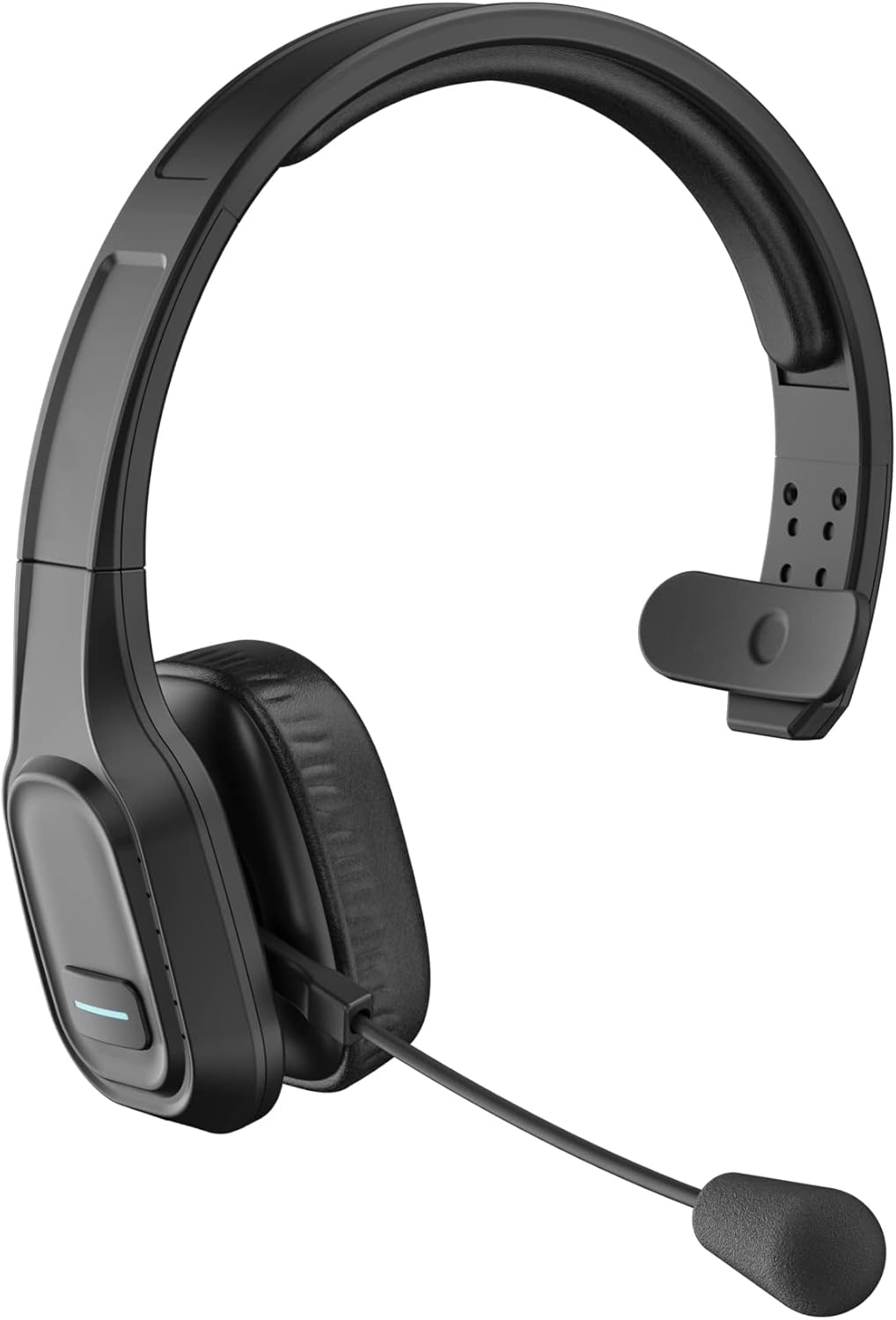
പാക്കേജ് ഉള്ളടക്കം
നിങ്ങളുടെ പാക്കേജിൽ എല്ലാ ഇനങ്ങളും ഉണ്ടെന്ന് ദയവായി പരിശോധിക്കുക:
- COMEXION Bluetooth Headset (BH-M100)
- USB-C ചാർജിംഗ് കേബിൾ
- ഉപയോക്തൃ മാനുവൽ
സജ്ജമാക്കുക
1. ഹെഡ്സെറ്റ് ചാർജ് ചെയ്യുന്നു
Before first use, fully charge your headset. A full charge takes approximately 1.5 hours.
- Connect the provided USB-C charging cable to the headset's Type-C Charge Port.
- കേബിളിന്റെ മറ്റേ അറ്റം ഒരു USB പവർ സ്രോതസ്സുമായി ബന്ധിപ്പിക്കുക (ഉദാ: കമ്പ്യൂട്ടർ USB പോർട്ട്, വാൾ അഡാപ്റ്റർ).
- ചാർജ് ചെയ്യുമ്പോൾ LED ഇൻഡിക്കേറ്റർ ചുവപ്പ് നിറത്തിൽ കാണപ്പെടുകയും പൂർണ്ണമായി ചാർജ് ചെയ്യുമ്പോൾ നീലയായി മാറുകയും ചെയ്യും.

Figure 3: Headset battery life indicators, including 1.5 hours charging time.
2. നിങ്ങളുടെ ഉപകരണവുമായി ജോടിയാക്കുന്നു
The BH-M100 uses Bluetooth 5.0 for quick, efficient, and stable connections. It can pair with two devices simultaneously.
- പവർ ഓൺ: Long press the Multi-Function Button (MFB) until the LED indicator flashes blue and red alternately, indicating pairing mode.
- ബ്ലൂടൂത്ത് സജീവമാക്കുക: On your device (smartphone, laptop, tablet), enable Bluetooth.
- തിരയുകയും ബന്ധിപ്പിക്കുകയും ചെയ്യുക: In your device's Bluetooth settings, search for "BH-M100" and select it to connect.
- സ്ഥിരീകരണം: Once connected, the LED indicator on the headset will turn solid blue. You will also hear an audible confirmation.

Figure 4: The headset supports simultaneous connection to two devices.
കുറിപ്പ്: If connecting to a PC without built-in Bluetooth, a USB dongle (not included with BH-M100, available with BH-M100 with Dongle variant) may be required.
പ്രവർത്തന നിർദ്ദേശങ്ങൾ
കോൾ മാനേജുമെന്റ്
- ഉത്തരം/അവസാന കോൾ: MFB ഒരിക്കൽ അമർത്തുക.
- കോൾ നിരസിക്കുക: MFB ദീർഘനേരം അമർത്തുക.
- മൈക്രോഫോൺ നിശബ്ദമാക്കുക/അൺമ്യൂട്ടുചെയ്യുക: Press the Microphone Mute Button once. (Note: Mute function on BH-M100 without Dongle is only for cell phones. For PC applications like Skype or Zoom, mute via software settings.)
വോളിയം നിയന്ത്രണം
- വോളിയം വർദ്ധിപ്പിക്കുക: വോളിയം + ബട്ടൺ അമർത്തുക.
- വോളിയം കുറയ്ക്കുക: വോളിയം ബട്ടൺ അമർത്തുക.
മൈക്രോഫോൺ ക്രമീകരണം
The 270° rotatable microphone allows for flexible positioning on either the right or left side, ensuring optimal voice pickup.

Figure 5: The directional microphone can be adjusted for optimal voice clarity and muted during conversations.
Comfort and Wearing
The headset is designed for all-day comfort with soft protein leather earmuffs and an adjustable headband.
- നിങ്ങളുടെ തലയ്ക്ക് മുകളിൽ സുഖകരമായി യോജിപ്പിക്കാൻ ഹെഡ്ബാൻഡ് ക്രമീകരിക്കുക.
- Position the ear cup over one ear, allowing the other ear to remain open to your surroundings.
- Rotate the microphone boom to align with your mouth for clear communication.

Figure 6: Features ensuring comfort for all-day wear, including adjustable headband, soft ear pad, anti-slip pad, and 270° rotatable microphone.
മെയിൻ്റനൻസ്
നിങ്ങളുടെ ഹെഡ്സെറ്റിന്റെ ദീർഘായുസ്സും ഒപ്റ്റിമൽ പ്രകടനവും ഉറപ്പാക്കാൻ, ഈ പരിപാലന മാർഗ്ഗനിർദ്ദേശങ്ങൾ പാലിക്കുക:
- Clean the ear pads and headband regularly with a soft, dry cloth.
- ഹെഡ്സെറ്റ് തീവ്രമായ താപനില, ഈർപ്പം അല്ലെങ്കിൽ നേരിട്ടുള്ള സൂര്യപ്രകാശം എന്നിവയിൽ ഏൽക്കുന്നത് ഒഴിവാക്കുക.
- ഉരച്ചിലുകളുള്ള ക്ലീനറുകളോ ലായകങ്ങളോ ഉപയോഗിക്കരുത്.
- ഉപയോഗത്തിലില്ലാത്തപ്പോൾ ഹെഡ്സെറ്റ് തണുത്തതും വരണ്ടതുമായ സ്ഥലത്ത് സൂക്ഷിക്കുക.