1. ആമുഖം
Thank you for choosing the Aerocool Mirage 12 ARGB PC Fan. This manual provides detailed instructions for the installation, operation, and maintenance of your new fan. The Mirage 12 ARGB fan features an Infinity Mirror RGB design and is compatible with Addressable RGB motherboards for customizable lighting effects. Please read this manual thoroughly before installation and use to ensure proper functionality and safety.
2 സുരക്ഷാ വിവരങ്ങൾ
- Ensure your computer system is powered off and disconnected from the main power supply before installation.
- ഘടകങ്ങൾക്ക് കേടുപാടുകൾ സംഭവിക്കാതിരിക്കാൻ ശ്രദ്ധയോടെ കൈകാര്യം ചെയ്യുക.
- Do not attempt to modify the fan or its connectors.
- കുട്ടികൾക്ക് ലഭ്യമാകാതെ സൂക്ഷിക്കുക.
- Refer to your motherboard manual for specific ARGB header and fan header locations and voltagഇ ആവശ്യകതകൾ.
3. പാക്കേജ് ഉള്ളടക്കം
The Aerocool Mirage 12 ARGB PC Fan package includes the following items:
- 1 x Aerocool Mirage 12 ARGB PC Fan (120mm)
- മൗണ്ടിംഗ് സ്ക്രൂകൾ
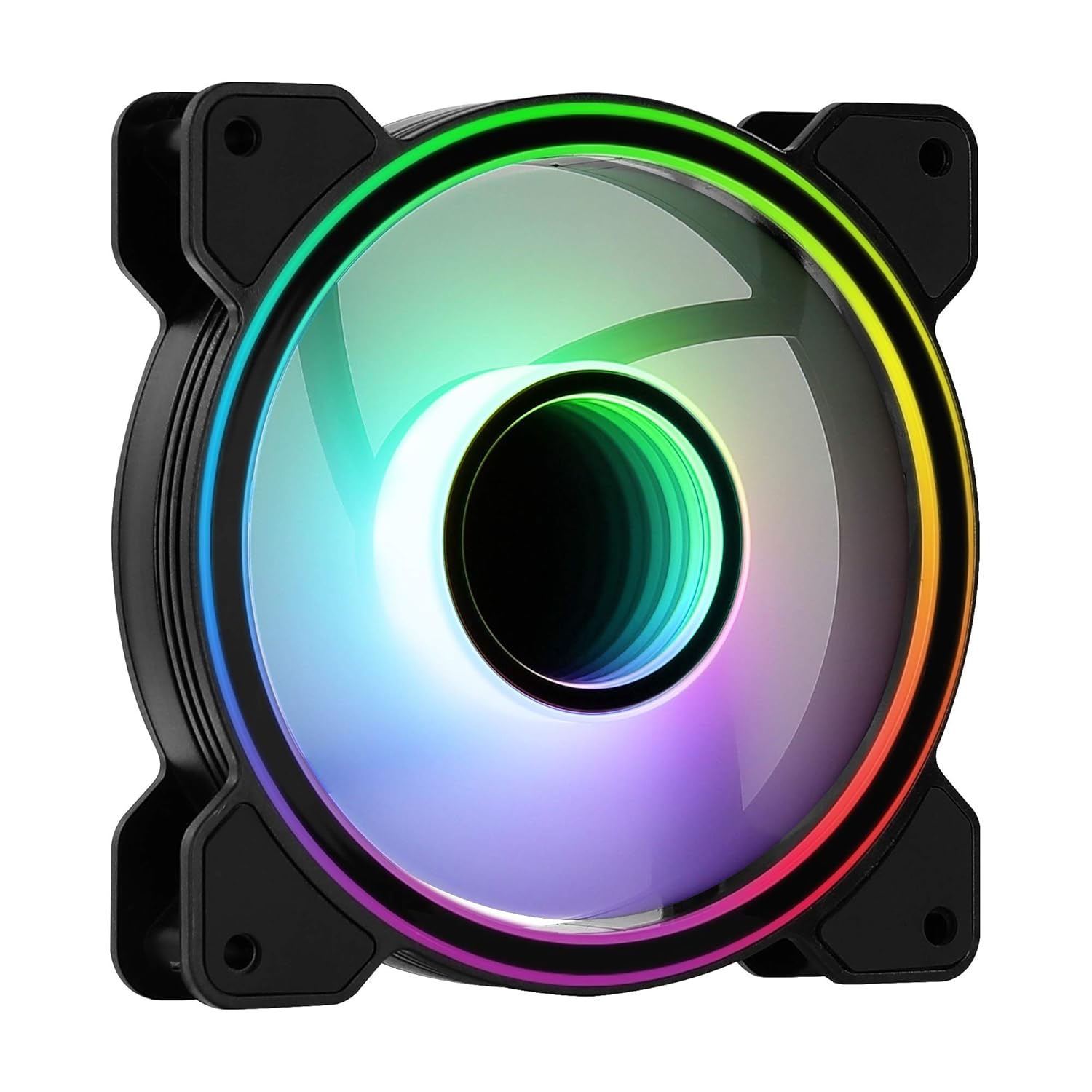
ചിത്രം 1: മുൻഭാഗം view of the Aerocool Mirage 12 ARGB PC Fan, showcasing its infinity mirror RGB lighting effect.
4. ഇൻസ്റ്റാളേഷൻ ഗൈഡ്
4.1 ഫിസിക്കൽ ഇൻസ്റ്റലേഷൻ
- Identify the desired mounting location within your PC case (e.g., front, rear, top, bottom).
- Position the fan in the chosen location, ensuring proper airflow direction (typically, the side with the frame supports and sticker is the exhaust side).
- Secure the fan to the case using the provided mounting screws. Do not overtighten.

ചിത്രം 2: പിന്നിലേക്ക് view of the Aerocool Mirage 12 ARGB PC Fan, illustrating the fan blade structure and motor hub.
4.2 ഇലക്ട്രിക്കൽ കണക്ഷൻ
- Locate the 6-pin connector on the fan cable.
- Connect the 6-pin connector to a compatible Aerocool H66F RGB Control Hub (if available) or a similar Addressable RGB controller that supports 6-pin fan connections.
- If using an H66F RGB Control Hub, connect the hub to your motherboard's 4-pin PWM fan header for fan speed control and a 3-pin 5V Addressable RGB header for lighting control. Refer to the H66F hub manual for detailed instructions.
- നിങ്ങളുടെ സിസ്റ്റം പവർ ചെയ്യുന്നതിന് മുമ്പ് എല്ലാ കണക്ഷനുകളും സുരക്ഷിതമാണെന്ന് ഉറപ്പാക്കുക.

ചിത്രം 3: ക്ലോസ്-അപ്പ് view of the 6-pin connector, used for both power and ARGB signal transmission.
5. ഓപ്പറേഷൻ
5.1 ARGB ലൈറ്റിംഗ് നിയന്ത്രണം
The Aerocool Mirage 12 ARGB fan's lighting can be controlled via a compatible Addressable RGB motherboard or an external ARGB controller (e.g., Aerocool H66F RGB Control Hub).
- മദർബോർഡ് സോഫ്റ്റ്വെയർ: If connected to a 3-pin 5V ARGB header on your motherboard, use the motherboard's proprietary software (e.g., ASUS Aura Sync, MSI Mystic Light Sync, Gigabyte RGB Fusion) to customize lighting effects, colors, and patterns.
- ബാഹ്യ കൺട്രോളർ: If connected to an external ARGB controller, refer to the controller's manual for instructions on how to adjust lighting settings.
5.2 ഫാൻ സ്പീഡ് നിയന്ത്രണം
The fan speed is controlled via the 6-pin connector, which typically interfaces with a PWM-compatible fan header on your motherboard (often through a control hub like the H66F). You can adjust fan speeds through your motherboard's BIOS/UEFI settings or dedicated fan control software.
- Ensure your motherboard's 4-pin fan header is PWM compatible for optimal speed control.
- Adjust fan curves in your motherboard's BIOS/UEFI or operating system software to balance cooling performance and noise levels.
6. പരിപാലനം
To ensure optimal performance and longevity of your Aerocool Mirage 12 ARGB PC Fan, periodic cleaning is recommended.
- പവർ ഓഫ്: Always power off your computer and disconnect it from the power supply before cleaning.
- പൊടി നീക്കം: Use compressed air or a soft, dry cloth to gently remove dust accumulation from the fan blades and frame.
- ദ്രാവകങ്ങൾ ഒഴിവാക്കുക: Do not use liquid cleaners or immerse the fan in water.
7. പ്രശ്നപരിഹാരം
| പ്രശ്നം | സാധ്യമായ കാരണം | പരിഹാരം |
|---|---|---|
| ഫാൻ കറങ്ങുന്നില്ല | Incorrect or loose power connection. Insufficient power. | Check the 6-pin connector and ensure it is securely connected to the control hub/motherboard. Verify power supply connections. |
| ARGB ലൈറ്റിംഗ് പ്രവർത്തിക്കുന്നില്ല. | Incorrect or loose ARGB connection. Incompatible ARGB header. Software issue. | Ensure the 6-pin connector is properly seated. Verify that your motherboard's ARGB header is 3-pin 5V (not 4-pin 12V RGB). Check motherboard ARGB software settings. |
| Fan speed not controllable | Non-PWM fan header. Incorrect BIOS settings. | Confirm your motherboard's fan header is PWM compatible. Adjust fan control settings in your motherboard's BIOS/UEFI. |
8 സ്പെസിഫിക്കേഷനുകൾ
| ഫീച്ചർ | വിശദാംശങ്ങൾ |
|---|---|
| മോഡൽ നമ്പർ | MIRAGE12 |
| ഉൽപ്പന്ന അളവുകൾ | 4.72"L x 4.72"W x 0.98"H (120mm x 120mm x 25mm) |
| പവർ കണക്റ്റർ തരം | 6-പിൻ |
| വാല്യംtage | 12 വോൾട്ട് |
| വാട്ട്tage | 1.8 വാട്ട്സ് |
| തണുപ്പിക്കൽ രീതി | ഫാൻ |
| അനുയോജ്യമായ ഉപകരണങ്ങൾ | ഡെസ്ക്ടോപ്പ് |
| ശബ്ദ നില | 17.8 ഡെസിബെൽ |
| മെറ്റീരിയൽ | പോളികാർബണേറ്റ് |
| പരമാവധി റൊട്ടേഷണൽ സ്പീഡ് | 1300 ആർപിഎം |
9. വാറൻ്റിയും പിന്തുണയും
For warranty information and technical support, please refer to the official AeroCool webനിങ്ങളുടെ പ്രാദേശിക റീട്ടെയിലറെ ബന്ധപ്പെടുക അല്ലെങ്കിൽ സൈറ്റിൽ ബന്ധപ്പെടുക. വാറന്റി ക്ലെയിമുകൾക്കായി നിങ്ങളുടെ വാങ്ങിയതിന്റെ തെളിവ് സൂക്ഷിക്കുക.
AeroCool Official Webസൈറ്റ്: www.aerocool.io


