1. ആമുഖം
This manual provides essential information for the safe and efficient use of your Lenovo Tab M8 Tablet. The Lenovo Tab M8 is an 8-inch HD Android tablet featuring a Quad-Core Processor, 32GB storage, and a full metal cover. It operates on Android 9 Pie and is designed for extended use with its long-life battery.
ഒപ്റ്റിമൽ പ്രകടനവും ദീർഘായുസ്സും ഉറപ്പാക്കാൻ നിങ്ങളുടെ ഉപകരണം പ്രവർത്തിപ്പിക്കുന്നതിന് മുമ്പ് ദയവായി ഈ മാനുവൽ നന്നായി വായിക്കുക.
2. ഡിവൈസ് ഓവർview
Familiarize yourself with the physical components of your Lenovo Tab M8 Tablet.

ചിത്രം 2.1: ഫ്രണ്ട് view of the Lenovo Tab M8 Tablet, showing the display and bezels.
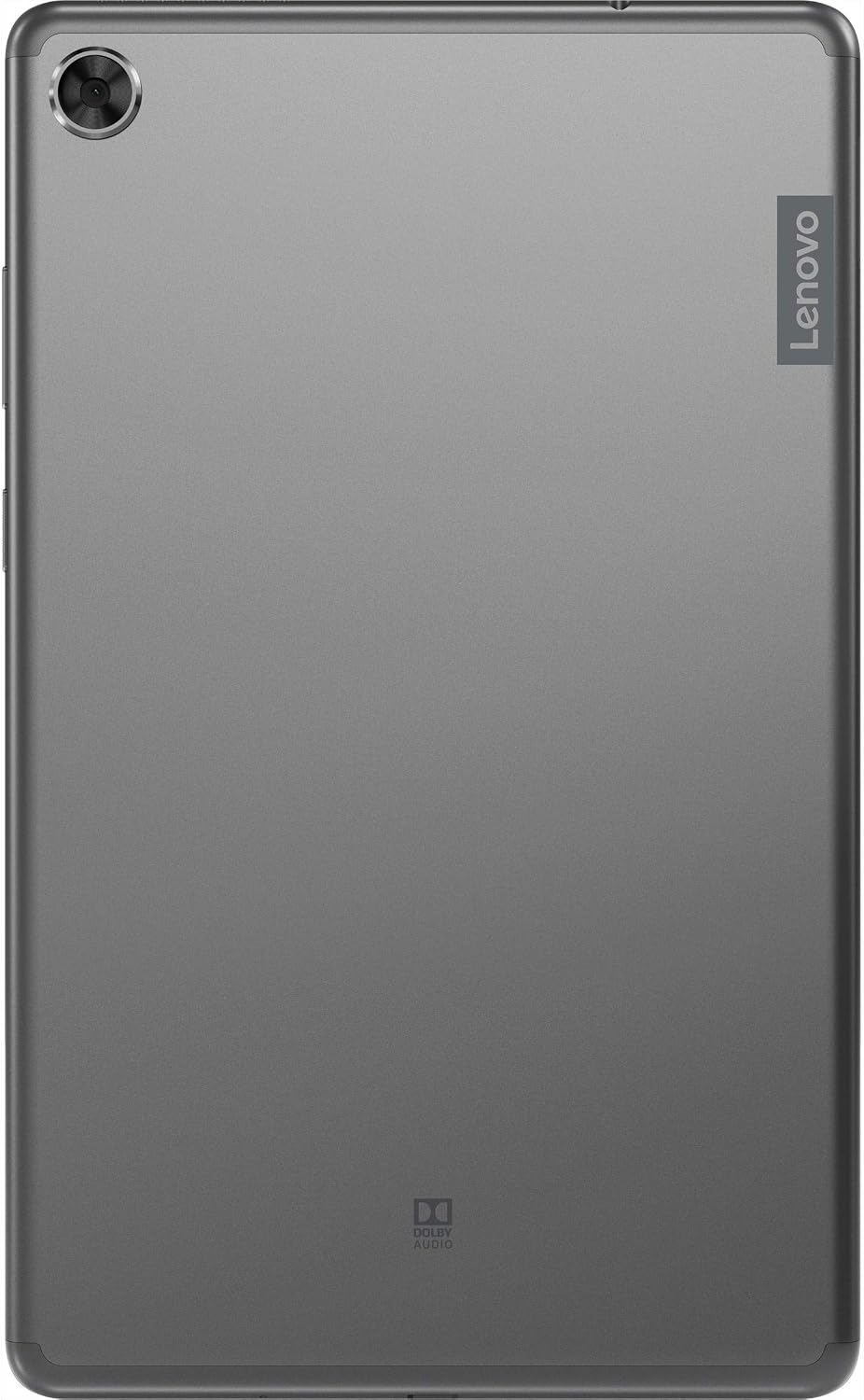
ചിത്രം 2.2: തിരികെ view of the Lenovo Tab M8 Tablet, highlighting the camera and Lenovo branding.

ചിത്രം 2.3: വശം view of the Lenovo Tab M8 Tablet, showing the power button and volume rocker.

ചിത്രം 2.4: വശം view of the Lenovo Tab M8 Tablet, illustrating the various ports and slots.
3. സജ്ജീകരണം
3.1 പ്രാരംഭ ചാർജിംഗ്
Before first use, fully charge your tablet using the provided USB cable and power adapter. The battery indicator on the screen will show charging progress.
3.2 പവർ ഓൺ/ഓഫ്
- To power on: Press and hold the Power button (refer to Figure 2.3) until the Lenovo logo appears.
- പവർ ഓഫ് ചെയ്യാൻ: പവർ ബട്ടൺ അമർത്തിപ്പിടിക്കുക, തുടർന്ന് സ്ക്രീനിലെ ഓപ്ഷനുകളിൽ നിന്ന് "പവർ ഓഫ്" തിരഞ്ഞെടുക്കുക.
- പുനരാരംഭിക്കാൻ: പവർ ബട്ടൺ അമർത്തിപ്പിടിക്കുക, തുടർന്ന് ഓപ്ഷനുകളിൽ നിന്ന് "പുനരാരംഭിക്കുക" തിരഞ്ഞെടുക്കുക.
3.3 പ്രാരംഭ സജ്ജീകരണ വിസാർഡ്
ആദ്യമായി പവർ-ഓൺ ചെയ്യുമ്പോൾ, ടാബ്ലെറ്റ് പ്രാരംഭ സജ്ജീകരണ പ്രക്രിയയിലൂടെ നിങ്ങളെ നയിക്കും:
- ഭാഷ തിരഞ്ഞെടുക്കുക: നിങ്ങൾ തിരഞ്ഞെടുത്ത ഭാഷ തിരഞ്ഞെടുക്കുക.
- വൈഫൈയിലേക്ക് കണക്റ്റുചെയ്യുക: Select your Wi-Fi network and enter the password. A stable internet connection is required for updates and Google account setup.
- ആപ്പുകളും ഡാറ്റയും പകർത്തുക: You can choose to transfer data from another device or set up as new.
- Google അക്കൗണ്ട്: Sign in with your existing Google account or create a new one. This is necessary for accessing the Google Play Store and other Google services.
- തീയതിയും സമയവും: Confirm or adjust date and time settings.
- സ്ക്രീൻ ലോക്ക്: Set up a PIN, pattern, or password for screen security.
- Google സേവനങ്ങൾ: Review Google സേവന നിബന്ധനകൾ അംഗീകരിക്കുക.
4. പ്രവർത്തന നിർദ്ദേശങ്ങൾ
4.1 അടിസ്ഥാന നാവിഗേഷൻ
- ടാപ്പ് ചെയ്യുക: ഒരു ഇനം തിരഞ്ഞെടുക്കാനോ ഒരു ആപ്ലിക്കേഷൻ തുറക്കാനോ സ്ക്രീനിൽ ഒരിക്കൽ സ്പർശിക്കുക.
- ലോംഗ് പ്രസ്സ്: Touch and hold an item to access additional options.
- സ്വൈപ്പ്: പേജുകളിലൂടെയോ ലിസ്റ്റുകളിലൂടെയോ സ്ക്രോൾ ചെയ്യാൻ സ്ക്രീനിലുടനീളം നിങ്ങളുടെ വിരൽ വലിച്ചിടുക.
- പിഞ്ച്-ടു-സൂം: ചിത്രങ്ങൾ സൂം ഇൻ ചെയ്യാനോ ഔട്ട് ചെയ്യാനോ രണ്ട് വിരലുകൾ ഉപയോഗിക്കുക, web പേജുകൾ.
4.2 വൈ-ഫൈ, ബ്ലൂടൂത്ത് കണക്റ്റിവിറ്റി
- വൈഫൈ: പോകുക ക്രമീകരണങ്ങൾ > നെറ്റ്വർക്കും ഇന്റർനെറ്റും > വൈ-ഫൈ. Turn Wi-Fi on, select your network, and enter the password if required.
- ബ്ലൂടൂത്ത്: പോകുക ക്രമീകരണങ്ങൾ > കണക്റ്റുചെയ്ത ഉപകരണങ്ങൾ > ബ്ലൂടൂത്ത്. Turn Bluetooth on, then pair with compatible devices like headphones or speakers.
4.3 ക്യാമറകൾ ഉപയോഗിക്കുന്നത്
The tablet features both front and rear cameras. Open the Camera app from your home screen or app drawer. Tap the shutter button to take photos or switch to video mode to record. Use the icon on the screen to switch between front and rear cameras.
4.4 ബാറ്ററി മാനേജ്മെൻ്റ്
The Lenovo Tab M8 is equipped with a 5000 mAh battery. To optimize battery life:
- സ്ക്രീൻ തെളിച്ചം കുറയ്ക്കുക.
- ഉപയോഗത്തിലില്ലാത്തപ്പോൾ വൈ-ഫൈ, ബ്ലൂടൂത്ത് എന്നിവ ഓഫാക്കുക.
- പശ്ചാത്തലത്തിൽ പ്രവർത്തിക്കുന്ന ഉപയോഗിക്കാത്ത ആപ്ലിക്കേഷനുകൾ അടയ്ക്കുക.
- ബാറ്ററി സേവർ മോഡ് പ്രവർത്തനക്ഷമമാക്കുക ക്രമീകരണങ്ങൾ > ബാറ്ററി.
5. പരിപാലനം
5.1 ഉപകരണം വൃത്തിയാക്കുന്നു
Use a soft, lint-free cloth to clean the screen and body of the tablet. Avoid using harsh chemicals or abrasive materials. For stubborn smudges, slightly dampവെള്ളം ഉപയോഗിച്ച് തുണി അല്ലെങ്കിൽ ഇലക്ട്രോണിക് ഉപകരണങ്ങൾക്കായി പ്രത്യേകം രൂപകൽപ്പന ചെയ്ത ഒരു സ്ക്രീൻ ക്ലീനർ.
5.2 സോഫ്റ്റ്വെയർ അപ്ഡേറ്റുകൾ
നിങ്ങളുടെ ടാബ്ലെറ്റിൽ ഏറ്റവും പുതിയ സവിശേഷതകൾ, സുരക്ഷാ പാച്ചുകൾ, പ്രകടന മെച്ചപ്പെടുത്തലുകൾ എന്നിവ ഉറപ്പാക്കാൻ സോഫ്റ്റ്വെയർ അപ്ഡേറ്റുകൾ പതിവായി പരിശോധിച്ച് ഇൻസ്റ്റാൾ ചെയ്യുക. പോകുക ക്രമീകരണങ്ങൾ > സിസ്റ്റം > സിസ്റ്റം അപ്ഡേറ്റ് ലഭ്യമായ അപ്ഡേറ്റുകൾ പരിശോധിക്കാൻ.
5.3 സ്റ്റോറേജ് മാനേജ്മെൻ്റ്
To maintain optimal performance, manage your tablet's 32GB internal storage. You can uninstall unused apps, clear app caches, and transfer large files (photos, videos) to cloud storage or an external microSD card (if supported). Access storage settings via ക്രമീകരണങ്ങൾ > സംഭരണം.
6. പ്രശ്നപരിഹാരം
- ടാബ്ലെറ്റ് ഓണാക്കുന്നില്ല: Ensure the battery is charged. Connect the tablet to its charger and wait a few minutes before attempting to power on again.
- സ്ക്രീൻ പ്രതികരിക്കുന്നില്ല: Try restarting the tablet by holding the power button for approximately 10-15 seconds until the device powers off and then on again.
- വൈഫൈ/ബ്ലൂടൂത്ത് കണക്റ്റിവിറ്റി പ്രശ്നങ്ങൾ:
- Toggle Wi-Fi/Bluetooth off and on in settings.
- Restart your Wi-Fi router or Bluetooth device.
- നെറ്റ്വർക്ക്/ഉപകരണം മറന്ന് വീണ്ടും കണക്റ്റുചെയ്യുക.
- മന്ദഗതിയിലുള്ള പ്രകടനം:
- ഉപയോഗിക്കാത്ത ആപ്പുകൾ അടയ്ക്കുക.
- ആപ്പ് കാഷെകൾ മായ്ക്കുക (ക്രമീകരണങ്ങൾ > ആപ്പുകളും അറിയിപ്പുകളും > [ആപ്പ് നാമം] > സംഭരണവും കാഷെയും > കാഷെ മായ്ക്കുക).
- മതിയായ സൗജന്യ സംഭരണ സ്ഥലം ഉറപ്പാക്കുക.
- ടാബ്ലെറ്റ് പുനരാരംഭിക്കുക.
- ഫാക്ടറി റീസെറ്റ് (അവസാന ആശ്രയം): If issues persist, you may need to perform a factory reset. This will erase all data on your tablet. Go to ക്രമീകരണങ്ങൾ > സിസ്റ്റം > റീസെറ്റ് ഓപ്ഷനുകൾ > എല്ലാ ഡാറ്റയും മായ്ക്കുക (ഫാക്ടറി റീസെറ്റ്). തുടരുന്നതിന് മുമ്പ് പ്രധാനപ്പെട്ട ഡാറ്റയുടെ ബാക്കപ്പ് എടുക്കുക.
7 സ്പെസിഫിക്കേഷനുകൾ
| ഫീച്ചർ | വിശദാംശങ്ങൾ |
|---|---|
| മോഡലിൻ്റെ പേര് | ലെനോവോ ടാബ് എം 8 |
| സ്ക്രീൻ വലിപ്പം | 8 ഇഞ്ച് |
| സ്ക്രീൻ റെസല്യൂഷൻ | 1280 x 800 (HD) |
| പ്രോസസ്സർ | Quad-Core, 2 GHz |
| റാം | 4 ജിബി |
| ആന്തരിക സംഭരണം | 32 ജിബി |
| ഓപ്പറേറ്റിംഗ് സിസ്റ്റം | ആൻഡ്രോയിഡ് 9 പൈ |
| പിൻ ക്യാമറ | 5 എം.പി |
| വയർലെസ് കണക്റ്റിവിറ്റി | Wi-Fi 802.11ac, ബ്ലൂടൂത്ത് 5.0 |
| ബാറ്ററി ശേഷി | 5000 mAh |
| അളവുകൾ (LxWxH) | 9.59 x 6.69 x 0.39 ഇഞ്ച് |
| ഇനത്തിൻ്റെ ഭാരം | 0.01 ഔൺസ് |
8. വാറൻ്റിയും പിന്തുണയും
As this product is listed as "Renewed," specific warranty terms may vary. Please refer to the warranty information provided by the seller at the time of purchase. Typically, renewed products come with a limited warranty from the seller or a third-party refurbisher.
സാങ്കേതിക പിന്തുണ, ഡ്രൈവർ ഡൗൺലോഡുകൾ, അധിക ഉറവിടങ്ങൾ എന്നിവയ്ക്കായി, ദയവായി ഔദ്യോഗിക ലെനോവോ പിന്തുണ സന്ദർശിക്കുക. webസൈറ്റ്: support.lenovo.com. You will need your device's model number (ZA5G0060US) for specific support.