1. ആമുഖവും അവസാനവുംview
The WORKPRO 20V Cordless Angle Grinder Kit is a versatile and portable power tool designed for grinding, cutting, and polishing various materials. Its cordless design offers freedom of movement for both indoor and outdoor applications. Equipped with a powerful 20V 4.0Ah Lithium-Ion battery and a fast charger, this tool ensures stable and long-lasting performance. This manual provides essential information for safe and effective operation, maintenance, and troubleshooting to help you achieve optimal results.

Figure 1.1: Complete WORKPRO 20V Cordless Angle Grinder Kit.
2 പ്രധാനപ്പെട്ട സുരക്ഷാ വിവരങ്ങൾ
ഈ പവർ ടൂൾ പ്രവർത്തിപ്പിക്കുന്നതിന് മുമ്പ് എല്ലാ സുരക്ഷാ മുന്നറിയിപ്പുകളും നിർദ്ദേശങ്ങളും എപ്പോഴും വായിച്ച് മനസ്സിലാക്കുക. മുന്നറിയിപ്പുകളും നിർദ്ദേശങ്ങളും പാലിക്കുന്നതിൽ പരാജയപ്പെടുന്നത് വൈദ്യുതാഘാതം, തീപിടുത്തം, കൂടാതെ/അല്ലെങ്കിൽ ഗുരുതരമായ പരിക്കിന് കാരണമാകും.
2.1 ജനറൽ പവർ ടൂൾ സുരക്ഷ
- വർക്ക് ഏരിയ സുരക്ഷ: നിങ്ങളുടെ ജോലിസ്ഥലം വൃത്തിയുള്ളതും നല്ല വെളിച്ചമുള്ളതുമായി സൂക്ഷിക്കുക. അലങ്കോലമായതോ ഇരുണ്ടതോ ആയ സ്ഥലങ്ങൾ അപകടങ്ങൾ ക്ഷണിച്ചുവരുത്തുന്നു. കത്തുന്ന ദ്രാവകങ്ങൾ, വാതകങ്ങൾ അല്ലെങ്കിൽ പൊടി എന്നിവയുടെ സാന്നിധ്യം പോലുള്ള സ്ഫോടനാത്മകമായ അന്തരീക്ഷത്തിൽ വൈദ്യുതി ഉപകരണങ്ങൾ പ്രവർത്തിപ്പിക്കരുത്.
- ഇലക്ട്രിക്കൽ സുരക്ഷ: Avoid body contact with earthed or grounded surfaces (e.g., pipes, radiators, ranges, refrigerators). There is an increased risk of electric shock if your body is earthed or grounded.
- വ്യക്തിഗത സുരക്ഷ: Always wear eye protection. Use hearing protection when operating the tool for extended periods. Wear appropriate clothing; avoid loose clothing or jewelry. Keep hair, clothing, and gloves away from moving parts.
- ഉപകരണ ഉപയോഗവും പരിചരണവും: പവർ ടൂൾ നിർബന്ധിച്ച് പ്രവർത്തിപ്പിക്കരുത്. നിങ്ങളുടെ ആപ്ലിക്കേഷന് അനുയോജ്യമായ പവർ ടൂൾ ഉപയോഗിക്കുക. അത് രൂപകൽപ്പന ചെയ്ത നിരക്കിൽ ജോലി മികച്ചതും സുരക്ഷിതവുമായി ചെയ്യും. എന്തെങ്കിലും ക്രമീകരണങ്ങൾ നടത്തുന്നതിനോ, ആക്സസറികൾ മാറ്റുന്നതിനോ, പവർ ടൂളുകൾ സൂക്ഷിക്കുന്നതിനോ മുമ്പ് പവർ ടൂളിൽ നിന്ന് ബാറ്ററി പായ്ക്ക് വിച്ഛേദിക്കുക.
2.2 പ്രത്യേക ആംഗിൾ ഗ്രൈൻഡർ സുരക്ഷ
- ഉപകരണത്തിനൊപ്പം നൽകിയിരിക്കുന്ന ഗാർഡ് എപ്പോഴും ഉപയോഗിക്കുക. പരമാവധി സുരക്ഷയ്ക്കായി ഗാർഡ് സുരക്ഷിതമായി ഘടിപ്പിച്ചിട്ടുണ്ടെന്നും സ്ഥാപിച്ചിട്ടുണ്ടെന്നും ഉറപ്പാക്കുക.
- Use only grinding wheels and cutting discs that are specifically designed for an angle grinder and are rated for the tool's maximum RPM.
- വർക്ക്പീസ് സുരക്ഷിതമാക്കുക. cl ഉപയോഗിക്കുകamps or a vise to hold the workpiece firmly. This frees both hands to operate the tool safely.
- പ്രവർത്തിക്കുമ്പോൾ രണ്ട് കൈകളും ഉപയോഗിച്ച് ഉപകരണം മുറുകെ പിടിക്കുക.
- Be aware of kickback. Kickback is a sudden reaction to a pinched or snagged rotating wheel. Always maintain proper footing and balance.
3. പാക്കേജ് ഉള്ളടക്കം
Your WORKPRO 20V Cordless Angle Grinder Kit includes the following components:
- 1 x Cordless Angle Grinder
- 1 x 4.0Ah Lithium-Ion Battery
- 1 x ഫാസ്റ്റ് ചാർജർ
- 1 x Rubberized 3-Position Anti-Slip Auxiliary Handle
- 1 x Grinding Wheel Protector
- 1 x Cutting Wheel Protector
- 5 x Metal Cutting Wheels (4-1/2”)
- 5 x Grinding Wheels (4-1/2”)
- 1 x സ്പാനർ

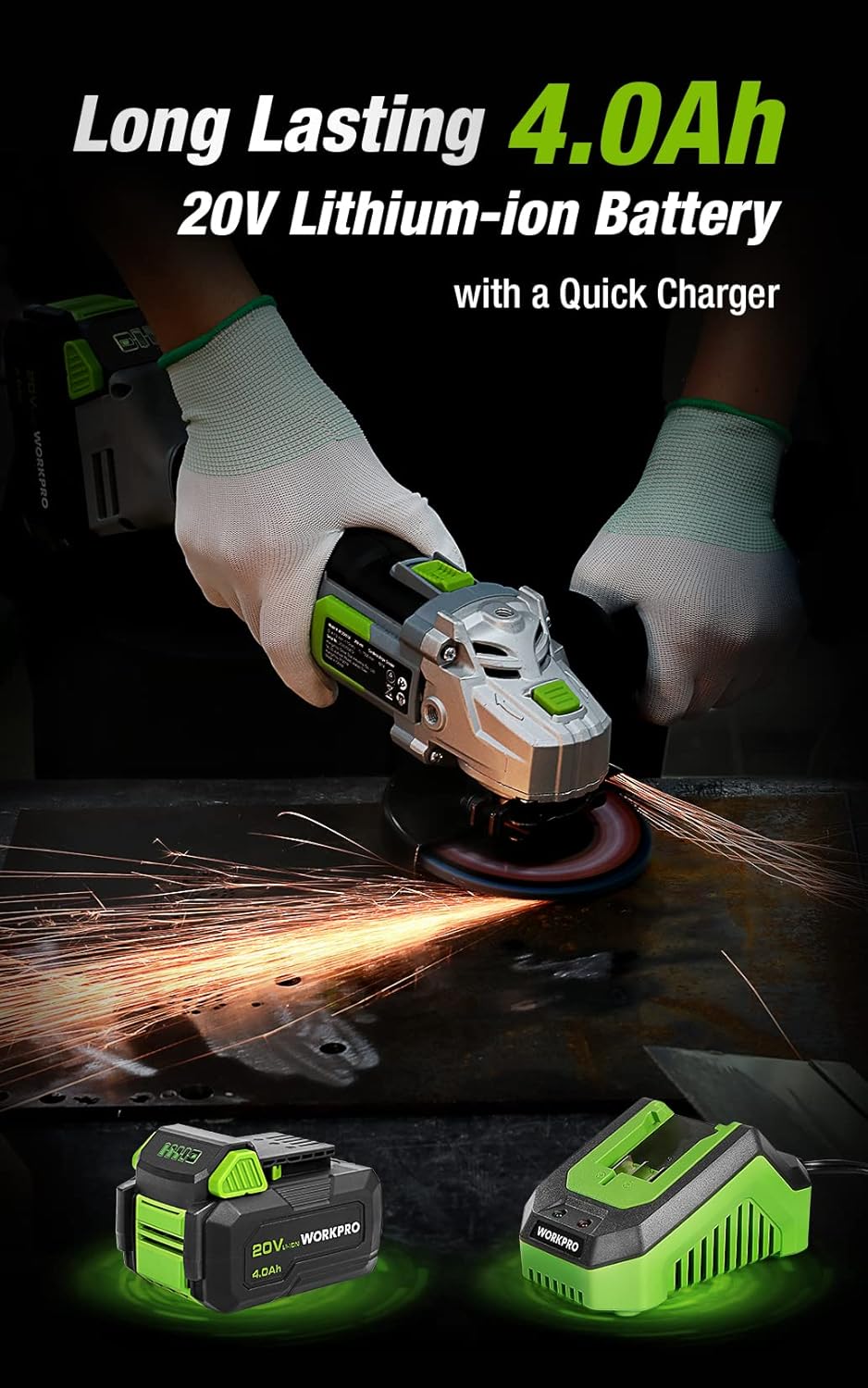
Figure 3.1: Included discs, guards, and spanner. Figure 3.2: 4.0Ah Lithium-Ion Battery and Fast Charger.
വീഡിയോ 3.1: ഒരു ഓവർview of the WORKPRO 20V Cordless Angle Grinder Kit and its components.
4. സജ്ജീകരണം
4.1 ഓക്സിലറി ഹാൻഡിൽ ഘടിപ്പിക്കൽ
The auxiliary handle can be installed in three different positions (left, right, or top) to provide optimal comfort and control for various tasks and user preferences. Simply screw the handle into the desired threaded opening on the grinder head.

Figure 4.1: The 3-position anti-slip auxiliary handle for enhanced ergonomics.
4.2 Installing Wheel Guards
Select the appropriate wheel guard (grinding or cutting) for your task. The guards feature a quick-installation mechanism that does not require additional tools. Align the guard with the grinder head and snap it into place, ensuring it is securely fastened and positioned to deflect sparks and debris away from you.
4.3 Installing Grinding/Cutting Discs
- Ensure the battery is removed from the grinder.
- Press and hold the spindle lock button located on the grinder head.
- അകത്തെ ഫ്ലേഞ്ച് സ്പിൻഡിൽ വയ്ക്കുക.
- Position the desired grinding or cutting disc onto the spindle, ensuring it sits flush against the inner flange.
- Place the outer flange onto the spindle, on top of the disc.
- Use the provided spanner to tighten the outer flange clockwise until the disc is securely fastened. Release the spindle lock.
4.4 ബാറ്ററി ചാർജ് ചെയ്യുന്നു
Before first use, fully charge the 4.0Ah Lithium-Ion battery. Connect the fast charger to a standard power outlet. Slide the battery pack onto the charger until it clicks into place. The charger's indicator light will show the charging status (e.g., red for charging, green for fully charged). Once fully charged, remove the battery from the charger.
Video 4.1: Demonstrates the quick installation of the guard and disc, and battery charging process.
5. പ്രവർത്തന നിർദ്ദേശങ്ങൾ
5.1 പവർ ഓൺ/ഓഫ്
The angle grinder features an ergonomic two-step operational switch located in the center of the top for convenient access by both left- and right-handed users. To turn the tool ON, push the switch forward and then up. To turn the tool OFF, simply push the switch down.

Figure 5.1: The two-step operational switch for safe and convenient use.
5.2 Grinding Operations
For grinding tasks, ensure the grinding wheel protector is installed and a grinding disc is securely attached. Hold the grinder firmly with both hands, maintaining a stable stance. Apply light, even pressure to the workpiece, allowing the 7500 RPM speed to do the work. Move the grinder smoothly across the surface to achieve desired results. The tool's lightweight design (3.5 pounds without battery) helps reduce hand pressure during extended use.


Figure 5.2: Grinding metal with the WORKPRO Angle Grinder, demonstrating sparks and stable operation.
5.3 Cutting Operations
When cutting, use the cutting wheel protector and a suitable cutting disc. Position the workpiece securely. Start the grinder before making contact with the material. Guide the disc through the material with steady, controlled movements. Avoid twisting or binding the disc, which can cause kickback. The tool's ergonomic design and rubberized grip provide a better user experience during cutting tasks.
Video 5.1: Demonstrates metal grinding and cutting, as well as PVC cutting, highlighting flexible use.
6. പരിപാലനം
Regular maintenance ensures the longevity and optimal performance of your WORKPRO Angle Grinder.
6.1 വൃത്തിയാക്കൽ
- ഓരോ ഉപയോഗത്തിനും ശേഷം, മൃദുവായതും ഉണങ്ങിയതുമായ തുണി ഉപയോഗിച്ച് ഉപകരണം വൃത്തിയാക്കുക.
- Periodically clear dust and debris from the ventilation openings to ensure proper heat dissipation. The grinder features a stereo circulating heat dissipation system with multiple vents for more uniform heat dissipation.
- വെള്ളമോ കെമിക്കൽ ക്ലീനറുകളോ ഉപയോഗിക്കരുത്.

Figure 6.1: Stereo Circulating Heat Dissipation through multiple vents.
6.2 ബാറ്ററി കെയർ
- നേരിട്ടുള്ള സൂര്യപ്രകാശത്തിൽ നിന്നും ഉയർന്ന താപനിലയിൽ നിന്നും അകലെ തണുത്തതും വരണ്ടതുമായ സ്ഥലത്ത് ബാറ്ററികൾ സൂക്ഷിക്കുക.
- Do not store fully discharged batteries for long periods. Recharge them periodically.
- Avoid exposing the battery to moisture or water.
6.3 Disc Inspection and Replacement
- Inspect grinding and cutting discs before each use for cracks, chips, or excessive wear. Replace damaged or worn discs immediately.
- Always use the correct type and size of disc for your application.
7. പ്രശ്നപരിഹാരം
നിങ്ങളുടെ ആംഗിൾ ഗ്രൈൻഡറിൽ നിങ്ങൾ നേരിട്ടേക്കാവുന്ന സാധാരണ പ്രശ്നങ്ങളെ ഈ വിഭാഗം അഭിസംബോധന ചെയ്യുന്നു.
| പ്രശ്നം | സാധ്യമായ കാരണം | പരിഹാരം |
|---|---|---|
| ഉപകരണം ആരംഭിക്കുന്നില്ല | ബാറ്ററി ചാർജ് ചെയ്തിട്ടില്ല ബാറ്ററി ശരിയായി ചേർത്തിട്ടില്ല സ്വിച്ച് പൂർണ്ണമായി ഇടപെട്ടിട്ടില്ല | ബാറ്ററി പൂർണ്ണമായും ചാർജ് ചെയ്യുക Ensure battery is clicked into place Push switch fully forward and up |
| കുറഞ്ഞ പ്രകടനം/വേഗത | കുറഞ്ഞ ബാറ്ററി ചാർജ് അമിത ചൂടാക്കൽ തേഞ്ഞുപോയ അല്ലെങ്കിൽ തെറ്റായ ഡിസ്ക് | ബാറ്ററി റീചാർജ് ചെയ്യുക Allow tool to cool down; clear vents Replace disc with appropriate type |
| അമിതമായ വൈബ്രേഷൻ | കേടായ അല്ലെങ്കിൽ അസന്തുലിതമായ ഡിസ്ക് Improperly installed disc/flanges | ഡിസ്ക് മാറ്റിസ്ഥാപിക്കുക Reinstall disc and flanges correctly, ensuring spindle lock is released |
8 സ്പെസിഫിക്കേഷനുകൾ
Technical details for the WORKPRO 20V Cordless Angle Grinder Kit:
- ബ്രാൻഡ്: വർക്ക്പ്രോ
- മോഡൽ നമ്പർ: W125051A
- ഊർജ്ജ സ്രോതസ്സ്: ബാറ്ററി പവർ
- ബാറ്ററി തരം: 20V 4.0Ah ലിഥിയം-അയൺ
- പരമാവധി ഭ്രമണ വേഗത: 7500 ആർപിഎം
- ഡിസ്ക് വ്യാസം: 4-1/2 ഇഞ്ച്
- മെറ്റീരിയൽ: Aluminum (housing)
- നിറം: പച്ച
- Item Weight (without battery): 3.5 പൗണ്ട് (ഏകദേശം 1.59 കിലോഗ്രാം)
- ഉൽപ്പന്ന അളവുകൾ: 13.58"L x 5.91"W x 7.48"H
- നിർമ്മാതാവ്: ഹാൻസ്ഗൗ ഗ്രേറ്റ്സ്റ്റാർ ഇൻഡസ്ട്രിയൽ കമ്പനി ലിമിറ്റഡ്
- UPC: 820909764120
9. വാറൻ്റിയും പിന്തുണയും
For detailed warranty information or technical support, please refer to the official user guide PDF provided with your product or visit the WORKPRO website. You can access the user guide ഇവിടെ.


