1. ആമുഖം
This instruction manual provides essential information for the Fodsports M1-S Plus/Air Motorcycle Bluetooth Headset Accessory Kit. This kit is designed to replace or change the microphone and speaker components of your existing Fodsports M1-S Plus or M1S AIR Bluetooth headset unit. It includes options for both boom and soft microphones to suit different helmet types, along with high-quality speakers and necessary mounting accessories. Please read this manual thoroughly before installation and use.
2. പാക്കേജ് ഉള്ളടക്കം
Verify that all items listed below are included in your package. If any items are missing or damaged, please contact Fodsports customer support.
- FOD HRSQS Speakers (2 units)
- Adapter cable (USB-C for M1-S Plus/M1S AIR connection)
- Wired microphone (soft mic)
- ബൂം മൈക്രോഫോൺ
- Microphone Velcro pads
- Speaker Velcro pads
- Speaker booster pads

ചിത്രം 2.1: ഓവർview ഉൾപ്പെടുത്തിയ ഘടകങ്ങളുടെ.
3. സജ്ജീകരണവും ഇൻസ്റ്റാളേഷനും
This accessory kit is compatible with Fodsports M1-S Plus and M1S AIR Bluetooth headset main units. Ensure your main unit is powered off before beginning installation.
3.1 Choosing the Right Microphone
The kit includes two types of microphones:
- ബൂം മൈക്രോഫോൺ: Recommended for open-face or modular helmets. It extends on a flexible arm to position the microphone closer to your mouth.
- Wired Microphone (Soft Mic): Recommended for full-face helmets. This microphone is designed to be discreetly placed inside the helmet near the mouth area.

Figure 3.1: Boom Microphone for Open-Face Helmets.

Figure 3.2: Soft Wired Microphone for Full-Face Helmets.
3.2 Speaker and Microphone Installation
- ഹെൽമെറ്റ് തയ്യാറാക്കുക: Clean the inner surface of your helmet where the speakers and microphone will be placed.
- സ്പീക്കറുകൾ ഘടിപ്പിക്കുക: Use the provided speaker Velcro pads to secure the speakers inside the helmet's ear pockets. Ensure they are positioned directly over your ears for optimal sound. If needed, use the speaker booster pads to bring the speakers closer to your ears.
- മൈക്രോഫോൺ ഇൻസ്റ്റാൾ ചെയ്യുക:
- വേണ്ടി ബൂം മൈക്രോഫോൺ: Attach the microphone's base to the inside of the helmet's chin bar using a microphone Velcro pad. Position the boom arm so the microphone is close to your mouth, typically to the side.
- വേണ്ടി Wired Microphone (Soft Mic): Attach the microphone to the inside of the helmet's chin bar or cheek pad using a microphone Velcro pad. Ensure it is positioned close to your mouth and away from direct wind noise.
- Connect to Adapter Cable: Plug your chosen microphone into the designated microphone port on the adapter cable.
- സ്പീക്കറുകൾ ബന്ധിപ്പിക്കുക: The speakers are pre-wired to the adapter cable.
- Connect to Main Unit: Plug the USB-C connector of the adapter cable into the corresponding port on your Fodsports M1-S Plus or M1S AIR Bluetooth headset main unit. Ensure a secure connection.
- റൂട്ട് കേബിളുകൾ: Carefully route all cables within the helmet lining to prevent interference with helmet operation and to ensure comfort.

Figure 3.3: Assembly Design for Helmet Integration.

Figure 3.4: Microphone Port Detail.
4. പ്രവർത്തന നിർദ്ദേശങ്ങൾ
This accessory kit provides the audio input (microphone) and output (speakers) for your Fodsports M1-S Plus or M1S AIR Bluetooth headset main unit. All operational controls, such as power, volume, pairing, and intercom functions, are managed directly through your main headset unit. Please refer to the instruction manual provided with your Fodsports M1-S Plus or M1S AIR main unit for detailed operating procedures.

Figure 4.1: Headset unit with accessory kit in use.
5. പരിപാലനം
Proper maintenance ensures the longevity and optimal performance of your accessory kit.
- വൃത്തിയാക്കൽ: Gently wipe the speakers and microphones with a soft, dry cloth. Avoid using harsh chemicals or abrasive materials.
- സംഭരണം: When not in use, store the accessory kit in a dry place at room temperature. Avoid extreme temperatures and direct sunlight.
- ജല പ്രതിരോധം: This accessory kit is വെള്ളത്തെ പ്രതിരോധിക്കുന്നില്ല. Avoid exposure to rain, splashes, or submersion in water.
- കേബിൾ കെയർ: Do not pull on the cables forcefully. Always grasp the connector when plugging or unplugging.
6. പ്രശ്നപരിഹാരം
If you encounter issues with your accessory kit, try the following steps:
- സ്പീക്കറുകളിൽ നിന്ന് ശബ്ദമില്ല:
- Ensure the USB-C connector is fully inserted into the main headset unit.
- Check the volume level on your main headset unit.
- Verify that the speakers are correctly positioned over your ears.
- Microphone Not Working / Poor Audio Quality:
- Ensure the microphone is securely plugged into the adapter cable.
- Check the microphone's position; it should be close to your mouth.
- Confirm that the correct microphone type (boom or soft) is being used for your helmet type.
- Test with the other microphone if available to rule out a faulty microphone unit.
- ഇടവിട്ടുള്ള കണക്ഷൻ:
- Ensure all connections (USB-C to main unit, microphone to adapter cable) are firm and not loose.
- Avoid excessive bending or pinching of the cables.
For further assistance, please refer to your Fodsports M1-S Plus/Air main unit manual or contact Fodsports customer support.
7 സ്പെസിഫിക്കേഷനുകൾ
| ഫീച്ചർ | സ്പെസിഫിക്കേഷൻ |
|---|---|
| അനുയോജ്യമായ ഉപകരണങ്ങൾ | Fodsports M1-S Plus, Fodsports M1S AIR Motorcycle Bluetooth Headset |
| ഉൾപ്പെടുത്തിയ ഘടകങ്ങൾ | Detachable boom microphone, button microphone (soft mic), speakers, adapter cable, Velcro pads, booster pads |
| ഹെഡ്ഫോണുകൾ ജാക്ക് | USB-C Speakers and Microphone connection to main unit |
| കണക്റ്റിവിറ്റി ടെക്നോളജി | Wired (to main Bluetooth unit) |
| മെറ്റീരിയൽ | പ്ലാസ്റ്റിക് |
| ജല പ്രതിരോധ നില | വാട്ടർ റെസിസ്റ്റൻ്റ് അല്ല |
| സ്പീക്കർ അളവുകൾ | Approximately 40mm diameter, 10mm thickness |

Figure 7.1: Speaker Dimensions and USB-C Connector.
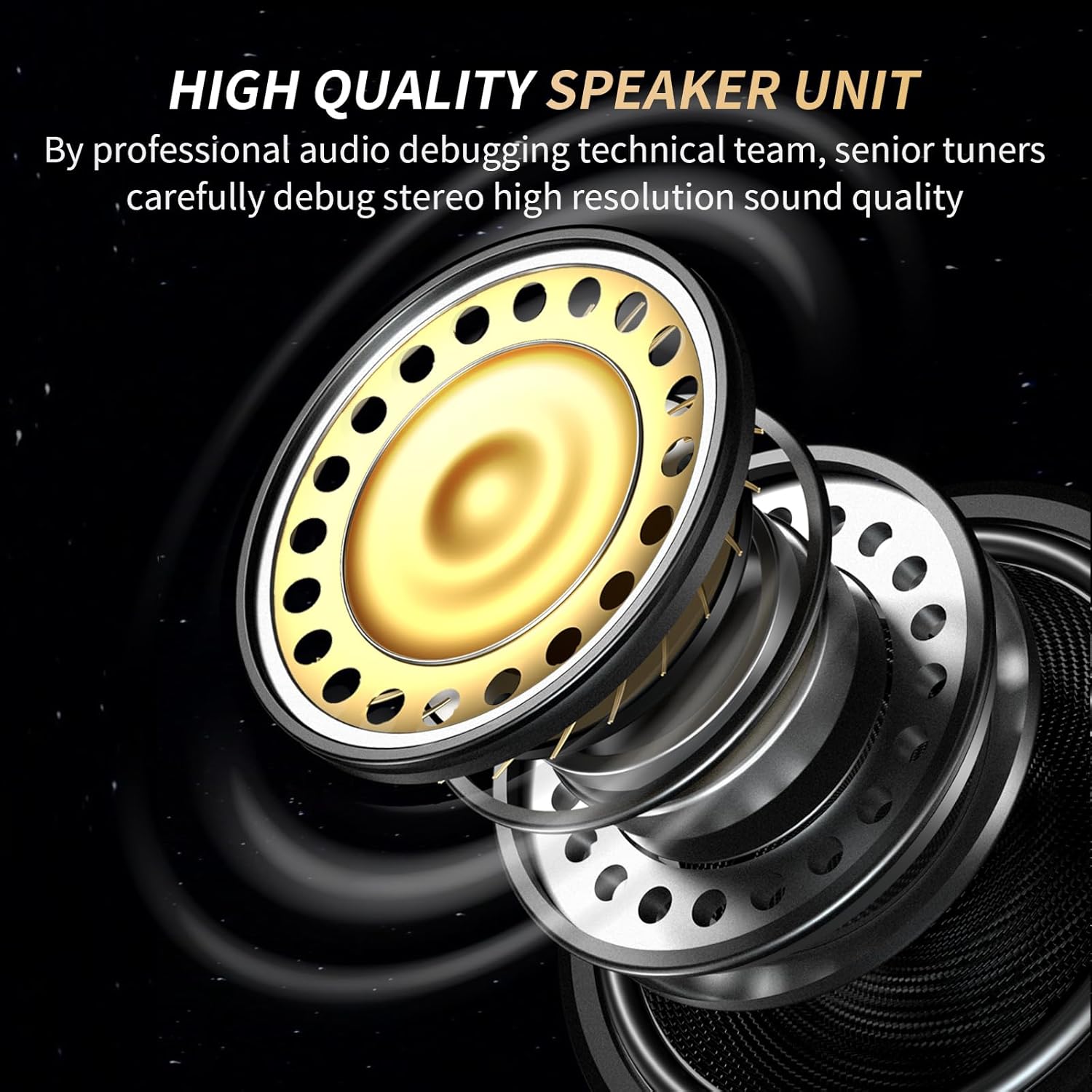
Figure 7.2: High-Quality Speaker Unit Design.
8. വാറൻ്റിയും പിന്തുണയും
This accessory kit is covered by the standard warranty provided by Fodsports for its products. For specific warranty terms, conditions, and duration, please refer to the documentation included with your original Fodsports M1-S Plus or M1S AIR Bluetooth headset main unit, or visit the official Fodsports webസൈറ്റ്.
For technical support, troubleshooting assistance, or to inquire about replacement parts, please contact Fodsports customer service directly through their official website or the contact information provided with your original product purchase.


