1. ആമുഖം
The Yottamaster DF5U3 is a 5-bay external hard drive enclosure designed for both 2.5-inch and 3.5-inch SATA HDD/SSDs. It supports a total capacity of up to 90TB (5 x 18TB drives) and features a USB 3.0 interface for data transfer speeds up to 6Gbps. This enclosure is built with an aluminum alloy frame and includes an 80mm RGB silent fan for efficient cooling. This manual provides detailed instructions for the proper setup, operation, and maintenance of your Yottamaster DF5U3 enclosure.
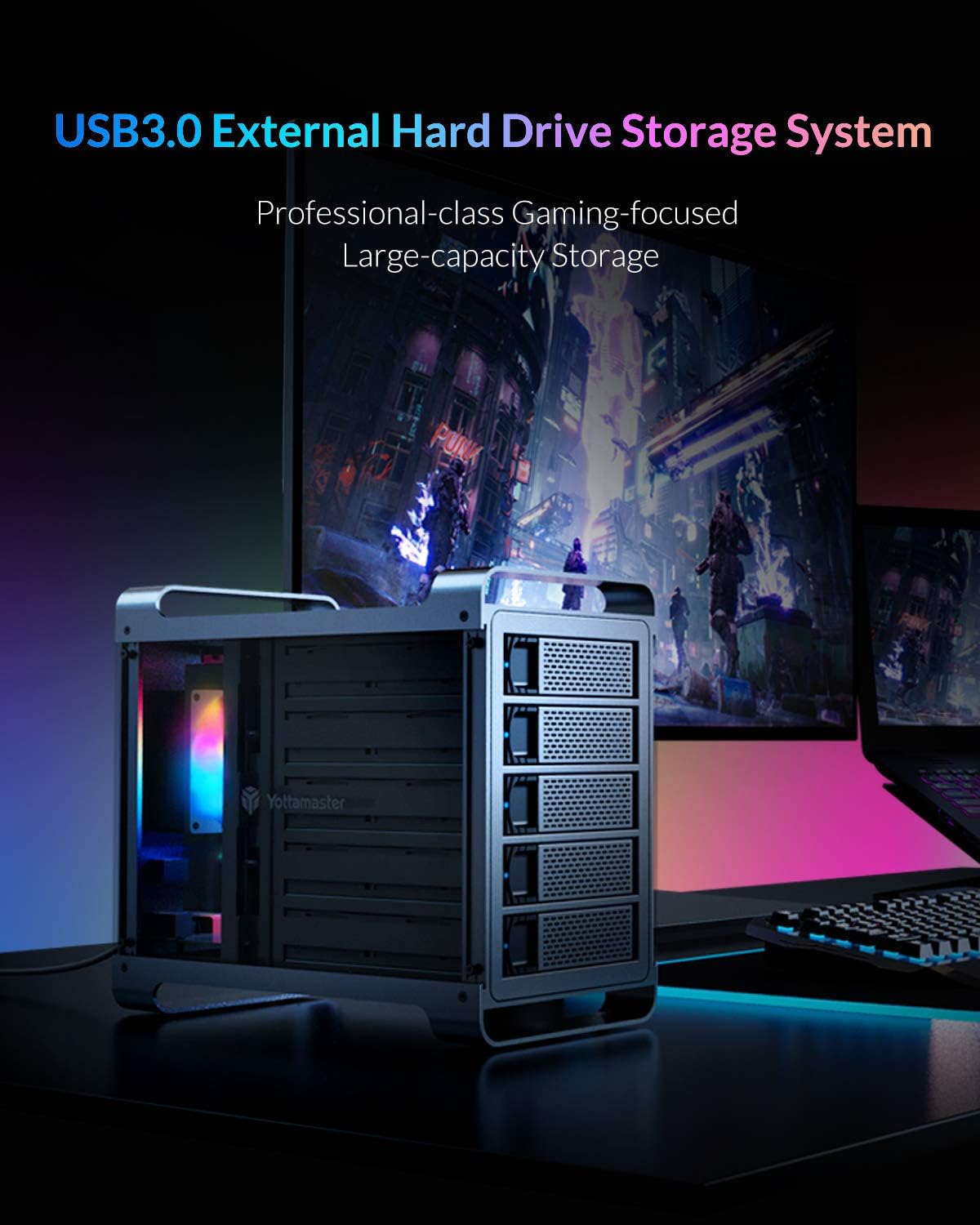
Figure 1: Yottamaster 5-Bay USB 3.0 Hard Drive Enclosure (DF5U3)
2. പാക്കേജ് ഉള്ളടക്കം
നിങ്ങളുടെ പാക്കേജിൽ എല്ലാ ഇനങ്ങളും ഉണ്ടെന്ന് ദയവായി പരിശോധിക്കുക:
- Yottamaster 5-Bay USB 3.0 Hard Drive Enclosure (DF5U3)
- USB 3.0 Type-B Data Cable
- പവർ അഡാപ്റ്റർ (150W)
- Screws for Drive Installation
- സ്ക്രൂഡ്രൈവർ
- ഉപയോക്തൃ മാനുവൽ
3 പ്രധാന സവിശേഷതകൾ
- ഉയർന്ന ശേഷി: Supports up to 90TB total storage (5 x 18TB drives).
- ഡ്രൈവ് അനുയോജ്യത: Designed for both 2.5-inch and 3.5-inch SATA I/II/III HDD/SSDs.
- Fast Transfer Speed: USB 3.0 interface provides data transfer rates up to 6Gbps.
- കാര്യക്ഷമമായ തണുപ്പിക്കൽ: Features an 80mm RGB silent fan to maintain optimal drive temperatures.
- നീണ്ടുനിൽക്കുന്ന നിർമ്മാണം: Built with a robust aluminum alloy frame.
- പ്ലഗ് ആൻഡ് പ്ലേ: Driverless installation for ease of use.
- Non-RAID Version: This model does not support hardware RAID. Software RAID can be configured using your operating system's tools.
4. സജ്ജീകരണ ഗൈഡ്
4.1 ഡ്രൈവ് ഇൻസ്റ്റാളേഷൻ
- Gently pull the lever on the front of an empty drive bay to release and slide out the drive tray.
- Place your 2.5-inch or 3.5-inch SATA HDD/SSD onto the drive tray. Align the screw holes on the drive with those on the tray.
- Secure the drive to the tray using the provided screws and screwdriver.
- Slide the loaded drive tray back into the enclosure until it clicks securely into place.
- Repeat for all desired drives.

Figure 2: Inserting a drive into the tray

Figure 3: Drive trays ready for installation
4.2 എൻക്ലോഷർ ബന്ധിപ്പിക്കുന്നു
- Connect the power adapter to the AC-in port on the rear of the enclosure and then to a power outlet.
- Connect one end of the USB 3.0 Type-B data cable to the USB 3.0 port on the rear of the enclosure.
- Connect the other end of the USB 3.0 data cable to an available USB 3.0 port on your computer.
- Press the power switch on the rear of the enclosure to the "ON" position. The enclosure will power on, and the RGB fan will illuminate.

Figure 4: Rear panel connections
5. പ്രവർത്തന നിർദ്ദേശങ്ങൾ
5.1 Initializing and Formatting Drives
For new hard drives, or if you wish to erase existing data, you will need to initialize and format them. This process creates partitions and prepares the drives for use with your operating system.
Video 1: Guide on how to format a hard drive partition in Windows or Mac OS. This video demonstrates the steps to initialize and format your drives for first-time use.
5.2 Adjusting/Disabling Sleep Mode
The enclosure may enter a sleep mode after a period of inactivity to conserve power and reduce wear on the drives. You can adjust or disable this feature if needed.
Video 2: Instructions on how to cancel the sleep mode for Yottamaster multi-bay HDD enclosures.
Video 3: A step-by-step guide to adjust or disable the sleep mode on the enclosure, providing detailed visual instructions.
6. പരിപാലനം
To ensure the longevity and optimal performance of your Yottamaster DF5U3 enclosure, follow these maintenance guidelines:
- വൃത്തിയാക്കൽ: Regularly clean the exterior of the enclosure with a soft, dry cloth. Ensure the fan vents are free from dust accumulation to maintain proper airflow.
- പരിസ്ഥിതി: Operate the enclosure in a well-ventilated area, away from direct sunlight, heat sources, and excessive moisture.
- സുരക്ഷിതമായ നീക്കം: Always safely eject the enclosure from your operating system before disconnecting the USB cable or power to prevent data corruption.
- ഫേംവെയർ അപ്ഡേറ്റുകൾ: Check the Yottamaster official webപ്രകടനം മെച്ചപ്പെടുത്തുന്നതോ പ്രശ്നങ്ങൾ പരിഹരിക്കുന്നതോ ആയ ലഭ്യമായ ഏതെങ്കിലും ഫേംവെയർ അപ്ഡേറ്റുകൾക്കായി ഇടയ്ക്കിടെ സൈറ്റ് സന്ദർശിക്കുക.
7. പ്രശ്നപരിഹാരം
If you encounter issues with your Yottamaster DF5U3 enclosure, please refer to the following common solutions:
- തിരിച്ചറിയാത്ത ഡ്രൈവുകൾ:
- എല്ലാ കേബിളുകളും (യുഎസ്ബി, പവർ) സുരക്ഷിതമായി ബന്ധിപ്പിച്ചിട്ടുണ്ടെന്ന് ഉറപ്പാക്കുക.
- Verify that the enclosure is powered on.
- Check Disk Management (Windows) or Disk Utility (Mac) to see if the drives are detected but uninitialized/unformatted. Refer to the formatting video in Section 5.1.
- Try connecting the enclosure to a different USB port or computer.
- Ensure the drives are properly seated in their trays and secured with screws.
- Enclosure Goes to Sleep Unexpectedly:
- Refer to the videos in Section 5.2 for instructions on how to adjust or disable the sleep timer function.
- Check your operating system's power management settings, as they can also influence drive sleep behavior.
- മന്ദഗതിയിലുള്ള ട്രാൻസ്ഫർ വേഗത:
- Ensure you are using a USB 3.0 port on your computer. Connecting to a USB 2.0 port will result in slower speeds.
- Verify the quality of your USB 3.0 cable.
- Performance can be affected by the speed of the installed hard drives themselves.
- അമിതമായ ഫാൻ ശബ്ദം:
- Ensure the enclosure is placed on a stable, flat surface to prevent vibrations.
- Check for any obstructions in the fan or vents.
If these steps do not resolve your issue, please contact Yottamaster customer support.
8 സ്പെസിഫിക്കേഷനുകൾ
| ഫീച്ചർ | വിശദാംശങ്ങൾ |
|---|---|
| മോഡൽ നമ്പർ | DF5U3 |
| ബ്രാൻഡ് | യോട്ടമാസ്റ്റർ |
| ഡ്രൈവ് ബേകൾ | 5 |
| പരമാവധി ശേഷി | 90 TB (5 x 18TB) |
| അനുയോജ്യമായ ഡ്രൈവുകൾ | 2.5" & 3.5" SATA I/II/III HDD/SSD |
| ഇൻ്റർഫേസ് | യുഎസ്ബി 3.0 ടൈപ്പ്-ബി |
| ഡാറ്റ കൈമാറ്റ നിരക്ക് | 6Gbps വരെ |
| തണുപ്പിക്കൽ | 80mm RGB Silent Fan |
| മെറ്റീരിയൽ | അലുമിനിയം അലോയ് |
| അനുയോജ്യമായ OS | വിൻഡോസ്, മാക്, ലിനക്സ് |
| വൈദ്യുതി വിതരണം | 150W എക്സ്റ്റേണൽ പവർ അഡാപ്റ്റർ |
9. വാറണ്ടിയും പിന്തുണയും
9.1 വാറൻ്റി വിവരങ്ങൾ
Yottamaster products come with a standard manufacturer's warranty. Please refer to the warranty card included in your package or visit the official Yottamaster webനിങ്ങളുടെ പ്രദേശത്തിന് പ്രത്യേകമായുള്ള വിശദമായ വാറന്റി നിബന്ധനകൾക്കും വ്യവസ്ഥകൾക്കും സൈറ്റ് സന്ദർശിക്കുക.
9.2 ഉപഭോക്തൃ പിന്തുണ
For technical assistance, troubleshooting, or any product-related inquiries, please contact Yottamaster customer support through their official channels:
- ഉദ്യോഗസ്ഥൻ Webസൈറ്റ്: www.yottamaster.com
- പിന്തുണാ പേജ്: Visit the 'Support' or 'Downloads' section on the official website for FAQs, drivers, and firmware updates.


