1. ആമുഖം
This user manual provides comprehensive instructions for the installation, operation, and maintenance of your NETVUE Outdoor Security Camera. This 1080P WiFi surveillance camera is designed for home security, featuring night vision, 8X digital zoom, A.I. motion detection, instant alerts, IP66 waterproofing, and two-way audio communication. It supports both cloud storage and SD card recording.

ചിത്രം 1.1: മുൻഭാഗം view of the NETVUE Outdoor Security Camera.
2. ഉൽപ്പന്ന സവിശേഷതകൾ
- AI Human Motion Detection with Real-time Alert: The camera can upload snapshots and videos, supporting customized motion detection zones and real-time motion alerts via the NETVUE APP. Motion sensibility adjustment and accurate motion detection minimize false alarms. AI detection specifically aims to avoid false alarms caused by pets, wind, or leaves, providing more accurate alerts. If a human face is detected, the NETVUE App will alert you immediately.
- 1080P Outdoor Camera with FHD Night Vision: Provides clear recordings for home security. Remote real-time viewing is available through the NETVUE App with a 100° viewing angle. Equipped with Vigil 2 infrared LEDs, it offers clear night vision up to 60 feet, ensuring visibility even in dark environments.
- Easy Installation and High Compatibility: Designed for quick setup within minutes. It is wired only, requiring no battery. Connects to a 2.4GHz WiFi network or Ethernet cable for smooth video streaming. Note that 5G networks are not applicable.
- 2-Way Audio and IP66 Waterproof: Enables real-time conversation with individuals through the camera. Supports up to 20 family members for shared access. Compatible with Alexa, Echo Show, Echo Spot, or Fire TV. The IP66 rating ensures the camera is strong enough to withstand rough weather and is vandal resistant, operating in temperatures from -4°F to 122°F.
- Two-Way Storage for All Day Protection: Offers free cloud storage for up to 14 days via Amazon Web Services Cloud. Also supports local storage via a Micro SD card (up to 128GB, not included) for continuous video recording. Data storage is secured with bank-level AES 256-bit encryption and TLS Encryption Protocol.

Image 2.1: Illustration of the camera's 1080P HD and wide-angle viewകഴിവ്.
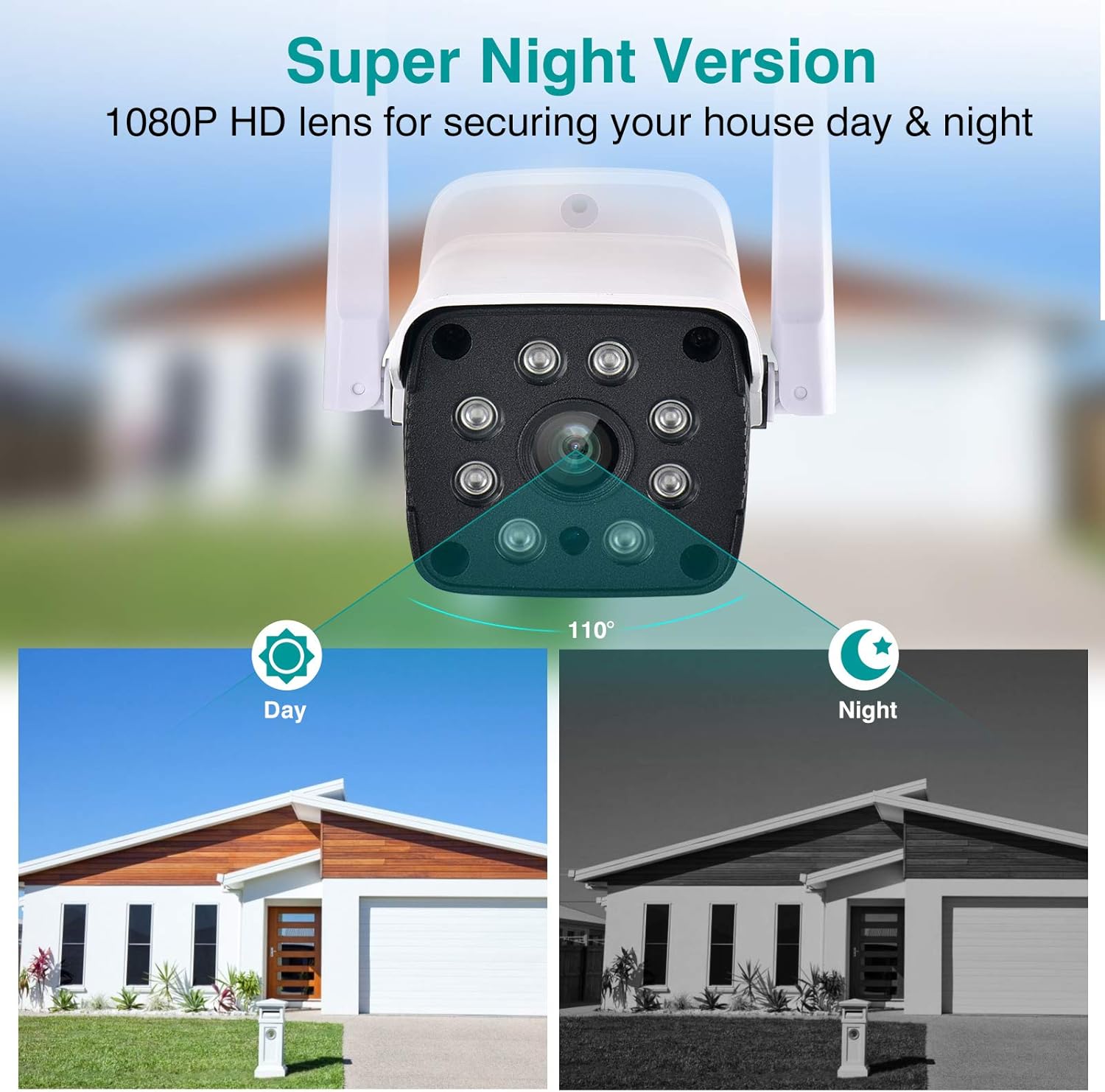
Image 2.2: Demonstration of the camera's Super Night Vision feature, showing day and night views.
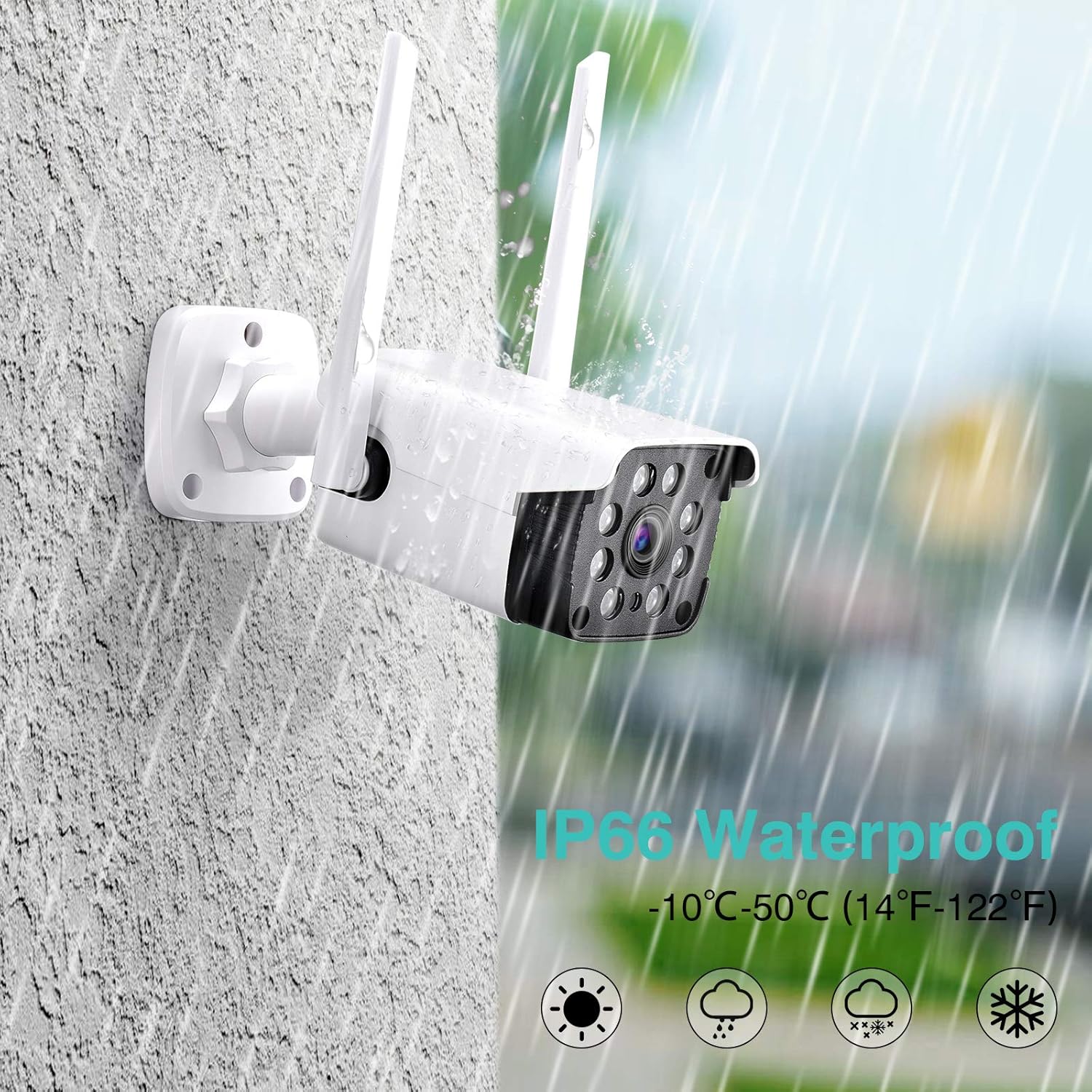
Image 2.3: Visual representation of the camera's IP66 waterproof rating, showing it withstands rain.
3. പാക്കേജ് ഉള്ളടക്കം
Before beginning installation, please ensure all components are present in the package:
- NETVUE ഔട്ട്ഡോർ സുരക്ഷാ ക്യാമറ
- പവർ അഡാപ്റ്റർ
- മൗണ്ടിംഗ് സ്ക്രൂകളും വാൾ ആങ്കറുകളും
- ദ്രുത ഗൈഡ്
- Waterproof Connector (for Ethernet cable, if applicable)

Image 3.1: All items included in the NETVUE Outdoor Security Camera package.
4. സജ്ജീകരണവും ഇൻസ്റ്റാളേഷനും
Follow these steps for a quick and easy setup:
- പവർ കണക്ഷൻ: Plug the camera into a power outlet using the provided power adapter. Ensure the power cable is securely connected.
- Download NETVUE App: Download the official NETVUE App from the App Store (for iOS devices) or Google Play Store (for Android devices). ഇതിനായി തിരയുക "NETVUE".
- Account Registration & Device Addition: Open the NETVUE App, register for an account, and follow the in-app instructions to add your new camera. Ensure your mobile device is connected to a 2.4GHz Wi-Fi network during setup.
- ക്യാമറ ഘടിപ്പിക്കുന്നു: Choose a suitable outdoor location for optimal viewing and Wi-Fi signal strength. Use the included mounting screws and wall anchors to securely attach the camera to a wall or other stable surface. The camera is designed for wall mounting.
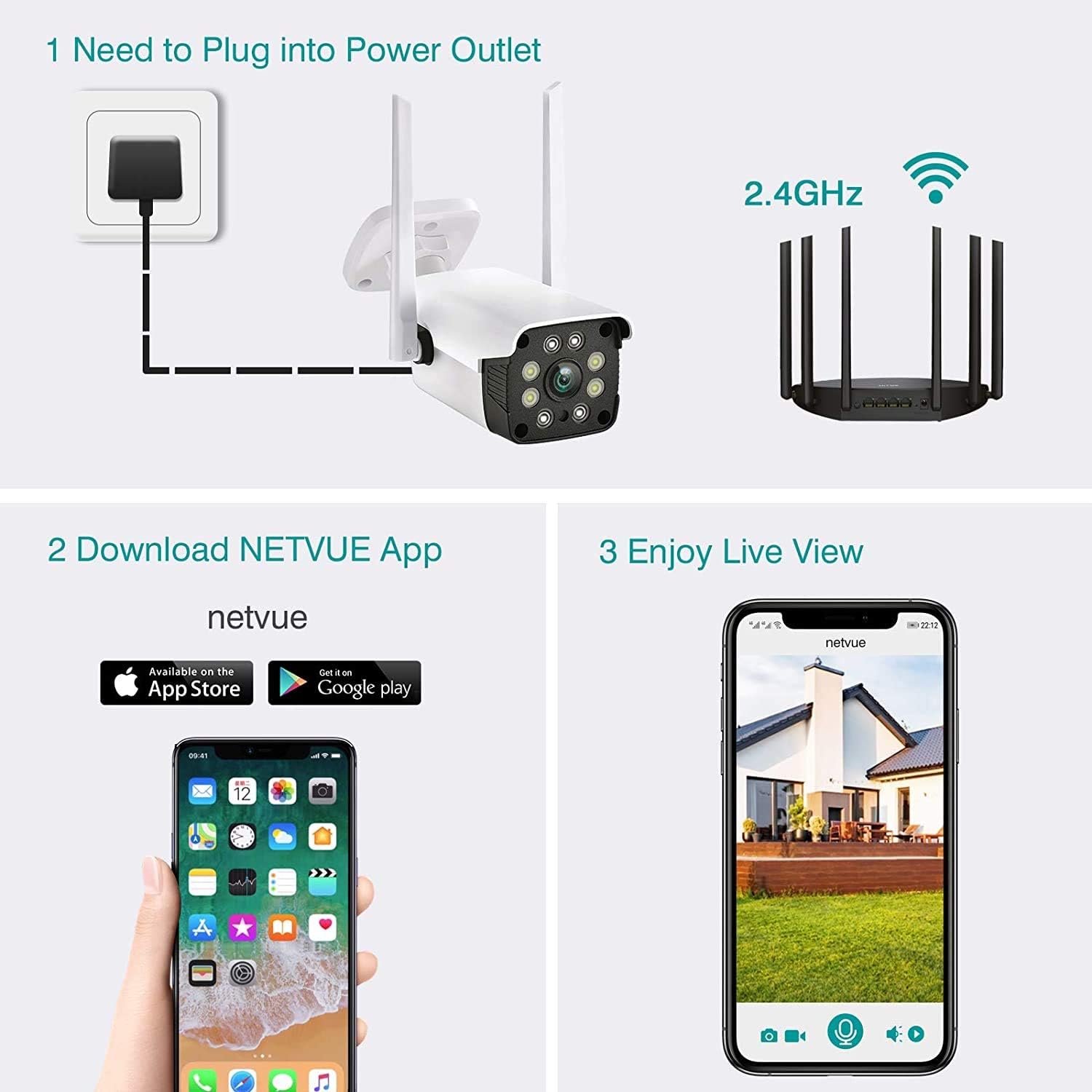
Image 4.1: Visual guide for the three main setup steps: power connection, app download, and live view സജീവമാക്കൽ.
5. പ്രവർത്തന നിർദ്ദേശങ്ങൾ
5.1 തത്സമയം View ഒപ്പം പ്ലേബാക്ക്
Once connected, you can access the live feed from your camera through the NETVUE App. The app allows you to view real-time video and playback recorded footage. Recorded footage can be stored on a Micro SD card (up to 128GB, not included) or via the optional cloud storage service.

Image 5.1: Illustration of cloud storage and Micro SD card options for recording playback.
5.2 ടു-വേ ഓഡിയോ
The integrated two-way audio feature allows you to communicate with individuals near the camera. To use this function, open the live view in the NETVUE App and activate the microphone icon to speak. You will hear audio from the camera's location through your device's speaker.
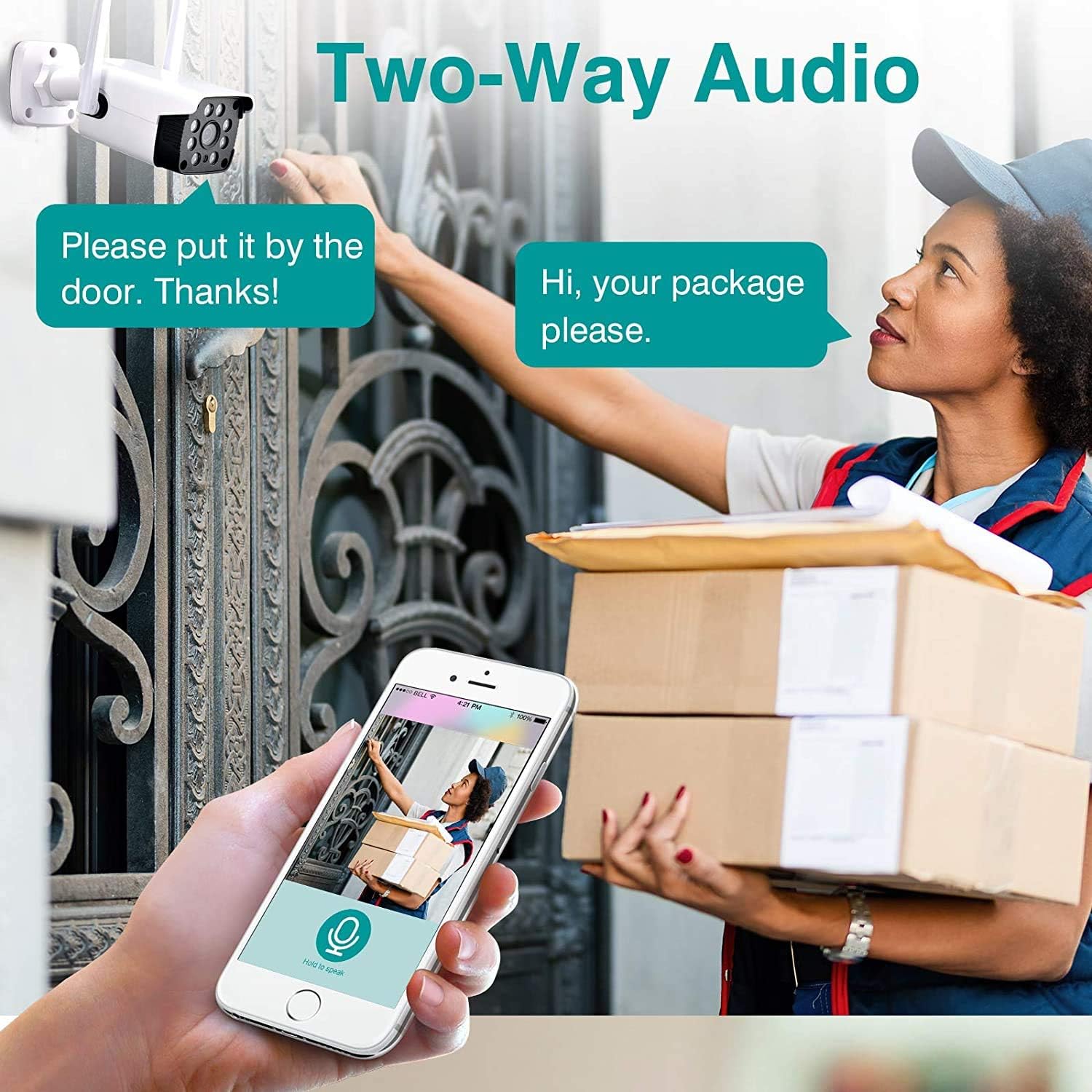
Image 5.2: Depiction of the two-way audio feature, showing a user speaking through the app to a person at the door.
5.3 AI മോഷൻ ഡിറ്റക്ഷനും അലേർട്ടുകളും
The camera utilizes AI human motion detection to minimize false alarms. You can customize motion detection zones and adjust sensitivity settings within the NETVUE App. When motion is detected, the app will send real-time alerts to your mobile device, including snapshots and video clips.
5.4 അലക്സാ ഇന്റഗ്രേഷൻ
The NETVUE camera is compatible with Amazon Alexa. You can use voice commands with Alexa-enabled devices like Echo Show, Echo Spot, or Fire TV to view the camera's live feed. For example, say "Alexa, show me the front door" to display the camera's view on your compatible device.

Image 5.3: A user interacting with an Alexa device to view the camera feed, demonstrating smart home integration.
6. പരിപാലനം
- വൃത്തിയാക്കൽ: ക്യാമറ ലെൻസും ഹൗസിംഗും ഇടയ്ക്കിടെ സോഫ്റ്റ്, ഡി-ക്യാമറ ഉപയോഗിച്ച് വൃത്തിയാക്കുക.amp cloth to ensure clear image quality. Avoid using harsh chemicals or abrasive materials.
- ഫേംവെയർ അപ്ഡേറ്റുകൾ: Keep the camera's firmware updated through the NETVUE App to ensure optimal performance and access to the latest features and security enhancements.
- പരിസ്ഥിതി സംരക്ഷണം: While the camera is IP66 waterproof, ensure its mounting location provides adequate protection from extreme weather conditions if possible, to prolong its lifespan.
7. പ്രശ്നപരിഹാരം
If you encounter issues with your NETVUE camera, please refer to the following common solutions:
- ക്യാമറ ഓഫ്ലൈൻ:
- Check the power connection to ensure the camera is receiving power.
- നിങ്ങളുടെ വൈഫൈ നെറ്റ്വർക്ക് സജീവവും സ്ഥിരതയുള്ളതുമാണെന്ന് പരിശോധിക്കുക.
- Ensure the camera is within range of your 2.4GHz Wi-Fi router.
- Restart the camera by unplugging it for 10 seconds and then plugging it back in.
- മോശം ചിത്രത്തിന്റെ ഗുണനിലവാരം:
- ക്യാമറ ലെൻസ് വൃത്തിയാക്കി അതിലെ പൊടിയോ പാടുകളോ നീക്കം ചെയ്യുക.
- Check your Wi-Fi signal strength; a weak signal can affect video quality.
- മോഷൻ ഡിറ്റക്ഷൻ പ്രശ്നങ്ങൾ:
- Adjust the motion detection sensitivity settings in the NETVUE App.
- Review the customized motion detection zones to ensure they cover the desired areas.
- ടു-വേ ഓഡിയോ പ്രശ്നങ്ങൾ:
- Ensure your phone's volume is up and the microphone is enabled in the app.
- Check for any obstructions near the camera's microphone or speaker.
For further assistance, please contact NETVUE customer support.
8 സ്പെസിഫിക്കേഷനുകൾ
| ഫീച്ചർ | വിശദാംശങ്ങൾ |
|---|---|
| ബ്രാൻഡ് | NETVUE |
| മോഡൽ നമ്പർ | എൻഐ-1911 |
| കണക്റ്റിവിറ്റി ടെക്നോളജി | വയർലെസ്സ് (വൈ-ഫൈ 2.4GHz) |
| വീഡിയോ ക്യാപ്ചർ റെസല്യൂഷൻ | 1080p |
| Viewing ആംഗിൾ | 100 ഡിഗ്രി |
| നൈറ്റ് വിഷൻ റേഞ്ച് | 60 അടി |
| ഡിജിറ്റൽ സൂം | 8X |
| വാട്ടർപ്രൂഫ് റേറ്റിംഗ് | IP66 |
| പ്രവർത്തന താപനില | -4°F മുതൽ 122°F വരെ (-20°C മുതൽ 50°C വരെ) |
| സ്റ്റോറേജ് ഓപ്ഷനുകൾ | ക്ലൗഡ് സ്റ്റോറേജ്, മൈക്രോ എസ്ഡി കാർഡ് (128GB വരെ) |
| ഓഡിയോ | 2-വേ ഓഡിയോ |
| അനുയോജ്യമായ ഉപകരണങ്ങൾ | Alexa, Echo Show, Echo Spot, Fire TV |
| പവർ ഉറവിടം | Wired (No Battery) |
| മൗണ്ടിംഗ് തരം | മതിൽ മൗണ്ട് |
| അളവുകൾ (L x W x H) | 9.37 x 4.02 x 3.66 ഇഞ്ച് |
| ഇനത്തിൻ്റെ ഭാരം | 10.9 ഔൺസ് |
9. വാറൻ്റിയും പിന്തുണയും
NETVUE provides customer support for their products. For any inquiries, technical assistance, or warranty claims, please refer to the contact information provided in your product packaging or visit the official NETVUE website. The NETVUE App also offers a customer service team to answer your questions during your use.
Note: Specific warranty terms and conditions may vary and are subject to the policies at the time of purchase.


