Creative Outlier ONE V2 Wireless Bluetooth Headphones
ഉപയോക്തൃ മാനുവൽ
ആമുഖം
This manual provides essential information for the proper use, setup, and maintenance of your Creative Outlier ONE V2 Wireless Bluetooth Headphones. Please read this manual thoroughly before using the product to ensure optimal performance and longevity.
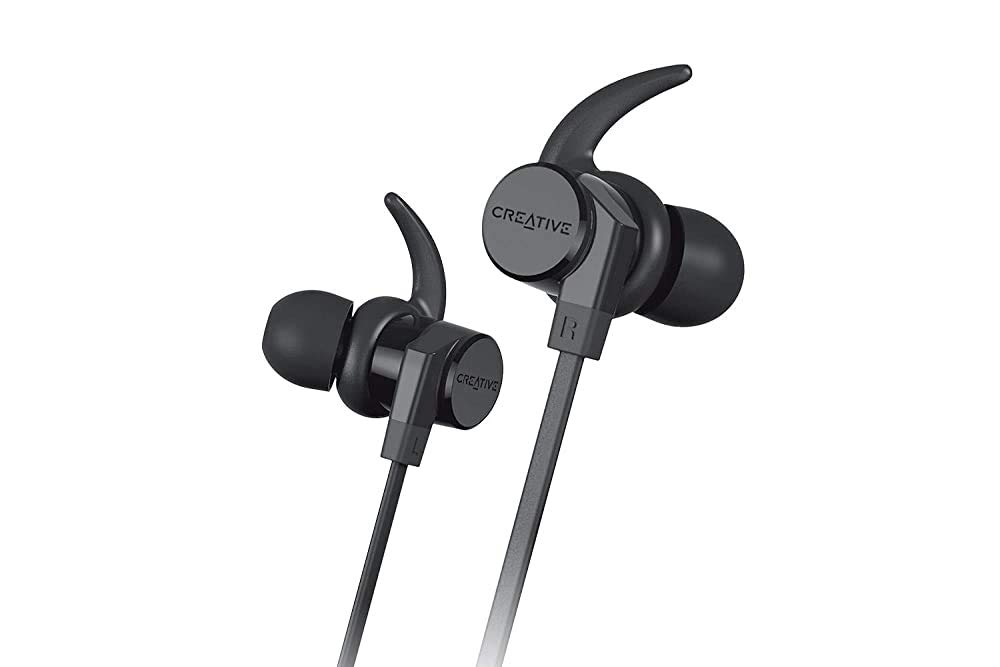
Image: Creative Outlier ONE V2 Wireless Bluetooth Headphones, showcasing the sleek black design with ear hooks and inline controls.
പാക്കേജ് ഉള്ളടക്കം
താഴെ പട്ടികപ്പെടുത്തിയിരിക്കുന്ന എല്ലാ ഇനങ്ങളും നിങ്ങളുടെ ഉൽപ്പന്ന പാക്കേജിംഗിൽ ഉണ്ടെന്ന് ഉറപ്പാക്കുക:
- Creative Outlier ONE V2 Wireless Bluetooth Headphones
- യുഎസ്ബി ചാർജിംഗ് കേബിൾ (മൈക്രോ യുഎസ്ബി)
- Silicone Ear Tips (various sizes: S, M, L)
- Secure Ear Hooks (various sizes)
- ചുമക്കുന്ന സഞ്ചി

Image: Diagram illustrating the contents included in the Creative Outlier ONE V2 package, including the headphones, ear tips, ear hooks, micro USB cable, and carrying pouch.
ഉൽപ്പന്ന സവിശേഷതകൾ
- വിപുലീകരിച്ച ബാറ്ററി ലൈഫ്: Enjoy up to 9.5 hours of audio playback on a single charge. A quick 15-minute charge provides 1 hour of playback.
- IPX5-Certified Sweatproof: Designed to withstand sweat and accidental splashes, making them ideal for workouts and outdoor activities.
- Ergonomic, Tangle-Free Cable: Lightweight at 15g (0.53 Oz) with a sleek, flat matte-black behind-the-neck cable design for comfortable wear and reduced tangling.
- Secure Magnetic Earbuds: The earbuds feature magnets that allow them to securely clip together around your neck when not in use, preventing loss.
- Noise-Isolating Aura Seal Silicone Ear Tips: Fitted with soft silicone tips that block out ambient noise, delivering outstanding deep bass and balanced audio.
- Convenient All-in-One Controls: Easily manage music playback, calls, and smart assistant activation with intuitive inline buttons.
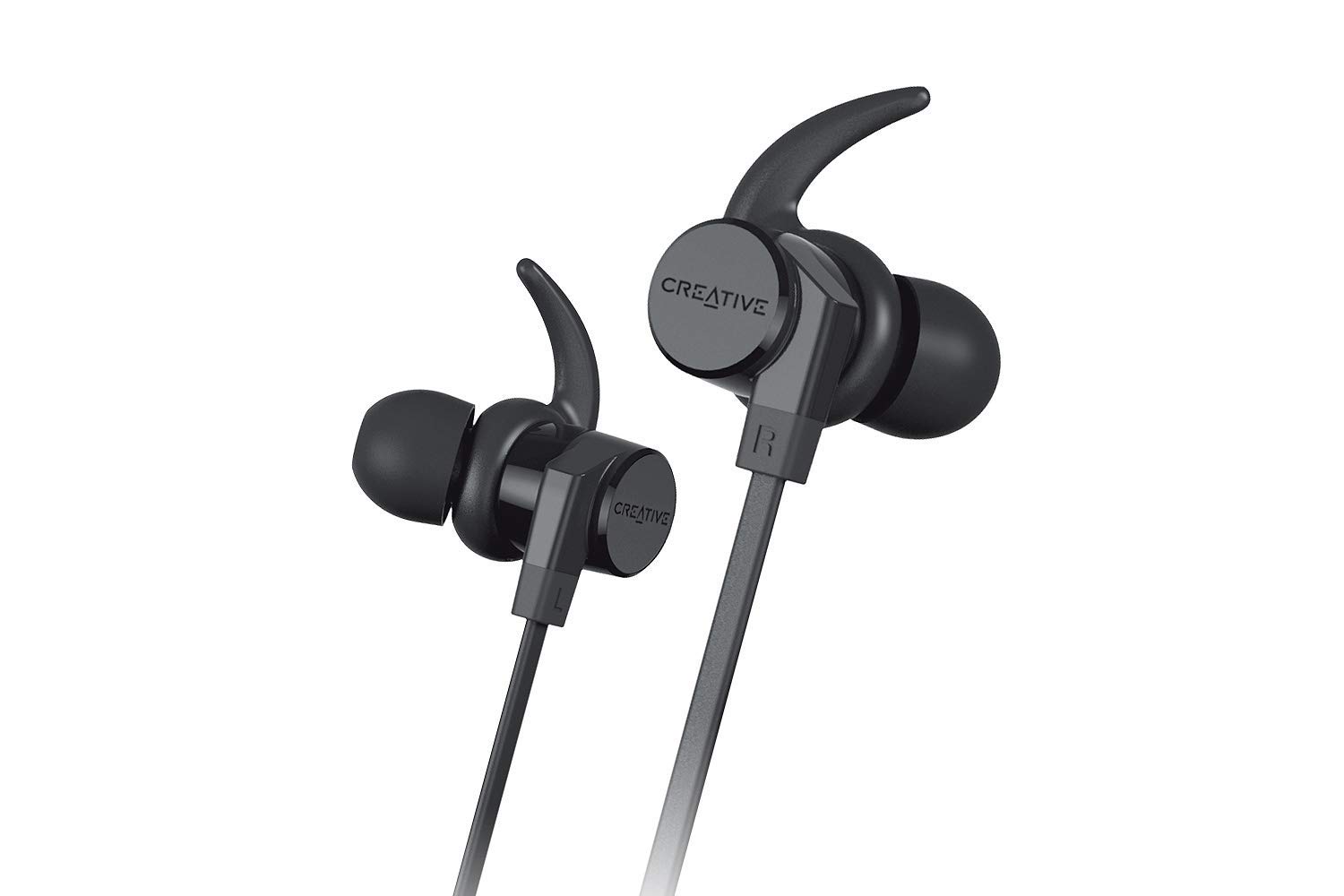
Image: A person running outdoors, illustrating the long battery life suitable for active use.

Image: Close-up of the earphones resting on a wet surface with water droplets, demonstrating their IPX5 sweatproof rating.
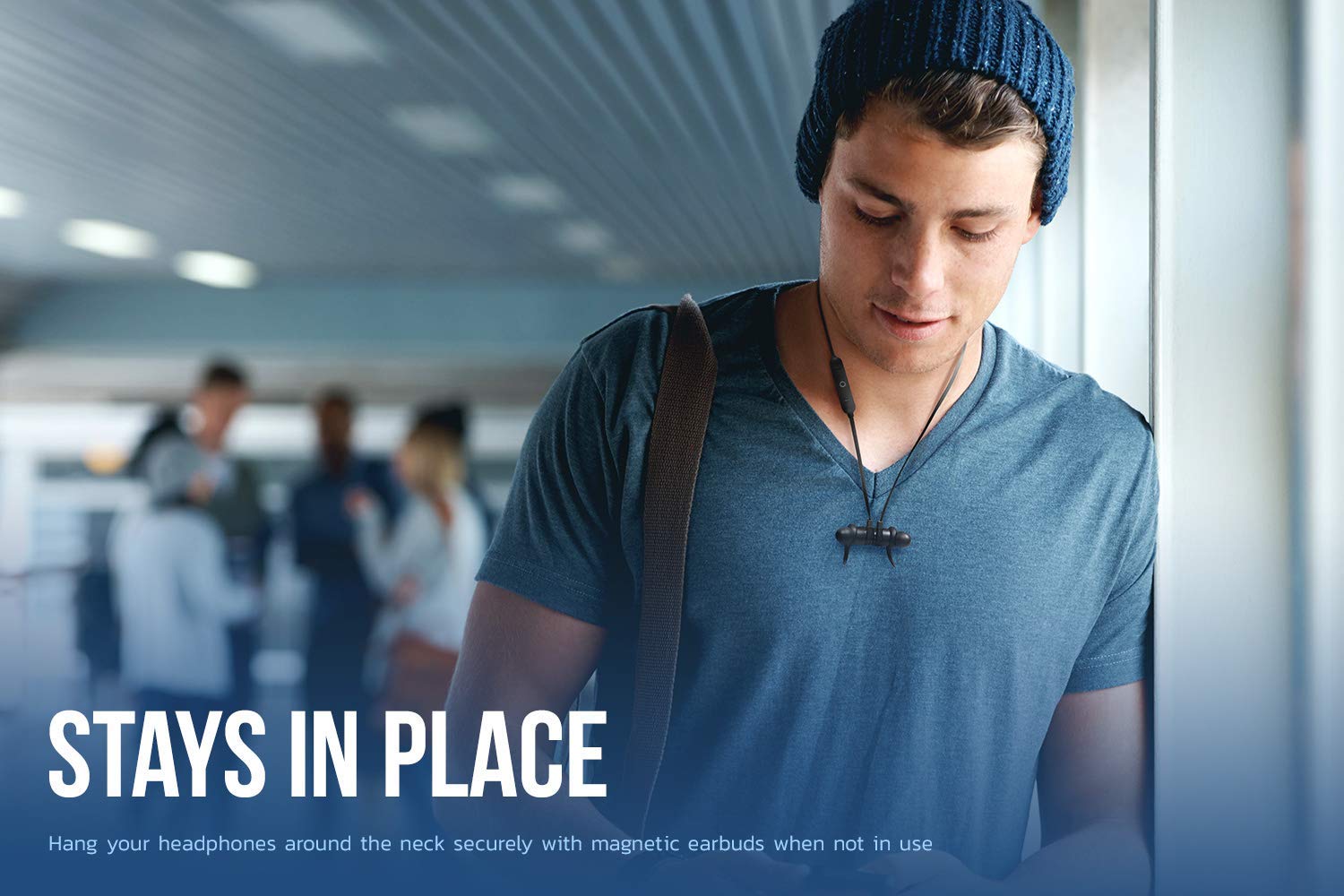
Image: A person wearing the headphones with the earbuds magnetically connected around their neck, illustrating the secure fit feature.

Image: A detailed diagram of the inline control module, indicating buttons for Volume Up/Next Track, Power (ON/OFF)/Play/Pause/Smart Assistant, and Volume Down/Prev. Track.
സജ്ജമാക്കുക
ഹെഡ്ഫോണുകൾ ചാർജ് ചെയ്യുന്നു
- ഇൻലൈൻ കൺട്രോൾ മൊഡ്യൂളിൽ മൈക്രോ യുഎസ്ബി ചാർജിംഗ് പോർട്ട് കണ്ടെത്തുക.
- Connect the provided USB charging cable to the headphones and a power source (e.g., computer USB port, USB wall adapter).
- ചാർജ് ചെയ്യുമ്പോൾ LED ഇൻഡിക്കേറ്റർ പ്രകാശിക്കുകയും നിറം മാറുകയോ പൂർണ്ണമായി ചാർജ് ചെയ്യുമ്പോൾ ഓഫാകുകയോ ചെയ്യും.
ബ്ലൂടൂത്ത് ജോടിയാക്കൽ
- ഹെഡ്ഫോണുകൾ ഓഫാണെന്ന് ഉറപ്പാക്കുക.
- Press and hold the Power button on the inline control module until the LED indicator flashes rapidly (usually blue and red), indicating pairing mode.
- നിങ്ങളുടെ ബ്ലൂടൂത്ത് പ്രാപ്തമാക്കിയ ഉപകരണത്തിൽ (സ്മാർട്ട്ഫോൺ, ടാബ്ലെറ്റ്, കമ്പ്യൂട്ടർ), ബ്ലൂടൂത്ത് ക്രമീകരണങ്ങളിലേക്ക് പോകുക.
- ഇതിനായി തിരയുക available devices and select "Creative Outlier ONE V2" from the list.
- Once connected, the LED indicator on the headphones will typically show a solid blue light or flash slowly.
പ്രവർത്തന നിർദ്ദേശങ്ങൾ
പവർ ഓൺ/ഓഫ്
- പവർ ഓൺ: പവർ ബട്ടൺ ഏകദേശം 3 സെക്കൻഡ് അമർത്തിപ്പിടിക്കുക.
- പവർ ഓഫ്: പവർ ബട്ടൺ ഏകദേശം 3 സെക്കൻഡ് അമർത്തിപ്പിടിക്കുക.
സംഗീത പ്ലേബാക്ക്
- പ്ലേ/താൽക്കാലികമായി നിർത്തുക: പവർ ബട്ടൺ ഒരിക്കൽ അമർത്തുക.
- വോളിയം കൂട്ടുക: '+' ബട്ടൺ അമർത്തുക.
- വോളിയം താഴേക്ക്: '-' ബട്ടൺ അമർത്തുക.
- അടുത്ത ട്രാക്ക്: '+' ബട്ടൺ അമർത്തിപ്പിടിക്കുക.
- മുമ്പത്തെ ട്രാക്ക്: '-' ബട്ടൺ അമർത്തിപ്പിടിക്കുക.
കോൾ മാനേജുമെന്റ്
- ഉത്തരം/അവസാന കോൾ: പവർ ബട്ടൺ ഒരിക്കൽ അമർത്തുക.
- കോൾ നിരസിക്കുക: പവർ ബട്ടൺ 2 സെക്കൻഡ് അമർത്തിപ്പിടിക്കുക.
Smart Assistant (Siri/Google Assistant)
- സജീവമാക്കുക: പവർ ബട്ടൺ രണ്ടുതവണ അമർത്തുക.
മെയിൻ്റനൻസ്
- വൃത്തിയാക്കൽ: Use a soft, dry cloth to wipe the headphones. For ear tips, remove them and clean with mild soap and water, then dry thoroughly before reattaching.
- സംഭരണം: Store the headphones in the provided carrying pouch when not in use to protect them from dust and damage. Avoid storing in extreme temperatures.
- ജല പ്രതിരോധം: While IPX5-certified sweatproof, avoid submerging the headphones in water. Dry them completely if they get wet from sweat or splashes before charging or storing.
- ബാറ്ററി കെയർ: To preserve battery life, avoid fully discharging the headphones frequently. Charge them regularly, even if not in use for extended periods.
ട്രബിൾഷൂട്ടിംഗ്
| പ്രശ്നം | സാധ്യമായ കാരണം | പരിഹാരം |
|---|---|---|
| ഹെഡ്ഫോണുകൾ പവർ ഓൺ ചെയ്യുന്നില്ല. | കുറഞ്ഞ ബാറ്ററി. | ഹെഡ്ഫോണുകൾ പൂർണ്ണമായും ചാർജ് ചെയ്യുക. |
| ഉപകരണവുമായി ജോടിയാക്കാൻ കഴിയില്ല. | ഹെഡ്ഫോണുകൾ ജോടിയാക്കൽ മോഡിൽ ഇല്ല; ഉപകരണ ബ്ലൂടൂത്ത് ഓഫാണ്; ഇടപെടൽ. | Ensure headphones are in pairing mode. Turn device Bluetooth off/on. Move closer to device. |
| ശബ്ദമില്ല അല്ലെങ്കിൽ കുറഞ്ഞ ശബ്ദമില്ല. | ശബ്ദം വളരെ കുറവാണ്; ഹെഡ്ഫോണുകൾ കണക്റ്റ് ചെയ്തിട്ടില്ല; തെറ്റായ ഓഡിയോ ഔട്ട്പുട്ട്. | Increase volume on headphones and device. Reconnect headphones. Check device audio settings. |
| ഇടവിട്ടുള്ള കണക്ഷൻ. | Distance from device; interference. | Reduce distance between headphones and device. Avoid strong Wi-Fi signals or other Bluetooth devices. |
സ്പെസിഫിക്കേഷനുകൾ
| ഫീച്ചർ | വിശദാംശങ്ങൾ |
|---|---|
| മോഡൽ നമ്പർ | EF0850-cr |
| കണക്റ്റിവിറ്റി ടെക്നോളജി | ബ്ലൂടൂത്ത് 5.0 |
| ജല പ്രതിരോധ നില | IPX5 (വിയർപ്പ് പ്രതിരോധം) |
| ബാറ്ററി ലൈഫ് | 9.5 മണിക്കൂർ വരെ |
| ചാർജിംഗ് സമയം | 15 മിനിറ്റ് ചാർജ് ചെയ്താൽ ഒരു മണിക്കൂർ പ്ലേബാക്ക് ലഭിക്കും. |
| മൈക്രോഫോൺ | ബിൽറ്റ്-ഇൻ |
| നിയന്ത്രണ തരം | Inline Buttons (Touch Control) |
| കേബിൾ സവിശേഷത | പിണങ്ങൽ ഫ്രീ |
| ഇനത്തിൻ്റെ ഭാരം | 99.8 ഗ്രാം (ഏകദേശം 0.22 പൗണ്ട്) |
| ഉൽപ്പന്ന അളവുകൾ | 1.91 x 2.79 x 3.4 സെ.മീ (0.75 x 1.1 x 1.34 ഇഞ്ച്) |
| മെറ്റീരിയൽ | സിലിക്കൺ |
| യു.പി.സി | 786513543998 |
വാറൻ്റിയും പിന്തുണയും
This product comes with a minimum six-month supplier-backed warranty, ensuring peace of mind regarding its performance and quality.
For technical support, warranty claims, or further assistance, please refer to the contact information provided with your purchase documentation or visit the official Creative webസൈറ്റ്.
വാറന്റി ആവശ്യങ്ങൾക്കായി നിങ്ങളുടെ വാങ്ങിയതിന്റെ തെളിവ് സൂക്ഷിക്കുക.


