1. ആമുഖം
ആമസോൺ എക്കോ ബഡ്സ് (ഏറ്റവും പുതിയ മോഡൽ), ആക്ടീവ് നോയ്സ് ക്യാൻസലേഷൻ (ANC) ഉള്ള വയർലെസ് ഇയർബഡുകൾ, ഇന്റഗ്രേറ്റഡ് അലക്സ വോയ്സ് കൺട്രോൾ എന്നിവയ്ക്കുള്ള നിർദ്ദേശങ്ങൾ ഈ മാനുവലിൽ നൽകിയിരിക്കുന്നു. നിങ്ങളുടെ ഉപകരണത്തിന്റെ ശരിയായ സജ്ജീകരണം, പ്രവർത്തനം, പരിപാലനം എന്നിവ ഉറപ്പാക്കാൻ ദയവായി ഈ മാനുവൽ നന്നായി വായിക്കുക.

ചിത്രം: ആമസോൺ എക്കോ ബഡ്സ്, അവയുടെ ചാർജിംഗ് കേസ്, അനുയോജ്യമായ വയർലെസ് ചാർജിംഗ് പാഡ്.
2. പാക്കേജ് ഉള്ളടക്കം
നിങ്ങളുടെ എക്കോ ബഡ്സ് പാക്കേജിൽ എല്ലാ ഇനങ്ങളും ഉണ്ടെന്ന് ഉറപ്പാക്കുക:
- എക്കോ ബഡുകൾ (ഇടത്, വലത് ഇയർബഡുകൾ)
- ചാർജിംഗ് കേസ്
- 4 ജോഡി ചെവിയുടെ അഗ്രങ്ങൾ (വ്യത്യസ്ത വലുപ്പങ്ങൾ)
- 2 ജോഡി ചിറകിന്റെ അഗ്രഭാഗങ്ങൾ (വ്യത്യസ്ത വലുപ്പങ്ങൾ)
- യുഎസ്ബി-സി കേബിൾ
- ദ്രുത ആരംഭ ഗൈഡ്
3. സജ്ജീകരണം
3.1 എക്കോ ബഡുകൾ ചാർജ് ചെയ്യുന്നു
ആദ്യ ഉപയോഗത്തിന് മുമ്പ്, നിങ്ങളുടെ എക്കോ ബഡുകളും അവയുടെ ചാർജിംഗ് കേസും പൂർണ്ണമായും ചാർജ് ചെയ്യുക.
- ചാർജിംഗ് കേസിൽ എക്കോ ബഡുകൾ വയ്ക്കുക. അവ ശരിയായി സ്ഥാപിച്ചിട്ടുണ്ടെന്ന് ഉറപ്പാക്കുക.
- USB-C കേബിൾ ചാർജിംഗ് കേസിലേക്കും ഒരു പവർ അഡാപ്റ്ററിലേക്കും (ഉൾപ്പെടുത്തിയിട്ടില്ല) ബന്ധിപ്പിക്കുക.
- പകരമായി, നിങ്ങൾക്ക് ഒരു വയർലെസ് ചാർജിംഗ് കേസ് ഉണ്ടെങ്കിൽ, കേസ് ഒരു Qi- സാക്ഷ്യപ്പെടുത്തിയ വയർലെസ് ചാർജിംഗ് പാഡിൽ സ്ഥാപിക്കുക.
- കേസിലെ LED ഇൻഡിക്കേറ്റർ ചാർജിംഗ് സ്റ്റാറ്റസ് കാണിക്കും. പൂർണ്ണമായി ചാർജ് ചെയ്യാൻ സാധാരണയായി കുറച്ച് മണിക്കൂറുകൾ എടുക്കും.

ചിത്രം: ആമസോൺ എക്കോ ബഡ്സ് അവരുടെ തുറന്ന ചാർജിംഗ് കേസിനുള്ളിൽ, വയർലെസ് ചാർജിംഗ് പാഡിന് അടുത്തായി.
3.2 നിങ്ങളുടെ ഉപകരണവുമായി ജോടിയാക്കൽ
നിങ്ങളുടെ എക്കോ ബഡുകൾ ഒരു സ്മാർട്ട്ഫോണുമായോ ടാബ്ലെറ്റുമായോ ജോടിയാക്കാൻ:
- എക്കോ ബഡ്സ് ഉള്ളിൽ വെച്ച് ചാർജിംഗ് കേസ് തുറക്കുക. കേസിലെ LED നീല നിറത്തിൽ പൾസ് ചെയ്യണം, ഇത് ജോടിയാക്കൽ മോഡിനെ സൂചിപ്പിക്കുന്നു.
- നിങ്ങളുടെ സ്മാർട്ട്ഫോണിൽ, ബ്ലൂടൂത്ത് ക്രമീകരണങ്ങളിലേക്ക് പോയി ലഭ്യമായ ഉപകരണങ്ങളുടെ ലിസ്റ്റിൽ നിന്ന് 'എക്കോ ബഡ്സ്' തിരഞ്ഞെടുക്കുക.
- ജോടിയാക്കൽ പ്രക്രിയ പൂർത്തിയാക്കാൻ ഏതെങ്കിലും ഓൺ-സ്ക്രീൻ നിർദ്ദേശങ്ങൾ പാലിക്കുക.
3.3 Alexa ആപ്പ് സജ്ജീകരണവും ഫിറ്റ് ടെസ്റ്റും
പൂർണ്ണമായ പ്രവർത്തനത്തിനായി, നിങ്ങളുടെ സ്മാർട്ട്ഫോണിൽ Alexa ആപ്പ് ഇൻസ്റ്റാൾ ചെയ്യുക.
- അലക്സാ അപ്ലിക്കേഷൻ ഡൗൺലോഡുചെയ്ത് തുറക്കുക.
- നിങ്ങളുടെ എക്കോ ബഡ്സ് ഒരു പുതിയ ഉപകരണമായി ചേർക്കാൻ ആപ്പിലെ നിർദ്ദേശങ്ങൾ പാലിക്കുക.
- ഒപ്റ്റിമൽ ശബ്ദത്തിനും ആക്റ്റീവ് നോയ്സ് റദ്ദാക്കലിനും ഏറ്റവും മികച്ച ഇയർ ടിപ്പുകളും വിംഗ് ടിപ്പുകളും തിരഞ്ഞെടുക്കാൻ നിങ്ങളെ സഹായിക്കുന്നതിന് ഫിറ്റ് ടെസ്റ്റിലൂടെ ആപ്പ് നിങ്ങളെ നയിക്കും.
4. എക്കോ ബഡ്സ് പ്രവർത്തിപ്പിക്കൽ
4.1 ടച്ച് നിയന്ത്രണങ്ങൾ
എക്കോ ബഡ്സിൽ ഇഷ്ടാനുസൃതമാക്കാവുന്ന ടച്ച് നിയന്ത്രണങ്ങൾ ഉണ്ട്:
- ഒറ്റ ടാപ്പ്: ഓഡിയോ പ്ലേ ചെയ്യുക/താൽക്കാലികമായി നിർത്തുക, കോൾ സ്വീകരിക്കുക/അവസാനിപ്പിക്കുക.
- ഇരട്ട ടാപ്പ്: ട്രാക്ക് ഒഴിവാക്കുക, കോൾ നിരസിക്കുക, സജീവ ശബ്ദ റദ്ദാക്കൽ/പാസ്ത്രൂ ടോഗിൾ ചെയ്യുക.
- ട്രിപ്പിൾ ടാപ്പ്: മുമ്പത്തെ ട്രാക്കിലേക്ക് പോകുക.
- അമർത്തിപ്പിടിക്കുക: വോയ്സ് അസിസ്റ്റന്റ് (അലക്സ, സിരി, ഗൂഗിൾ അസിസ്റ്റന്റ്) ആക്സസ് ചെയ്യുക.
Alexa ആപ്പിനുള്ളിൽ ഈ നിയന്ത്രണങ്ങൾ ഇഷ്ടാനുസൃതമാക്കുക.
4.2 ആക്ടീവ് നോയ്സ് റദ്ദാക്കലും (ANC) പാസ്ത്രൂ മോഡും
പശ്ചാത്തല ശബ്ദം കുറയ്ക്കുന്നതിന് എക്കോ ബഡുകൾ ആക്ടീവ് നോയ്സ് ക്യാൻസലേഷനും ആംബിയന്റ് ശബ്ദങ്ങൾ കേൾക്കാൻ അനുവദിക്കുന്നതിന് പാസ്ത്രൂ മോഡും ഉപയോഗിക്കുന്നു.
- ANC: ആഴത്തിലുള്ള ഓഡിയോ അനുഭവത്തിനായി ബാഹ്യ ശബ്ദം കുറയ്ക്കുന്നു.
- കടന്നുപോകുക: ഇയർബഡുകൾ നീക്കം ചെയ്യാതെ തന്നെ നിങ്ങളുടെ ചുറ്റുപാടുകൾ കേൾക്കാൻ നിങ്ങളെ അനുവദിക്കുന്നു.
ടച്ച് കൺട്രോളുകൾ അല്ലെങ്കിൽ അലക്സ ആപ്പ് ഉപയോഗിച്ച് ANC, പാസ്ത്രൂ മോഡുകൾക്കിടയിൽ ടോഗിൾ ചെയ്യുക.

ചിത്രം: ശബ്ദ തരംഗങ്ങളുടെ ദൃശ്യ പ്രാതിനിധ്യമുള്ള ഒരു എക്കോ ബഡ്, സജീവമായ ശബ്ദ റദ്ദാക്കലിന്റെ പ്രഭാവം ചിത്രീകരിക്കുന്നു.
4.3 അലക്സ ഉപയോഗിക്കുന്നു
അലക്സ ആപ്പ് ഇൻസ്റ്റാൾ ചെയ്ത് എക്കോ ബഡ്സ് കണക്റ്റുചെയ്താൽ, നിങ്ങൾക്ക് അലക്സ ഹാൻഡ്സ് ഫ്രീ ഉപയോഗിക്കാം.
- "Alexa" എന്ന് പറഞ്ഞതിന് ശേഷം കമാൻഡ് നൽകുക.
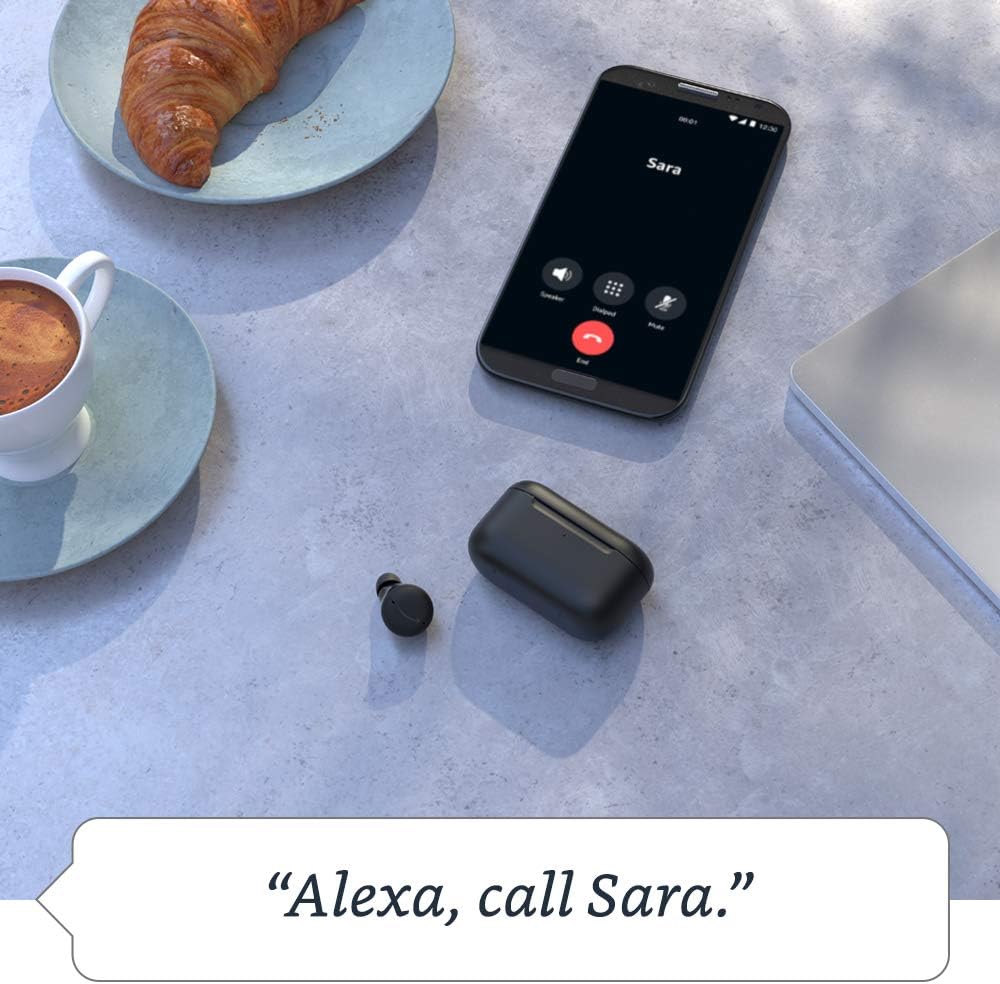
- Examp"അലക്സാ, സംഗീതം പ്ലേ ചെയ്യൂ," "അലക്സാ, കാലാവസ്ഥ എന്താണ്?" "അലക്സാ, സാറയെ വിളിക്കൂ."

ചിത്രം: ഒരു മേശപ്പുറത്ത് ഒരു എക്കോ ബഡും അതിന്റെ ചാർജിംഗ് കേസും ഉള്ള ഒരു സജീവ കോൾ സ്ക്രീൻ പ്രദർശിപ്പിക്കുന്ന ഒരു സ്മാർട്ട്ഫോൺ, 'അലക്സ, സാറയെ വിളിക്കൂ' സവിശേഷത പ്രദർശിപ്പിക്കുന്നു.
4.4 ഓഡിയോ വ്യക്തിഗതമാക്കൽ
നിങ്ങളുടെ ശ്രവണ മുൻഗണനകൾക്ക് അനുസൃതമായി ശബ്ദ ഔട്ട്പുട്ട് മികച്ചതാക്കാൻ Alexa ആപ്പ് ഓഡിയോ വ്യക്തിഗതമാക്കൽ വാഗ്ദാനം ചെയ്യുന്നു. ഈ സവിശേഷത ഓഡിയോ ആസ്വാദനം വർദ്ധിപ്പിക്കുന്നതിനാണ്, കേൾവി അവസ്ഥകൾ കണ്ടെത്തുന്നതിനോ ചികിത്സിക്കുന്നതിനോ ഉദ്ദേശിച്ചുള്ളതല്ല.
5. പരിപാലനം
5.1 വൃത്തിയാക്കൽ
പതിവായി വൃത്തിയാക്കുന്നത് ശബ്ദ നിലവാരവും ഉപകരണത്തിന്റെ ദീർഘായുസ്സും നിലനിർത്താൻ സഹായിക്കുന്നു.
- മൃദുവായതും ഉണങ്ങിയതും ലിന്റ് രഹിതവുമായ ഒരു തുണി ഉപയോഗിച്ച് ഇയർബഡുകളും ചാർജിംഗ് കെയ്സും സൌമ്യമായി തുടയ്ക്കുക.
- ചെവിയുടെ അറ്റം നീക്കം ചെയ്ത് പരസ്യം ഉപയോഗിച്ച് വൃത്തിയാക്കുക.amp ആവശ്യമെങ്കിൽ തുണിയും വീര്യം കുറഞ്ഞ സോപ്പും ഉപയോഗിക്കുക, തുടർന്ന് വീണ്ടും ഘടിപ്പിക്കുന്നതിന് മുമ്പ് നന്നായി ഉണക്കുക.
- ഉരച്ചിലുകൾ ഉള്ള വസ്തുക്കളോ കഠിനമായ രാസവസ്തുക്കളോ ഉപയോഗിക്കരുത്.
5.2 ജല പ്രതിരോധം
എക്കോ ബഡുകൾക്ക് (ഇയർബഡുകൾക്ക് മാത്രം) IPX4 റേറ്റിംഗ് ഉണ്ട്, അതായത് ഏത് ദിശയിൽ നിന്നും വെള്ളം തെറിക്കുന്നത് ചെറുക്കാൻ അവ പരീക്ഷിക്കപ്പെടുന്നു. വെള്ളത്തിൽ മുങ്ങുന്നതിനോ സമ്മർദ്ദത്തിലുള്ള വാട്ടർ ജെറ്റുകളിൽ സമ്പർക്കം പുലർത്തുന്നതിനോ വേണ്ടി അവ രൂപകൽപ്പന ചെയ്തിട്ടില്ല. ചാർജിംഗ് കേസ് ജല പ്രതിരോധശേഷിയുള്ളതല്ല.
5.3 ബാറ്ററി കെയർ
ബാറ്ററി ലൈഫ് വർദ്ധിപ്പിക്കാൻ:
- തീവ്രമായ താപനില ഒഴിവാക്കുക.
- ഉപയോഗത്തിലില്ലാത്തപ്പോൾ ഇയർബഡുകൾ അവയുടെ ചാർജിംഗ് കേസിൽ സൂക്ഷിക്കുക.
- കേസ് പതിവായി ചാർജ് ചെയ്യുക.
ചിത്രം: വയർലെസ് ചാർജിംഗ് പാഡിൽ സ്ഥാപിച്ചിരിക്കുന്ന ഒരു എക്കോ ബഡ്സ് ചാർജിംഗ് കേസ്, ഒരു എക്കോ ഷോ ഉപകരണത്തിനൊപ്പം ഒരു മര മേശയിൽ സ്ഥാപിച്ചിരിക്കുന്നു, ഇത് ചാർജിംഗ് കഴിവുകൾ ചിത്രീകരിക്കുന്നു.
6. പ്രശ്നപരിഹാരം
6.1 പൊതുവായ പ്രശ്നങ്ങളും പരിഹാരങ്ങളും
- ശബ്ദമില്ല: ഇയർബഡുകൾ ചാർജ് ചെയ്തിട്ടുണ്ടെന്നും, ചെവികളിൽ ശരിയായി ഘടിപ്പിച്ചിട്ടുണ്ടെന്നും, ബ്ലൂടൂത്ത് വഴി ബന്ധിപ്പിച്ചിട്ടുണ്ടെന്നും ഉറപ്പാക്കുക. നിങ്ങളുടെ ഉപകരണത്തിലെ വോളിയം ലെവലുകൾ പരിശോധിക്കുക.
- ജോടിയാക്കൽ പ്രശ്നങ്ങൾ: ഇയർബഡുകൾ ജോടിയാക്കൽ മോഡിലാണെന്ന് ഉറപ്പാക്കുക (നീല പൾസിംഗ് ലൈറ്റ്). നിങ്ങളുടെ ഉപകരണത്തിൽ ബ്ലൂടൂത്ത് ഓഫാക്കി വീണ്ടും ഓണാക്കുക. ഉപകരണം മറന്ന് വീണ്ടും ജോടിയാക്കാൻ ശ്രമിക്കുക.
- സജീവ ശബ്ദ റദ്ദാക്കൽ പ്രവർത്തിക്കുന്നില്ല: ശരിയായ ഇയർ ടിപ്പുകൾ ഉപയോഗിച്ച് ശരിയായ സീൽ ഉറപ്പാക്കുക. Alexa ആപ്പിലോ ടച്ച് കൺട്രോളുകൾ വഴിയോ ANC പ്രവർത്തനക്ഷമമാക്കിയിട്ടുണ്ടെന്ന് ഉറപ്പാക്കുക.
- മൈക്രോഫോൺ പ്രശ്നങ്ങൾ: ഇയർബഡുകൾ വൃത്തിയുള്ളതാണെന്നും അവ തടസ്സപ്പെട്ടിട്ടില്ലെന്നും ഉറപ്പാക്കുക. Alexa ആപ്പിൽ മൈക്രോഫോൺ ക്രമീകരണങ്ങൾ പരിശോധിക്കുക.
6.2 എക്കോ ബഡുകൾ പുനഃസജ്ജമാക്കുന്നു
പ്രശ്നങ്ങൾ നിലനിൽക്കുകയാണെങ്കിൽ, നിങ്ങളുടെ എക്കോ ബഡുകൾ റീസെറ്റ് ചെയ്യേണ്ടി വന്നേക്കാം. ഫാക്ടറി റീസെറ്റ് എങ്ങനെ നടത്താമെന്നതിനെക്കുറിച്ചുള്ള നിർദ്ദിഷ്ട നിർദ്ദേശങ്ങൾക്ക് Alexa ആപ്പ് പരിശോധിക്കുക, കാരണം പ്രക്രിയയിൽ ചെറിയ വ്യത്യാസമുണ്ടാകാം.

ചിത്രം: അലക്സ ആപ്പ് ഇന്റർഫേസ് പ്രദർശിപ്പിക്കുന്ന ഒരു സ്മാർട്ട്ഫോൺ, ബാറ്ററി ശതമാനം കാണിക്കുന്നു.tagഇടത്, വലത് എക്കോ ബഡുകളുടെയും ചാർജിംഗ് കേസിന്റെയും e, ANC, മ്യൂട്ട് ചെയ്യുന്ന മൈക്രോഫോണുകൾ എന്നിവയ്ക്കുള്ള ഓപ്ഷനുകൾക്കൊപ്പം.
7 സ്പെസിഫിക്കേഷനുകൾ
| ഫീച്ചർ | സ്പെസിഫിക്കേഷൻ |
|---|---|
| ഇയർബഡ് അളവുകൾ | 20.0 x 19.1 x 19.1 മിമി (ചെവിയുടെ അഗ്രമോ ചിറകിന്റെ അഗ്രമോ ഇല്ലാതെ) |
| കേസ് അളവുകൾ | 66.8 x 28.6 x 39.1 മിമി |
| ഇയർബഡ് ഭാരം | 5.7 ഗ്രാം (ചെവിയുടെ അഗ്രമോ ചിറകിന്റെ അഗ്രമോ ഇല്ലാതെ) |
| കേസ് ഭാരം | 44.4 ഗ്രാം (വയർലെസ് ചാർജിംഗ് കേസിന് 47.6 ഗ്രാം) |
| കണക്റ്റിവിറ്റി | അലക്സ ആപ്പ് വഴി ബ്ലൂടൂത്ത് 5.0, വൈ-ഫൈ അല്ലെങ്കിൽ മൊബൈൽ ഡാറ്റ |
| പ്രോസസ്സറുകൾ | റിയൽടെക് RTL8763C ബ്ലൂടൂത്ത് സിസ്റ്റം ഓൺ ചിപ്പ്, NXP ഡിജിറ്റൽ സിഗ്നൽ പ്രോസസർ |
| സ്പീക്കറുകൾ | 5.7 എംഎം ഡൈനാമിക് ഡ്രൈവർ |
| മൈക്രോഫോണുകൾ | ഇയർബഡിന് 3 രൂപ (2 ബാഹ്യ ബീംഫോർമിംഗ്, 1 ആന്തരികം) |
| ജല പ്രതിരോധം | IPX4 (ഇയർബഡുകൾ മാത്രം) |
| സെൻസറുകൾ | ആക്സിലറോമീറ്റർ, പ്രോക്സിമിറ്റി, ടച്ച്, ഹാൾ (കേസ്) |
| ബാറ്ററി ലൈഫ് (ANC ഓൺ) | 5 മണിക്കൂർ വരെ സംഗീത പ്ലേബാക്ക് (കേസിനൊപ്പം ആകെ 15 മണിക്കൂർ) |
| ബാറ്ററി ലൈഫ് (ANC ഓഫ്) | 6.5 മണിക്കൂർ വരെ സംഗീത പ്ലേബാക്ക് (കേസിനൊപ്പം ആകെ 19.5 മണിക്കൂർ) |
| ദ്രുത ചാർജ്ജ് | 15 മിനിറ്റ് ചാർജ് ചെയ്താൽ 2 മണിക്കൂർ വരെ സംഗീതം പ്ലേ ചെയ്യാൻ കഴിയും. |
| വയർലെസ് ചാർജിംഗ് | ക്വി-സർട്ടിഫൈഡ് വയർലെസ് ചാർജിംഗ് പാഡുകൾ അനുയോജ്യമാണ് (വയർലെസ് ചാർജിംഗ് കേസിനൊപ്പം) |
| സ്വകാര്യതാ സവിശേഷതകൾ | വേക്ക് വേഡ് സാങ്കേതികവിദ്യ, സ്ട്രീമിംഗ് ഇൻഡിക്കേറ്റർ, അലക്സാ ആപ്പിലെ മ്യൂട്ട് ബട്ടൺ, വോയ്സ് റെക്കോർഡിംഗ് മാനേജ്മെന്റ് |
8. വാറൻ്റിയും പിന്തുണയും
8.1 ലിമിറ്റഡ് വാറൻ്റി
നിങ്ങളുടെ ആമസോൺ എക്കോ ബഡുകൾക്ക് 1 വർഷത്തെ പരിമിത വാറണ്ടിയും സേവനവും ഉണ്ട്. ഓപ്ഷണൽ എക്സ്റ്റൻഡഡ് വാറണ്ടികൾ (1-വർഷം, 2-വർഷം, 3-വർഷം) യുഎസിൽ വെവ്വേറെ വാങ്ങാൻ ലഭ്യമായേക്കാം. എക്കോ ബഡുകളുടെ ഉപയോഗം ഈ നിബന്ധനകൾക്ക് വിധേയമാണ്.
8.2 ഉപഭോക്തൃ പിന്തുണ
കൂടുതൽ സഹായം, ട്രബിൾഷൂട്ടിംഗ് അല്ലെങ്കിൽ വാറന്റി ക്ലെയിമുകൾ എന്നിവയ്ക്കായി, ദയവായി ആമസോൺ പിന്തുണ സന്ദർശിക്കുക webആമസോണിന്റെ സൈറ്റിൽ ചേരുകയോ നേരിട്ട് ഉപഭോക്തൃ സേവനവുമായി ബന്ധപ്പെടുകയോ ചെയ്യുക. അലക്സാ ആപ്പ് ഉറവിടങ്ങളും ഡയഗ്നോസ്റ്റിക് ഉപകരണങ്ങളും നൽകുന്നു.


