1. ആമുഖം
This manual provides comprehensive instructions for the CableCreation USB 3.0 to Gigabit Ethernet Adapter (Model CD0759). This device allows you to connect your USB 3.0 enabled computer or laptop to a wired network, providing a stable and high-speed internet connection up to 1000 Mbps. Please read this manual thoroughly before using the product to ensure proper operation and longevity.
2. ഉൽപ്പന്നം കഴിഞ്ഞുview
The CableCreation USB 3.0 to Gigabit Ethernet Adapter is designed for reliable and fast network connectivity. Key features include:
- ഹൈ-സ്പീഡ് കണക്റ്റിവിറ്റി: Supports Gigabit Ethernet (1000 Mbps) with backward compatibility for 10/100 Mbps networks.
- യുഎസ്ബി 3.0 ഇന്റർഫേസ്: Utilizes a SuperSpeed USB 3.0 interface for data transfer rates up to 5 Gbps.
- മോടിയുള്ള ഡിസൈൻ: Features a premium aluminum housing for efficient heat dissipation and a flexible, braided cable for enhanced durability.
- ഒതുക്കമുള്ളതും പോർട്ടബിൾ: Lightweight and small form factor for easy transport.

Figure 2.1: CableCreation USB 3.0 to Gigabit Ethernet Adapter. This image shows the adapter with its USB 3.0 connector and RJ45 port, connected by a braided cable.
2.1 ഡിസൈൻ സവിശേഷതകൾ
- Braided Cable: The 12cm (approximately 4.8 inches) braided cotton cable provides extra strength and durability, reducing strain on the USB port.
- അലുമിനിയം ഹൗസിംഗ്: The adapter's aluminum alloy casing offers superior thermal insulation and faster heat dissipation compared to plastic alternatives.
- USB 3.0 Plug: Designed for secure and stable connection, supporting up to 1 Gbps data transmission.
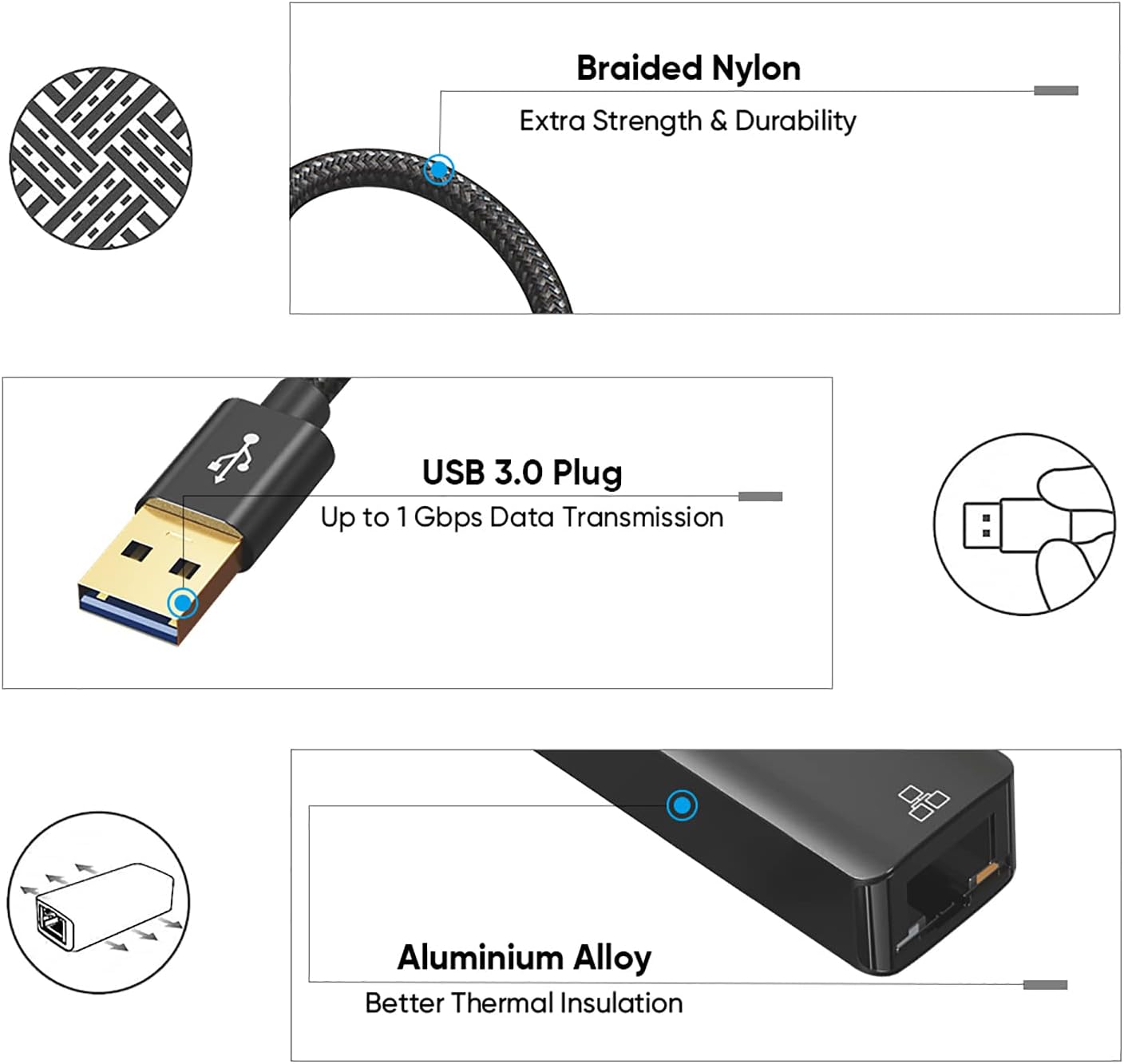
ചിത്രം 2.2: വിശദമായി view of the adapter's design, highlighting the braided nylon cable for durability, the USB 3.0 plug for high-speed data, and the aluminum alloy housing for thermal management.
2.2 LED സൂചകങ്ങൾ
The adapter features two LED indicators to provide status information:
- Signal Indicator (Yellow): നെറ്റ്വർക്ക് പ്രവർത്തനത്തെ സൂചിപ്പിക്കുന്നു.
- Connection Indicator (Green): Indicates a successful network connection.

Figure 2.3: Close-up of the RJ45 port showing the yellow signal indicator and green connection indicator LEDs.
3. സജ്ജീകരണം
Setting up your CableCreation USB 3.0 to Gigabit Ethernet Adapter is a straightforward process.
3.1 അഡാപ്റ്റർ ബന്ധിപ്പിക്കുന്നു
- Locate an available USB 3.0 port on your computer or laptop.
- Plug the USB 3.0 connector of the adapter into the USB 3.0 port on your device.
- Connect a standard RJ45 Ethernet cable from your router or network switch to the RJ45 port on the adapter.

Figure 3.1: The adapter connected to a laptop's USB port, providing an RJ45 Ethernet connection.
3.2 ഡ്രൈവർ ഇൻസ്റ്റലേഷൻ
- പ്ലഗ് ആൻഡ് പ്ലേ: For most mainstream operating systems such as Chrome OS, Windows 10/8.1/8, the adapter is plug and play, requiring no manual driver installation.
- Driver Installation Required: For Windows 7/XP/Vista, macOS, and Linux systems, you may need to install a driver for first-time use. Typically, the necessary drivers are automatically detected and installed by the operating system upon connection. If not, please refer to the CableCreation support webഡ്രൈവർ ഡൗൺലോഡുകൾക്കുള്ള സൈറ്റ്.
4. പ്രവർത്തന നിർദ്ദേശങ്ങൾ
Once the adapter is connected and drivers are installed (if necessary), your computer should automatically detect the wired network connection.
- Verify the green connection indicator LED on the adapter is illuminated, indicating a successful physical connection to the network.
- The yellow signal indicator LED will flash to show network activity (data transmission).
- Your operating system's network settings should display a new wired connection. You can configure network preferences (e.g., IP address, DNS) through your system's network control panel if required by your network administrator.
- Enjoy a stable and high-speed wired internet connection.
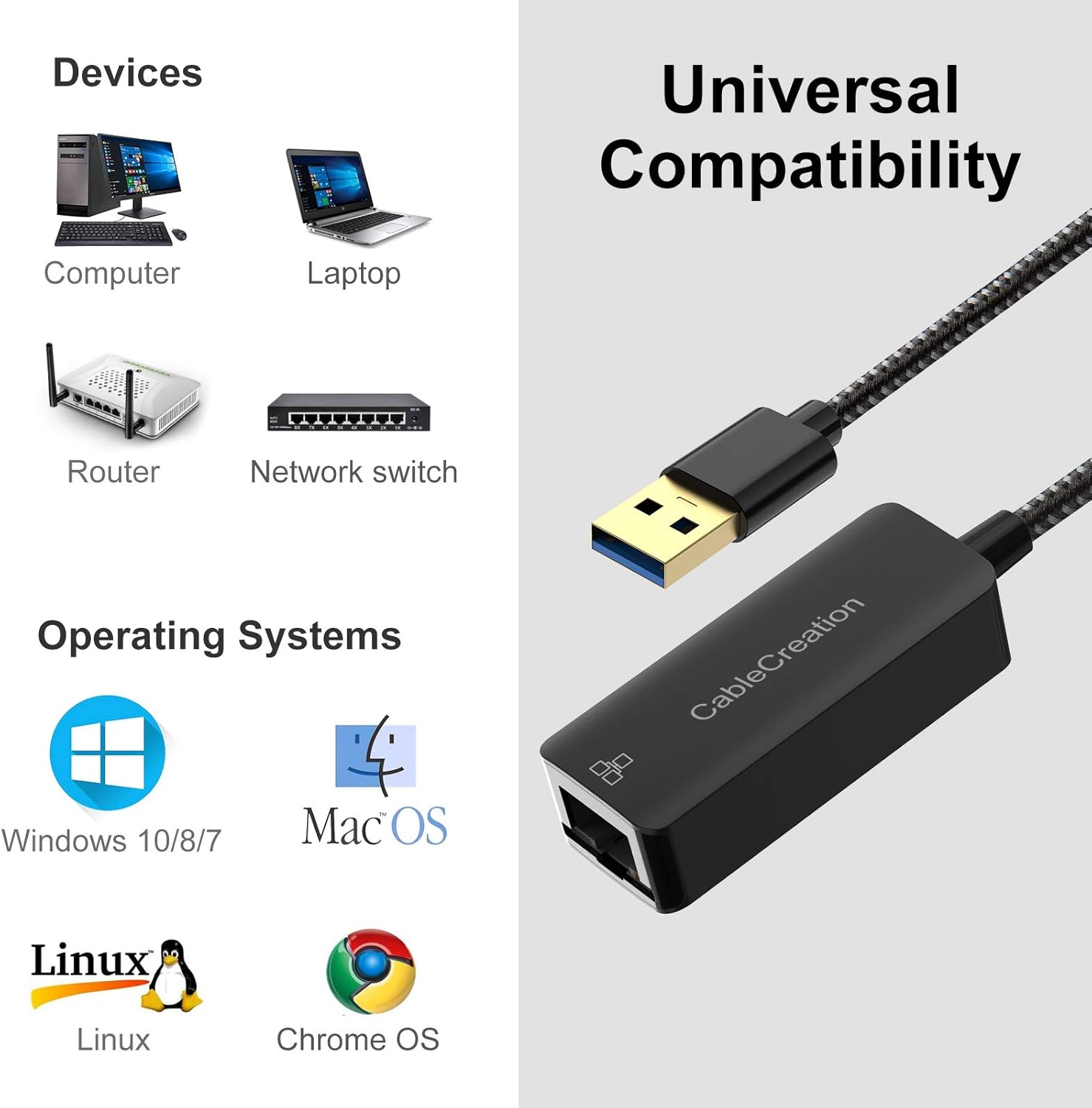
Figure 4.1: A laptop connected to a wired network via the USB to Ethernet adapter, illustrating a stable connection for tasks like data download or streaming.

Figure 4.2: Visual comparison demonstrating the potential speed and stability benefits of a wired connection (1000Mbps) over a typical Wi-Fi connection (3Mbps) for tasks like downloading large files.
5 അനുയോജ്യത
The CableCreation USB 3.0 to Gigabit Ethernet Adapter offers broad compatibility with various devices and operating systems.
5.1 പിന്തുണയ്ക്കുന്ന ഓപ്പറേറ്റിംഗ് സിസ്റ്റങ്ങൾ
- Windows (32/64 bit) 10 / 8.1 / 8 / 7 / Vista / XP
- Mac OS X 10.5 അല്ലെങ്കിൽ അതിനുശേഷമുള്ളത്
- ലിനക്സ്
- Chrome OS
5.2 അനുയോജ്യമായ ഉപകരണങ്ങൾ
The adapter is compatible with a wide range of devices including laptops, PCs, and tablets that have a USB 3.0 port. It is ideal for devices lacking a built-in RJ45 Ethernet port.
കുറിപ്പ്: ഈ അഡാപ്റ്റർ അല്ല compatible with Nintendo Switch, Wii, or Wii U.

Figure 5.1: Visual representation of the adapter's universal compatibility with various devices (computers, laptops, routers, network switches) and operating systems (Windows, macOS, Linux, Chrome OS).
6. പ്രശ്നപരിഹാരം
നിങ്ങൾ നേരിട്ടേക്കാവുന്ന പൊതുവായ ചോദ്യങ്ങളും പ്രശ്നങ്ങളും ഈ വിഭാഗം അഭിസംബോധന ചെയ്യുന്നു.
Q1: Does this LAN adapter require a driver?
A1: For most modern operating systems like Chrome OS, Windows 10/8.1/8, it is plug and play, meaning no driver software is required. However, for Windows 7/XP/Vista, macOS, and Linux systems, you may need to install a driver for first-time use. Your system usually handles this automatically. If not, check the CableCreation support webനിർദ്ദിഷ്ട ഡ്രൈവർ ഡൗൺലോഡുകൾക്കായുള്ള സൈറ്റ്.
Q2: Will this work with Nintendo Switch?
A2: No, this adapter is not compatible with Nintendo Switch, Wii, or Wii U.
Q3: Will the Ethernet adapter overheat during operation?
A3: The adapter's temperature remains within a reasonable operating range. The aluminum housing is specifically designed to offer faster heat dissipation, preventing overheating.
7 സ്പെസിഫിക്കേഷനുകൾ
| മോഡൽ നമ്പർ | CD0759 |
| ബ്രാൻഡ് | കേബിൾ ക്രിയേഷൻ |
| ഹാർഡ്വെയർ ഇന്റർഫേസ് | USB 3.0, Ethernet (RJ45) |
| ഡാറ്റ ലിങ്ക് പ്രോട്ടോക്കോൾ | Ethernet, Fast Ethernet, IEEE 802.3, USB |
| ഡാറ്റ കൈമാറ്റ നിരക്ക് | സെക്കൻഡിൽ 1000 മെഗാബൈറ്റ്സ് (Mbps) |
| ഉൽപ്പന്ന അളവുകൾ | 18.49 x 11.71 x 1.7 സെ.മീ |
| ഇനത്തിൻ്റെ ഭാരം | 26 ഗ്രാം |
| ഹൗസിംഗ് മെറ്റീരിയൽ | അലുമിനിയം |
| കേബിൾ നീളം | ഏകദേശം 12 സെ.മീ (4.8 ഇഞ്ച്) |

Figure 7.1: Diagram illustrating the compact dimensions of the adapter, highlighting its slim and portable design.
8. പരിപാലനം
To ensure the longevity and optimal performance of your CableCreation USB 3.0 to Gigabit Ethernet Adapter, follow these simple maintenance guidelines:
- വൃത്തിയാക്കൽ: Use a soft, dry cloth to gently wipe the adapter. Avoid using liquid cleaners or solvents, as they may damage the device.
- സംഭരണം: ഉപയോഗത്തിലില്ലാത്തപ്പോൾ, അഡാപ്റ്റർ നേരിട്ട് സൂര്യപ്രകാശത്തിൽ നിന്നും തീവ്രമായ താപനിലയിൽ നിന്നും തണുത്തതും വരണ്ടതുമായ സ്ഥലത്ത് സൂക്ഷിക്കുക.
- കൈകാര്യം ചെയ്യൽ: Avoid bending the cable excessively or applying undue force to the connectors. Always grasp the plug when connecting or disconnecting, not the cable.
- പരിസ്ഥിതി: Do not expose the adapter to water, moisture, or high humidity.
9. വാറൻ്റിയും പിന്തുണയും
CableCreation products are designed for reliability and performance. For specific warranty information, please refer to the documentation included with your purchase or visit the official CableCreation webസൈറ്റ്.
സാങ്കേതിക പിന്തുണയ്ക്കോ, ഡ്രൈവർ ഡൗൺലോഡുകൾക്കോ, കൂടുതൽ സഹായത്തിനോ, ദയവായി സന്ദർശിക്കുക CableCreation Store on Amazon അല്ലെങ്കിൽ അവരുടെ ഔദ്യോഗിക പിന്തുണാ ചാനലുകൾ.


