1. ഉൽപ്പന്നം കഴിഞ്ഞുview
This universal remote control is designed to provide seamless operation for a wide range of Samsung Smart TVs. It offers a user-friendly experience with no complex programming or pairing required, allowing for immediate use right out of the box. The remote features dedicated shortcut buttons for popular streaming services, enhancing convenience.

ചിത്രം 1.1: മുൻഭാഗം view of the ATA-D Universal Remote Control.
2 അനുയോജ്യത
The ATA-D Universal Remote Control is compatible with all Samsung series TVs, including models from 2017 through 2024. This includes, but is not limited to, LCD, LED, UHD, QLED, and 4K HDR TV models. Specific compatible series include:
- 2023 പരമ്പര: Q60C, QN85C, CU7000, CU8000, QN90C, Q70C, Q80C, LS03B, QN800C, QN9000C, S90C, S95C, LS03C.
- Other Compatible Series: RU9000, TU8000, TU8300, Q60T, Q70T, Q80T, Q90T, Q800T, Q900TS, Q950TS, LST7, LS05, RU8000, Q50, Q60, Q70, Q80, Q900, NU8000, NU8500, Q6F, Q7F, Q7C, Q8F, Q9F, QN800A, QN90A, QN900A, Q60A, Q70A, Q80A, QN85A, AU8000, TU9010.
- Specific Remote Models: BN59-01259E, BN59-01312B/H/G, BN59-01312F, BN59-01312M, BN59-01312A, BN59-01199F, BN59-01259B, BN59-01260A, BN59-01301A, BN59-01315A, AA59-00666A, AA59-00741A, AA59-00786A, AA59-00602, AA59-00581A, AA59-00582A, AA59-00594A, BN59-01178W, AA59-00638A.
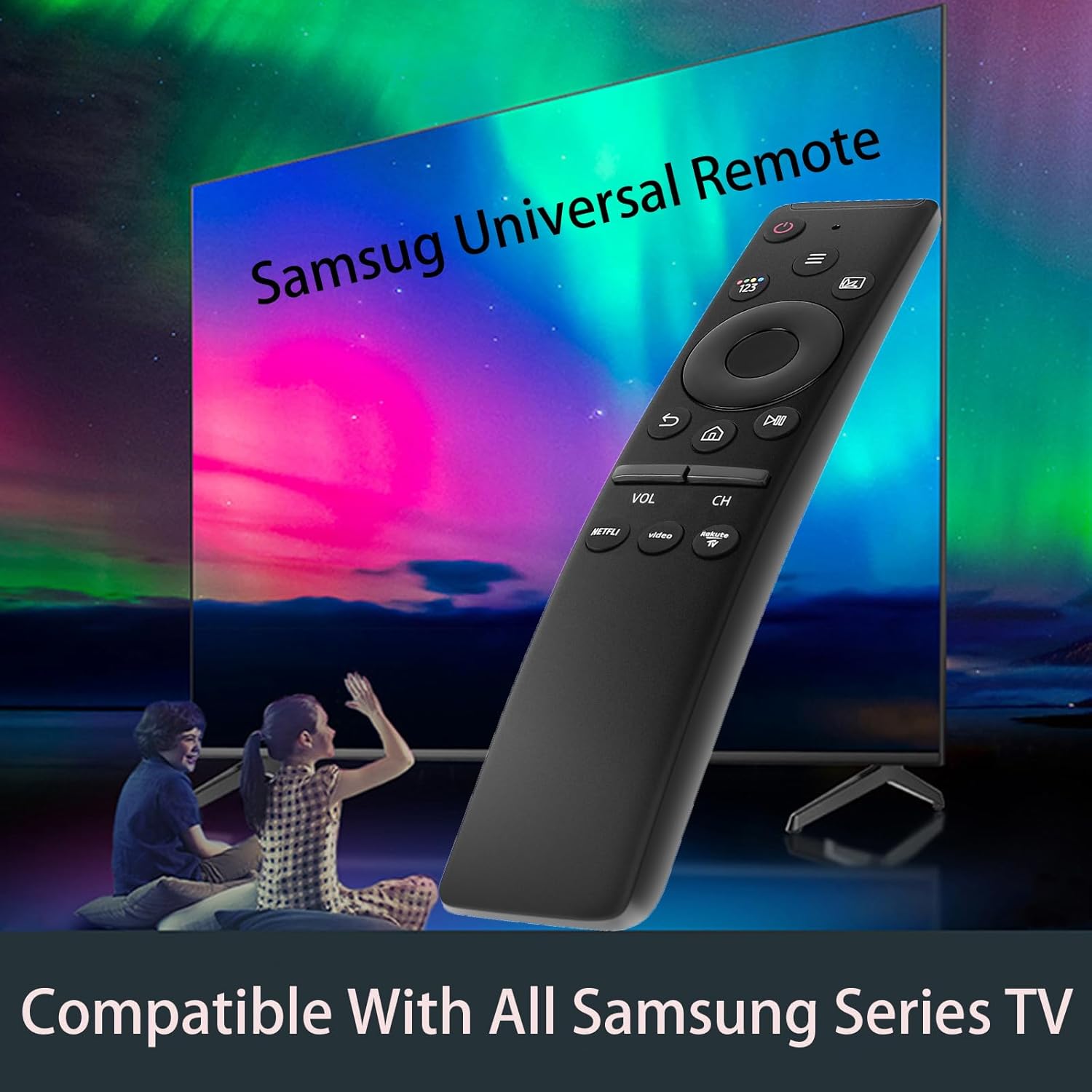
Figure 2.1: The remote control is compatible with a wide range of Samsung TV series.
3. സജ്ജീകരണം
Setting up your universal remote control is a simple, four-step process:
- ബാറ്ററി കവർ നീക്കം ചെയ്യുക: Locate the battery compartment on the back of the remote and slide the cover off.
- ബാറ്ററികൾ ചേർക്കുക: Insert two (2) AA batteries, ensuring the positive (+) and negative (-) terminals are aligned correctly as indicated inside the compartment.
- ബാറ്ററി കവർ മാറ്റിസ്ഥാപിക്കുക: Snap the battery cover back into place until it clicks securely.
- ഉപയോഗം ആരംഭിക്കുക: The remote is now ready to control your Samsung TV. No programming or pairing is required.

Figure 3.1: Step-by-step guide for battery installation.
4. പ്രവർത്തന നിർദ്ദേശങ്ങൾ
The remote control features an intuitive layout for easy navigation and control of your Samsung Smart TV.
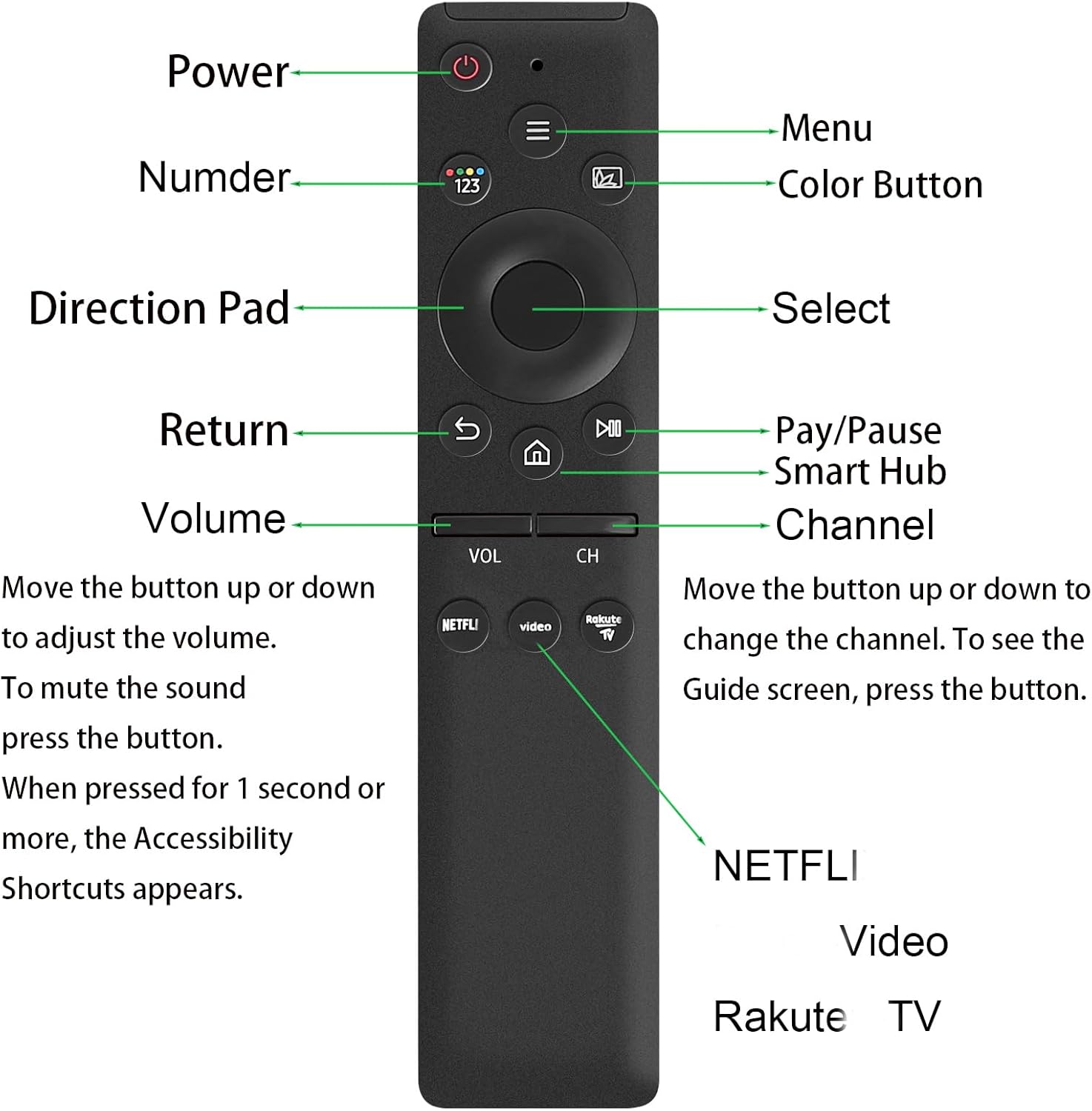
ചിത്രം 4.1: ഓവർview of remote control buttons and their functions.
ബട്ടൺ പ്രവർത്തനങ്ങൾ:
- പവർ ബട്ടൺ: ടിവി ഓണാക്കുകയോ ഓഫാക്കുകയോ ചെയ്യുന്നു.
- മെനു ബട്ടൺ: ടിവിയുടെ പ്രധാന മെനു ആക്സസ് ചെയ്യുന്നു.
- Number Button (123): Displays the on-screen numeric keypad for direct channel input.
- വർണ്ണ ബട്ടൺ: Activates color-coded functions within menus or applications.
- Direction Pad (Up, Down, Left, Right): Navigates through menus and selections.
- ബട്ടൺ തിരഞ്ഞെടുക്കുക: ഒരു തിരഞ്ഞെടുപ്പ് സ്ഥിരീകരിക്കുന്നു അല്ലെങ്കിൽ ഒരു മെനു ഇനം നൽകുന്നു.
- റിട്ടേൺ ബട്ടൺ: മുമ്പത്തെ സ്ക്രീനിലേക്കോ മെനുവിലേക്കോ തിരികെ പോകുന്നു.
- പ്ലേ/താൽക്കാലികമായി നിർത്തുക ബട്ടൺ: മീഡിയ പ്ലേബാക്ക് നിയന്ത്രിക്കുന്നു.
- സ്മാർട്ട് ഹബ് ബട്ടൺ (ഹോം ഐക്കൺ): Opens the Smart Hub, providing access to apps, live TV, and other content.
- Volume Buttons (VOL): Press up or down to adjust the volume. Press and hold for 1 second to mute the sound.
- Channel Buttons (CH): Press up or down to change the channel. Press the button to see the Guide screen.
- NETFLI Shortcut Button: Direct access to Netflix.
- Video Shortcut Button: Direct access to Prime Video.
- Rakute TV Shortcut Button: Direct access to Rakuten TV.

Figure 4.2: The remote features dedicated shortcut buttons for quick access to streaming services.
5. സവിശേഷതകളും പ്രകടനവും
This remote control is engineered for enhanced performance and reliability:
- Extended Transmission Distance: The remote offers a greater transmitting distance (over 30 ft) compared to standard remotes, ensuring reliable control from various points in a room.
- സ്ഥിരതയുള്ള പ്രകടനം: Designed for consistent and stable operation, minimizing signal loss or delayed responses.
- പ്രോഗ്രാമിംഗ് ആവശ്യമില്ല: Ready to use immediately after battery insertion, eliminating the need for complex setup procedures.

Figure 5.1: Illustration of the remote's powerful transmission distance.
6. പരിപാലനം
നിങ്ങളുടെ റിമോട്ട് കൺട്രോളിന്റെ ദീർഘായുസ്സും ഒപ്റ്റിമൽ പ്രകടനവും ഉറപ്പാക്കാൻ, ഈ അറ്റകുറ്റപ്പണി മാർഗ്ഗനിർദ്ദേശങ്ങൾ പാലിക്കുക:
- വൃത്തിയാക്കൽ: മൃദുവായതും ഉണങ്ങിയതുമായ തുണി ഉപയോഗിച്ച് റിമോട്ട് തുടയ്ക്കുക. ലിക്വിഡ് ക്ലീനറുകളോ അബ്രാസീവ് വസ്തുക്കളോ ഉപയോഗിക്കരുത്, കാരണം അവ ഉപരിതലത്തിനോ ആന്തരിക ഘടകങ്ങളോ കേടുവരുത്തും.
- ബാറ്ററി മാറ്റിസ്ഥാപിക്കൽ: Replace batteries promptly when the remote's responsiveness decreases. Always use new AA batteries and dispose of old batteries responsibly.
- സംഭരണം: നേരിട്ടുള്ള സൂര്യപ്രകാശം, തീവ്രമായ താപനില, ഉയർന്ന ഈർപ്പം എന്നിവയിൽ നിന്ന് മാറി തണുത്തതും വരണ്ടതുമായ സ്ഥലത്ത് റിമോട്ട് സൂക്ഷിക്കുക.
- തുള്ളികൾ ഒഴിവാക്കുക: തുള്ളികൾ ആന്തരിക സർക്യൂട്ടറിക്ക് കേടുവരുത്തുമെന്നതിനാൽ, ശാരീരിക ആഘാതത്തിൽ നിന്ന് റിമോട്ടിനെ സംരക്ഷിക്കുക.
7. പ്രശ്നപരിഹാരം
If you encounter issues with your remote control, consider the following common solutions:
- റിമോട്ട് പ്രതികരിക്കുന്നില്ല:
- ശരിയായ പോളാരിറ്റിയോടെ ബാറ്ററികൾ ശരിയായി ചേർത്തിട്ടുണ്ടെന്ന് ഉറപ്പാക്കുക.
- പഴയതോ കാലഹരണപ്പെട്ടതോ ആയ ബാറ്ററികൾ പുതിയവ ഉപയോഗിച്ച് മാറ്റിസ്ഥാപിക്കുക.
- റിമോട്ടിനും ടിവിയുടെ ഇൻഫ്രാറെഡ് റിസീവറിനും ഇടയിൽ എന്തെങ്കിലും തടസ്സങ്ങളുണ്ടോ എന്ന് പരിശോധിക്കുക.
- Ensure you are within the effective operating range (typically within 30 feet).
- ബട്ടണുകൾ പ്രവർത്തിക്കുന്നില്ല:
- Press buttons firmly. If only specific buttons are unresponsive, there might be debris under the button.
- Clean the remote's surface around the buttons.
- ഇടപെടൽ:
- Other electronic devices might cause interference. Try operating the remote away from other devices.
If the issue persists after attempting these steps, please refer to the support information provided.
8 സ്പെസിഫിക്കേഷനുകൾ
| ആട്രിബ്യൂട്ട് | മൂല്യം |
|---|---|
| മോഡൽ നമ്പർ | AA59-00582A |
| ഉൽപ്പന്ന അളവുകൾ | 5.91 x 2.36 x 1.97 ഇഞ്ച് |
| ഇനത്തിൻ്റെ ഭാരം | 1.76 ഔൺസ് |
| ബാറ്ററികൾ ആവശ്യമാണ് | 2 AA ബാറ്ററികൾ |
| നിറം | കറുപ്പ് |
| പ്രത്യേക ഫീച്ചർ | സാർവത്രിക അനുയോജ്യത |
| പിന്തുണയ്ക്കുന്ന ഉപകരണങ്ങളുടെ പരമാവധി എണ്ണം | 1 (ടെലിവിഷൻ) |
| നിർമ്മാതാവ് | ruichenggongsi |
| മാതൃരാജ്യം | ചൈന |
9. വാറൻ്റിയും പിന്തുണയും
വാറന്റി വിവരങ്ങൾക്കോ സാങ്കേതിക പിന്തുണയ്ക്കോ, നിങ്ങളുടെ വാങ്ങലിനൊപ്പം നൽകിയിരിക്കുന്ന കോൺടാക്റ്റ് വിശദാംശങ്ങൾ പരിശോധിക്കുകയോ നിർമ്മാതാവിന്റെ ഉദ്യോഗസ്ഥനെ സന്ദർശിക്കുകയോ ചെയ്യുക. webസൈറ്റ്. ഏതെങ്കിലും വാറന്റി ക്ലെയിമുകൾക്ക് വാങ്ങിയതിന്റെ തെളിവായി നിങ്ങളുടെ വാങ്ങൽ രസീത് സൂക്ഷിക്കുക.


