1 പ്രധാനപ്പെട്ട സുരക്ഷാ വിവരങ്ങൾ
Please read this instruction manual carefully before using the Klarstein Bornholm Curved Smart Convection Heater. Keep this manual for future reference. Failure to follow these instructions may result in electric shock, fire, or injury.
- വൈദ്യുതി വിതരണം വോളിയം ഉറപ്പാക്കുകtage matches the rating label on the heater (220-240V ~ 50/60Hz).
- ഹീറ്റർ മൂടരുത്. അമിതമായി ചൂടാകുന്നത് സംഭവിക്കാം.
- Do not use this heater in the immediate vicinity of a bath, shower, or swimming pool. The heater has an IP24 splash protection rating, making it suitable for bathrooms, but direct water contact should be avoided.
- Keep flammable materials (curtains, furniture, etc.) at least 1 meter away from the heater.
- Do not insert objects into the heater's openings.
- ഈ ഉപകരണം, അവരുടെ സുരക്ഷയ്ക്ക് ഉത്തരവാദിയായ ഒരു വ്യക്തി ഉപകരണത്തിൻ്റെ ഉപയോഗത്തെ സംബന്ധിച്ച മേൽനോട്ടമോ നിർദ്ദേശമോ നൽകിയിട്ടില്ലെങ്കിൽ, ശാരീരികമോ ഇന്ദ്രിയപരമോ മാനസികമോ ആയ കഴിവുകൾ കുറഞ്ഞതോ അനുഭവത്തിൻ്റെയും അറിവിൻ്റെയും അഭാവം ഉള്ള വ്യക്തികൾക്ക് (കുട്ടികൾ ഉൾപ്പെടെ) ഉപയോഗിക്കാൻ ഉദ്ദേശിച്ചുള്ളതല്ല.
- കുട്ടികൾ ഉപകരണം ഉപയോഗിച്ച് കളിക്കുന്നില്ലെന്ന് ഉറപ്പാക്കാൻ മേൽനോട്ടം വഹിക്കണം.
- സപ്ലൈ കോഡിന് കേടുപാടുകൾ സംഭവിച്ചാൽ, അപകടം ഒഴിവാക്കാൻ നിർമ്മാതാവ്, അതിൻ്റെ സേവന ഏജൻ്റ് അല്ലെങ്കിൽ സമാനമായ യോഗ്യതയുള്ള വ്യക്തികൾ അത് മാറ്റിസ്ഥാപിക്കേണ്ടതാണ്.
- ഉപയോഗത്തിലില്ലാത്തപ്പോഴോ വൃത്തിയാക്കുന്നതിന് മുമ്പോ എല്ലായ്പ്പോഴും ഹീറ്റർ അൺപ്ലഗ് ചെയ്യുക.

Image: The Klarstein Bornholm heater is suitable for use in bathrooms due to its IP24 splash protection. Ensure proper installation and avoid direct water contact.
2. ഉൽപ്പന്നം കഴിഞ്ഞുview
The Klarstein Bornholm Curved Smart Convection Heater provides efficient and comfortable heating for rooms up to 40 m². It features a modern curved design, an LED touch display, and smart control options via a mobile app or remote control.
പ്രധാന സവിശേഷതകൾ:
- പവർ ഔട്ട്പുട്ട്: Selectable between 1000W and 2000W.
- താപനില നിയന്ത്രണം: Thermostat adjustable from 5°C to 45°C in 1.8°F increments.
- സ്മാർട്ട് നിയന്ത്രണം: Operate via Klarstein app (Wi-Fi) or included remote control.
- ടൈമർ പ്രവർത്തനം: Programmable weekly timer for automatic on/off cycles.
- ഡിസ്പ്ലേ: LED touch display shows current room temperature and settings.
- സുരക്ഷ: IP24 splash protection, child safety lock, and overheating protection.
- ഊർജ്ജ കാര്യക്ഷമത: ECO Mode for reduced energy consumption.
- വിൻഡോ ഡിറ്റക്ഷൻ തുറക്കുക: Automatically turns off heating if a rapid temperature drop is detected.
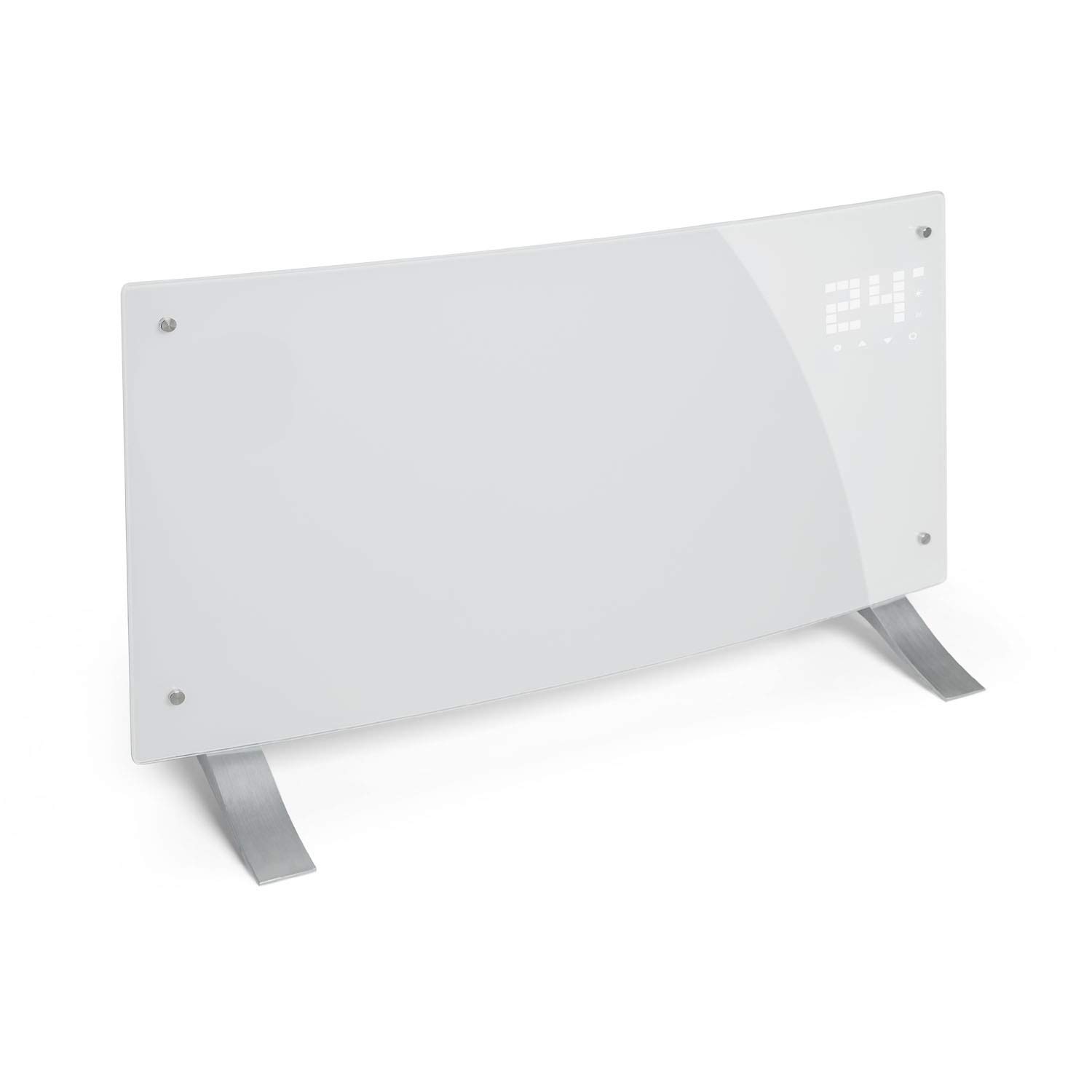
Image: The Klarstein Bornholm heater provides powerful heating with two selectable levels.
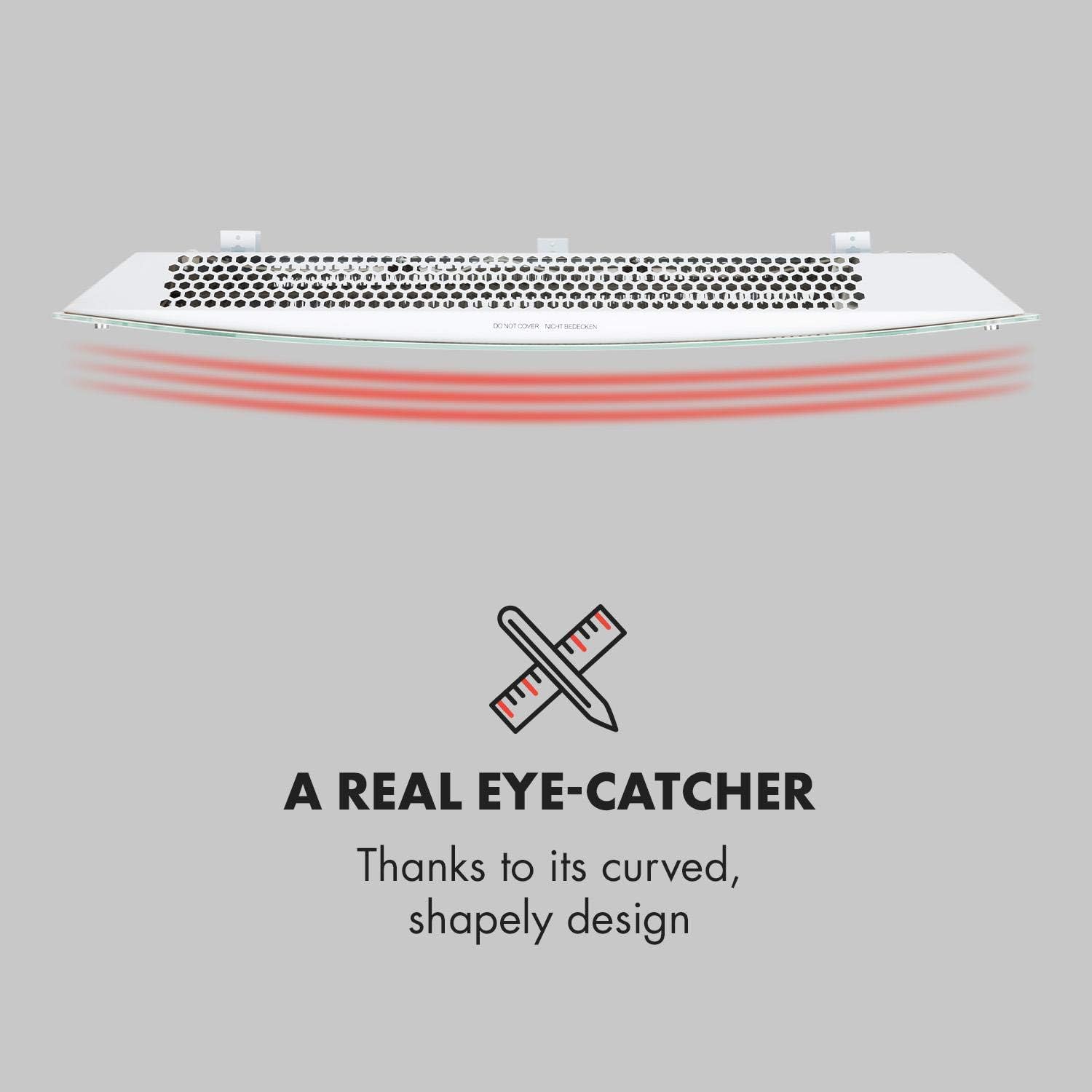
Image: The curved design of the heater enhances heat distribution and serves as a modern aesthetic element.
3. സജ്ജീകരണവും ഇൻസ്റ്റാളേഷനും
The Klarstein Bornholm heater can be used as a freestanding unit or mounted on a wall. Mounting materials for wall installation and stands with wheels for freestanding use are included.
3.1 Freestanding Installation:
- Attach the two stands (each with two rolls) to the bottom of the heater using the provided screws.
- Ensure the stands are securely fastened.
- Place the heater on a flat, stable surface, ensuring adequate clearance from walls and furniture.
3.2 വാൾ മൗണ്ടിംഗ്:
- അനുയോജ്യമായ ഒരു മതിൽ സ്ഥാനം തിരഞ്ഞെടുക്കുക, അത് കത്തുന്ന വസ്തുക്കളിൽ നിന്ന് അകറ്റി നിർത്തുകയും സമീപത്ത് ഒരു പവർ ഔട്ട്ലെറ്റ് ഉണ്ടായിരിക്കുകയും ചെയ്യുക.
- മൗണ്ടിംഗ് ബ്രാക്കറ്റിന്റെ അളവുകൾക്കനുസരിച്ച് ചുമരിൽ ഡ്രില്ലിംഗ് പോയിന്റുകൾ അടയാളപ്പെടുത്തുക.
- ദ്വാരങ്ങൾ തുരന്ന് മതിൽ പ്ലഗുകൾ തിരുകുക.
- നൽകിയിരിക്കുന്ന സ്ക്രൂകൾ ഉപയോഗിച്ച് മൗണ്ടിംഗ് ബ്രാക്കറ്റ് ഭിത്തിയിൽ ഉറപ്പിക്കുക.
- Carefully hang the heater onto the mounting bracket, ensuring it is securely seated.
കുറിപ്പ്: Always ensure the heater is unplugged during installation or relocation.
4. പ്രവർത്തന നിർദ്ദേശങ്ങൾ
The Klarstein Bornholm heater offers multiple control methods: the integrated LED touch display, the included remote control, and the Klarstein mobile app.
4.1 പ്രാരംഭ പവർ ഓൺ:
- അനുയോജ്യമായ ഒരു ഇലക്ട്രിക്കൽ ഔട്ട്ലെറ്റിലേക്ക് പവർ കോർഡ് പ്ലഗ് ചെയ്യുക.
- Press the On/Off switch on the device or the remote control to power on. The LED display will illuminate.
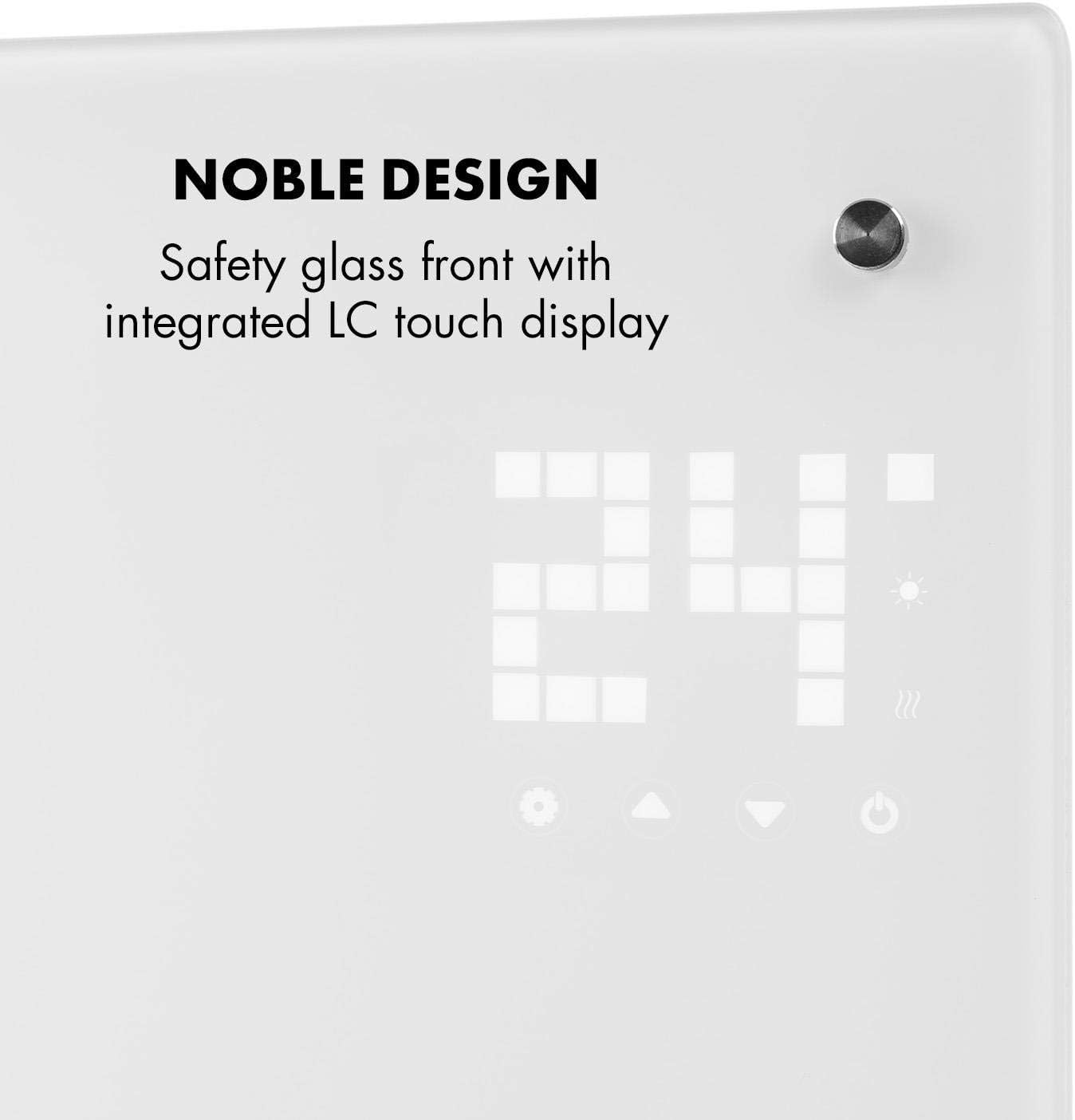
Image: The integrated LED touch display allows for direct control and shows the current room temperature.
4.2 Setting Temperature and Power Level:
- Use the touch controls on the display or the remote control to adjust the desired temperature (5°C - 45°C).
- Select between 1000W or 2000W heating levels based on your heating needs.
4.3 ടൈമർ ഫംഗ്ഷൻ:
The weekly timer allows you to program specific on/off times for each day of the week.
- Access the timer settings via the display or app.
- Set desired start and end times for heating periods.
- The heater will automatically activate or deactivate according to your schedule.

Image: The heater can be set to turn on or off automatically using its 24-hour timer function.
4.4 App Control (Klarstein App):
- Download the Klarstein app from your smartphone's app store.
- Follow the in-app instructions to connect your heater to your home Wi-Fi network.
- Once connected, you can control the heater's functions (on/off, temperature, timer, ECO mode) remotely from your smartphone.

Image: Control the heater conveniently via the Klarstein app or the included remote control.

Image: The SmartHeat design allows operation from anywhere via Wi-Fi and app control.
4.5 ഇക്കോ മോഡ്:
Activate ECO Mode to optimize energy consumption. The heater will adjust its operation to maintain the set temperature efficiently, reducing power usage.

Image: The ECO mode helps save energy, making the heater environmentally friendly.
5. പരിപാലനം
Regular maintenance ensures the longevity and efficient operation of your Klarstein Bornholm heater.
- വൃത്തിയാക്കൽ: വൃത്തിയാക്കുന്നതിന് മുമ്പ് എല്ലായ്പ്പോഴും ഹീറ്റർ പ്ലഗ് അൺപ്ലഗ് ചെയ്ത് പൂർണ്ണമായും തണുക്കാൻ അനുവദിക്കുക. മൃദുവായ, ഡി-പ്ലഗ് ഉപയോഗിച്ച് പുറം പ്രതലങ്ങൾ തുടയ്ക്കുക.amp തുണി. ഉരച്ചിലുകളുള്ള ക്ലീനറുകളോ ലായകങ്ങളോ ഉപയോഗിക്കരുത്.
- സംഭരണം: If storing the heater for an extended period, unplug it, clean it, and store it in a cool, dry place, preferably in its original packaging.
- ഉപയോക്തൃ-സേവനയോഗ്യമായ ഭാഗങ്ങൾ ഇല്ല: The heater contains no user-serviceable parts. Do not attempt to open or repair the appliance yourself. Contact qualified service personnel for any repairs.
6. പ്രശ്നപരിഹാരം
നിങ്ങളുടെ ഹീറ്ററിൽ പ്രശ്നങ്ങൾ നേരിടുകയാണെങ്കിൽ, ഇനിപ്പറയുന്ന ട്രബിൾഷൂട്ടിംഗ് ഗൈഡ് പരിശോധിക്കുക:
| പ്രശ്നം | സാധ്യമായ കാരണം | പരിഹാരം |
|---|---|---|
| ഹീറ്റർ ഓണാക്കുന്നില്ല. | No power supply; On/Off switch is off; Overheating protection activated. | Check if the power cord is securely plugged in. Ensure the wall outlet is functional. Press the On/Off switch. Unplug the heater, let it cool for 30 minutes, then plug it back in. |
| ഹീറ്റർ ഓണാണ്, പക്ഷേ ചൂടാക്കുന്നില്ല. | Temperature setting is too low; ECO mode active; Open window detection triggered. | Increase the desired temperature setting. Check if ECO mode is active and if it's maintaining a comfortable temperature. Close any open windows or doors. |
| ആപ്പ് നിയന്ത്രണം പ്രവർത്തിക്കുന്നില്ല. | No Wi-Fi connection; Incorrect app setup. | Ensure your heater is connected to your home Wi-Fi network. Check your router and internet connection. Re-follow the app setup instructions. |
| ഹീറ്റർ അസാധാരണമായ ശബ്ദങ്ങൾ ഉണ്ടാക്കുന്നു. | Normal expansion/contraction during heating/cooling; Loose component. | Minor clicking sounds are normal. If noises are loud or persistent, unplug the heater and contact customer support. |
ഈ പരിഹാരങ്ങൾ പരീക്ഷിച്ചതിന് ശേഷവും പ്രശ്നം നിലനിൽക്കുകയാണെങ്കിൽ, ദയവായി ക്ലാർസ്റ്റൈൻ ഉപഭോക്തൃ പിന്തുണയുമായി ബന്ധപ്പെടുക.
7 സാങ്കേതിക സവിശേഷതകൾ
- മോഡൽ: 10035237
- വൈദ്യുതി വിതരണം: 220-240V ~ | 50/60Hz
- പവർ ഔട്ട്പുട്ട്: 1000W / 2000W
- താപനില പരിധി: 5°C - 45°C
- ചൂടാക്കൽ കവറേജ്: 28 - 40 m² (depending on room insulation)
- സംരക്ഷണ ക്ലാസ്: IP24 (സ്പ്ലാഷ് പ്രൂഫ്)
- Dimensions (with stands): Approx. 82 x 45 x 25 cm (W x H x D)
- Dimensions (without stands): Approx. 82 x 45 x 10.5 cm (W x H x D)
- കേബിൾ നീളം: 150 സെ.മീ
- ഭാരം: ഏകദേശം 8 കിലോ
- നിയന്ത്രണ രീതികൾ: LED Touch Display, Remote Control, Klarstein App (Wi-Fi)
8. വാറൻ്റിയും പിന്തുണയും
Information regarding the specific warranty period and detailed support contact information is not available in the provided product data. Please refer to the warranty card included with your product or visit the official Klarstein website for the most up-to-date warranty terms and customer support contacts in your region.
For technical assistance or service inquiries, please have your model number (10035237) and purchase date ready when contacting support.


