1. ആമുഖം
Thank you for choosing the NOKLEAD Digital Alarm Clock NK5256. This alarm clock features a large 6.5-inch LED display, full-range dimmable brightness, dual alarm settings with 5 unique sounds and 3 volume levels, a 9-minute snooze function, and a convenient USB charging port. This manual provides detailed instructions for setup, operation, and maintenance to ensure optimal performance.
വീഡിയോ 1: കഴിഞ്ഞുview of the NOKLEAD Digital Alarm Clock NK5256 features and functions.
2. പാക്കേജ് ഉള്ളടക്കം
പാക്കേജിൽ ഇനിപ്പറയുന്ന ഇനങ്ങൾ ഉണ്ടോ എന്ന് പരിശോധിക്കുക:
- 1 x NOKLEAD Digital Alarm Clock NK5256
- 1 x USB പവർ അഡാപ്റ്റർ
- 1 x USB-C കേബിൾ
- 1 x ഉപയോക്തൃ മാനുവൽ

ചിത്രം 1: Contents included in the NOKLEAD Digital Alarm Clock package.
3. ഉൽപ്പന്നം കഴിഞ്ഞുview
The NOKLEAD Digital Alarm Clock NK5256 is designed for ease of use and clear visibility. Key features include:
- വലിയ LED ഡിസ്പ്ലേ: 6.5-inch display with clear blue digits for easy reading.
- Full-Range Dimmer: Adjustable brightness from 5% to 100% via a slider switch.
- ഇരട്ട അലാറങ്ങൾ: വ്യത്യസ്ത ഷെഡ്യൂളുകൾക്കായി രണ്ട് സ്വതന്ത്ര അലാറങ്ങൾ സജ്ജമാക്കുക.
- 5 Alarm Sounds: Choose from beep, melody, birdsong, ocean waves, or chord music.
- 3 Volume Levels: Adjust alarm volume from 30dB to 90dB.
- 9 മിനിറ്റ് സ്നൂസ്: Large snooze button for temporary alarm pause.
- 12/24 മണിക്കൂർ ഫോർമാറ്റ്: സമയ പ്രദർശന ഫോർമാറ്റുകൾക്കിടയിൽ എളുപ്പത്തിൽ മാറുക.
- യുഎസ്ബി ചാർജിംഗ് പോർട്ട്: Conveniently charge your mobile devices.
- ബാറ്ററി ബാക്കപ്പ്: Built-in button cell battery preserves settings during power outages (display will be blank, alarm will not sound).

ചിത്രം 2: Visual representation of the alarm clock's main features and dimensions.
4. സജ്ജീകരണം
4.1 പവർ കണക്ഷൻ
- Connect the provided USB-C cable to the power input port on the back of the alarm clock.
- യുഎസ്ബി പവർ അഡാപ്റ്റർ ഒരു സ്റ്റാൻഡേർഡ് വാൾ ഔട്ട്ലെറ്റിലേക്ക് പ്ലഗ് ചെയ്യുക.
- The display will light up, indicating the clock is powered on.
കുറിപ്പ്: The built-in button cell battery maintains time and alarm settings during a power interruption, but the display will be off and the alarm will not sound until power is restored.
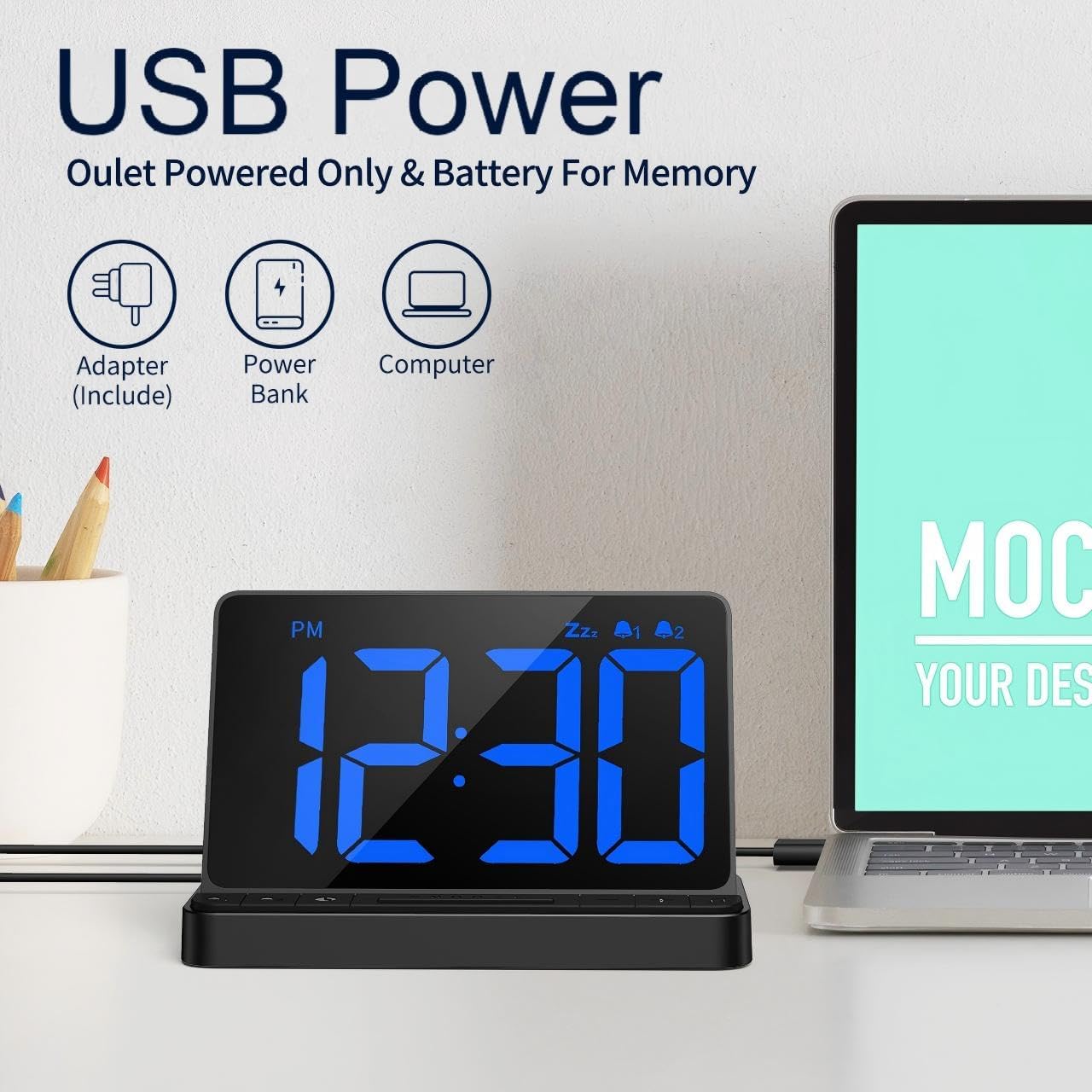
ചിത്രം 3: Powering the alarm clock via USB.
4.2 Setting Time and 12/24 Hour Format
- അമർത്തിപ്പിടിക്കുക ടൈം സെറ്റ് button (usually marked with a clock icon) to enter time setting mode. The hour digits will flash.
- ഉപയോഗിക്കുക + or - മണിക്കൂർ ക്രമീകരിക്കാനുള്ള ബട്ടണുകൾ.
- അമർത്തുക ടൈം സെറ്റ് മണിക്കൂർ സ്ഥിരീകരിക്കുന്നതിനും മിനിറ്റ് ക്രമീകരണത്തിലേക്ക് നീങ്ങുന്നതിനും വീണ്ടും ബട്ടൺ അമർത്തുക. മിനിറ്റ് അക്കങ്ങൾ മിന്നിമറയും.
- ഉപയോഗിക്കുക + or - മിനിറ്റ് ക്രമീകരിക്കാൻ ബട്ടണുകൾ.
- അമർത്തുക ടൈം സെറ്റ് button one more time to exit time setting mode.
- To switch between 12-hour (AM/PM) and 24-hour formats, briefly press the 12/24HR button (often the same as the ടൈം സെറ്റ് button or a dedicated button).
വീഡിയോ റഫറൻസ്: For a visual guide on switching between 12/24 hour format, refer to the main overview video at approximately 0:05-0:08.
5. പ്രവർത്തന നിർദ്ദേശങ്ങൾ
5.1 അലാറങ്ങൾ സജ്ജീകരിക്കൽ
ക്ലോക്ക് രണ്ട് സ്വതന്ത്ര അലാറങ്ങളെ പിന്തുണയ്ക്കുന്നു (അലാറം 1 ഉം അലാറം 2 ഉം).
- അമർത്തിപ്പിടിക്കുക അലാറം 1 button (bell icon with '1') to enter Alarm 1 setting mode. The hour digits will flash.
- ഉപയോഗിക്കുക + or - അലാറം സമയം ക്രമീകരിക്കാനുള്ള ബട്ടണുകൾ.
- അമർത്തുക അലാറം 1 മണിക്കൂർ സ്ഥിരീകരിക്കുന്നതിനും മിനിറ്റ് ക്രമീകരണത്തിലേക്ക് നീങ്ങുന്നതിനും വീണ്ടും ബട്ടൺ അമർത്തുക. മിനിറ്റ് അക്കങ്ങൾ മിന്നിമറയും.
- ഉപയോഗിക്കുക + or - അലാറം മിനിറ്റ് ക്രമീകരിക്കാനുള്ള ബട്ടണുകൾ.
- അമർത്തുക അലാറം 1 button one more time to exit Alarm 1 setting mode.
- പ്രക്രിയ ആവർത്തിക്കുക അലാറം 2 ഉപയോഗിക്കുന്നത് അലാറം 2 button (bell icon with '2').
- To activate or deactivate an alarm, briefly press the corresponding അലാറം 1 or അലാറം 2 button. An indicator (e.g., bell icon) will appear on the display when the alarm is active.

ചിത്രം 4: Setting up dual alarms for different wake-up times.
5.2 Alarm Sounds and Volume
You can customize your alarm experience with 5 unique sounds and 3 adjustable volume levels.
- When an alarm is sounding, press the സംഗീത കുറിപ്പ് button (often combined with the + button) to cycle through the 5 available alarm sounds: Beep, Melody, Birdsong, Ocean Wave, Chord Music.
- അലാറം വോളിയം ക്രമീകരിക്കാൻ, അമർത്തുക വോളിയം button (often combined with the - button) to cycle through the 3 volume levels (L1: 30-75dB, L2: 80dB, L3: 85-90dB).
വീഡിയോ റഫറൻസ്: For a demonstration of alarm sounds and volume adjustment, refer to the main overview video at approximately 0:23-0:37.
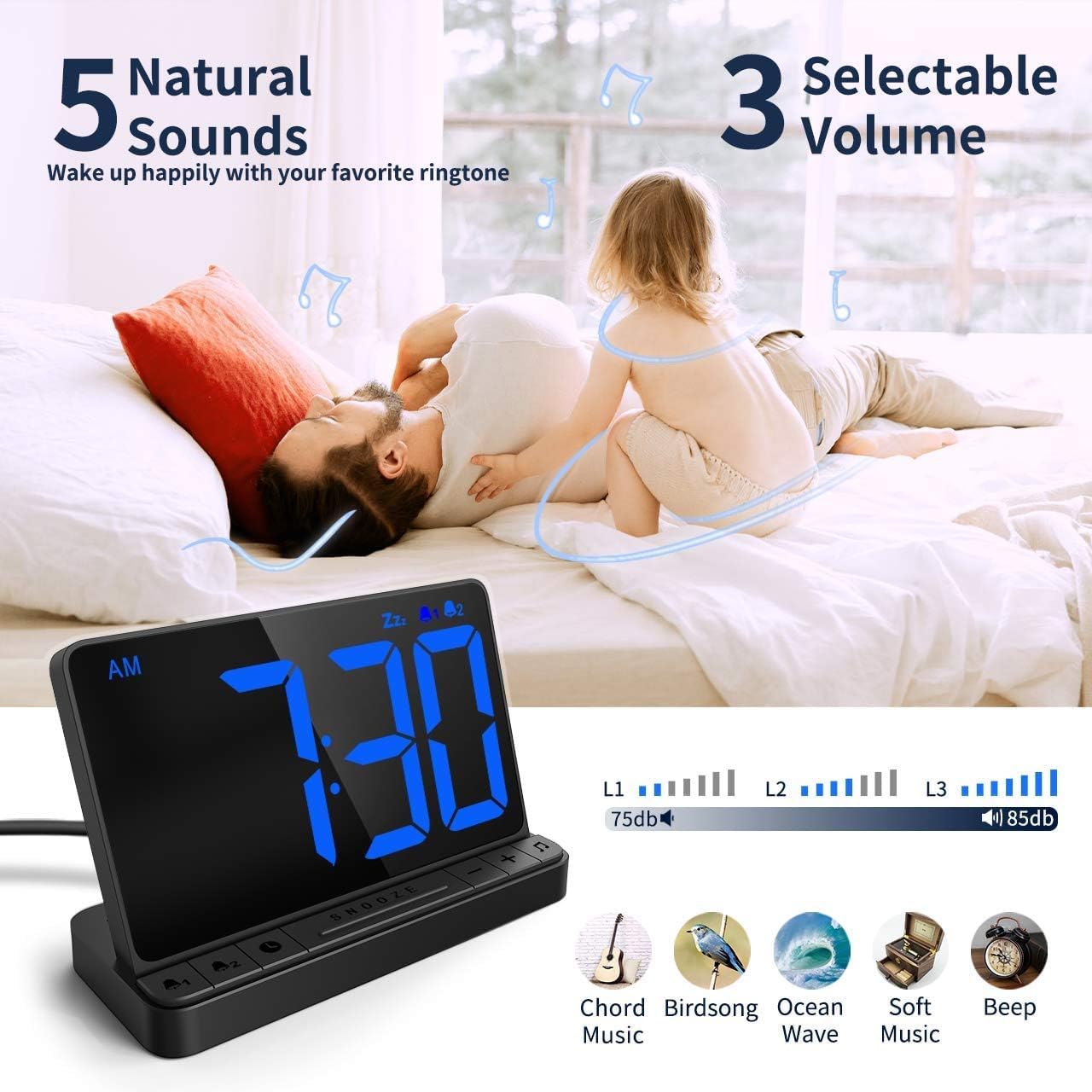
ചിത്രം 5: Customizing alarm sounds and volume.
5.3 സ്നൂസ് ഫംഗ്ഷൻ
ഒരു അലാറം മുഴങ്ങുമ്പോൾ, നിങ്ങൾക്ക് 9 മിനിറ്റ് കൂടി ഉറങ്ങാൻ സ്നൂസ് ഫംഗ്ഷൻ സജീവമാക്കാം.
- When the alarm is active, press the large സ്നൂസ് ചെയ്യുക button located in the center of the clock.
- The alarm will pause for 9 minutes and then sound again.
- To cancel the snooze and turn off the alarm completely, press any other button (e.g., അലാറം 1 or അലാറം 2 ബട്ടൺ).
വീഡിയോ റഫറൻസ്: For a visual guide on using the snooze function, refer to the main overview video at approximately 0:17-0:23.
5.4 തെളിച്ചം ക്രമീകരിക്കൽ
The clock features a full-range dimmable display to suit your preference day and night.
- Locate the slider switch on the back or side of the alarm clock (refer to Image 6).
- Slide the switch to adjust the display brightness from 5% (dimmest) to 100% (brightest).
വീഡിയോ റഫറൻസ്: For a demonstration of brightness adjustment, refer to the main overview video at approximately 0:05-0:12.
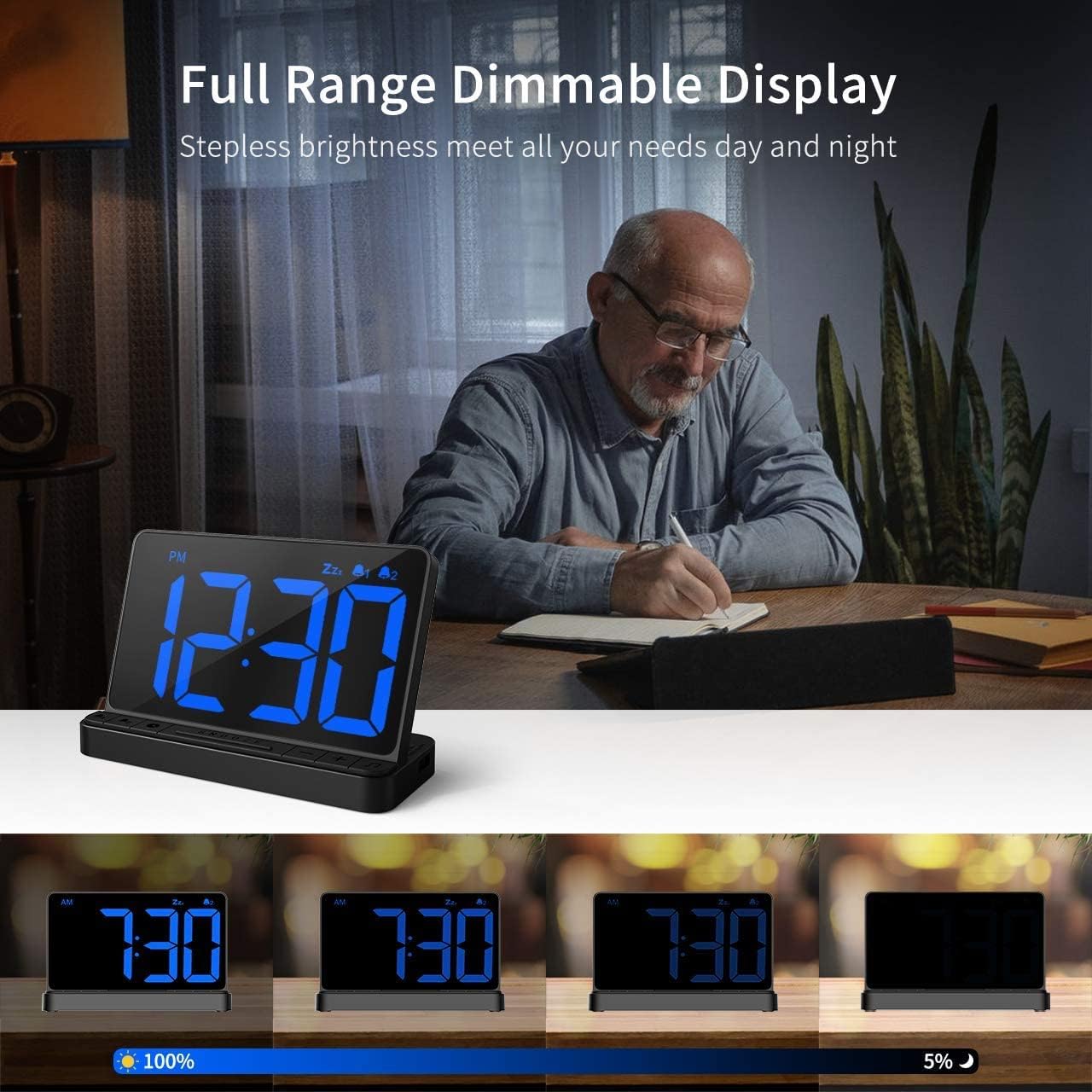
ചിത്രം 6: Adjusting the display brightness using the slider.
5.5 യുഎസ്ബി ചാർജിംഗ് പോർട്ട്
The alarm clock includes a USB output port for charging your mobile devices.
- Locate the USB output port on the side of the alarm clock.
- നിങ്ങളുടെ ഉപകരണത്തിന്റെ ചാർജിംഗ് കേബിൾ ഈ പോർട്ടിലേക്ക് ബന്ധിപ്പിക്കുക.
- The device will begin charging. Note that this port provides standard charging speed, not fast charging.
വീഡിയോ റഫറൻസ്: For a visual guide on using the USB charging port, refer to the main overview video at approximately 0:12-0:16 and 0:37-0:40.


