ആമുഖം
Thank you for choosing the BOBLOV M7 Body Camera. This device is designed for versatile recording needs, offering high-quality video and audio capture in various environments. Please read this manual carefully to ensure proper operation and to maximize your experience with the product.
ബോക്സിൽ എന്താണുള്ളത്
Upon opening your BOBLOV M7 package, you should find the following items:
- 1x BOBLOV M7 Body Camera
- 1x USB-C കേബിൾ
- 1x Fast Charger Plug
- 1x ഷോർട്ട് 360° ക്ലിപ്പ്
- 1x ദൈർഘ്യമേറിയ 360° ക്ലിപ്പ്
- 1x ഉപയോക്തൃ മാനുവൽ

Image: Contents of the BOBLOV M7 package, including the camera, charging accessories, clips, and user manual.
സജ്ജമാക്കുക
1. പ്രാരംഭ ചാർജിംഗ്
Before first use, fully charge your BOBLOV M7 Body Camera. Connect the provided USB-C cable to the camera and the fast charger plug, then plug it into a power outlet. The charging indicator will illuminate. A full charge typically takes approximately 4 hours and provides 12-15 hours of continuous recording.

Image: Visual representation of the BOBLOV M7's 4000mAh battery capacity and charging time.
2. Attaching Clips
The BOBLOV M7 comes with two 360° rotatable clips: a short clip and a long clip. Choose the clip that best suits your attire or mounting preference. To attach, align the clip with the slot on the back of the camera and slide it until it clicks securely into place.

Image: The BOBLOV M7 Body Camera shown with both the short and long 360° rotatable clips, demonstrating attachment options.
പ്രവർത്തന നിർദ്ദേശങ്ങൾ
1. പവർ ഓൺ/ഓഫ്
To power on the camera, long-press the Power button located on the side. The camera will boot up and display the live view. To power off, long-press the Power button again.
2. വീഡിയോ റെക്കോർഡിംഗ്
Press the large, easily accessible button on the front of the camera to start video recording. Press it again to stop recording. The 180° rotatable lens allows for flexible adjustment of the shooting angle during recording.

Image: The BOBLOV M7 Body Camera highlighting its 180° rotatable lens for flexible recording angles.
3. ഓഡിയോ റെക്കോർഡിംഗ്
The BOBLOV M7 supports audio-only recording. Refer to the user manual for specific button presses to activate and deactivate this mode.
4. ഫോട്ടോ ക്യാപ്ചർ
To take a photo, press the dedicated Photo button on the side of the camera. The camera will capture a still image.
5. നൈറ്റ് വിഷൻ
The camera features both night vision and front-facing lighting. These can be toggled on or off to enhance recording in low-light conditions, making it suitable for nighttime activities or dark environments.
6. ജിപിഎസ് ലൊക്കേഷൻ ട്രാക്കിംഗ്
The built-in GPS functionality automatically tags the precise location of every video recorded. This provides accurate geographical data for all your footage.

Image: The BOBLOV M7 Body Camera connected to a laptop, displaying its GPS location tracking feature on a map interface.
7. Car Mode (Dashcam Use)
The BOBLOV M7 can be easily switched to Car Mode to function as a dashcam. This mode ensures continuous recording while driving, providing peace of mind during your journeys. Note that a dash mount is not included with the standard package.
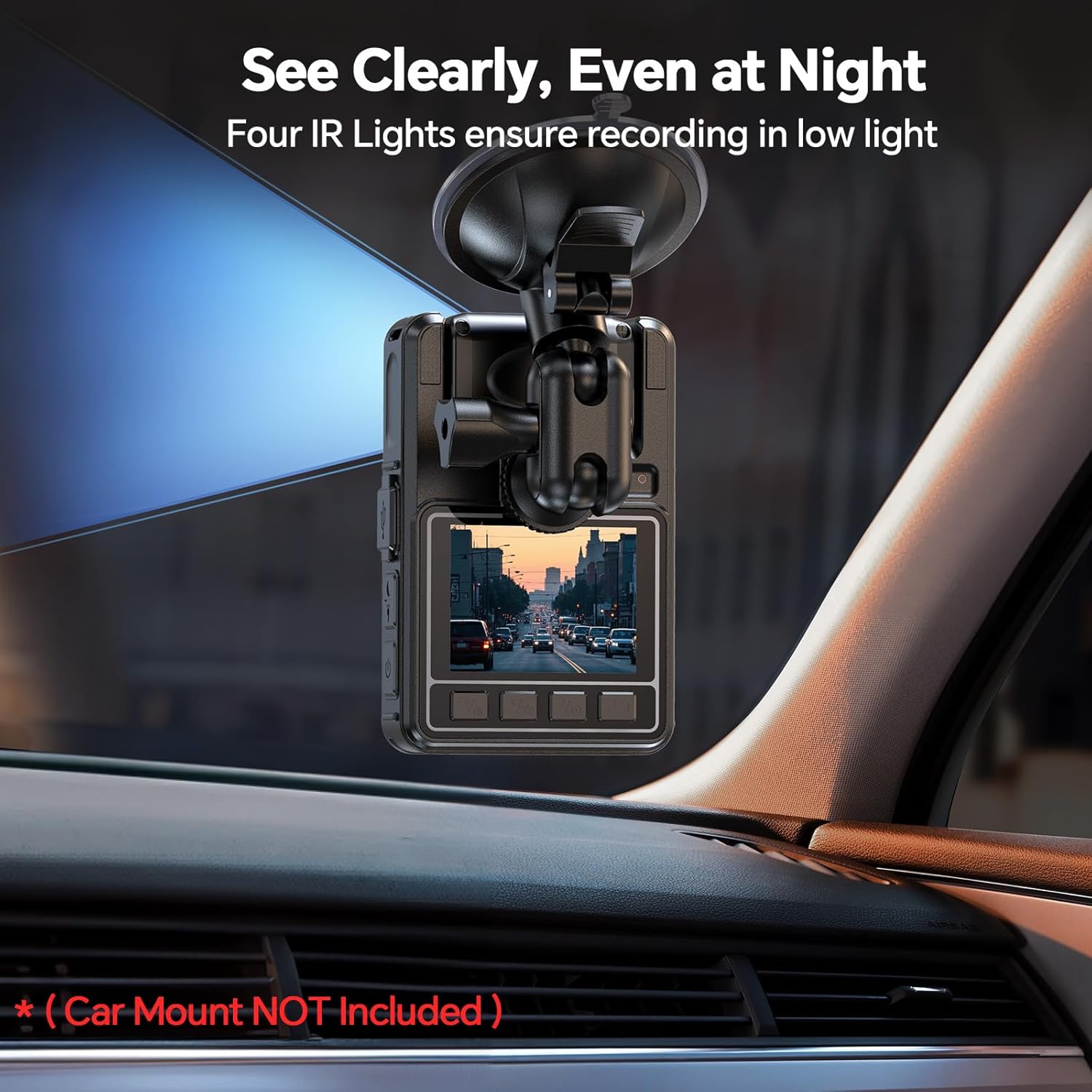
Image: The BOBLOV M7 Body Camera shown mounted on a car's dashboard, demonstrating its use as a dashcam.
മെയിൻ്റനൻസ്
1. ബാറ്ററി പരിചരണം
To prolong battery life, avoid fully discharging the camera frequently. Charge the device regularly, even if not in constant use. Store in a cool, dry place when not in use for extended periods.
2. വൃത്തിയാക്കൽ
ക്യാമറ ബോഡി വൃത്തിയാക്കാൻ മൃദുവായതും ഉണങ്ങിയതുമായ തുണി ഉപയോഗിക്കുക. ലെൻസിന്, പോറലുകൾ ഒഴിവാക്കാൻ ഒരു പ്രത്യേക ലെൻസ് ക്ലീനിംഗ് തുണിയും ലായനിയും ഉപയോഗിക്കുക. കഠിനമായ രാസവസ്തുക്കളോ ഉരച്ചിലുകളോ ഉള്ള വസ്തുക്കൾ ഉപയോഗിക്കരുത്.
3. സംഭരണം
Store the camera in a protective case to prevent dust and physical damage. Keep it away from extreme temperatures and direct sunlight.
ട്രബിൾഷൂട്ടിംഗ്
1. ക്യാമറ ഓണാക്കുന്നില്ല
Ensure the battery is fully charged. If the issue persists, try resetting the device (refer to the full user manual for reset instructions).
2. റെക്കോർഡിംഗ് പ്രശ്നങ്ങൾ
Check if the internal memory is full. Transfer files to a computer to free up space. Ensure the camera is in the correct recording mode (video, audio, photo).
3. Poor Video/Audio Quality
Ensure the lens is clean and free from smudges. Check recording resolution settings in the camera menu. For audio, ensure the microphone is not obstructed.
സ്പെസിഫിക്കേഷനുകൾ
| ഫീച്ചർ | വിശദാംശങ്ങൾ |
|---|---|
| ബ്രാൻഡ് | ബോബ്ലോവ് |
| മോഡൽ നമ്പർ | M7 |
| ഇനത്തിൻ്റെ ഭാരം | 14.1 ഔൺസ് |
| പാക്കേജ് അളവുകൾ | 5.63 x 3.94 x 2.83 ഇഞ്ച് |
| ബാറ്ററികൾ | 1 എ ബാറ്ററികൾ ആവശ്യമാണ്. (ഉൾപ്പെടുത്തിയത്) |
| പ്രത്യേക സവിശേഷതകൾ | Motion Detection, Night Vision, Portable |
| ഫോട്ടോ സെൻസർ ടെക്നോളജി | CMOS |
| വീഡിയോ ക്യാപ്ചർ റെസല്യൂഷൻ | 1080p |
| ഫ്ലാഷ് മെമ്മറി തരം | മൈക്രോ എസ്.ഡി |
| വീഡിയോ ക്യാപ്ചർ ഫോർമാറ്റ് | എംഒവി |
| പിന്തുണയ്ക്കുന്ന ഓഡിയോ ഫോർമാറ്റ് | WAV |
| സ്ക്രീൻ വലിപ്പം | 0.66 ഇഞ്ച് |
| കണക്റ്റിവിറ്റി ടെക്നോളജി | വയർലെസ് |
വാറൻ്റി വിവരങ്ങൾ
BOBLOV products typically come with a manufacturer's warranty. Please refer to the warranty card included in your package or visit the official BOBLOV webവിശദമായ വാറന്റി നിബന്ധനകൾക്കും വ്യവസ്ഥകൾക്കും സൈറ്റ്.
ഉപഭോക്തൃ പിന്തുണ
For technical assistance, troubleshooting, or any product-related inquiries, please contact BOBLOV customer support. Contact information can usually be found in your user manual or on the official BOBLOV webസൈറ്റ്.


