1. ആമുഖം
This manual provides detailed instructions for the installation, operation, and maintenance of your Codnida 2K PTZ Outdoor Security Camera. Designed for comprehensive surveillance, this camera offers 360° pan and tilt capabilities, 2K (3MP) video resolution, motion detection with smart siren, two-way audio, and color night vision, ensuring robust security for your property.
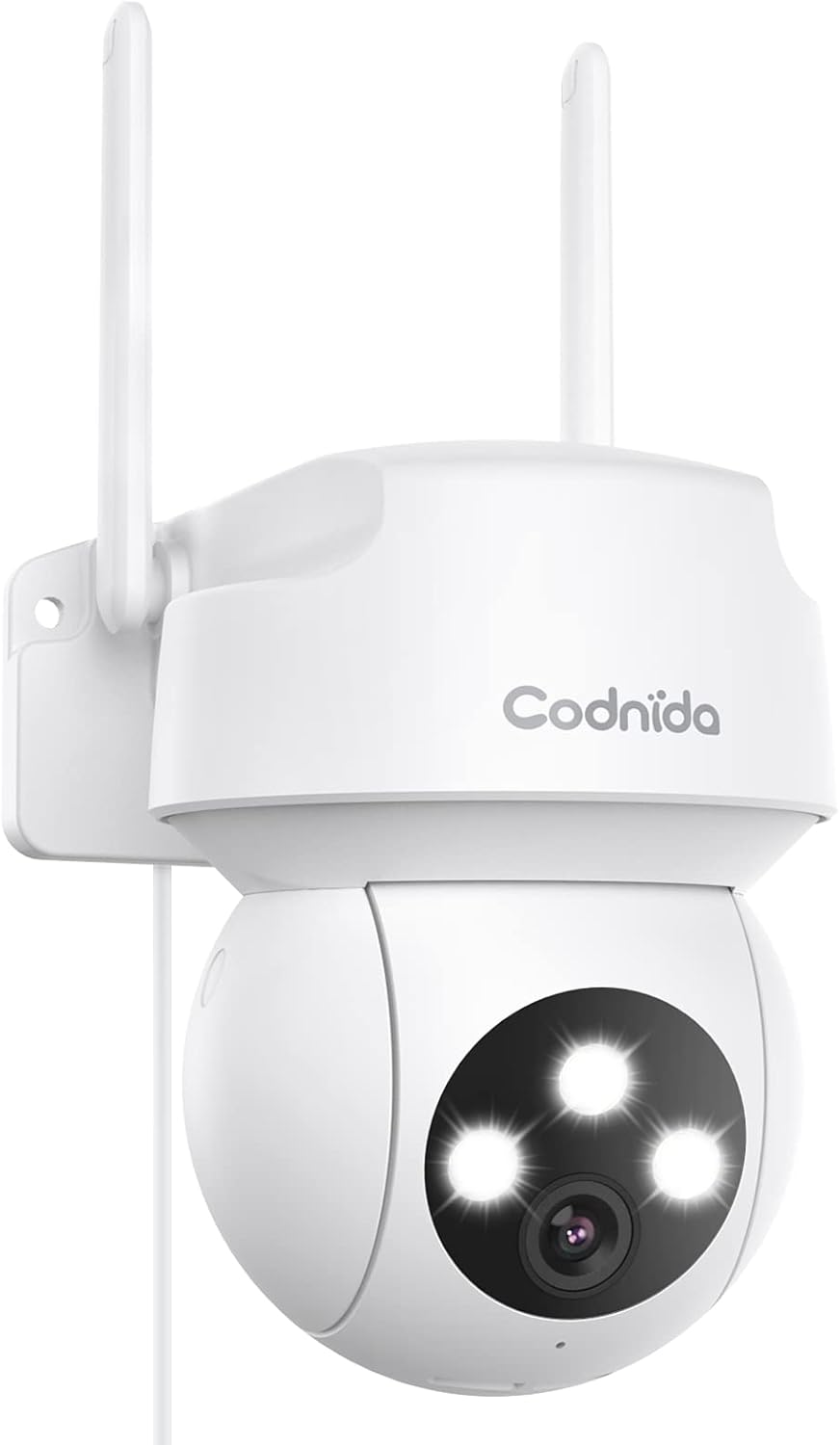
Figure 1.1: Codnida 2K PTZ Outdoor Security Camera, showcasing its sleek white design with dual antennas and three prominent LED lights on the camera head.
2. പാക്കേജ് ഉള്ളടക്കം
താഴെ ലിസ്റ്റ് ചെയ്തിരിക്കുന്ന എല്ലാ ഇനങ്ങളും നിങ്ങളുടെ പാക്കേജിൽ ഉൾപ്പെടുത്തിയിട്ടുണ്ടെന്ന് ഉറപ്പാക്കുക:
- 1 x Security Camera with cable (approx. 10ft)
- 1 x പവർ അഡാപ്റ്റർ
- 1 x പൊസിഷൻ സ്റ്റിക്കർ
- 1 x സ്ക്രീൻ പാക്കേജ്
- 1 x ഉപയോക്തൃ മാനുവൽ

Figure 2.1: Diagram illustrating the camera's components including antennas, indicator light, LED lights, camera lens, microphone, power cable, reset button, and TF card slot.
3 പ്രധാന സവിശേഷതകൾ
- 360° View PTZ: Pan 340° and tilt 110° for comprehensive coverage without blind spots.
- 2K (3MP) Video & Image: Captures 2304x1296 resolution for clear, sharp visuals.
- Smart Siren Alarm: Automatic activation of floodlight and siren upon motion detection at night.
- മോഷൻ ഡിറ്റക്ഷനും ഓട്ടോ ട്രാക്കിംഗും: Real-time alarm pushes to your phone and automatic tracking of human activity.
- വ്യക്തമായ രാത്രി കാഴ്ച: Features infrared and full-color night vision modes.
- വിദൂര ആക്സസ്: View live video and control the camera via the "CloudEdge" app (iOS & Android).
- ടു-വേ ഓഡിയോ: തത്സമയ ആശയവിനിമയത്തിനായി ബിൽറ്റ്-ഇൻ മൈക്രോഫോണും സ്പീക്കറും.
- IP66 കാലാവസ്ഥാ പ്രതിരോധം: Designed to withstand harsh weather conditions (-4℉ to +140℉).
- സംഭരണ പിന്തുണ: Supports SD card (up to 128GB, not included) and cloud service for recording storage.
4. സജ്ജീകരണ ഗൈഡ്
4.1 പവർ ചെയ്യുന്നു
Connect the camera to the provided power adapter and plug it into a standard electrical outlet. The camera will perform a self-test, indicated by LED lights and a voice prompt.
4.2 ആപ്പ് ഡൗൺലോഡും അക്കൗണ്ട് സൃഷ്ടിക്കലും
Download the "CloudEdge" app from your device's app store (available for iOS and Android). Follow the in-app instructions to create a new account or log in if you already have one.
4.3 വൈഫൈ കണക്ഷൻ
The Codnida camera connects only to 2.4GHz Wi-Fi networks. Ensure your router is broadcasting a 2.4GHz signal. If you have a dual-band router, you may need to separate the 2.4GHz and 5GHz networks or ensure your device is connected to the 2.4GHz band during setup.
Within the CloudEdge app, select 'Add Device' and follow the prompts to connect your camera to your Wi-Fi network. This typically involves scanning a QR code displayed on your phone with the camera lens.
Video 4.1: Instructions on how to change your Xfinity router settings to enable a 2.4GHz Wi-Fi network, which is required for the camera's connection.
4.4 ക്യാമറ മൗണ്ടിംഗ്
Choose a suitable outdoor location for mounting, ensuring a clear view and proximity to a power source. Use the included position sticker to mark drill holes, then secure the camera using the provided screws. The camera's IP66 weatherproof rating ensures durability against rain and snow.

ചിത്രം 4.1: ഒരു മുൻample of the camera mounted outdoors on a wall, demonstrating its placement for optimal surveillance.

Figure 4.2: Visual representation of the camera's IP66 weatherproof capability, showing it enduring rain, snow, and sunshine.
5. ഓപ്പറേഷൻ
5.1 തത്സമയം View കൂടാതെ PTZ നിയന്ത്രണവും
Open the CloudEdge app and select your camera to access the live view. Use the on-screen joystick or swipe gestures to control the camera's pan (340°) and tilt (110°) movements, allowing you to adjust the viewവിദൂരമായി ആംഗിൾ.

Figure 5.1: A smartphone screen displaying the live camera feed with an overlay of PTZ control arrows, indicating the ability to remotely adjust the camera's pan and tilt.

Figure 5.2: An outdoor scene with a house and garage, showing the camera mounted on the wall with arrows indicating its 340° pan and 110° tilt capabilities for a 360° view.
5.2 മോഷൻ ഡിറ്റക്ഷനും അലേർട്ടുകളും
Enable motion detection in the app settings. When motion is detected, the camera will automatically push real-time alarm information to your phone. The auto-tracking feature allows the camera to follow detected human activity, ensuring important moments are recorded.

Figure 5.3: An illustration depicting the camera's human motion tracking feature, showing a person walking and the camera's field of view adjusting to follow them.

Figure 5.4: A night scene showing the camera's spotlight illuminating an intruder and a siren icon, with a phone displaying an alarm message, demonstrating the smart siren and spotlight function.
5.3 ടു-വേ ഓഡിയോ
ടു-വേ ആശയവിനിമയത്തിനായി ബിൽറ്റ്-ഇൻ മൈക്രോഫോണും സ്പീക്കറും ഉപയോഗിക്കുക. ലൈവിലെ മൈക്രോഫോൺ ഐക്കണിൽ ടാപ്പ് ചെയ്യുക view ക്യാമറയിലൂടെ സംസാരിക്കാനും ക്യാമറയുടെ ചുറ്റുപാടിൽ നിന്നുള്ള ഓഡിയോ കേൾക്കാനും.

Figure 5.5: A person interacting with the camera via a smartphone app, showing a microphone icon for speaking and text bubbles indicating a two-way conversation, such as with a delivery person.
5.4 നൈറ്റ് വിഷൻ മോഡുകൾ
The camera offers two night vision modes: infrared night vision for clear black-and-white images in low light, and full-color night vision which uses the integrated floodlight to provide color images at night.

Figure 5.6: Comparison of color night vision (top) showing a brightly lit house and infrared night vision (bottom) showing a black and white view, both captured by the camera at night.
5.5 റെക്കോർഡിംഗും പ്ലേബാക്കും
The camera supports 24/7 recording. Recordings can be stored on a local SD card (not included, up to 128GB) or via cloud service (subscription may be required). Access recorded footage and playback through the CloudEdge app.

Figure 5.7: A visual comparison demonstrating the superior clarity of 2K (3MP) video resolution compared to 1080p, highlighting the enhanced detail captured by the camera.
6. പരിപാലനം
6.1 ക്യാമറ വൃത്തിയാക്കൽ
ക്യാമറ ലെൻസും ഹൗസിംഗും ഇടയ്ക്കിടെ സോഫ്റ്റ്, ഡി-ക്യാമറ ഉപയോഗിച്ച് വൃത്തിയാക്കുക.amp പൊടിയും അവശിഷ്ടങ്ങളും നീക്കം ചെയ്യാൻ തുണി ഉപയോഗിക്കുക. കഠിനമായ രാസവസ്തുക്കളോ ഉരച്ചിലുകളുള്ള ക്ലീനറുകളോ ഉപയോഗിക്കരുത്.
6.2 ഫേംവെയർ അപ്ഡേറ്റുകൾ
Check the CloudEdge app regularly for available firmware updates. Keeping your camera's firmware up-to-date ensures optimal performance, security, and access to new features.
6.3 കണക്ഷനുകൾ പരിശോധിക്കുന്നു
Ensure the power cable and any network cables (if used) are securely connected and free from damage. Verify Wi-Fi signal strength in the app to maintain a stable connection.
7 സ്പെസിഫിക്കേഷനുകൾ
| ഫീച്ചർ | വിശദാംശങ്ങൾ |
|---|---|
| ബ്രാൻഡ് | കോഡ്നിഡ |
| മോഡൽ നമ്പർ | COD-CD320 |
| കണക്റ്റിവിറ്റി ടെക്നോളജി | വയർലെസ് (വൈ-ഫൈ) |
| Wi-Fi ഫ്രീക്വൻസി | 2.4 GHz (Does not support 5G Wi-Fi) |
| വീഡിയോ ക്യാപ്ചർ റെസല്യൂഷൻ | 2K (3MP, 2304x1296p) |
| പാനൽ ശ്രേണി | 340° |
| ടിൽറ്റ് റേഞ്ച് | 110° |
| നൈറ്റ് വിഷൻ റേഞ്ച് | 33 അടി |
| നൈറ്റ് വിഷൻ മോഡുകൾ | Infrared, Full Color |
| ഓഡിയോ | 2-Way Audio (Built-in microphone and speaker) |
| കാലാവസ്ഥ പ്രതിരോധം | IP66 വാട്ടർപ്രൂഫ് |
| പ്രവർത്തന താപനില | -4℉ മുതൽ +140℉ വരെ (-20℃ മുതൽ +60℃ വരെ) |
| സ്റ്റോറേജ് ഓപ്ഷനുകൾ | SD Card (up to 128GB), Cloud Service |
| പവർ ഉറവിടം | കോർഡഡ് ഇലക്ട്രിക് (5 വോൾട്ട്, 12 വാട്ട്സ്) |
| അളവുകൾ (L x W x H) | 1 x 1 x 1 ഇഞ്ച് |
| ഇനത്തിൻ്റെ ഭാരം | 1.08 പൗണ്ട് |
| ഉൾപ്പെടുത്തിയ ഘടകങ്ങൾ | Camera, Power Adapter, Position Sticker, Screw Package, User Manual |
8. പ്രശ്നപരിഹാരം
8.1 ക്യാമറ വൈഫൈയിലേക്ക് കണക്റ്റ് ചെയ്യുന്നില്ല.
- നിങ്ങളുടെ വൈഫൈ നെറ്റ്വർക്ക് 2.4GHz ആണെന്ന് ഉറപ്പാക്കുക. ക്യാമറ 5GHz വൈഫൈ പിന്തുണയ്ക്കുന്നില്ല.
- കൃത്യതയ്ക്കായി നിങ്ങളുടെ വൈഫൈ പാസ്വേഡ് പരിശോധിക്കുക.
- സിഗ്നൽ ശക്തി മെച്ചപ്പെടുത്താൻ ക്യാമറ നിങ്ങളുടെ വൈഫൈ റൂട്ടറിന് അടുത്തേക്ക് നീക്കുക.
- If using a dual-band router, temporarily disable the 5GHz band during setup or ensure your phone is connected to the 2.4GHz band.
- Reset the camera by holding the reset button (located near the TF card slot) for 6-10 seconds until you hear a prompt. Then, attempt to reconnect.
8.2 Blurry or Pixelated Images
- ക്യാമറ ലെൻസ് വൃത്തിയുള്ളതാണെന്നും അഴുക്കോ അഴുക്കോ ഇല്ലെന്നും ഉറപ്പാക്കുക.
- Check your internet connection speed. A slow connection can result in lower quality streaming.
- Verify the camera's resolution setting in the CloudEdge app is set to 2K (3MP) or FHD.
8.3 മോഷൻ ഡിറ്റക്ഷൻ പ്രവർത്തിക്കുന്നില്ല അല്ലെങ്കിൽ വളരെ സെൻസിറ്റീവ്
- Adjust the motion detection sensitivity settings within the CloudEdge app.
- Define specific detection zones to reduce false alarms from irrelevant areas.
- ക്യാമറകൾക്ക് തടസ്സങ്ങളൊന്നുമില്ലെന്ന് ഉറപ്പാക്കുക. view കണ്ടെത്തൽ മേഖലയിൽ.
9. വാറൻ്റിയും പിന്തുണയും
For any issues with your order or product, please contact customer support. You can typically find support by logging into your account, choosing 'your order', finding the order ID, and clicking 'contact seller'.
For the most up-to-date warranty information, please refer to the product listing or contact Codnida customer service directly.


