1. ആമുഖം
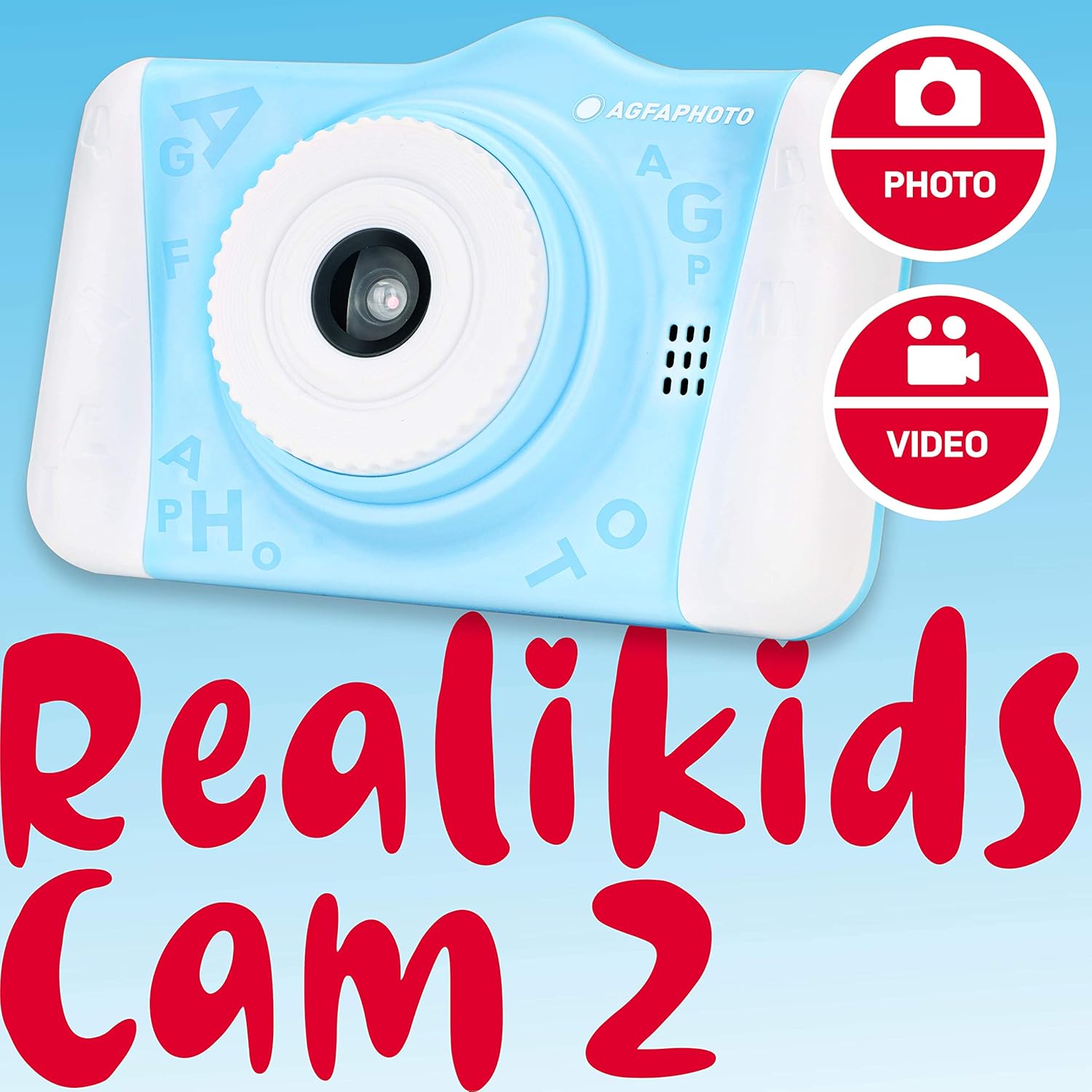
Welcome to the AGFA Photo Realikids Cam 2 digital camera instruction manual. This guide provides essential information for setting up, operating, and maintaining your new camera. Please read this manual carefully to ensure proper use and to maximize your child's enjoyment of the camera.
ബോക്സിൽ എന്താണുള്ളത്
- AGFA Photo Realikids Cam 2 Camera
- ബിൽറ്റ്-ഇൻ ലിഥിയം ബാറ്ററി (മുൻകൂട്ടി ഇൻസ്റ്റാൾ ചെയ്തത്)
- USB കേബിൾ
- നെക്ക് സ്ട്രാപ്പ്

2 സുരക്ഷാ വിവരങ്ങൾ
സുരക്ഷിതമായ പ്രവർത്തനം ഉറപ്പാക്കുന്നതിനും കേടുപാടുകൾ തടയുന്നതിനും, ദയവായി ഇനിപ്പറയുന്ന സുരക്ഷാ മാർഗ്ഗനിർദ്ദേശങ്ങൾ പാലിക്കുക:
- This product is intended for children aged 3 and above. Adult supervision is recommended.
- Do not expose the camera to water or excessive moisture. This camera is not water-resistant.
- ക്യാമറ താഴെയിടുകയോ ശക്തമായ ആഘാതങ്ങൾക്ക് വിധേയമാക്കുകയോ ചെയ്യരുത്.
- Do not attempt to disassemble or modify the camera. Repairs should only be performed by authorized personnel.
- Keep the USB cable away from heat sources and sharp objects.
- The camera contains a built-in lithium battery. Do not expose the battery to extreme temperatures, direct sunlight, or fire.
- ചാർജ് ചെയ്യാൻ നൽകിയിരിക്കുന്ന യുഎസ്ബി കേബിൾ മാത്രം ഉപയോഗിക്കുക.
3. സജ്ജീകരണം
3.1 ബാറ്ററി ചാർജ് ചെയ്യുന്നു
The camera features a built-in lithium battery. Before first use, fully charge the camera.
- Connect the small end of the provided USB cable to the camera's USB port.
- USB കേബിളിന്റെ വലിയ അറ്റം ഒരു സ്റ്റാൻഡേർഡ് USB പവർ അഡാപ്റ്ററുമായി (ഉൾപ്പെടുത്തിയിട്ടില്ല) അല്ലെങ്കിൽ ഒരു കമ്പ്യൂട്ടറിന്റെ USB പോർട്ടുമായി ബന്ധിപ്പിക്കുക.
- The charging indicator light will illuminate. Once charging is complete, the light may change color or turn off.
- ചാർജ് ചെയ്യാൻ സാധാരണയായി ഏകദേശം 2-3 മണിക്കൂർ എടുക്കും.

3.2 ഒരു മൈക്രോ എസ്ഡി കാർഡ് ചേർക്കുന്നു
The camera requires a Micro SD card (not included) to save photos and videos. The camera supports cards up to 32GB.
- ക്യാമറയുടെ വശത്ത് മൈക്രോ എസ്ഡി കാർഡ് സ്ലോട്ട് കണ്ടെത്തുക.
- Gently insert the Micro SD card into the slot with the metal contacts facing down until it clicks into place.
- To remove the card, push it gently inward until it clicks, then release, and it will spring out.
3.3 പവർ ഓൺ/ഓഫ്
- To power on: Press and hold the Power button (usually located on the top or side) for a few seconds until the screen illuminates.
- To power off: Press and hold the Power button again until the screen turns off.
4. ക്യാമറ പ്രവർത്തിപ്പിക്കുക
The AGFA Photo Realikids Cam 2 is designed for ease of use with its intuitive controls and large 3.5-inch LCD screen.

4.1 അടിസ്ഥാന നിയന്ത്രണങ്ങൾ
ക്യാമറയുടെ ബട്ടണുകൾ ഉപയോഗിച്ച് സ്വയം പരിചയപ്പെടുക:
- പവർ ബട്ടൺ: ക്യാമറ ഓൺ/ഓഫ് ചെയ്യുന്നു.
- Shutter/OK Button: Takes photos, starts/stops video recording, confirms selections.
- മോഡ് ബട്ടൺ: Switches between Photo, Video, and Playback modes.
- നാവിഗേഷൻ ബട്ടണുകൾ (മുകളിലേക്ക്/താഴേക്ക്/ഇടത്/വലത്): Used to navigate menus, zoom in/out, or select options.
- മെനു ബട്ടൺ: ക്യാമറ ക്രമീകരണങ്ങൾ ആക്സസ് ചെയ്യുന്നു.
4.2 ഫോട്ടോ എടുക്കൽ
- ക്യാമറ ഓണാക്കുക.
- Press the Mode button until the camera is in Photo mode (indicated by a camera icon on the screen).
- എൽസിഡി സ്ക്രീൻ ഉപയോഗിച്ച് നിങ്ങളുടെ ഷോട്ട് ഫ്രെയിം ചെയ്യുക.
- Press the Shutter/OK button to take a picture.
4.3 വീഡിയോ റെക്കോർഡിംഗ്
- ക്യാമറ ഓണാക്കുക.
- Press the Mode button until the camera is in Video mode (indicated by a video camera icon on the screen).
- Press the Shutter/OK button once to start recording. A timer or recording indicator will appear on the screen.
- റെക്കോർഡിംഗ് നിർത്താൻ ഷട്ടർ/ശരി ബട്ടൺ വീണ്ടും അമർത്തുക.
4.4 Selfie Mode
The camera features a rear CMOS sensor for taking selfies.
- Ensure the camera is in Photo or Video mode.
- The camera automatically uses the front-facing lens for selfies when pointed towards the user.
- Frame yourself using the LCD screen.
- Press the Shutter/OK button to capture a selfie photo or start/stop a selfie video.

4.5 Photo Filters
Enhance your photos with 16 fun built-in filters.
- In Photo mode, press the Menu button to access filter options.
- Use the Navigation buttons to scroll through the available filters (e.g., princess crown, bunny ears, Santa hat).
- Select your desired filter and press the Shutter/OK button to apply it.
- Take your photo as usual.

4.6 പ്ലേബാക്ക് മോഡ്
View നിങ്ങളുടെ പകർത്തിയ ഫോട്ടോകളും വീഡിയോകളും.
- Press the Mode button until the camera is in Playback mode (indicated by a play icon).
- Use the Navigation buttons to scroll through your photos and videos.
- Press the Shutter/OK button to view a video or a larger version of a photo.
5. പരിപാലനം
5.1 ക്യാമറ വൃത്തിയാക്കൽ
- ക്യാമറ ബോഡി വൃത്തിയാക്കാൻ മൃദുവായതും ഉണങ്ങിയതുമായ തുണി ഉപയോഗിക്കുക.
- For the lens and screen, use a specialized lens cleaning cloth to avoid scratches.
- ലിക്വിഡ് ക്ലീനറുകളോ ഉരച്ചിലുകളുള്ള വസ്തുക്കളോ ഉപയോഗിക്കരുത്.
5.2 സംഭരണം
- Store the camera in a cool, dry place away from direct sunlight.
- ദീർഘനേരം സൂക്ഷിക്കുകയാണെങ്കിൽ, ബാറ്ററിയുടെ ആയുസ്സ് വർദ്ധിപ്പിക്കുന്നതിന് ബാറ്ററി ഭാഗികമായി (ഏകദേശം 50%) ചാർജ്ജ് ചെയ്തിട്ടുണ്ടെന്ന് ഉറപ്പാക്കുക.
- Remove the Micro SD card if not in use for a long time.
6. പ്രശ്നപരിഹാരം
നിങ്ങളുടെ ക്യാമറയിൽ പ്രശ്നങ്ങൾ നേരിടുകയാണെങ്കിൽ, ഇനിപ്പറയുന്ന പൊതുവായ പരിഹാരങ്ങൾ പരിശോധിക്കുക:
| പ്രശ്നം | സാധ്യമായ പരിഹാരം |
|---|---|
| ക്യാമറ ഓണാകുന്നില്ല. | Ensure the battery is charged. Connect the camera to a power source using the USB cable. |
| ഫോട്ടോകൾ/വീഡിയോകൾ എടുക്കാൻ കഴിയില്ല. | Check if a Micro SD card is inserted correctly and has sufficient free space. The camera requires a memory card to save media. |
| മോശം ഇമേജ്/വീഡിയോ നിലവാരം. | Ensure the lens is clean. Check lighting conditions. The camera is designed for casual use and may not produce professional-grade images. |
| ക്യാമറ മരവിക്കുന്നു അല്ലെങ്കിൽ പ്രതികരിക്കുന്നില്ല. | Press and hold the Power button for 10-15 seconds to force a shutdown. Restart the camera. |
7 സ്പെസിഫിക്കേഷനുകൾ
| ഫീച്ചർ | വിശദാംശങ്ങൾ |
|---|---|
| മോഡലിൻ്റെ പേര് | ARKC2BL |
| സ്ക്രീൻ വലിപ്പം | 3.5 ഇഞ്ച് |
| ഡിസ്പ്ലേ തരം | എൽസിഡി |
| ഫോട്ടോ സെൻസർ ടെക്നോളജി | CMOS |
| ഫലപ്രദമായ സ്റ്റിൽ റെസല്യൂഷൻ | 12 എം.പി |
| വീഡിയോ റെസല്യൂഷൻ | 1080p |
| പിന്തുണച്ചു File ഫോർമാറ്റ് | AVI (Video), JPEG (Image) |
| ഫ്ലാഷ് മെമ്മറി തരം | മൈക്രോ എസ്ഡി (32 ജിബി വരെ) |
| ബാറ്ററി തരം | Built-in Lithium-Ion |
| കണക്റ്റിവിറ്റി ടെക്നോളജി | USB |
| പ്രത്യേക സവിശേഷതകൾ | Selfie Mode, Photo Filters, Burst Mode, Timer |
| ഇനത്തിൻ്റെ ഭാരം | 4.06 ഔൺസ് |
| നിറം | നീല |
| പ്രായ പരിധി വിവരണം | കുട്ടി |
8. വാറൻ്റിയും പിന്തുണയും
For warranty information or technical support, please refer to the documentation included with your purchase or visit the official AgfaPhoto webസൈറ്റ്. വാറന്റി ക്ലെയിമുകൾക്കായി നിങ്ങളുടെ വാങ്ങലിന്റെ തെളിവ് സൂക്ഷിക്കുക.


