ആമുഖം
വാങ്ങിയതിന് നന്ദി.asing the Mikado MD-BT28 5W+3W×2 LED Light Speaker. This manual provides essential information for the safe and efficient use of your new speaker system. Please read this manual thoroughly before operating the device and retain it for future reference.
ഉൽപ്പന്നം കഴിഞ്ഞുview
The Mikado MD-BT28 is a versatile 2.1 channel speaker system featuring a main unit (subwoofer) and two satellite speakers, enhanced with LED lighting. It offers multiple connectivity options including USB and Bluetooth, making it suitable for various audio sources.
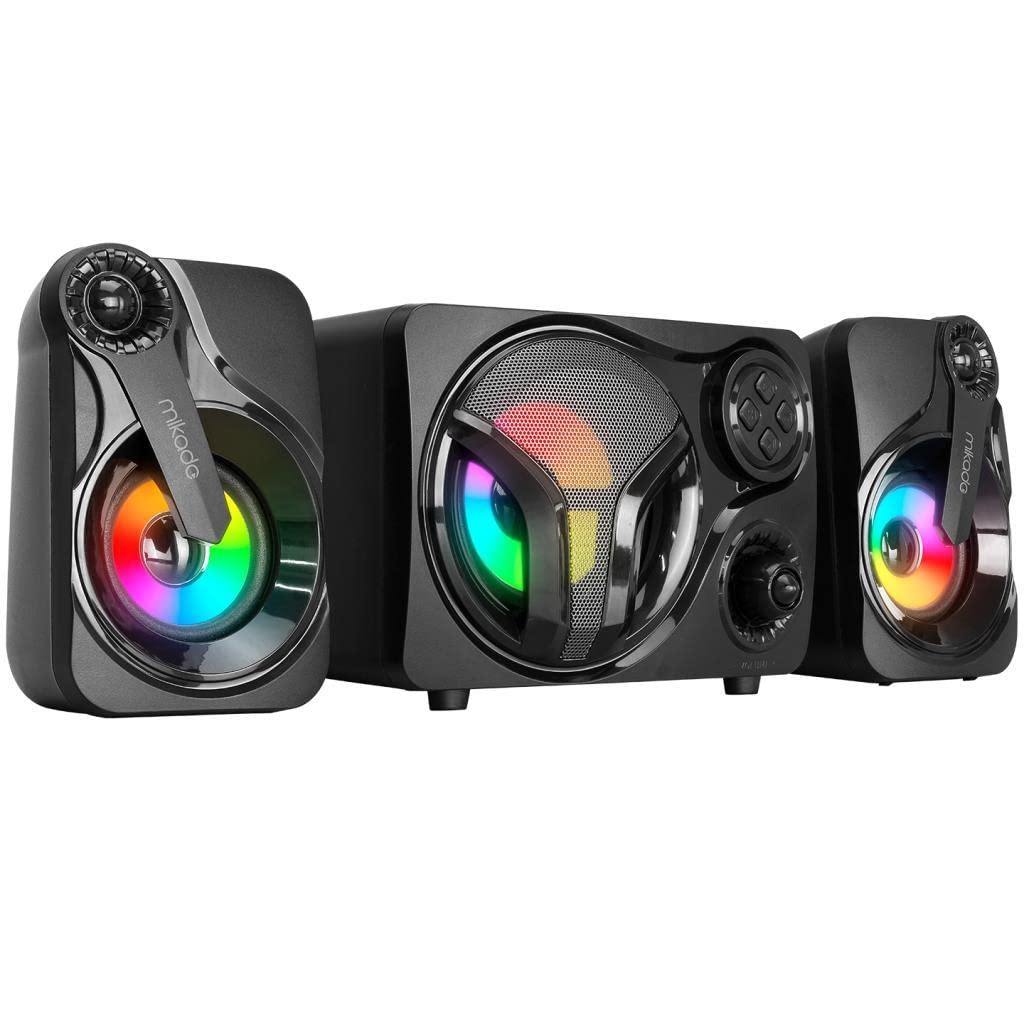
ചിത്രം 1: മുൻഭാഗം view of the Mikado MD-BT28 2.1 speaker system, showing the central main unit and two satellite speakers, all with colorful LED lighting.
ഘടകങ്ങൾ:
- Main Unit (Subwoofer): Central speaker with primary controls and power input.
- Satellite Speakers (2x): Left and right channel speakers for stereo sound.
- USB പവർ കേബിൾ: For powering the speaker system.
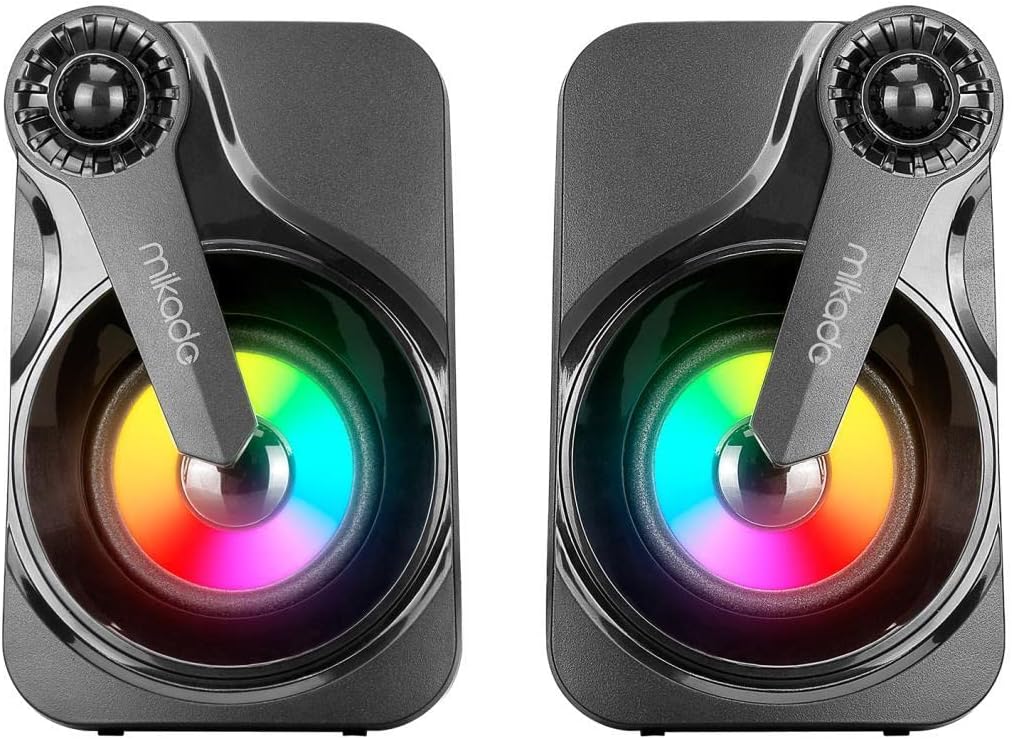
ചിത്രം 2: ക്ലോസപ്പ് view of the two satellite speakers, highlighting their design and LED elements.
സജ്ജമാക്കുക
- അൺപാക്ക്: പാക്കേജിംഗിൽ നിന്ന് എല്ലാ ഘടകങ്ങളും ശ്രദ്ധാപൂർവ്വം നീക്കം ചെയ്യുക.
- പ്ലേസ്മെൻ്റ്: Position the main unit centrally and the two satellite speakers to its left and right for optimal stereo separation. Ensure adequate ventilation around the speakers.
- സാറ്റലൈറ്റ് സ്പീക്കറുകൾ ബന്ധിപ്പിക്കുക: Connect the cables from the satellite speakers to the corresponding output ports on the main unit. Ensure a secure connection.
- പവർ കണക്ഷൻ: Insert the USB power cable into the designated USB power input port on the main unit. Connect the other end to a standard USB power adapter (not included) or a powered USB port (e.g., on a computer).
- പവർ ഓൺ: Press the power button on the main unit to turn on the speaker system. The LED lights should illuminate.
പ്രവർത്തന നിർദ്ദേശങ്ങൾ
പവർ ഓൺ/ഓഫ്:
- ഓണാക്കാൻ, അമർത്തുക ശക്തി ബട്ടൺ.
- ഓഫാക്കാൻ, അമർത്തിപ്പിടിക്കുക ശക്തി ബട്ടൺ.
വോളിയം നിയന്ത്രണം:
- ഡെഡിക്കേറ്റഡ് ഉപയോഗിച്ച് വോളിയം ക്രമീകരിക്കുക വോളിയം നോബ് or വോളിയം കൂട്ടുക/താഴ്ത്തുക പ്രധാന യൂണിറ്റിലെ ബട്ടണുകൾ.
മോഡ് തിരഞ്ഞെടുക്കൽ:
അമർത്തുക മോഡ് button to switch between available input modes (e.g., Bluetooth, USB).
ബ്ലൂടൂത്ത് ജോടിയാക്കൽ:
- Ensure the speaker is powered on and in Bluetooth mode (indicated by a flashing LED or voice prompt).
- നിങ്ങളുടെ ഓഡിയോ ഉപകരണത്തിൽ (സ്മാർട്ട്ഫോൺ, ടാബ്ലെറ്റ്, കമ്പ്യൂട്ടർ), ബ്ലൂടൂത്ത് പ്രവർത്തനക്ഷമമാക്കി ലഭ്യമായ ഉപകരണങ്ങൾക്കായി തിരയുക.
- Select "MD-BT28" from the list of devices.
- Once paired, the speaker will indicate a successful connection (e.g., solid LED light, voice prompt).
യുഎസ്ബി പ്ലേബാക്ക്:
- ഓഡിയോ അടങ്ങിയ ഒരു USB ഡ്രൈവ് ഇടുക fileപ്രധാന യൂണിറ്റിലെ USB പോർട്ടിലേക്ക്.
- The speaker should automatically switch to USB mode and begin playback. If not, press the മോഡ് USB തിരഞ്ഞെടുക്കാൻ ബട്ടൺ.
- ഉപയോഗിക്കുക പ്ലേ/താൽക്കാലികമായി നിർത്തുക, അടുത്ത ട്രാക്ക്, ഒപ്പം മുമ്പത്തെ ട്രാക്ക് പ്ലേബാക്ക് നിയന്ത്രിക്കുന്നതിനുള്ള ബട്ടണുകൾ.
LED ലൈറ്റ് കൺട്രോൾ:
The MD-BT28 features integrated LED lights. If there is a dedicated button for LED control, press it to cycle through different lighting modes or to turn the lights on/off. Refer to the main unit's controls for specific functionality.
മെയിൻ്റനൻസ്
- വൃത്തിയാക്കൽ: സ്പീക്കർ പ്രതലങ്ങൾ വൃത്തിയാക്കാൻ മൃദുവായതും ഉണങ്ങിയതുമായ തുണി ഉപയോഗിക്കുക. ലിക്വിഡ് ക്ലീനറുകളോ അബ്രാസീവ് വസ്തുക്കളോ ഉപയോഗിക്കരുത്, കാരണം അവ ഫിനിഷിനോ ആന്തരിക ഘടകങ്ങളോ കേടുവരുത്തും.
- സംഭരണം: ദീർഘനേരം ഉപയോഗിക്കാത്തപ്പോൾ, നേരിട്ടുള്ള സൂര്യപ്രകാശത്തിൽ നിന്നും കടുത്ത താപനിലയിൽ നിന്നും മാറി തണുത്തതും വരണ്ടതുമായ സ്ഥലത്ത് സ്പീക്കർ സൂക്ഷിക്കുക.
- വെള്ളം ഒഴിവാക്കുക: Keep the speaker away from water, moisture, and high humidity.
- ശ്രദ്ധയോടെ കൈകാര്യം ചെയ്യുക: സ്പീക്കറെ ശക്തമായ ആഘാതങ്ങൾക്ക് വിധേയമാക്കുകയോ താഴെയിടുകയോ ചെയ്യുന്നത് ഒഴിവാക്കുക.
ട്രബിൾഷൂട്ടിംഗ്
| പ്രശ്നം | സാധ്യമായ കാരണം | പരിഹാരം |
|---|---|---|
| സ്പീക്കറുകളിൽ നിന്ന് ശബ്ദമില്ല. |
|
|
| ബ്ലൂടൂത്ത് വഴി ജോടിയാക്കാൻ കഴിയില്ല. |
|
|
| എൽഇഡി ലൈറ്റുകൾ പ്രവർത്തിക്കുന്നില്ല. |
|
|
സ്പെസിഫിക്കേഷനുകൾ
| ഫീച്ചർ | വിശദാംശങ്ങൾ |
|---|---|
| ബ്രാൻഡ് | മിക്കാഡോ |
| മോഡൽ | MD-BT28 |
| ഔട്ട്പുട്ട് പവർ | 5W (Main Unit) + 3W x 2 (Satellite Speakers) |
| കണക്റ്റിവിറ്റി ടെക്നോളജി | USB, ബ്ലൂടൂത്ത് |
| നിയന്ത്രണ രീതി | ടച്ച് നിയന്ത്രണങ്ങൾ |
| പവർ ഉറവിടം | Battery Powered (via USB) |
| ശുപാർശ ചെയ്യുന്ന ഉപയോഗം | For Computers, For Televisions |
| അനുയോജ്യമായ ഉപകരണങ്ങൾ | ഡെസ്ക്ടോപ്പ് കമ്പ്യൂട്ടർ |
| സ്പീക്കർ തരം | Center Channel, Satellite Speaker |
| മെറ്റീരിയൽ | ലോഹം |
| മൗണ്ടിംഗ് തരം | ഫ്രീസ്റ്റാൻഡിംഗ് |
| പാക്കേജ് അളവുകൾ | 27.6 x 19.6 x 15.2 സെ.മീ |
| ഇനത്തിൻ്റെ ഭാരം | 1.26 കിലോഗ്രാം |
വാറൻ്റിയും പിന്തുണയും
For warranty information and customer support, please refer to the documentation provided at the time of purchase or contact your retailer. Mikado strives to provide high-quality products and support.


