ആമുഖം
The Muse S is an advanced EEG technology training tool designed to enhance meditation practice and improve sleep hygiene. It provides real-time feedback on your mind, heart, body, and breath activity, similar to Muse 2, and introduces specialized Sleep Tracking & Journeys. The accompanying Muse: Meditation & Sleep app is available for free on major app stores, allowing users to connect their headband via Bluetooth, select experiences, and review post-session reports and sleep insights.
പ്രധാന സവിശേഷതകളിൽ ഇവ ഉൾപ്പെടുന്നു:
- Real-time feedback on mind, heart, body, and breath activity.
- Dedicated Sleep Tracking & Journeys for restful sleep.
- Extended 10-hour battery life for day and night use.
- Soft, breathable stretch fabric for comfort.
- Compatibility with iOS and Android devices (excluding Huawei).
സജ്ജമാക്കുക
Proper setup and fit are crucial for optimal performance and accurate data collection from your Muse S headband. Follow these steps to ensure a secure and comfortable fit, and to prepare your device for use.
1. അൺബോക്സിംഗും കമ്പോണന്റ് ഓവറുംview
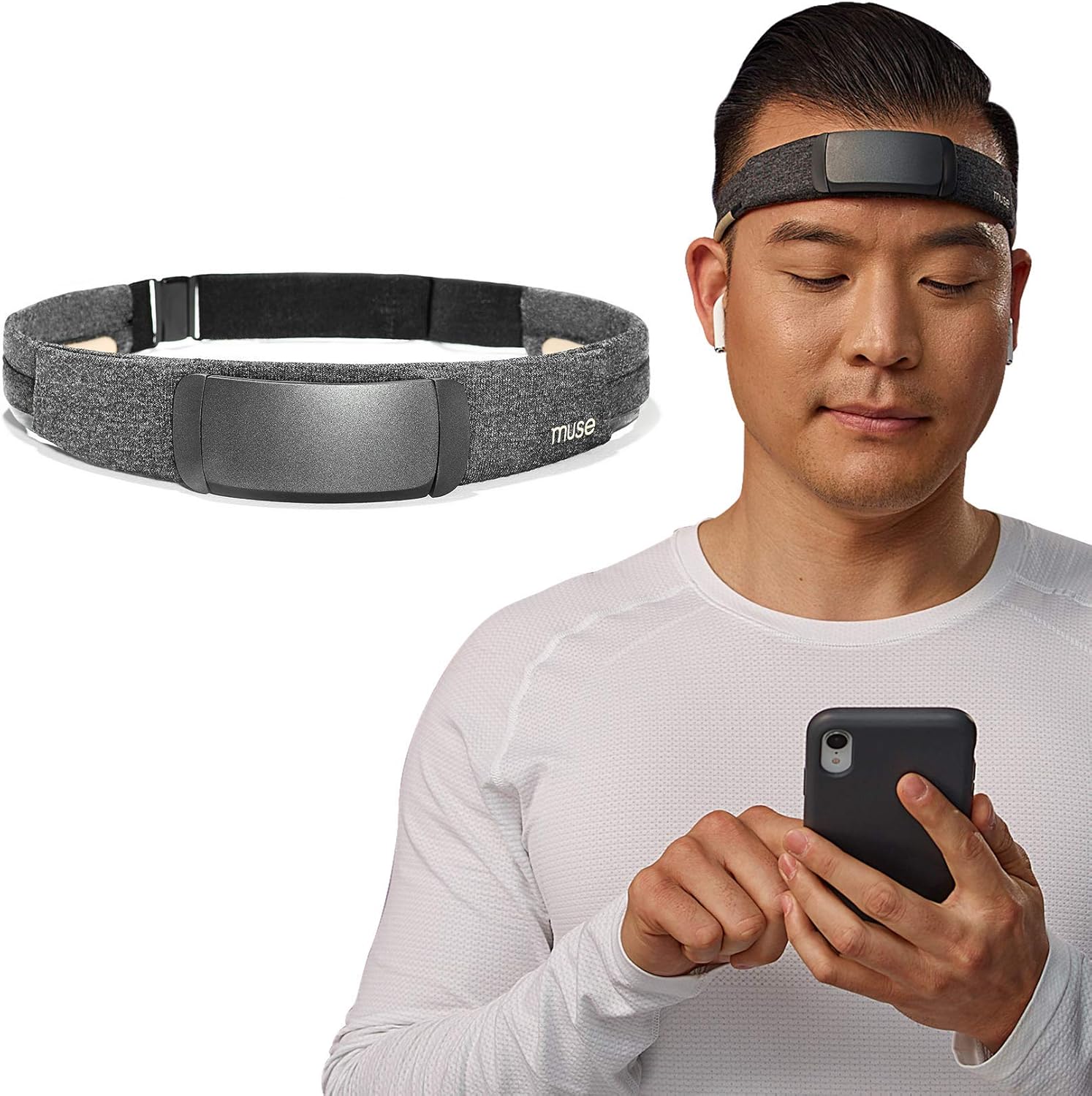
Figure 1: The Muse S headband and its main module, as seen upon unboxing.
The Muse S headband consists of a soft, flexible fabric band and a detachable main module (pod) that houses the sensors and electronics. The pod connects magnetically to the band.
2. Attaching the Main Module (Pod)
Ensure the main module is securely attached to the fabric band. The power button on the pod should be facing upwards (towards the ceiling) when worn. The ear sensors on the band should be closest to your ears.

Figure 2: Visual guide for connecting the headband to the app and selecting an experience.
3. Fitting the Headband
For users with medium to long hair, it is recommended to start by placing the pod at the back of your neck, with the power button facing upwards. Fasten the clasp at the front of your neck. Then, gently pull the pod and the band upwards towards your forehead. Position the pod midway up your forehead, not at the hairline or eyebrow line. Use your thumbs to pull the side sensors up and over your ears, ensuring they make direct contact with your skin. Avoid pulling on the sensors directly to prevent damage.
Video 1: Detailed instructions on how to properly fit your Muse S headband for optimal signal quality.
4. Ensuring Proper Contact and Tightness
After fitting, gently rub your hand over the pod to ensure it is securely attached to the band. The fit should be snug but comfortable, like a gentle hug, without squeezing your head. If it feels too tight, slightly loosen the band at the back. If it feels too loose or the sensors might move away from your skin, gently tighten it. The goal is clear, direct contact between the sensors and your skin for accurate readings.
പ്രവർത്തിക്കുന്നു
The Muse S headband works in conjunction with the Muse: Meditation & Sleep app to provide various experiences for meditation and sleep improvement.
1. ആപ്പിലേക്ക് ബന്ധിപ്പിക്കുന്നു
Once the headband is comfortably fitted, ensure it is charged. Download the free Muse app from the Apple App Store or Google Play Store. Connect your Muse S headband to your device via Bluetooth. The app will guide you through a sensor check to ensure proper connection and signal quality.
2. Choosing an Experience
The Muse app offers various experiences, including Mind, Heart, Body, Breath, and Sleep. Select the experience you wish to engage in. For meditation, put on your favorite headphones (not included) and close your eyes. The app will provide real-time audio feedback based on your physiological state.

Figure 3: Individuals using the Muse S headband for meditation and sleep, highlighting its comfort and intelligent sleep support.
3. Real-time Feedback and Guidance
During meditation, you will hear soothing soundscapes that respond to the fluctuations of your mind and body. For example, in Mind Meditation, calm mental activity might be represented by peaceful birdsong, while a busy mind might trigger sounds of a storm. This biofeedback helps you learn to focus and calm your mind.
വീഡിയോ 2: ഒരു ഓവർview of Muse S Sleep Journeys, demonstrating how the app combines neurofeedback with soothing voice guidance for restful sleep.
4. Post-Session Reporting
After each session, the Muse app provides detailed reports on your performance, including mind stillness, heart rate, body stillness, and breath activity. These insights help you track your progress and identify areas for improvement in your meditation and sleep practices.
സ്ലീപ്പ് ട്രാക്കിംഗ്
Muse S offers advanced EEG-powered sleep tracking, providing lab-grade insights into your sleep patterns from the comfort of your home. This feature is designed to help you understand and improve your sleep quality.
1. Sleep Journeys & Soundscapes
Prepare for restful sleep with Go-to-Sleep Journeys, which combine soothing voice guidance from meditation teachers with responsive natural soundscapes. These experiences are designed to help quiet your mind and guide you into slumber. If you wake up during the night, the system can automatically guide you back to sleep.
വീഡിയോ 3: ഒരു ഉദ്യോഗസ്ഥൻview of the Muse S: The Brain Sensing Headband, highlighting its features for meditation and sleep tracking.
2. Overnight Tracking and Insights
When worn overnight, Muse S tracks various sleep metrics, including:
- സ്ലീപ്പ് എസ്tages: Understand how much time you spend in light, deep, and REM sleep.
- Sleep Efficiency Score: A personalized score indicating the quality of your sleep.
- Deep Sleep Insights & Points: Gain deeper understanding of your most restorative sleep phases.
- Sleep Positioning: Track your body's position changes throughout the night.
- Heart Rate & Stillness: Monitor physiological responses during sleep.
Video 4: A merchant video detailing the features of the Muse S, including its overnight sleep tracking capabilities.
3. Digital Sleeping Pills
These responsive sleep experiences use EEG and Smart-Fade Technology to detect changes in your brain activity. As you drift off, the Sleep Story or Soundscape will gently fade out. If you wake up, the technology automatically guides you back to sleep, helping to minimize sleep disruptions.
മെയിൻ്റനൻസ്
To ensure the longevity and optimal performance of your Muse S headband, regular maintenance is recommended.
1. Cleaning the Sensors
For best signal quality, the sensors should be clean and make direct contact with your skin. If you experience difficulty with signal quality, you may apply a small amount of moisture to the sensors. Use a clean, damp cloth or tissue (moistened with water) to gently wipe the sensors on the band. Avoid excessive moisture. You can also apply a small amount of moisture directly to your skin where the sensors will make contact.
2. തുണി സംരക്ഷണം
The fabric band is soft and breathable. While it is designed for comfort, avoid machine washing. For cleaning the fabric, gently spot clean with a damp cloth and mild soap if necessary. Allow it to air dry completely before reassembling or storing.
3. സംഭരണം
When not in use, store your Muse S headband in a cool, dry place. The flexible design allows it to be folded for easy portability, making it travel-friendly. Avoid storing it in direct sunlight or extreme temperatures.
ട്രബിൾഷൂട്ടിംഗ്
If you encounter issues with your Muse S headband, refer to the following common troubleshooting tips.
1. Signal Quality Issues
If the app indicates poor signal quality during the sensor check, ensure the headband is properly fitted and the sensors have direct contact with your skin. Hair can interfere with sensor contact; gently move hair away from the sensors, especially around the ears. Applying a small amount of moisture to the sensors or your skin can also improve conductivity.
2. കണക്റ്റിവിറ്റി പ്രശ്നങ്ങൾ
Ensure your Muse S headband is charged and powered on. Verify that Bluetooth is enabled on your mobile device and that the headband is paired. If issues persist, try restarting both the headband and your mobile device, and then attempt to reconnect through the Muse app.
3. App Functionality
If the Muse app is not functioning as expected, ensure it is updated to the latest version. You may also try force-closing and reopening the app, or reinstalling it if necessary. Check your device's compatibility (Apple iOS 11 and higher, Android 5 or higher; Huawei devices are not supported).
സ്പെസിഫിക്കേഷനുകൾ
| ഫീച്ചർ | വിശദാംശങ്ങൾ |
|---|---|
| ബ്രാൻഡ് | മ്യൂസ് |
| മോഡലിൻ്റെ പേര് | MS-01-GY-ML |
| മെറ്റീരിയൽ | Nylon, Rayon |
| നിറം | Headband (Black) |
| അനുയോജ്യമായ ഉപകരണങ്ങൾ | Apple iOS 11 and higher, Android 5 or higher (Huawei devices NOT supported) |
| ബാറ്ററി ലൈഫ് | 10 മണിക്കൂർ |
| സെൻസർ തരം | ഇ.ഇ.ജി |
| കണക്റ്റിവിറ്റി | ബ്ലൂടൂത്ത് 4.2 |
| ചാർജിംഗ് പോർട്ട് | MicroUSB (cable included) |
| ഇനം പാക്കേജ് അളവുകൾ | 9.92 x 2.48 x 2.44 ഇഞ്ച് |
| പാക്കേജ് ഭാരം | 0.35 കിലോഗ്രാം |
വാറൻ്റി & പിന്തുണ
The Muse S: The Brain Sensing Headband comes with a 1 വർഷത്തെ നിർമ്മാതാവിൻ്റെ വാറൻ്റി.
For additional support, please refer to the official User Guide (PDF) available for download: ഉപയോക്തൃ ഗൈഡ് (PDF).
You can also visit the official MUSE Store on Amazon for more information and resources: MUSE Store.


