1. ആമുഖം
This manual provides detailed instructions for the installation, operation, and maintenance of your Srihome SH035 Wireless WiFi 3MP Full HD 1296p Outdoor IP Security Camera. Please read this manual thoroughly before using the product to ensure proper functionality and safety. The Srihome SH035 camera is designed for both indoor and outdoor surveillance, offering 3MP resolution, night vision, motion detection, and two-way audio capabilities.
2. പാക്കേജ് ഉള്ളടക്കം
താഴെ ലിസ്റ്റ് ചെയ്തിരിക്കുന്ന എല്ലാ ഇനങ്ങളും നിങ്ങളുടെ പാക്കേജിൽ ഉൾപ്പെടുത്തിയിട്ടുണ്ടെന്ന് ഉറപ്പാക്കുക:
- 1x Srihome SH035 1296p Full HD WiFi Security Camera
- 1x പവർ അഡാപ്റ്റർ
- 1x ദ്രുത ഉപയോക്തൃ ഗൈഡ്
- 1x Screw accessories bag
3. ഉൽപ്പന്നം കഴിഞ്ഞുview
Familiarize yourself with the components of your Srihome SH035 camera.

ചിത്രം 3.1: മുൻവശവും വശവും view of the Srihome SH035 camera, showing the lens, LED lights, and antenna.

ചിത്രം 3.2: വശം view of the Srihome SH035 camera, highlighting the adjustable mounting bracket and antenna connection.

ചിത്രം 3.3: താഴെ view of the camera, showing the product label with important information such as the camera ID (e.g., H033344GNPG) and default password (e.g., 88888888). Please refer to your specific device's label for accurate credentials.

Figure 3.4: Close-up of the camera's front, detailing the lens, infrared LEDs, and white LED lights for enhanced night vision.
4. സജ്ജീകരണം
4.1 പ്രാരംഭ സജ്ജീകരണം
- പവർ കണക്ഷൻ: Connect the provided power adapter to the camera and plug it into a power outlet. The camera will power on and initiate its startup sequence.
- ആപ്പ് ഡൗൺലോഡ്: Download the 'SriHome' app from your mobile device's app store (available for iOS and Android).
- അക്കൗണ്ട് രജിസ്ട്രേഷൻ: Open the SriHome app and register a new account or log in if you already have one.
- ക്യാമറ ചേർക്കുക: Follow the in-app instructions to add your SH035 camera. This typically involves scanning the QR code on the camera's label (refer to Figure 3.3) or manually entering the camera ID.
- Wi-Fi കണക്ഷൻ: Connect the camera to your 2.4GHz Wi-Fi network. കുറിപ്പ്: ക്യാമറ 5GHz വൈഫൈ നെറ്റ്വർക്കുകളെ പിന്തുണയ്ക്കുന്നില്ല.
4.2 ക്യാമറ മൗണ്ടിംഗ്
The Srihome SH035 camera is designed for wall mounting and can be used both indoors and outdoors due to its IP66 waterproof rating.
- ലൊക്കേഷൻ തിരഞ്ഞെടുക്കുക: Select a suitable location for mounting, ensuring good Wi-Fi signal strength and a clear view നിങ്ങൾ നിരീക്ഷിക്കാൻ ആഗ്രഹിക്കുന്ന പ്രദേശത്തിന്റെ.
- ഡ്രില്ലിംഗ് പോയിന്റുകൾ അടയാളപ്പെടുത്തുക: Use the camera's mounting base as a template to mark the drilling points on the wall.
- തുളകൾ: Drill holes at the marked points and insert the wall plugs (if necessary, included in the screw accessories bag).
- സുരക്ഷിത ക്യാമറ: നൽകിയിരിക്കുന്ന സ്ക്രൂകൾ ഉപയോഗിച്ച് ക്യാമറയുടെ മൗണ്ടിംഗ് ബേസ് ഭിത്തിയിൽ ഘടിപ്പിക്കുക.
- ആംഗിൾ ക്രമീകരിക്കുക: Adjust the camera's angle to achieve the desired viewകവറേജ്.
5. പ്രവർത്തന നിർദ്ദേശങ്ങൾ
5.1 App Connection and Live View
Once the camera is successfully added to the SriHome app, you can access the live video feed 24/7 from your iOS or Android smartphone or tablet. The app allows you to view up to 4 cameras simultaneously.
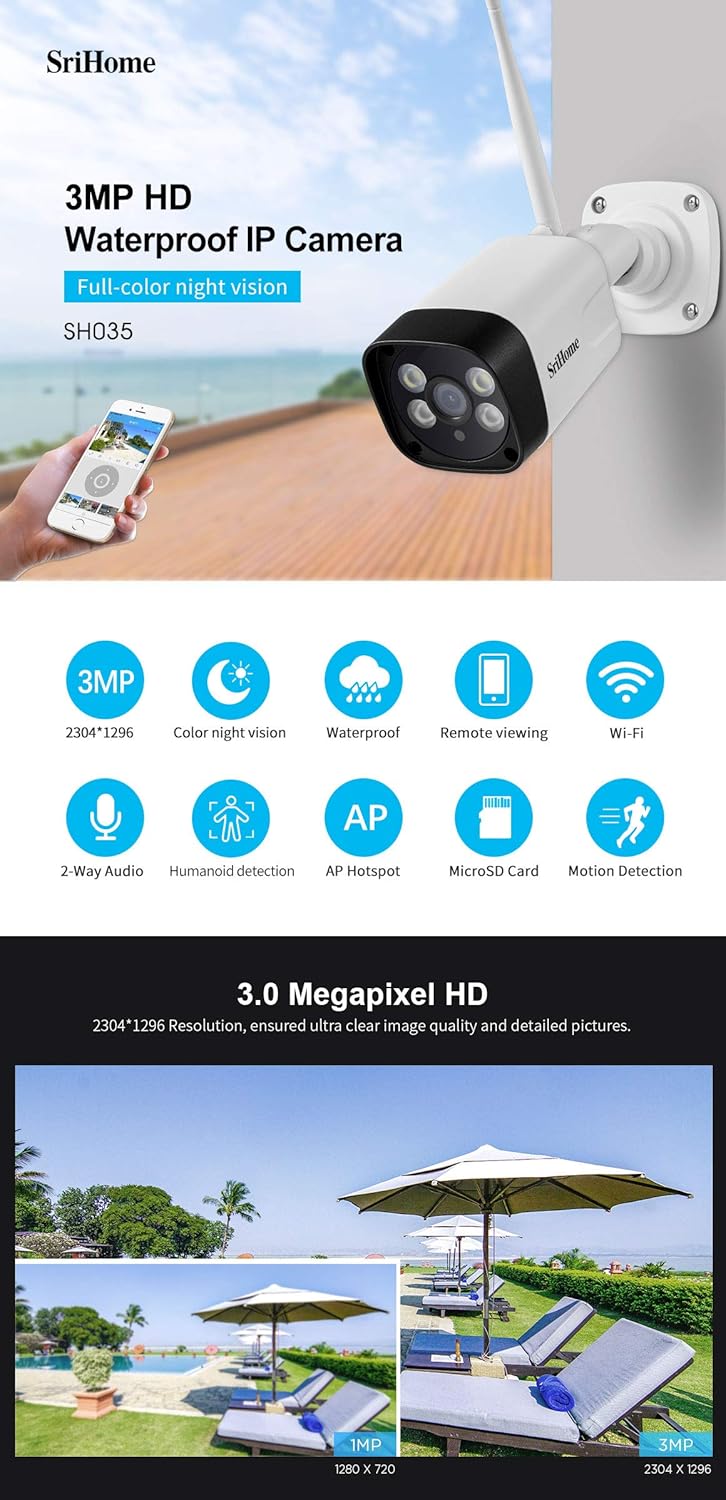
ചിത്രം 5.1: ഓവർview of key features including 3MP HD resolution, color night vision, waterproofing, remote viewing, and Wi-Fi connectivity.
5.2 മോഷൻ ഡിറ്റക്ഷനും അലേർട്ടുകളും
The camera features motion detection with customizable zones and humanoid detection to reduce false alarms.
- ഹ്യൂമനോയിഡ് കണ്ടെത്തൽ: The camera can distinguish human activities from other moving objects, minimizing unnecessary alerts.
- Advanced Zone Detection: Set customized motion detection zones within the app to monitor specific areas of interest.
- അലേർട്ടുകൾ: When motion is detected, the camera will send notifications to your phone via the SriHome app.

Figure 5.2: Illustration of humanoid detection distinguishing human presence and advanced zone detection for customized monitoring areas.
5.3 നൈറ്റ് വിഷൻ മോഡുകൾ
The SH035 camera offers three night vision modes for clear visibility in low-light conditions, utilizing 2pcs array IR illumination LEDs and 2pcs built-in ultra-bright floodlights.
- സ്മാർട്ട് മോഡ്: Provides black & white night vision. The spotlights automatically activate upon motion detection, enabling full-color recording of the event.
- വർണ്ണ മോഡ്: Turns on the spotlights to provide continuous outdoor lighting and full-color night vision. Brightness can be adjusted as needed.
- IR മോഡ്: Turns off the spotlights and switches the camera to black & white night vision via the SriHome App, using only infrared illumination.

Figure 5.3: Comparison of full-color night vision, ordinary night vision, and the three distinct night vision modes (Smart, Color, IR).
5.4 ടു-വേ ഓഡിയോ
The camera includes a built-in high-fidelity microphone and speaker, enabling real-time interactive communication through your mobile phone via the app.
5.5 MicroSD and NVR Storage
The Srihome SH035 supports local storage options:
- മൈക്രോ എസ്ഡി കാർഡ്: Supports up to a 128GB SD card for continuous recording. A 32GB SD card can store approximately 3 days of 24/7 recording.
- എൻവിആർ (നെറ്റ്വർക്ക് വീഡിയോ റെക്കോർഡർ): The camera can also be connected to a compatible NVR system for extended storage and management.
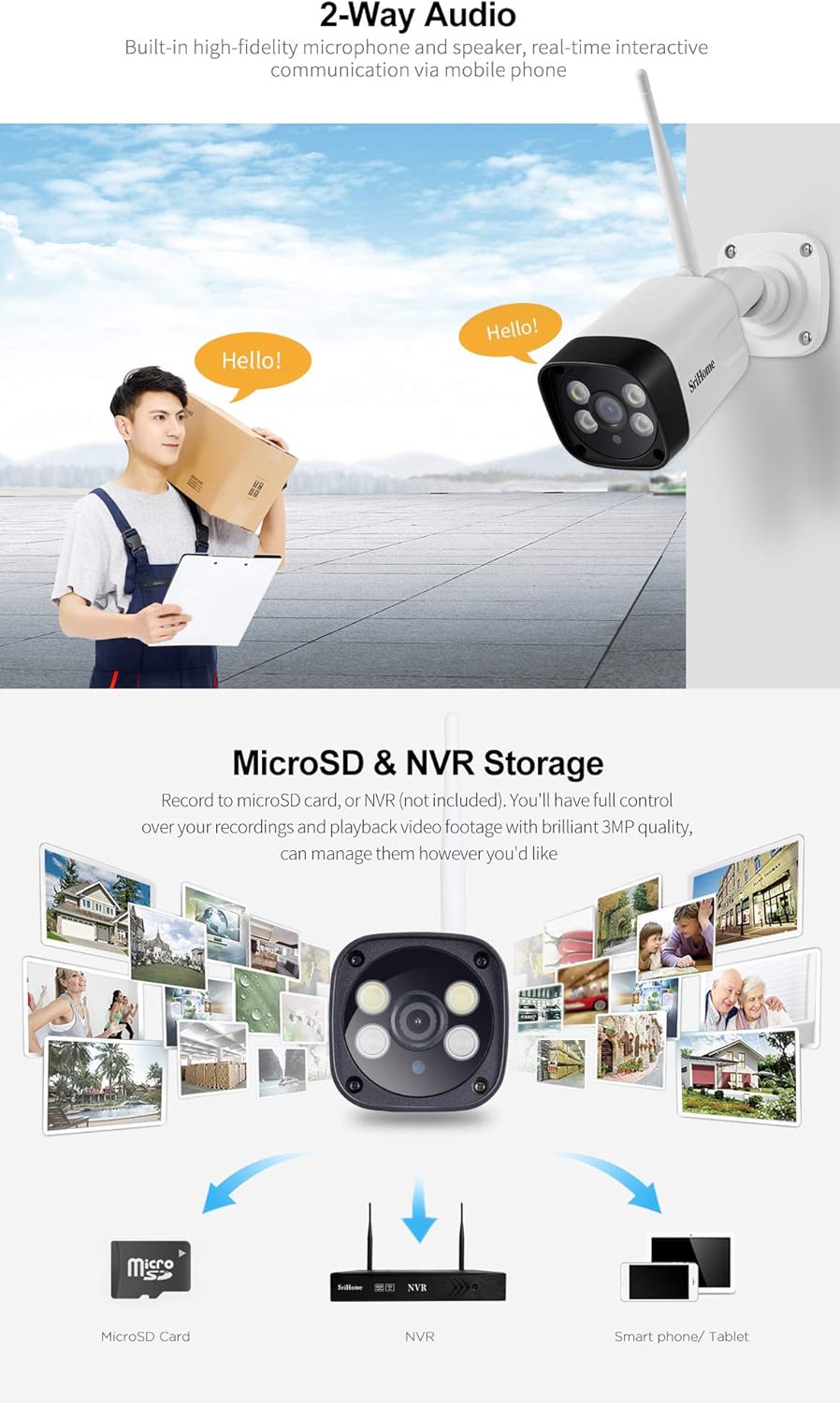
Figure 5.4: Depiction of 2-way audio functionality and various storage options including MicroSD card, NVR, and smartphone/tablet viewing.
5.6 Multi-User Management
You can grant access to your camera's feed to family members and friends. The app allows you to define each user as an operator or a guest. You can also privatize certain areas of the view that you do not wish guest users to see.
6. പരിപാലനം
- വൃത്തിയാക്കൽ: മൃദുവായതും ഉണങ്ങിയതുമായ തുണി ഉപയോഗിച്ച് ക്യാമറ ലെൻസും ബോഡിയും സൌമ്യമായി തുടയ്ക്കുക. കഠിനമായ രാസവസ്തുക്കളോ അബ്രസിവ് ക്ലീനറുകളോ ഉപയോഗിക്കുന്നത് ഒഴിവാക്കുക.
- ഫേംവെയർ അപ്ഡേറ്റുകൾ: മികച്ച പ്രകടനവും സുരക്ഷയും ഉറപ്പാക്കാൻ ലഭ്യമായ ഫേംവെയർ അപ്ഡേറ്റുകൾക്കായി ശ്രീഹോം ആപ്പ് പതിവായി പരിശോധിക്കുക.
- പാരിസ്ഥിതിക പരിഗണനകൾ: While the camera is IP66 waterproof, ensure its power connections are protected from direct exposure to extreme weather conditions.
7. പ്രശ്നപരിഹാരം
- ക്യാമറ വൈഫൈയിലേക്ക് കണക്റ്റ് ചെയ്യുന്നില്ല: നിങ്ങളുടെ വൈഫൈ നെറ്റ്വർക്ക് 2.4GHz ആണെന്ന് ഉറപ്പാക്കുക. ക്യാമറ 5GHz നെറ്റ്വർക്കുകളെ പിന്തുണയ്ക്കുന്നില്ല. ക്യാമറയുടെ സ്ഥാനത്ത് വൈഫൈ സിഗ്നൽ ശക്തി പരിശോധിക്കുക.
- തെറ്റായ തീയതി/സമയം: Verify that the camera is connected to the internet and that the time synchronization setting in the SriHome app is enabled. Restarting the camera and app may help.
- Motion detection not working or false alarms: Adjust the motion detection sensitivity and configure specific detection zones within the app to minimize unwanted alerts. Ensure humanoid detection is enabled if desired.
- No night vision or poor image quality at night: Check the night vision mode settings in the app (Smart, Color, IR). Ensure the camera lens is clean and unobstructed.
- കഴിയില്ല view ലൈവ് വീഡിയോ: Ensure the camera is powered on and connected to your Wi-Fi network. Check your internet connection on your mobile device.
8 സ്പെസിഫിക്കേഷനുകൾ
| ഫീച്ചർ | വിശദാംശങ്ങൾ |
|---|---|
| മോഡലിൻ്റെ പേര് | ശ്രീഹോം SH035 |
| ഇനം മോഡൽ നമ്പർ | ശ്രീഹോംSH024 |
| വീഡിയോ ക്യാപ്ചർ റെസല്യൂഷൻ | 1296p (3.0MP, 2304x1296p) |
| ലെൻസ് | 3.6 മി.മീ |
| Viewing ആംഗിൾ | 85 ഡിഗ്രി |
| വയർലെസ് കമ്മ്യൂണിക്കേഷൻ | Wi-Fi (2.4GHz, WPA2 encryption, IEEE802.11b/g/n) |
| നൈറ്റ് വിഷൻ റേഞ്ച് | Up to 32 feet (850nm Infrared light) |
| പ്രത്യേക സവിശേഷതകൾ | Night Vision, Motion Detection, 2-Way Audio, Humanoid Detection |
| സംഭരണം | MicroSD Card (up to 128GB), NVR |
| വാട്ടർപ്രൂഫ് റേറ്റിംഗ് | IP66 |
| പവർ ഉറവിടം | കോർഡഡ് ഇലക്ട്രിക് |
| വാട്ട്tage | 3.5 വാട്ട്സ് |
| ഇനത്തിന്റെ അളവുകൾ (L x W x H) | 15 x 10 x 2 സെ.മീ |
| ഇനത്തിൻ്റെ ഭാരം | 400 ഗ്രാം |
| അനുയോജ്യമായ ഉപകരണങ്ങൾ | ഐഫോൺ, ആൻഡ്രോയിഡ് |
| ഇൻഡോർ/ഔട്ട്ഡോർ ഉപയോഗം | ഇൻഡോർ, ഔട്ട്ഡോർ |
9. വാറൻ്റിയും പിന്തുണയും
വാറന്റി വിവരങ്ങൾക്കും സാങ്കേതിക പിന്തുണയ്ക്കും, ദയവായി ഔദ്യോഗിക ശ്രീഹോം സന്ദർശിക്കുക. webനിങ്ങളുടെ സൈറ്റിൽ ബന്ധപ്പെടുക അല്ലെങ്കിൽ നിങ്ങളുടെ റീട്ടെയിലറെ ബന്ധപ്പെടുക. ഏതെങ്കിലും വാറന്റി ക്ലെയിമുകൾക്ക് വാങ്ങിയതിന്റെ തെളിവായി നിങ്ങളുടെ വാങ്ങൽ രസീത് സൂക്ഷിക്കുക.


