ഉൽപ്പന്നം കഴിഞ്ഞുview
The FLEXISPOT EG8W 48-inch electric height adjustable desk is loaded with all the great features you need to boost your productivity and comfort. Featuring a spacious desk drawer, 3 USB charging ports, and an innovative quick-install design that enables an easy transportation and installation in under 5 minutes. The FlexiSpot EG8W gives you the most bang for your buck, allowing you to focus on finding the perfect balance of sitting and standing throughout the day.

The FLEXISPOT Electric Glass Standing Desk, showcasing its sleek design and integrated features in a typical workspace setup.
പ്രധാന സവിശേഷതകൾ
- ഇലക്ട്രിക് ഉയരം ക്രമീകരിക്കൽ: Smooth transitions from 28.3" to 47.6" with a robust motor, supporting up to 110 lbs.
- Tempered Glass Table Top: Modern, durable, and easy-to-clean surface with rounded edges for safety.
- Embedded Multiple Functions: Four programmable height presets, child lock, and three integrated USB charging ports (Type-C and Type-A).
- സൗകര്യപ്രദമായ സംഭരണ ഡ്രോയർ: A pull-out drawer for seamless, integrated storage of office supplies.
- Quick-Install Design: Designed for easy transportation and installation.
പാക്കേജ് ഉള്ളടക്കം
Your FLEXISPOT Electric Glass Standing Desk will arrive in two separate packages: one for the desk frame and one for the desktop. Please be aware that these packages may arrive on different days.
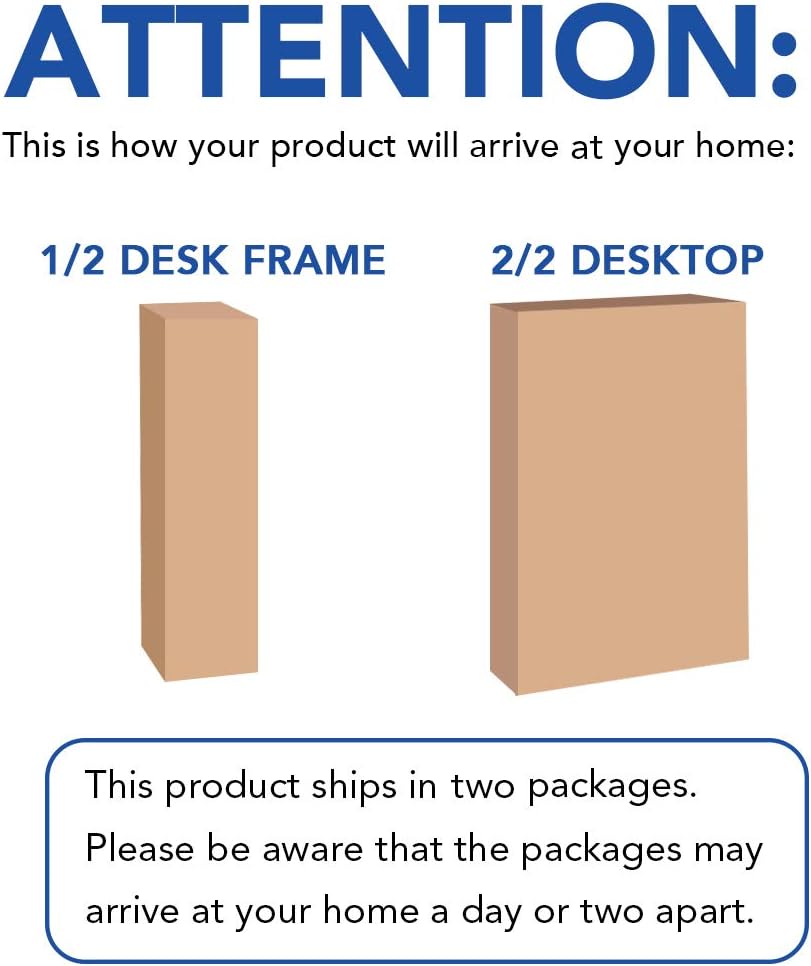
Illustration of the two separate packages for the desk frame and desktop, indicating they may arrive on different days.
സജ്ജീകരണ ഗൈഡ്
Simple 3-Step Assembly
The FlexiSpot Electric Glass Standing Desk is designed for quick and straightforward assembly. Follow these steps for a hassle-free setup:
Visual guide for the simple 3-step assembly of the desk, highlighting the main components.
- Attach Desk Feet: Securely attach the desk feet to the main desk frame using the provided hardware.
- Connect Desktop to Frame: Carefully place the desktop onto the assembled frame and fasten it using the designated screws.
- വൈദ്യുതിയും കേബിളുകളും ബന്ധിപ്പിക്കുക: Plug the power cable into the desk's control box and then into a wall outlet. Ensure all internal cables are properly connected.
പ്രവർത്തന നിർദ്ദേശങ്ങൾ
ഉയരം ക്രമീകരിക്കൽ
The desk features an intuitive control panel for easy height adjustments and memory settings.

The integrated control panel on the desk, featuring buttons for height adjustment, memory presets, and child lock.
- മുകളിലേക്കും താഴേക്കും ചലനം: ഉപയോഗിക്കുക ▲ ഒപ്പം ▼ arrows to raise or lower the desk to your desired height. The current height is displayed digitally.
- Height Memory Presets (H1, H2, H3): To save a height, adjust the desk to the desired position, then press and hold one of the H1, H2, or H3 buttons until the display flashes or beeps. To recall a saved height, simply press the corresponding H button.
- Timer/Reminder Function: The clock icon button allows you to set a reminder to stand up or sit down at regular intervals, promoting healthy work habits.
- ചൈൽഡ് ലോക്ക്: Activate the child lock feature to prevent accidental height adjustments. Refer to the sticker on the desk for specific instructions on engaging and disengaging the child lock.
സംയോജിത യുഎസ്ബി ചാർജിംഗ് പോർട്ടുകൾ
The desk is equipped with convenient USB ports for charging your devices directly from your workspace.
- USB പോർട്ടുകൾ: Includes one Type-C port (5V2.4A/9V2A/12V1.5A output) and two Type-A ports (3.6-6.5V2.4A/6.5-9V2A/12V1.5A output).
- കുറിപ്പ്: USB ports may temporarily pause charging while the desk height is being adjusted. Laptop charging is not supported through these ports.
സ്റ്റോറേജ് ഡ്രോയർ
A discreet pull-out drawer is integrated into the desktop, providing convenient storage for your office essentials.

The spacious under-desk drawer, designed to keep your desktop organized and clutter-free.
- Simply pull the drawer out to access your items and push it back in for a clean, minimalist look.
പരിപാലനവും പരിചരണവും
Tempered Glass Desktop Care
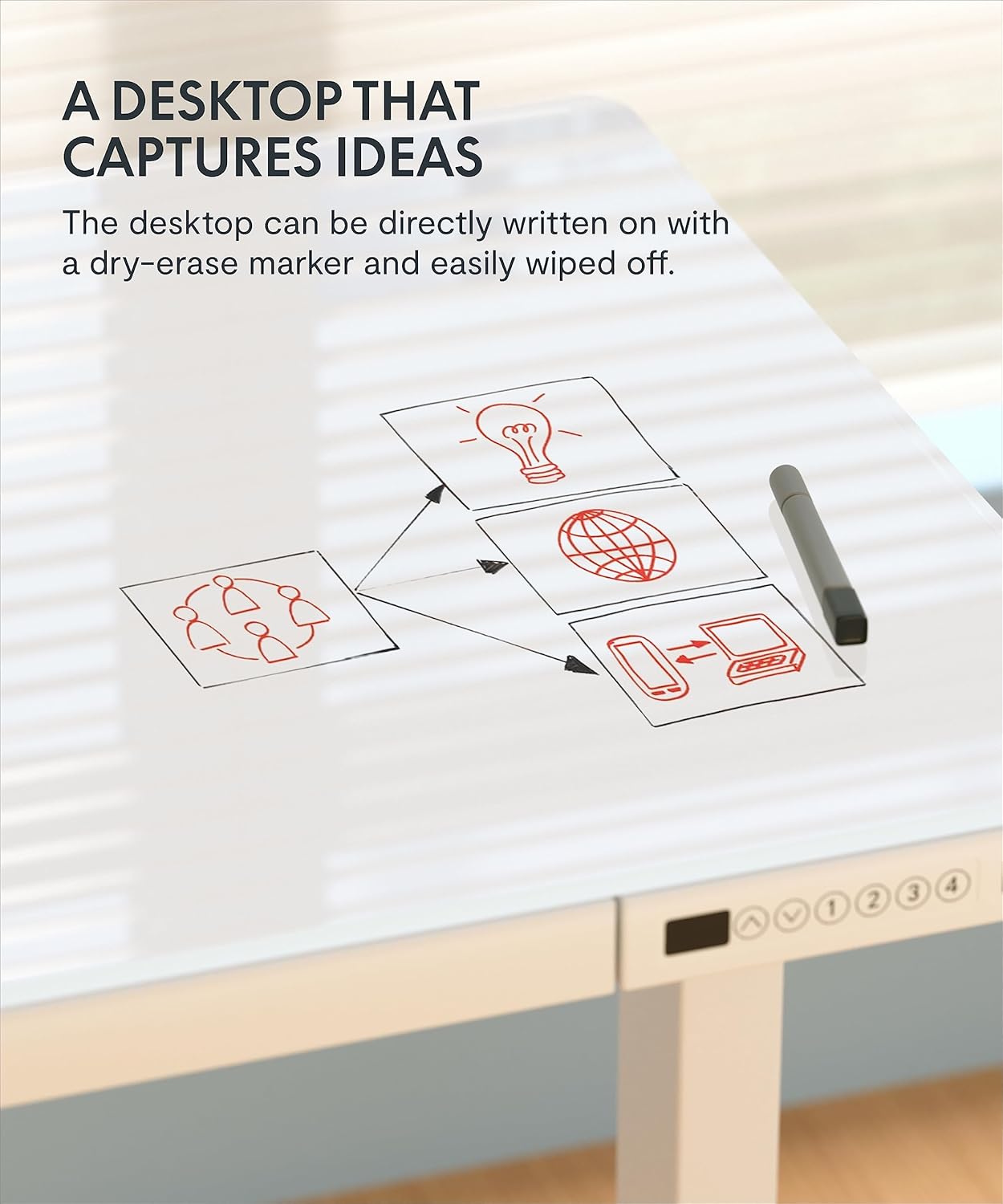
The tempered glass desktop is designed for durability and easy cleaning, and can even be used as a dry-erase surface.

The tempered glass desktop can be directly written on with a dry-erase marker and easily wiped clean.
- വൃത്തിയാക്കൽ: ഒരു സോഫ്റ്റ് ഉപയോഗിക്കുക, ഡിamp cloth and a mild glass cleaner to wipe down the surface. Avoid abrasive cleaners or materials that could scratch the glass.
- പ്രധാന കുറിപ്പ്: cl ഉപയോഗിക്കരുത്amping monitor arms directly on the glass top, as this may cause damage.
പൊതു പരിപാലനം
- എല്ലാ സ്ക്രൂകളും കണക്ഷനുകളും ഇറുകിയതും സുരക്ഷിതവുമാണെന്ന് ഉറപ്പാക്കാൻ പതിവായി പരിശോധിക്കുക.
- Keep the desk and its components free from dust and debris to ensure smooth operation of the motor and moving parts.
ട്രബിൾഷൂട്ടിംഗ്
പൊതുവായ പ്രശ്നങ്ങളും പരിഹാരങ്ങളും
- ഡെസ്ക് നീങ്ങുന്നില്ല: Ensure the power cable is securely plugged into both the desk and a working wall outlet. Check if the child lock is engaged.
- അസമമായ ചലനം: If the desk moves unevenly, check for any obstructions under the desk or ensure the feet are level on the floor.
- Display Error Codes: Refer to the specific error code in your detailed product manual (not provided here) or contact customer support for assistance.
- USB പോർട്ടുകൾ ചാർജ്ജുചെയ്യുന്നില്ല: Verify the desk is powered on. Note that charging may pause during height adjustments. Ensure your device is compatible with the provided USB outputs.
If you encounter persistent issues, please refer to the full product manual or contact FLEXISPOT customer support.
സ്പെസിഫിക്കേഷനുകൾ
| ഫീച്ചർ | വിശദാംശങ്ങൾ |
|---|---|
| ബ്രാൻഡ് | ഫ്ലെക്സിസ്പോട്ട് |
| മോഡൽ നമ്പർ | B08S3TWCJ6 |
| ഉൽപ്പന്ന അളവുകൾ | 23.8"D x 47.3"W x 47.6"H |
| നിറം | വെള്ള |
| ശൈലി | ആധുനികം |
| അടിസ്ഥാന മെറ്റീരിയൽ | അലോയ് സ്റ്റീൽ |
| ഫിനിഷ് തരം | പോളിഷ് ചെയ്തു |
| പ്രത്യേക ഫീച്ചർ | Adjustable, Adjustable Height, Electric |
| പരമാവധി ഭാരം ശുപാർശ | 111 പൗണ്ട് |
| ടേബിൾടോപ്പ് കനം | 2.6 ഇഞ്ച് |
| കുറഞ്ഞ ഉയരം | 28.3 ഇഞ്ച് |
| പരമാവധി ഉയരം | 47.6 ഇഞ്ച് |
| ഡ്രോയറുകളുടെ എണ്ണം | 1 |
| ഉയരം സ്ഥാനങ്ങളുടെ എണ്ണം | 4 |
വാറൻ്റിയും പിന്തുണയും
വാറൻ്റി വിവരങ്ങൾ
FLEXISPOT offers protection plans for your product:
- 2 വർഷത്തെ സംരക്ഷണ പദ്ധതി: വാങ്ങാൻ ലഭ്യമാണ്.
- 3 വർഷത്തെ സംരക്ഷണ പദ്ധതി: വാങ്ങാൻ ലഭ്യമാണ്.
Please refer to the specific terms and conditions of the protection plans at the time of purchase for full details.
ഉപഭോക്തൃ പിന്തുണ
For any questions, assistance, or support regarding your FLEXISPOT Electric Glass Standing Desk, please contact FLEXISPOT customer service. You can also visit the official FLEXISPOT Store കൂടുതൽ വിവരങ്ങൾക്കും വിഭവങ്ങൾക്കും.


