ആമുഖം
Thank you for choosing the Mesqool CR1001em Alarm Clock with Bed Shaker. This device is designed to provide a reliable and effective wake-up experience, especially for heavy sleepers, the deaf, or hard-of-hearing individuals. Please read this manual carefully to ensure proper setup and operation of your alarm clock.
പാക്കേജ് ഉള്ളടക്കം
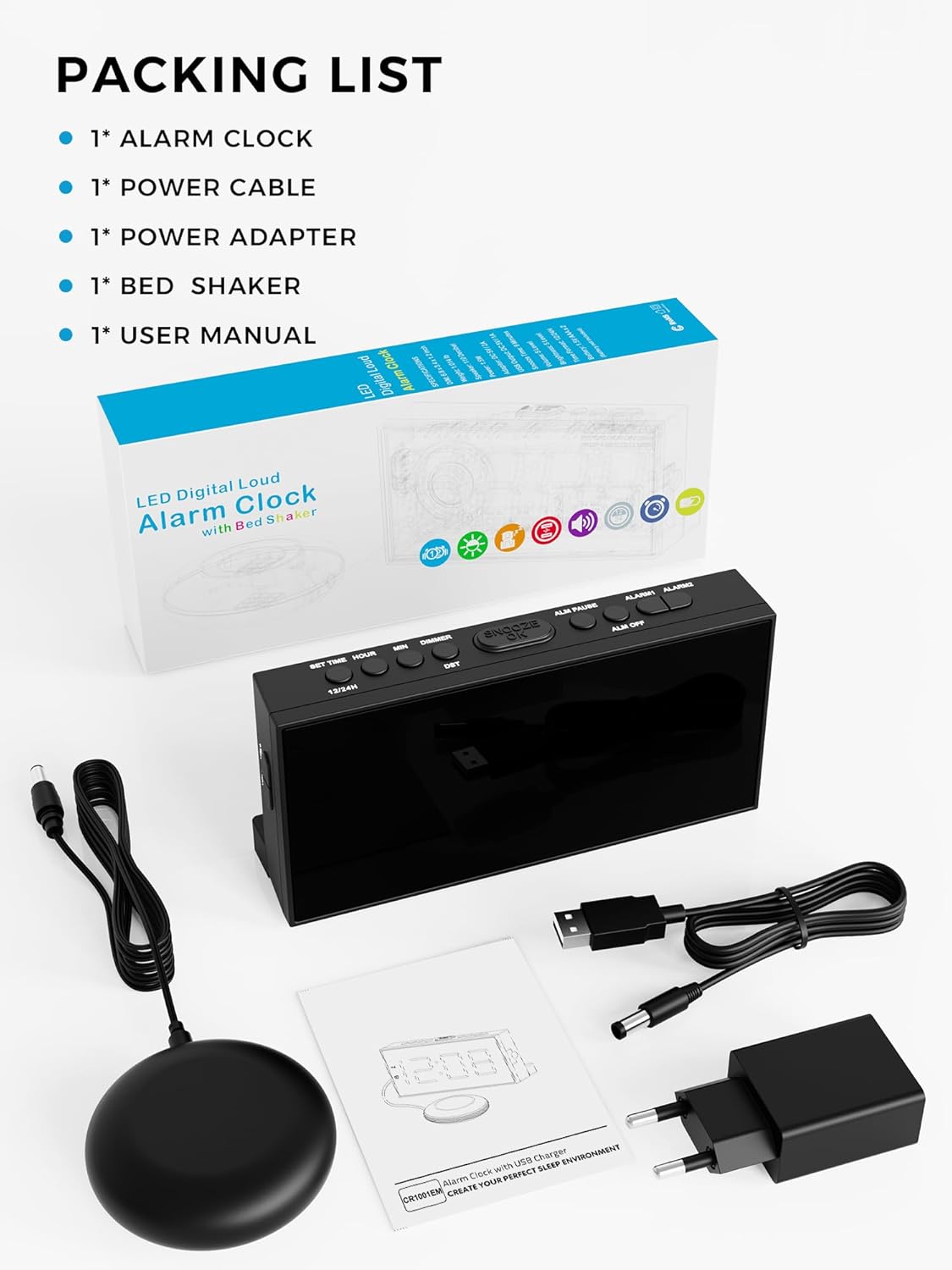
അൺപാക്ക് ചെയ്യുമ്പോൾ, താഴെ ലിസ്റ്റ് ചെയ്തിരിക്കുന്ന എല്ലാ ഇനങ്ങളും അവിടെയുണ്ടെന്ന് ദയവായി ഉറപ്പാക്കുക:
- 1 x Mesqool Alarm Clock
- 1 x പവർ കേബിൾ
- 1 x പവർ അഡാപ്റ്റർ
- 1 x Bed Shaker
- 1 x ഉപയോക്തൃ മാനുവൽ
ഉൽപ്പന്നം കഴിഞ്ഞുview
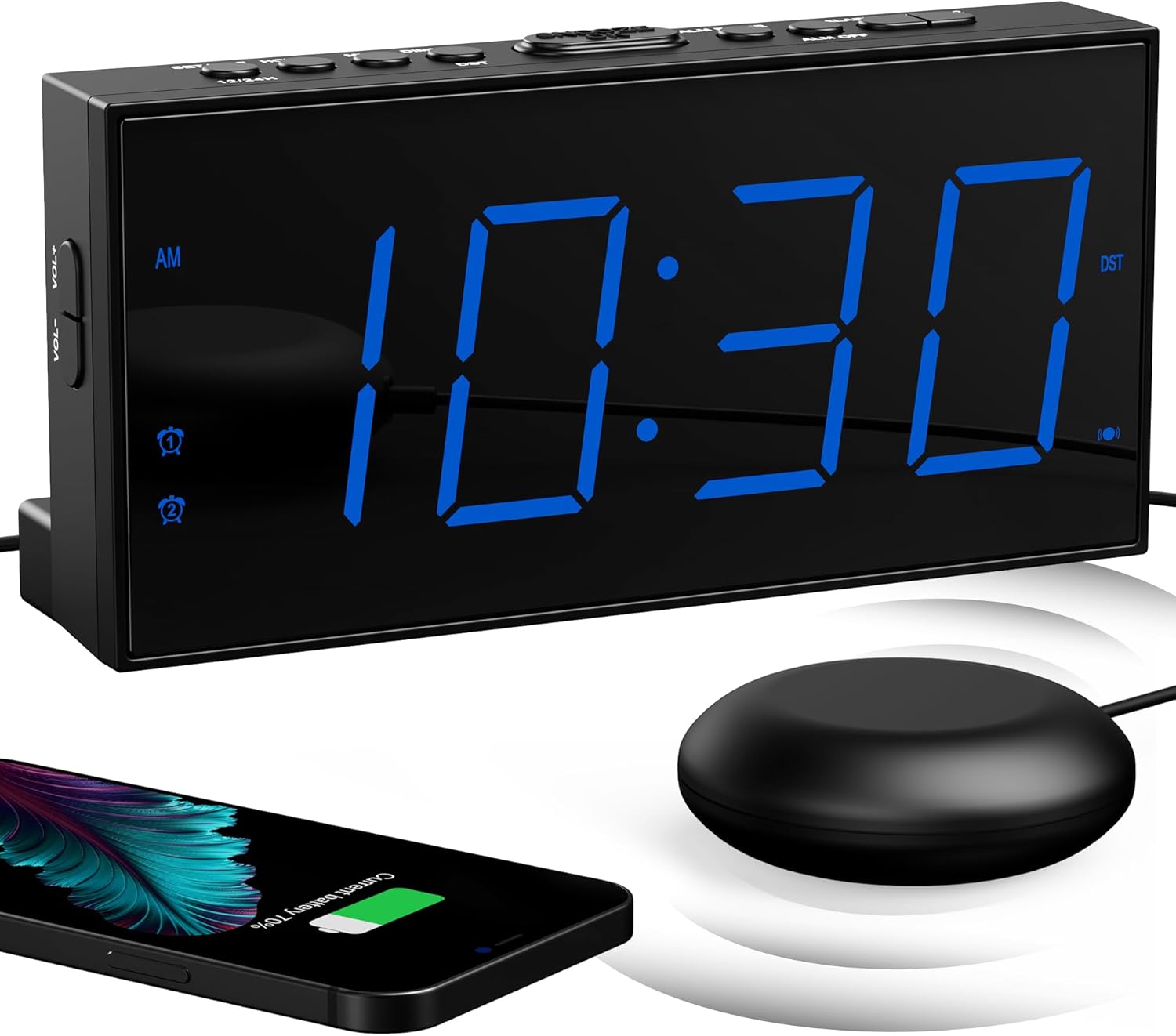
The Mesqool CR1001em alarm clock features a large LED display, intuitive control buttons, a USB charging port, and a powerful wired bed shaker. Its design prioritizes ease of use and effective wake-up functionality.
പ്രധാന ഘടകങ്ങൾ:
- വലിയ LED ഡിസ്പ്ലേ: Clearly shows time and alarm status.
- നിയന്ത്രണ ബട്ടണുകൾ: Located on the top for easy access to settings.
- യുഎസ്ബി ചാർജിംഗ് പോർട്ട്: (5V/1A) For charging external devices.
- Bed Shaker Port: Connects the wired bed shaker.
- ബാറ്ററി കമ്പാർട്ട്മെൻ്റ്: ബാക്കപ്പിനായി 2 AAA ബാറ്ററികൾ കൈവശം വയ്ക്കുന്നു (ഉൾപ്പെടുത്തിയിട്ടില്ല).

സജ്ജമാക്കുക
- പവർ കണക്ഷൻ: Connect the power adapter to the alarm clock's DC input port and plug it into a standard 100-240V AC wall outlet. The display will light up.
- ബാക്കപ്പ് ബാറ്ററികൾ ഇൻസ്റ്റാൾ ചെയ്യുക: Open the battery compartment on the back of the clock and insert 2 new AAA batteries (not included). These batteries maintain time and alarm settings during a power outage but do not power the display or alarm functions.
- Connect Bed Shaker: Plug the bed shaker's cable into the designated shaker port on the back of the alarm clock. Place the bed shaker under your mattress or pillow for optimal vibration.
പ്രവർത്തന നിർദ്ദേശങ്ങൾ
1. സമയവും തീയതിയും ക്രമീകരിക്കുക
- Press and hold the 'TIME SET' button to enter time setting mode.
- Use the '+' or '-' buttons to adjust hours and minutes.
- Press 'TIME SET' again to confirm each step.
- 12-മണിക്കൂർ, 24-മണിക്കൂർ ഫോർമാറ്റുകൾക്കിടയിൽ മാറാൻ, '12/24H' ബട്ടൺ അമർത്തുക.
- To activate or deactivate Daylight Saving Time (DST), press and hold the 'DST' button.

2. അലാറങ്ങൾ സജ്ജീകരിക്കൽ (ഡ്യുവൽ അലാറം)
The alarm clock supports two independent alarms (Alarm 1 and Alarm 2).
- Press and hold the 'ALARM 1' or 'ALARM 2' button to enter alarm setting mode.
- Use the '+' or '-' buttons to set the desired alarm time.
- Press the respective 'ALARM' button again to confirm the time.
- After setting the time, you can select the wake-up mode (Sound, Shaker, or Both) by pressing the 'ALARM' button repeatedly.
- To activate/deactivate an alarm, press the 'ALARM 1' or 'ALARM 2' button briefly until the alarm icon appears/disappears on the display.

3. സ്നൂസ് ഫംഗ്ഷൻ
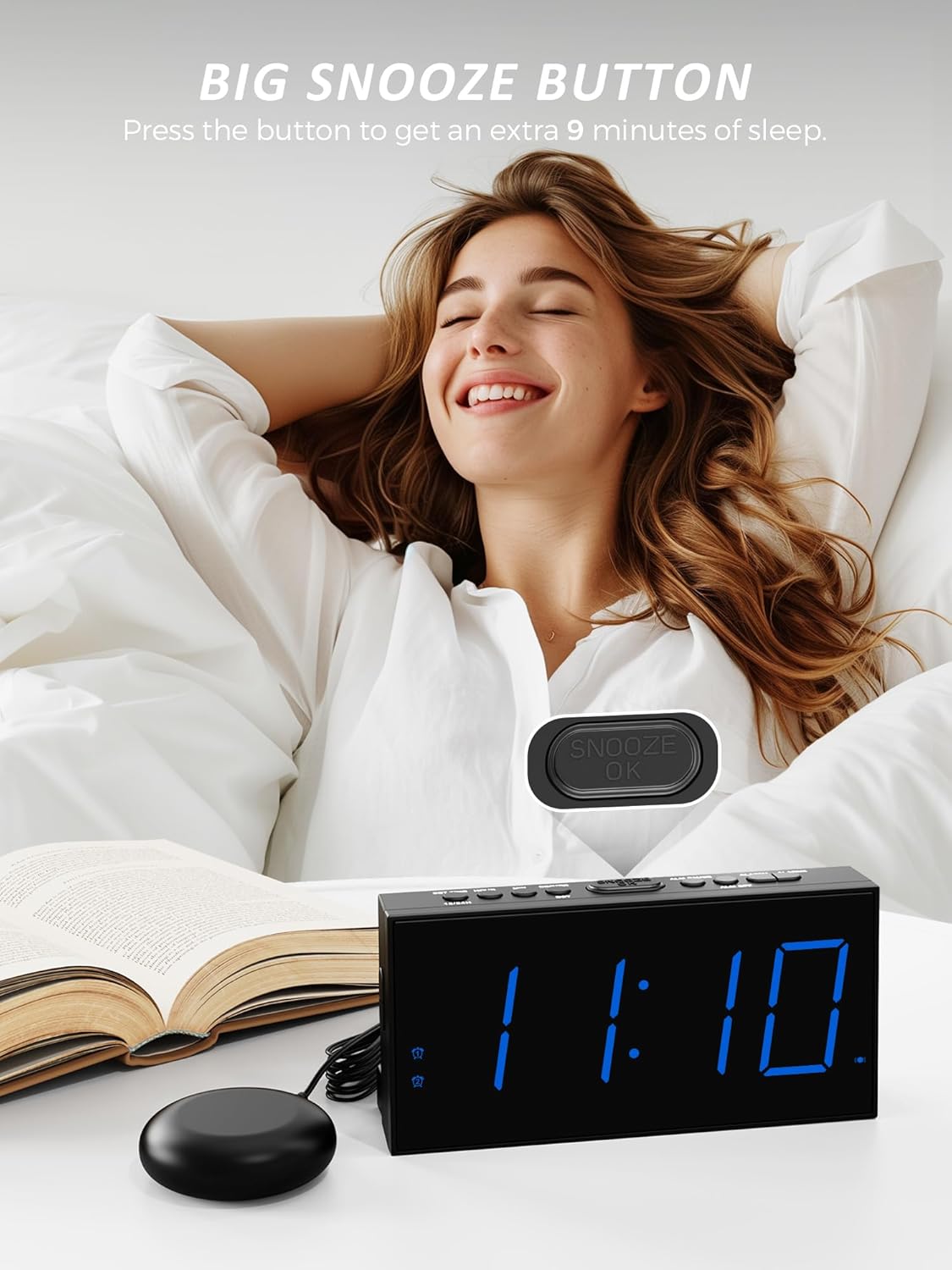
- When the alarm sounds, press the large 'SNOOZE/OK' button on top of the clock to temporarily silence the alarm for 9 minutes.
- The alarm will sound again after 9 minutes. You can repeat this process.
- To stop the alarm completely, press any other button (e.g., 'ALARM 1' or 'ALARM 2' button).
4. Wake-up Modes
The Mesqool CR1001em offers three distinct wake-up modes:
- ഉച്ചത്തിലുള്ള അലാറം ശബ്ദം: An audible alarm up to 106 dB.
- Super Bed Shaker: Powerful vibration from the connected shaker.
- Sound and Shaker: A combination of both for maximum effectiveness.
You can select your preferred mode during alarm setup or by pressing the 'ALARM MODE' button when the alarm is active.

5. Bed Shaker Placement
For optimal performance of the bed shaker, consider the following placements:
- Under your pillow.
- Under your mattress.
- Inside a bowl or cup placed on a bedside table to amplify the vibration.

6 ഡിസ്പ്ലേ ബ്രൈറ്റ്നസ് അഡ്ജസ്റ്റ്മെന്റ്
The LED display brightness can be adjusted to 5 levels to suit your preference and environment.
- Press the 'DIMMER' button repeatedly to cycle through the 5 brightness levels (LV1 to LV5).
- Select the level that provides comfortable visibility without being too bright for sleep.
7. യുഎസ്ബി ചാർജിംഗ് പോർട്ട്
The integrated USB port (5V/1A) allows you to conveniently charge your smartphone or other USB-powered devices.
- നിങ്ങളുടെ ഉപകരണത്തിന്റെ USB ചാർജിംഗ് കേബിൾ അലാറം ക്ലോക്കിന്റെ പിൻഭാഗത്തുള്ള USB പോർട്ടിലേക്ക് ബന്ധിപ്പിക്കുക.
- യുഎസ്ബി ചാർജിംഗ് ഫംഗ്ഷൻ പ്രവർത്തിക്കുന്നതിന് അലാറം ക്ലോക്കിന് പവർ നൽകുന്നത് എസി അഡാപ്റ്ററാണെന്ന് ഉറപ്പാക്കുക.
മെയിൻ്റനൻസ്
- വൃത്തിയാക്കൽ: Wipe the alarm clock and bed shaker with a soft, dry cloth. Do not use liquid cleaners or abrasive materials.
- ബാറ്ററി മാറ്റിസ്ഥാപിക്കൽ: Replace the 2 AAA backup batteries annually or when you notice settings are not retained during power outages. Ensure correct polarity when inserting new batteries.
- സംഭരണം: If storing the device for an extended period, remove the AAA backup batteries to prevent leakage.
ട്രബിൾഷൂട്ടിംഗ്
| പ്രശ്നം | സാധ്യമായ കാരണം | പരിഹാരം |
|---|---|---|
| ക്ലോക്ക് ഡിസ്പ്ലേ ഓഫാണ്. | എസി പവർ ഇല്ല. | പവർ അഡാപ്റ്റർ ക്ലോക്കിലേക്കും വർക്ക് വാൾ ഔട്ട്ലെറ്റിലേക്കും സുരക്ഷിതമായി പ്ലഗ് ചെയ്തിട്ടുണ്ടെന്ന് ഉറപ്പാക്കുക. |
| അലാറം മുഴങ്ങുന്നില്ല/വൈബ്രേറ്റ് ചെയ്യുന്നില്ല. | Alarm not activated or incorrect mode selected. | Verify the alarm icon is displayed. Check that the correct wake-up mode (Sound, Shaker, or Both) is selected. Ensure the bed shaker is properly connected. |
| പവർ ഓഫായതിനുശേഷം ക്രമീകരണങ്ങൾ നഷ്ടപ്പെടും.tage. | ബാക്കപ്പ് ബാറ്ററികളോ ബാറ്ററികളോ തീർന്നിട്ടില്ല. | ബാറ്ററി കമ്പാർട്ടുമെന്റിൽ 2 പുതിയ AAA ബാറ്ററികൾ സ്ഥാപിക്കുക. |
| USB charging is not working. | Alarm clock not connected to AC power. | Ensure the alarm clock is powered by the AC adapter. The USB port does not function on battery backup alone. |
സ്പെസിഫിക്കേഷനുകൾ
- ബ്രാൻഡ്: മെസ്കൂൽ
- മോഡൽ നമ്പർ: CR1001em
- നിറം: നീല
- ഉൽപ്പന്ന അളവുകൾ (L x W x H): 9.1 x 3.81 x 3 സെ.മീ
- ഇനത്തിൻ്റെ ഭാരം: 197 ഗ്രാം
- മെറ്റീരിയൽ: അക്രിലോണിട്രൈൽ ബ്യൂട്ടാഡീൻ സ്റ്റൈറൈൻ (എബിഎസ്)
- വാല്യംtage: 5 വോൾട്ട്
- ഊർജ്ജ സ്രോതസ്സ്: AC Powered (with 2x AAA battery backup for settings)
- ഡിസ്പ്ലേ തരം: ഡിജിറ്റൽ LED
- പ്രത്യേക സവിശേഷതകൾ: Vibration, Dual Alarm, Snooze, USB Charging Port (5V/1A), 5-Level Brightness Dimmer, 12/24H Time Format, DST Function
- മുറിയുടെ തരം: കിടപ്പുമുറി
- ഇൻഡോർ/doട്ട്ഡോർ ഉപയോഗം: ഇൻഡോർ
വാറൻ്റിയും പിന്തുണയും
For any questions, concerns, or technical assistance regarding your Mesqool CR1001em alarm clock, please contact Mesqool customer support. Refer to the contact information provided with your purchase or visit the official Mesqool webപിന്തുണാ വിശദാംശങ്ങൾക്കുള്ള സൈറ്റ്.


