1. ആമുഖം
Thank you for choosing the Cabasse The Pearl Akoya Smart Speaker. This manual provides essential information for setting up, operating, and maintaining your speaker to ensure optimal performance and longevity. Please read this manual thoroughly before using the product.
The Cabasse The Pearl Akoya is a high-fidelity smart speaker designed to deliver exceptional audio quality with versatile connectivity options, including Bluetooth and voice control. Its compact, spherical design allows for flexible placement in any living space.
2 പ്രധാനപ്പെട്ട സുരക്ഷാ വിവരങ്ങൾ
നിങ്ങളുടെ സ്പീക്കർ ഉപയോഗിക്കുമ്പോൾ എല്ലായ്പ്പോഴും ഈ അടിസ്ഥാന സുരക്ഷാ മുൻകരുതലുകൾ പാലിക്കുക:
- Do not expose the speaker to water or moisture. It is not waterproof.
- റേഡിയേറ്ററുകൾ, ഹീറ്റ് രജിസ്റ്ററുകൾ, സ്റ്റൗകൾ, അല്ലെങ്കിൽ മറ്റ് ഉപകരണങ്ങൾ (ഉൾപ്പെടെ) പോലുള്ള താപ സ്രോതസ്സുകൾക്ക് സമീപം സ്പീക്കർ സ്ഥാപിക്കരുത്. ampലൈഫയറുകൾ) ചൂട് ഉത്പാദിപ്പിക്കുന്നത്.
- നിർമ്മാതാവ് വ്യക്തമാക്കിയ അറ്റാച്ച്മെൻ്റുകൾ/ആക്സസറികൾ മാത്രം ഉപയോഗിക്കുക.
- മിന്നൽ കൊടുങ്കാറ്റുകളുടെ സമയത്തോ ദീർഘനേരം ഉപയോഗിക്കാത്ത സമയത്തോ ഈ ഉപകരണം അൺപ്ലഗ് ചെയ്യുക.
- എല്ലാ സേവനങ്ങളും യോഗ്യതയുള്ള സേവന ഉദ്യോഗസ്ഥർക്ക് റഫർ ചെയ്യുക.
3. പാക്കേജ് ഉള്ളടക്കം
പാക്കേജിൽ എല്ലാ ഇനങ്ങളും ഉണ്ടെന്ന് ഉറപ്പാക്കുക:
- Cabasse The Pearl Akoya Smart Speaker
- പവർ കേബിൾ
- (Potentially) Wireless Subwoofer (if included with your specific bundle)
- ഉപയോക്തൃ മാനുവൽ (ഈ പ്രമാണം)
4. ഉൽപ്പന്നം കഴിഞ്ഞുview
The Cabasse The Pearl Akoya features a sophisticated design with integrated controls and connectivity ports. Familiarize yourself with the speaker's components:
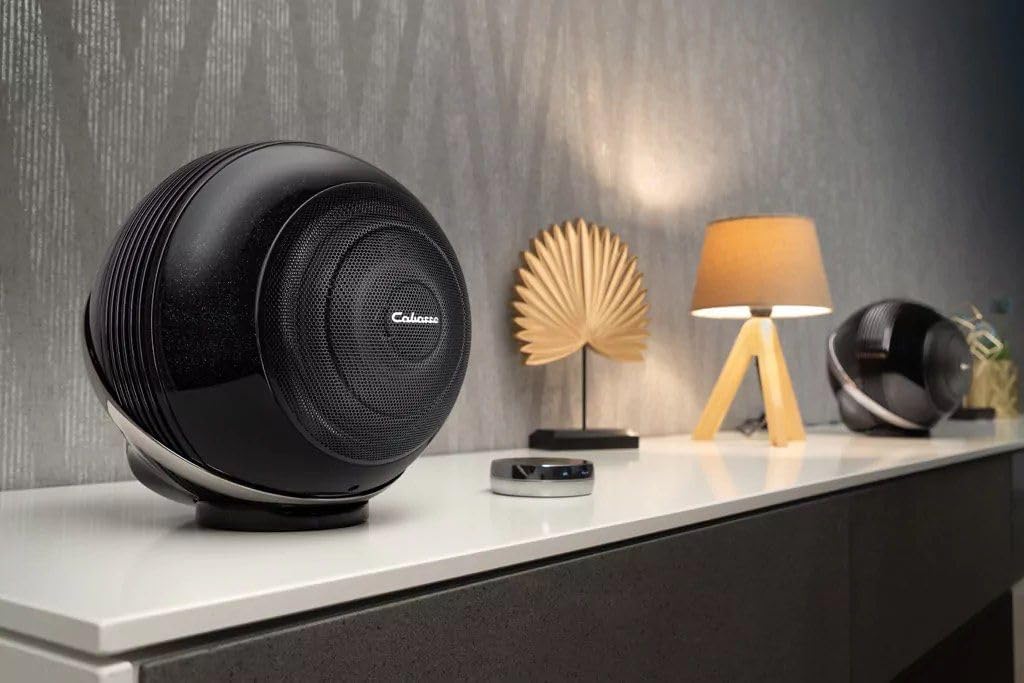
ചിത്രം 4.1: മുൻഭാഗം view of the Cabasse The Pearl Akoya Smart Speaker, showcasing its spherical design and front grille.

ചിത്രം 4.2: പിൻഭാഗം view of the speaker, highlighting the power input, Ethernet port, and other connectivity options.

ചിത്രം 4.3: ഒരു കോണീയ view of the speaker's rear, providing a clearer look at the various input and output connections.

ചിത്രം 4.4: സൈഡ് പ്രോfile of the speaker, emphasizing its unique spherical form factor.
5. സജ്ജീകരണം
5.1 പ്ലേസ്മെൻ്റ്
For optimal sound performance, place the Cabasse The Pearl Akoya on a stable, flat surface. Avoid placing it in enclosed spaces or directly against walls, which can affect sound dispersion. Consider the acoustics of your room for the best listening experience.

Figure 5.1: The speaker positioned on a side table, demonstrating a typical placement scenario in a home environment.
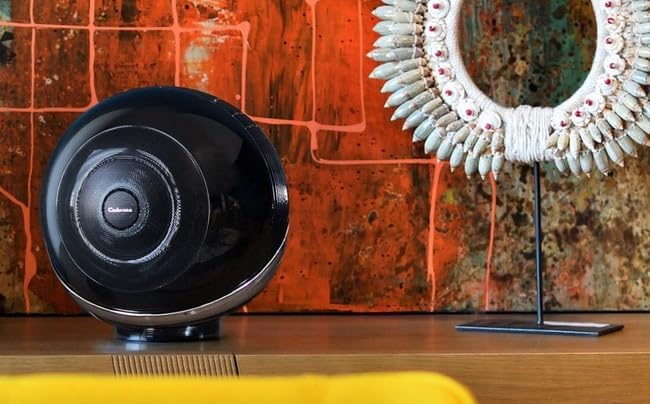
Figure 5.2: The speaker integrated into a modern living space, highlighting its aesthetic appeal and versatile placement options.
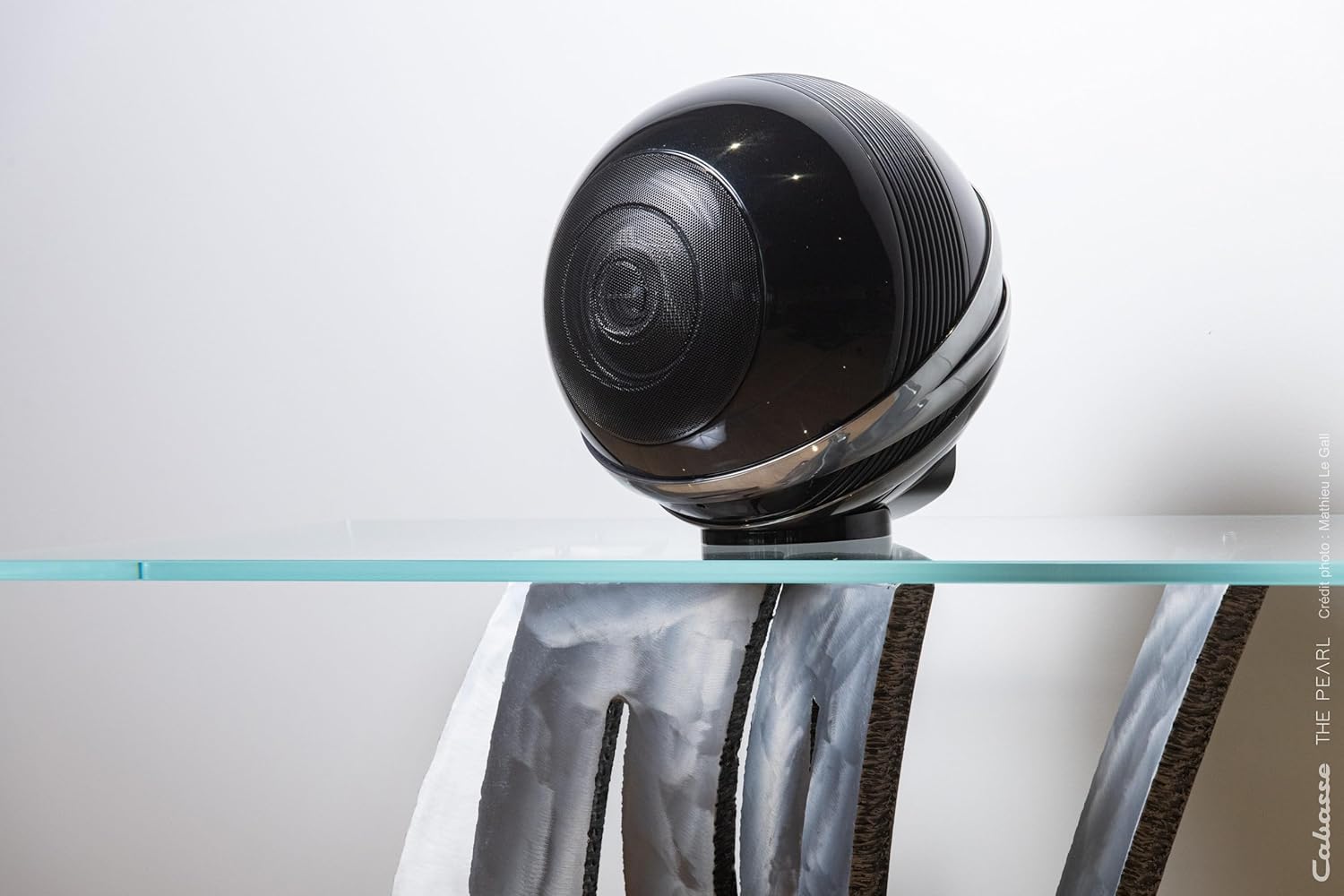
Figure 5.3: The speaker placed on a transparent surface, illustrating its compact footprint and elegant design.
5.2 പവർ കണക്ഷൻ
- Connect the provided power cable to the power input port on the rear of the speaker.
- പവർ കേബിളിന്റെ മറ്റേ അറ്റം ഒരു മതിൽ ഔട്ട്ലെറ്റിൽ പ്ലഗ് ചെയ്യുക.
- The speaker will power on automatically or may require pressing the power button (refer to Figure 4.2 for port location).
5.3 Initial Setup (Network & App)
For full smart features and optimal control, it is recommended to connect your speaker to your home network and use the dedicated Cabasse app.
- Download the official Cabasse app from your device's app store (iOS/Android).
- Open the app and follow the on-screen instructions to add your new Pearl Akoya speaker.
- The app will guide you through connecting the speaker to your Wi-Fi network.
- Once connected, you can access streaming services, multi-room audio, and advanced settings.
6. നിങ്ങളുടെ സ്പീക്കർ പ്രവർത്തിപ്പിക്കുക
6.1 ബ്ലൂടൂത്ത് കണക്റ്റിവിറ്റി
To connect a device via Bluetooth:
- സ്പീക്കർ ഓണാണെന്ന് ഉറപ്പാക്കുക.
- Activate Bluetooth pairing mode on the speaker (refer to the app or speaker's physical controls for specific instructions, usually a dedicated Bluetooth button or a long press on a function button).
- On your smartphone, tablet, or computer, go to Bluetooth settings and select "Cabasse The Pearl Akoya" from the list of available devices.
- Once paired, audio from your device will play through the speaker.
6.2 ശബ്ദ നിയന്ത്രണം
The Pearl Akoya supports voice control. Ensure your speaker is connected to the internet and configured with a compatible voice assistant (e.g., Google Assistant, Amazon Alexa) through the Cabasse app. Once set up, you can use voice commands to play music, adjust volume, and control smart home devices.
6.3 ഓഡിയോ പ്ലേബാക്ക്
You can play audio through various sources:
- സ്ട്രീമിംഗ് സേവനങ്ങൾ: Access integrated streaming platforms via the Cabasse app (e.g., Spotify, Tidal, Qobuz).
- ബ്ലൂടൂത്ത്: Stream audio directly from your Bluetooth-enabled devices.
- നെറ്റ്വർക്ക് പ്ലേബാക്ക്: സംഗീതം പ്ലേ ചെയ്യുക files from your local network storage (NAS) or computer.
- Physical Inputs: Utilize any available physical audio inputs (e.g., optical, analog) if present on your model (refer to product specifications).
7. പരിപാലനം
To keep your Cabasse The Pearl Akoya in excellent condition:
- വൃത്തിയാക്കൽ: Use a soft, dry, lint-free cloth to wipe the surface of the speaker. Do not use abrasive cleaners, waxes, or solvents.
- പൊടി: Regularly dust the speaker grille and surfaces to prevent accumulation.
- സംഭരണം: If storing the speaker for an extended period, unplug it from power and store it in a cool, dry place, preferably in its original packaging.
8. പ്രശ്നപരിഹാരം
നിങ്ങളുടെ സ്പീക്കറിൽ പ്രശ്നങ്ങൾ നേരിടുകയാണെങ്കിൽ, ഇനിപ്പറയുന്ന പൊതുവായ പ്രശ്നങ്ങളും പരിഹാരങ്ങളും പരിശോധിക്കുക:
| പ്രശ്നം | സാധ്യമായ കാരണം | പരിഹാരം |
|---|---|---|
| ശക്തിയില്ല | Power cable not connected; outlet not working | പവർ കേബിൾ കണക്ഷൻ പരിശോധിക്കുക; മറ്റൊരു ഔട്ട്ലെറ്റ് പരീക്ഷിക്കുക. |
| ശബ്ദമില്ല | Volume too low; incorrect input selected; device not paired | Increase volume; select correct input in app; re-pair Bluetooth device. |
| ബ്ലൂടൂത്ത് കണക്ഷൻ അസ്ഥിരമാണ് | ഉപകരണം വളരെ അകലെയാണ്; ഇടപെടൽ | Move device closer to speaker; remove obstacles; avoid other wireless devices. |
| Wi-Fi കണക്ഷൻ പ്രശ്നങ്ങൾ | Incorrect password; router issues; signal too weak | Verify Wi-Fi password; restart router; move speaker closer to router or use Ethernet. |
If the problem persists, please contact Cabasse customer support.
9 സ്പെസിഫിക്കേഷനുകൾ
| ഫീച്ചർ | വിശദാംശങ്ങൾ |
|---|---|
| മോഡലിൻ്റെ പേര് | The Pearl Akoya |
| മോഡൽ നമ്പർ | 3700035114969 |
| ബ്രാൻഡ് | കബാസെ |
| കണക്റ്റിവിറ്റി ടെക്നോളജി | ബ്ലൂടൂത്ത് |
| കൺട്രോളർ തരം | ശബ്ദ നിയന്ത്രണം |
| സ്പീക്കർ തരം | സ്മാർട്ട് സ്പീക്കർ |
| ഓഡിയോ put ട്ട്പുട്ട് മോഡ് | സ്റ്റീരിയോ |
| പരമാവധി സ്പീക്കർ ഔട്ട്പുട്ട് പവർ | 25 വാട്ട്സ് |
| സറൗണ്ട് സൗണ്ട് ചാനൽ കോൺഫിഗറേഷൻ | 1.0 |
| നിറം | കറുപ്പ് |
| ഉൽപ്പന്ന അളവുകൾ (L x W x H) | 22 x 22 x 22 സെ.മീ |
| ഇനത്തിൻ്റെ ഭാരം | 5999.97 kilograms (approx. 6 kg) |
| മൗണ്ടിംഗ് തരം | ടേബിൾ മൗണ്ട് |
| അനുയോജ്യമായ ഉപകരണങ്ങൾ | ലാപ്ടോപ്പ്, ടാബ്ലെറ്റ്, സ്മാർട്ട്ഫോൺ |
| ശുപാർശ ചെയ്യുന്ന ഉപയോഗങ്ങൾ | സ്മാർട്ട്ഫോണിനോ ടാബ്ലെറ്റിനോ വേണ്ടി |
| വാട്ടർപ്രൂഫ് | ഇല്ല |
10. വാറൻ്റിയും പിന്തുണയും
Cabasse products are designed and manufactured to the highest quality standards. For information regarding warranty coverage, please refer to the warranty card included with your product or visit the official Cabasse webസൈറ്റ്.
For technical support, troubleshooting assistance beyond this manual, or service inquiries, please contact Cabasse customer support through their official webസൈറ്റ് അല്ലെങ്കിൽ നിങ്ങളുടെ ഉൽപ്പന്ന ഡോക്യുമെന്റേഷനിൽ നൽകിയിരിക്കുന്ന ബന്ധപ്പെടാനുള്ള വിവരങ്ങൾ.
Official Cabasse Webസൈറ്റ്: www.cabasse.com