ആമുഖം
The BlueParrott M300-XT is a high-performance mono Bluetooth headset designed for mobile professionals and drivers. It features industry-leading noise cancellation, extended talk time, and a lightweight design for all-day comfort. This manual provides detailed instructions to help you get the most out of your M300-XT headset.
പ്രധാന സവിശേഷതകളിൽ ഇവ ഉൾപ്പെടുന്നു:
- Industry-Leading Noise Cancellation: Blocks out 80% of noise with 2-microphone technology for clear communication.
- നീണ്ട ബാറ്ററി ലൈഫ്: ഒറ്റ ചാർജിൽ 14 മണിക്കൂർ വരെ സംസാര സമയം.
- വിപുലീകരിച്ച വയർലെസ് ശ്രേണി: Up to 300ft/100m with Bluetooth 5.1 technology.
- Ultra-Small and Lightweight Design: Ensures comfortable wear throughout the day.
- പ്രീമിയം ഈട്: IP-54 rated for protection against dust and water.
- എളുപ്പത്തിലുള്ള ഇഷ്ടാനുസൃതമാക്കൽ: Personalize features via the BlueParrott App.
സജ്ജമാക്കുക
ബോക്സിൽ എന്താണുള്ളത്
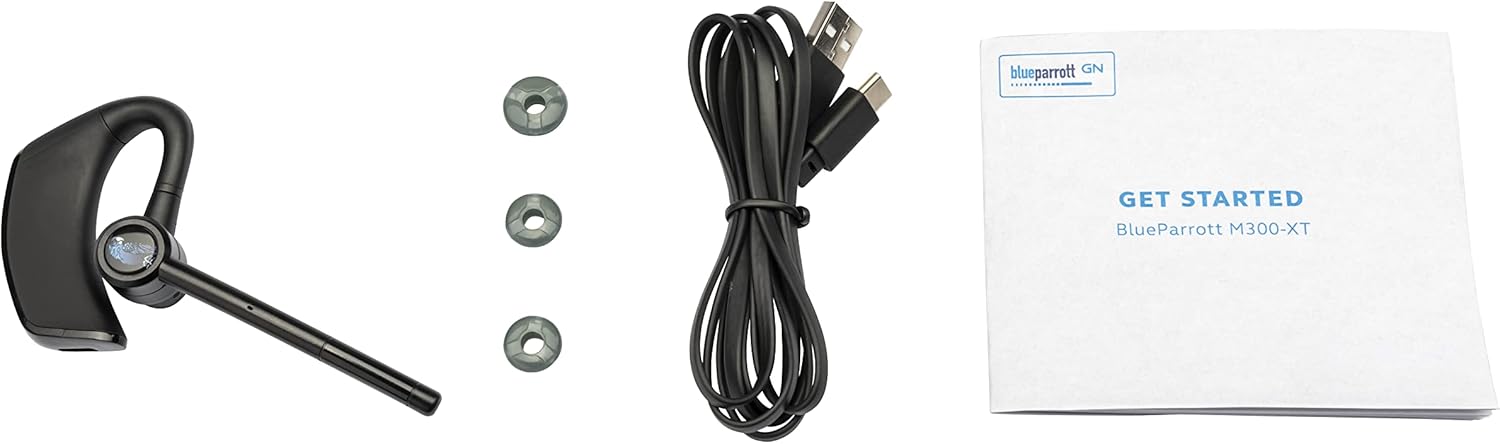
Image: The BlueParrott M300-XT headset, three different sized eargels, a USB-C charging cable, and a 'Get Started' user document.
Your BlueParrott M300-XT package includes:
- BlueParrott M300-XT Headset
- EarGels (various sizes for optimal fit)
- USB-C ചാർജിംഗ് കേബിൾ
- ഉപയോക്തൃ രേഖകൾ
പ്രാരംഭ ചാർജിംഗ്

Image: A close-up of the BlueParrott M300-XT headset, highlighting its sleek design and the location of the charging port.
Before first use, fully charge your M300-XT headset. Connect the supplied USB-C cable to the charging port on the headset and plug the other end into a USB power source. The LED indicator will show charging status and turn solid when fully charged. A full charge provides up to 14 hours of talk time.
ഹെഡ്സെറ്റ് ധരിക്കുന്നു

Image: A man wearing the BlueParrott M300-XT headset comfortably on his right ear, demonstrating its discreet fit.
The M300-XT is designed for comfortable, all-day wear. You can wear it on either ear. To switch ears, rotate the microphone boom upwards and then down on the opposite side. Adjust the eargel for a secure and comfortable fit. The microphone boom should be positioned close to your mouth for optimal voice pickup.
ഒരു മൊബൈൽ ഉപകരണവുമായി ജോടിയാക്കുന്നു
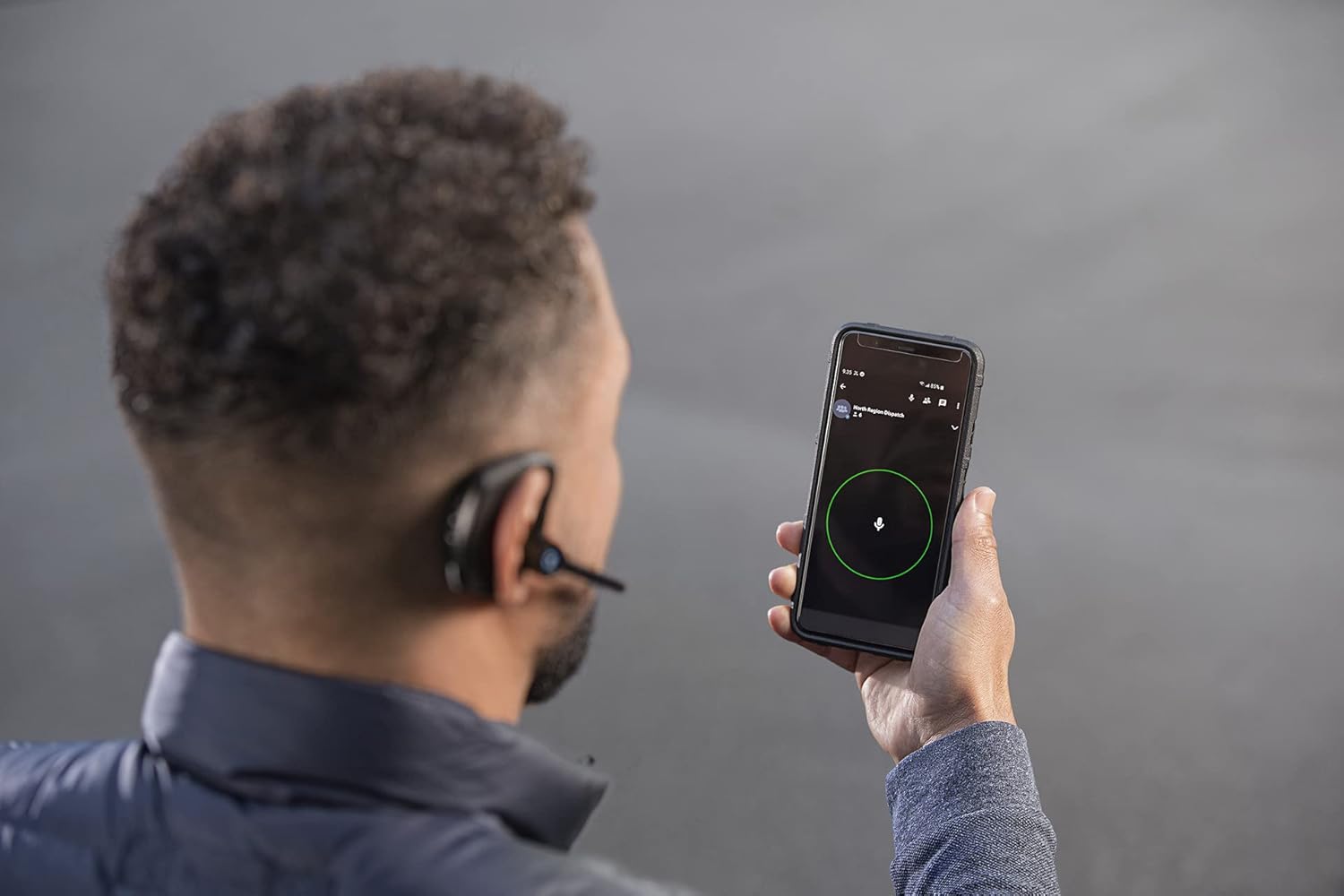
Image: A person holding a smartphone, with the BlueParrott M300-XT headset visible, illustrating the headset's connectivity with a mobile device.
To pair your headset with a mobile device:
- ഹെഡ്സെറ്റ് ചാർജ് ചെയ്തിട്ടുണ്ടെന്നും ഓഫാണെന്നും ഉറപ്പാക്കുക.
- Press and hold the Multi-function button (Power button) for approximately 3 seconds until the LED flashes blue. This indicates pairing mode.
- നിങ്ങളുടെ മൊബൈൽ ഉപകരണത്തിൽ, ബ്ലൂടൂത്ത് പ്രവർത്തനക്ഷമമാക്കി പുതിയ ഉപകരണങ്ങൾക്കായി തിരയുക.
- Select 'BlueParrott M300-XT' from the list of available devices.
- Once connected, the LED on the headset will turn solid blue.
ഹെഡ്സെറ്റ് പ്രവർത്തിപ്പിക്കുന്നു
നിയന്ത്രിക്കുന്നുview

ചിത്രം: വിശദമായ ഒരു ചിത്രം view of the BlueParrott M300-XT headset, highlighting the physical buttons for power, volume control, and the dedicated BlueParrott button.
The M300-XT features intuitive controls:
- മൾട്ടി-ഫംഗ്ഷൻ ബട്ടൺ (പവർ ബട്ടൺ): Power on/off, answer/end calls, play/pause audio.
- വോളിയം മുകളിലേക്കും താഴേക്കും ബട്ടണുകൾ: Adjust call and media volume.
- ബ്ലൂപാരറ്റ് ബട്ടൺ: Customizable via the BlueParrott App for features like mute, speed dial, or Push-to-Talk.
കോളുകൾ ചെയ്യലും സ്വീകരിക്കലും
- മറുപടി കോൾ: മൾട്ടി-ഫംഗ്ഷൻ ബട്ടൺ അമർത്തുക.
- കോൾ അവസാനിപ്പിക്കുക: മൾട്ടി-ഫംഗ്ഷൻ ബട്ടൺ അമർത്തുക.
- കോൾ നിരസിക്കുക: മൾട്ടി-ഫംഗ്ഷൻ ബട്ടൺ 2 സെക്കൻഡ് അമർത്തിപ്പിടിക്കുക.
- അവസാന നമ്പർ വീണ്ടും ഡയൽ ചെയ്യുക: കോളിൽ ഇല്ലാത്തപ്പോൾ മൾട്ടി-ഫംഗ്ഷൻ ബട്ടൺ രണ്ടുതവണ അമർത്തുക.
- മൈക്രോഫോൺ നിശബ്ദമാക്കുക/അൺമ്യൂട്ടുചെയ്യുക: Press the BlueParrott button (if configured for mute).
ഓഡിയോ പ്ലേബാക്ക്
- പ്ലേ/താൽക്കാലികമായി നിർത്തുക: മൾട്ടി-ഫംഗ്ഷൻ ബട്ടൺ അമർത്തുക.
- അടുത്ത ട്രാക്ക്: Press and hold Volume Up button.
- മുമ്പത്തെ ട്രാക്ക്: Press and hold Volume Down button.
മെയിൻ്റനൻസ്
Cleaning Your Headset
Regular cleaning helps maintain the performance and longevity of your M300-XT. Use a soft, dry cloth to wipe down the headset. For deeper cleaning, a slightly damp cloth with mild soap can be used, ensuring no moisture enters the charging port or microphone openings. Allow to air dry completely before use.
ഫേംവെയർ അപ്ഡേറ്റുകൾ
Video: This video demonstrates the process of updating the firmware for the BlueParrott M300-XT headset using the BlueParrott Mobile App or a computer. Regular firmware updates are recommended for optimal performance and new features.
It is important to regularly update the firmware on your M300-XT headset to ensure optimal performance and access to the latest features and improvements. Firmware updates can be easily downloaded and installed using the free BlueParrott Mobile App or through the BlueParrott updater on your computer. This process can improve speaker and microphone performance, as well as other general enhancements.
ട്രബിൾഷൂട്ടിംഗ്
If you encounter issues with your BlueParrott M300-XT, try the following solutions:
- ശക്തിയില്ല: Ensure the headset is fully charged. Connect it to a power source and check the LED indicator.
- ജോടിയാക്കൽ പ്രശ്നങ്ങൾ: Make sure Bluetooth is enabled on your device and the headset is in pairing mode (flashing blue LED). Try unpairing and re-pairing the headset.
- മോശം ഓഡിയോ നിലവാരം: Ensure the microphone boom is positioned correctly near your mouth. Check for obstructions. Update firmware if available.
- ശബ്ദമില്ല: Check the volume levels on both the headset and your connected device. Ensure the headset is properly connected via Bluetooth.
- കണക്റ്റിവിറ്റി പ്രശ്നങ്ങൾ: Move closer to your connected device to ensure you are within the 300ft/100m wireless range. Avoid physical obstructions.
For more detailed troubleshooting, refer to the BlueParrott App or the official support webസൈറ്റ്.
സ്പെസിഫിക്കേഷനുകൾ
സാങ്കേതിക സവിശേഷതകൾ
| ഫീച്ചർ | സ്പെസിഫിക്കേഷൻ |
|---|---|
| മോഡലിൻ്റെ പേര് | M300-XT |
| കണക്റ്റിവിറ്റി ടെക്നോളജി | ബ്ലൂടൂത്ത് 5.1 |
| സംസാര സമയം | 14 മണിക്കൂർ വരെ |
| വയർലെസ് ശ്രേണി | 300 അടി / 100 മി |
| ശബ്ദ നിയന്ത്രണം | Active Noise Cancellation (2-mic technology) |
| ജല പ്രതിരോധ നില | IP-54 (Dust and Water Resistant) |
| ഇനത്തിൻ്റെ ഭാരം | 20 ഗ്രാം (0.705 ഔൺസ്) |
| അളവുകൾ | 1 x 4.36 x 2.4 ഇഞ്ച് |
| മെറ്റീരിയൽ | പോളികാർബണേറ്റ് (പിസി), സിലിക്കൺ, അക്രിലോണിട്രൈൽ ബ്യൂട്ടാഡീൻ സ്റ്റൈറൈൻ (എബിഎസ്) |
| യു.പി.സി | 706487021803 |
വാറൻ്റിയും പിന്തുണയും
വാറൻ്റി വിവരങ്ങൾ
The BlueParrott M300-XT comes with a manufacturer's warranty. Please refer to the warranty card included in your product packaging or visit the official BlueParrott webവിശദമായ വാറന്റി നിബന്ധനകൾക്കും വ്യവസ്ഥകൾക്കും സൈറ്റ്.
ഉപഭോക്തൃ പിന്തുണ
For further assistance, product registration, or to access additional resources, you can:
- Download the BlueParrott Mobile App for easy firmware upgrades and feature selection.
- Visit the official BlueParrott support webസൈറ്റ്.
- Access the official PDF User Manual: BlueParrott M300-XT User Manual (PDF)


