ആമുഖം
This manual provides detailed instructions for the proper use and maintenance of your Baseus Encok True Wireless Earphones W3. Please read this manual thoroughly before using the product to ensure optimal performance and longevity.

Figure 1: Baseus Encok W3 True Wireless Earphones in their charging case.
ബോക്സിൽ എന്താണുള്ളത്
പാക്കേജിൽ എല്ലാ ഇനങ്ങളും ഉണ്ടെന്ന് ഉറപ്പാക്കുക:
- Baseus Encok True Wireless Earphones (Left and Right)
- ചാർജിംഗ് കേസ്
- യുഎസ്ബി ചാർജിംഗ് കേബിൾ (മൈക്രോ-യുഎസ്ബി)
- ഉപയോക്തൃ മാനുവൽ (ഈ പ്രമാണം)
- ഒന്നിലധികം വലുപ്പത്തിലുള്ള ചെവിക്കുപ്പികൾ
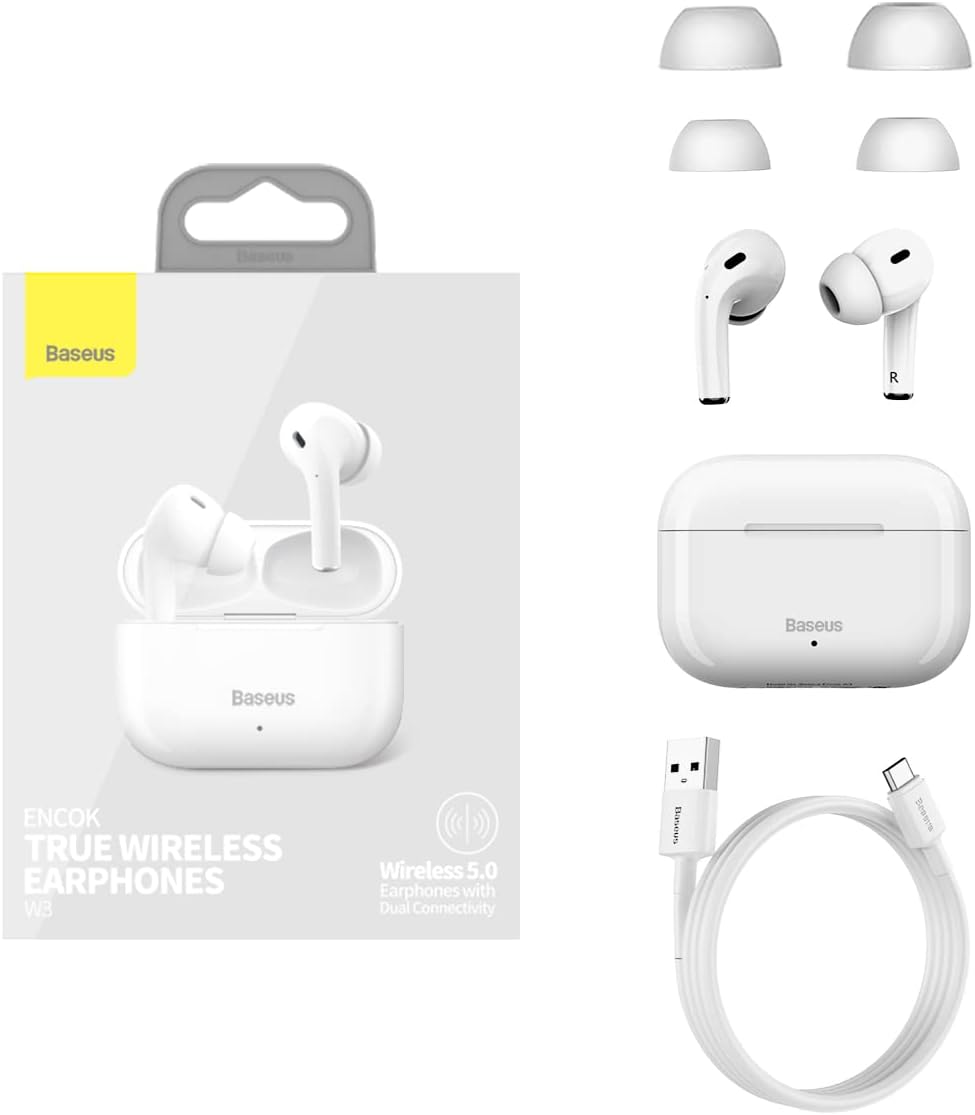
Figure 2: Included components: earphones, charging case, USB cable, and ear tips.
സജ്ജമാക്കുക
1. ഇയർഫോണുകളും കേസും ചാർജ് ചെയ്യുന്നു
- പ്രാരംഭ ചാർജ്: ആദ്യ ഉപയോഗത്തിന് മുമ്പ്, ഇയർഫോണുകളും ചാർജിംഗ് കേസും പൂർണ്ണമായും ചാർജ് ചെയ്യുക.
- കേസ് ചാർജ് ചെയ്യുന്നത്: Connect the Micro-USB cable to the charging port on the case and the other end to a USB power adapter (not included). The indicator light on the case will show charging status.
- ഇയർഫോണുകൾ ചാർജ് ചെയ്യുന്നു: Place the earphones into the charging case. Ensure they are correctly seated. The earphones will begin charging automatically.
A full charge provides approximately 4.5 hours of music playback for the earphones, and the charging case extends this to 12-15 hours of combined use.
2. ഒരു ഉപകരണവുമായി ജോടിയാക്കൽ
- പവർ ഓൺ: ചാർജിംഗ് കേസ് തുറക്കുക. ഇയർഫോണുകൾ സ്വയമേവ ഓണാകുകയും ജോടിയാക്കൽ മോഡിലേക്ക് പ്രവേശിക്കുകയും ചെയ്യും.
- ബ്ലൂടൂത്ത് സജീവമാക്കുക: നിങ്ങളുടെ ഉപകരണത്തിൽ (സ്മാർട്ട്ഫോൺ, ടാബ്ലെറ്റ് മുതലായവ), ബ്ലൂടൂത്ത് പ്രവർത്തനക്ഷമമാക്കുക.
- ഉപകരണം തിരഞ്ഞെടുക്കുക: In the Bluetooth settings, search for "Baseus Encok W3" or a similar name and select it to connect.
- കണക്ഷൻ സ്ഥിരീകരണം: Once connected, you will hear an audio prompt from the earphones, and the indicator light on the earphones may change.
The earphones support Bluetooth V5.0 for stable and efficient wireless communication up to 10 meters.
പ്രവർത്തന നിർദ്ദേശങ്ങൾ
1. ഇയർഫോണുകൾ ധരിക്കൽ
Gently insert the earphones into your ear canal. Adjust them for a comfortable and secure fit. The in-ear design with an elevation angle of 108° is engineered for comfort and to prevent accidental drops.

Figure 3: Features ensuring comfortable and secure fit, including in-ear design and multiple ear tip sizes.
2. ടച്ച് നിയന്ത്രണങ്ങൾ
The Baseus Encok W3 earphones feature touch-sensitive controls on each earbud for easy management of music and calls.
- പ്ലേ/താൽക്കാലികമായി നിർത്തുക: ഇയർബഡുകളിൽ ഏതെങ്കിലുമൊന്നിൽ ഒറ്റ ടാപ്പ് ചെയ്യുക.
- അടുത്ത ട്രാക്ക്: വലതുവശത്തെ ഇയർബഡിൽ രണ്ടുതവണ ടാപ്പ് ചെയ്യുക.
- മുമ്പത്തെ ട്രാക്ക്: ഇടതുവശത്തെ ഇയർബഡിൽ രണ്ടുതവണ ടാപ്പ് ചെയ്യുക.
- ഉത്തരം/അവസാന കോൾ: ഇയർബഡുകളിൽ ഏതെങ്കിലുമൊന്നിൽ ഒറ്റ ടാപ്പ് ചെയ്യുക.
- കോൾ നിരസിക്കുക: ഏതെങ്കിലും ഇയർബഡിൽ 2 സെക്കൻഡ് അമർത്തിപ്പിടിക്കുക.
- വോയ്സ് അസിസ്റ്റന്റിനെ സജീവമാക്കുക: ഇയർബഡുകളിൽ ഏതെങ്കിലുമൊന്നിൽ മൂന്ന് തവണ ടാപ്പ് ചെയ്യുക.
3. Single/Dual Mode Switching
The earphones support seamless switching between single and dual earbud modes. You can use either earbud independently or both together for a stereo experience. The intelligent dual-processing chip ensures fast and stable connection in both modes.
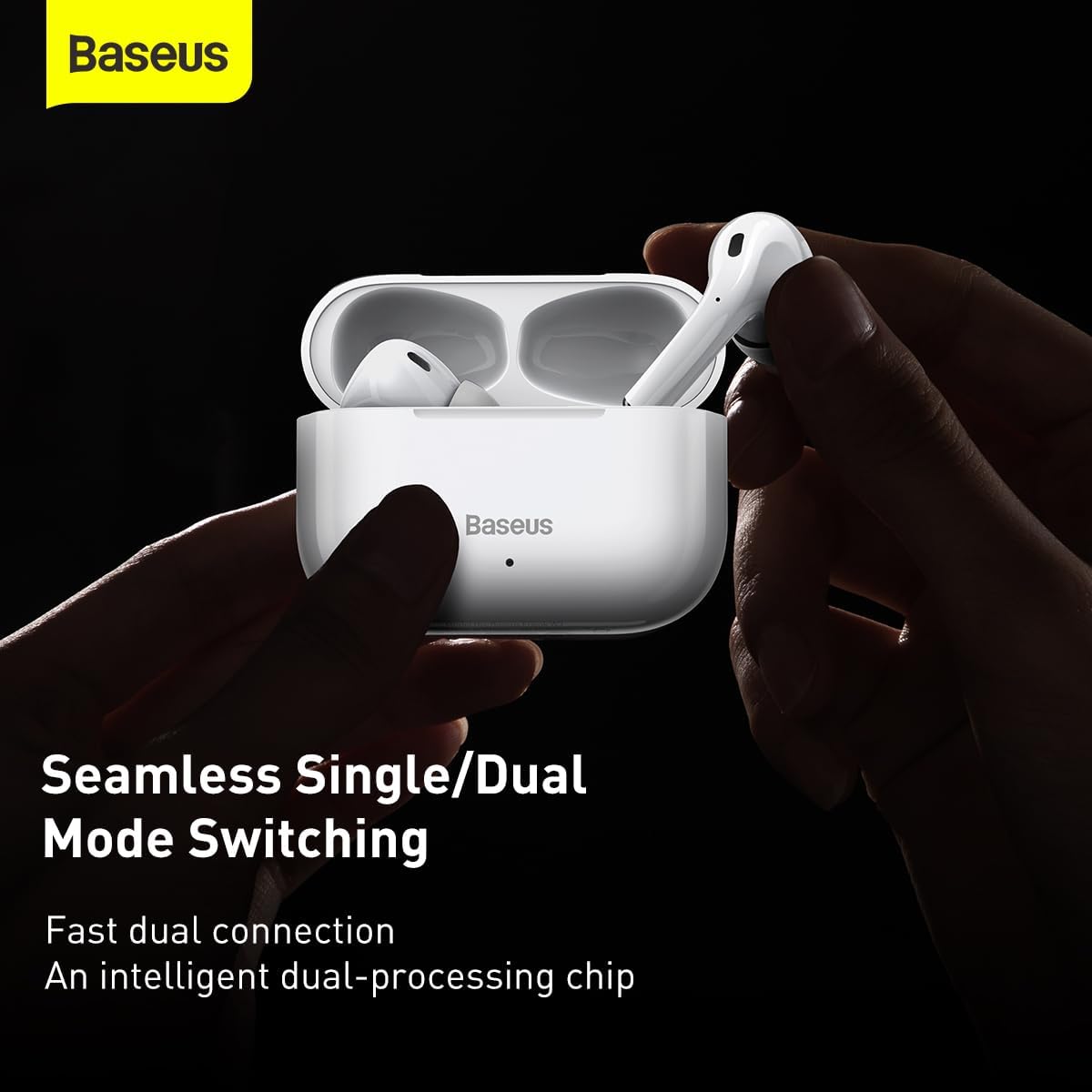
Figure 4: The earphones support seamless switching between using one or both earbuds.
മെയിൻ്റനൻസ്
ശരിയായ അറ്റകുറ്റപ്പണി നിങ്ങളുടെ ഇയർഫോണുകളുടെ ദീർഘായുസ്സും മികച്ച പ്രകടനവും ഉറപ്പാക്കുന്നു.
- വൃത്തിയാക്കൽ: ഇയർഫോണുകളും ചാർജിംഗ് കെയ്സും മൃദുവായതും ഉണങ്ങിയതും ലിന്റ് രഹിതവുമായ തുണി ഉപയോഗിച്ച് പതിവായി വൃത്തിയാക്കുക. കഠിനമായ രാസവസ്തുക്കളോ ഉരച്ചിലുകളോ ഉള്ള വസ്തുക്കൾ ഉപയോഗിക്കരുത്.
- ചെവി ടിപ്പുകൾ: ചെവിയുടെ അറ്റം ഇടയ്ക്കിടെ നീക്കം ചെയ്ത് പരസ്യം ഉപയോഗിച്ച് വൃത്തിയാക്കുക.amp തുണി. വീണ്ടും ഘടിപ്പിക്കുന്നതിന് മുമ്പ് അവ പൂർണ്ണമായും ഉണങ്ങിയെന്ന് ഉറപ്പാക്കുക.
- സംഭരണം: ഉപയോഗത്തിലില്ലാത്തപ്പോൾ, പൊടിയിൽ നിന്നും കേടുപാടുകളിൽ നിന്നും സംരക്ഷിക്കാൻ ഇയർഫോണുകൾ ചാർജിംഗ് കേസിൽ സൂക്ഷിക്കുക. നേരിട്ടുള്ള സൂര്യപ്രകാശവും കടുത്ത താപനിലയും ഏൽക്കാത്ത തണുത്തതും വരണ്ടതുമായ സ്ഥലത്ത് സൂക്ഷിക്കുക.
- വെള്ളം ഒഴിവാക്കുക: The earphones are not waterproof. Avoid exposure to water, sweat, or excessive moisture.
ട്രബിൾഷൂട്ടിംഗ്
If you encounter issues with your Baseus Encok W3 earphones, refer to the following common solutions:
| പ്രശ്നം | സാധ്യമായ പരിഹാരം |
|---|---|
| ഇയർഫോണുകൾ ജോടിയാക്കുന്നില്ല |
|
| ഒരു ഇയർഫോൺ മാത്രമേ പ്രവർത്തിക്കുന്നുള്ളൂ |
|
| കുറഞ്ഞ ശബ്ദം അല്ലെങ്കിൽ മോശം ശബ്ദ നിലവാരം |
|
| ചാർജിംഗ് പ്രശ്നങ്ങൾ |
|
സ്പെസിഫിക്കേഷനുകൾ
Detailed technical specifications for the Baseus Encok True Wireless Earphones W3 (Model A0002145):
- മോഡൽ നമ്പർ: Baseus Encok W3 (A0002145)
- മെറ്റീരിയൽ: ABS+PC (Acrylonitrile Butadiene Styrene)
- ബ്ലൂടൂത്ത് പതിപ്പ്: V5.0
- ബ്ലൂടൂത്ത് ശ്രേണി: 10 മീറ്റർ വരെ
- സ്റ്റാൻഡ്ബൈ സമയം: 200 മണിക്കൂർ
- Music Time (Earphones): 4.5 മണിക്കൂർ (70% വോളിയത്തിൽ)
- Music Time (with Charging Case): 12~15 മണിക്കൂർ
- ഇയർഫോൺ ബാറ്ററി കപ്പാസിറ്റി: 37mAh/0.14Wh
- ചാർജ്ജ് കേസ് ബാറ്ററി ശേഷി: 200mAh/0.74Wh
- Earphone Rated Input: DC5V±20mA
- Earphone Rated Consumption Current: 10mA
- Charging Case Rated Input: DC5V±250mA
- Charging Case Rated Consumption Current: 80mA
- ചാർജിംഗ് സമയം: ഏകദേശം 2 മണിക്കൂർ
- ഫ്രീക്വൻസി പ്രതികരണ ശ്രേണി: 20Hz-20KHz
- ചാർജ് ഇന്റർഫേസ്: മൈക്രോ-യുഎസ്ബി
- ഉൽപ്പന്ന അളവുകൾ: 6.3 x 6.3 x 1.97 ഇഞ്ച്
- ഇനത്തിൻ്റെ ഭാരം: 4.4 ഔൺസ് (125 ഗ്രാം)
- പ്രത്യേക സവിശേഷതകൾ: True Wireless, Bluetooth V5.0, Touch Control, In-Ear Physical Noise Cancellation, 10mm Moving Coils for High Quality Sound.

Figure 5: Internal structure highlighting the 10mm moving coils for enhanced audio quality.

Figure 6: Explanation of the in-ear physical noise cancellation feature using MEMS microphones.

Figure 7: Visual representation of the extended battery life with the charging case.
പാലിക്കൽ, സുരക്ഷാ വിവരങ്ങൾ
ഇനിപ്പറയുന്ന സുരക്ഷാ മാർഗ്ഗനിർദ്ദേശങ്ങൾ പാലിക്കുക:
- ഉൽപ്പന്നം വേർപെടുത്തുകയോ പരിഷ്കരിക്കുകയോ ചെയ്യരുത്.
- Avoid exposing the product to extreme temperatures, humidity, or corrosive environments.
- കുട്ടികൾക്കും വളർത്തുമൃഗങ്ങൾക്കും ലഭ്യമാകാതെ സൂക്ഷിക്കുക.
- പ്രാദേശിക ചട്ടങ്ങൾക്കനുസൃതമായി ഉൽപ്പന്നം ഉത്തരവാദിത്തത്തോടെ വിനിയോഗിക്കുക.


