1. ആമുഖം
The EARISE Vigorowl T65 is a portable PA system designed for both indoor and outdoor use, featuring powerful audio output, Bluetooth connectivity, and wireless microphones. This manual provides comprehensive instructions for setting up, operating, and maintaining your T65 PA system to ensure optimal performance and longevity.
2. ബോക്സിൽ എന്താണുള്ളത്?
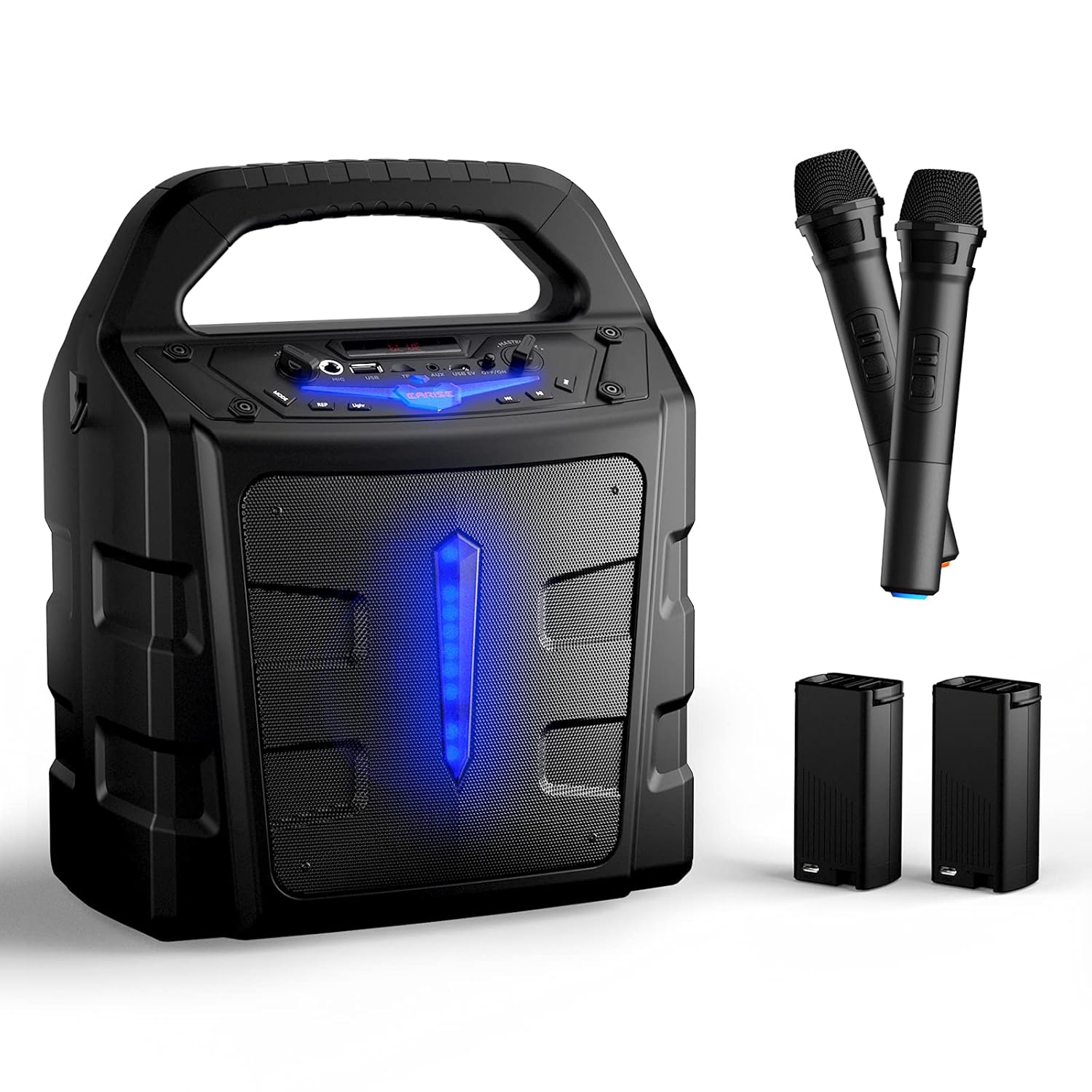
അൺബോക്സിംഗ് ചെയ്യുമ്പോൾ എല്ലാ ഇനങ്ങളും ഉണ്ടെന്ന് ഉറപ്പാക്കാൻ പാക്കേജ് ഉള്ളടക്കങ്ങൾ പരിശോധിക്കുക:
- 1 x T65 PA സ്പീക്കർ
- 2 x Wireless Microphones (Batteries not included for microphones)
- 2 x ബാഹ്യ ലി-അയൺ ബാറ്ററികൾ
- 1 x USB Charging Cable (അഡാപ്റ്റർ ഉൾപ്പെടുത്തിയിട്ടില്ല)
- 1 x ഉപയോക്തൃ മാനുവൽ

3. ഉൽപ്പന്നം കഴിഞ്ഞുview
Familiarize yourself with the various controls and ports on your T65 PA system:

- മാസ്റ്റർ വോളിയം നിയന്ത്രണം: മൊത്തത്തിലുള്ള ശബ്ദ ഔട്ട്പുട്ട് നില ക്രമീകരിക്കുന്നു.
- വൈദ്യുതി സ്വിച്ച്: യൂണിറ്റ് ഓണാക്കുകയോ ഓഫാക്കുകയോ ചെയ്യുന്നു.
- USB 5V Input Port: For charging the unit.
- AUX ഇതിൽ: ബാഹ്യ ഉപകരണങ്ങൾക്കായി 3.5mm ഓഡിയോ ഇൻപുട്ട്.
- ടിഎഫ് കാർഡ് സ്ലോട്ട്: For playing audio from a TF (Micro SD) card.
- USB Flash Slot: ഒരു യുഎസ്ബി ഫ്ലാഷ് ഡ്രൈവിൽ നിന്ന് ഓഡിയോ പ്ലേ ചെയ്യുന്നതിന്.
- മൈക്ക് ഇൻ: 6.35mm input for wired microphones.
- മൈക്ക് വോളിയം നിയന്ത്രണം: Adjusts the volume of the microphones independently.
- മോഡ് ബട്ടൺ: Switches between Bluetooth, FM Radio, AUX, USB, and TF card modes.
- ലൈറ്റ് ബട്ടൺ: Controls the LED light effects.
- REP (Repeat) Button: നിലവിലെ ട്രാക്ക് അല്ലെങ്കിൽ പ്ലേലിസ്റ്റ് ആവർത്തിക്കുന്നു.
- Previous Song Button: മുമ്പത്തെ ട്രാക്കിലേക്ക് പോകുന്നു.
- പ്ലേ/താൽക്കാലികമായി നിർത്തുക ബട്ടൺ: Plays or pauses the current track.
- Next Song Button: അടുത്ത ട്രാക്കിലേക്ക് പോകുക.
4. സജ്ജീകരണം
4.1 യൂണിറ്റ് ചാർജ് ചെയ്യുന്നു
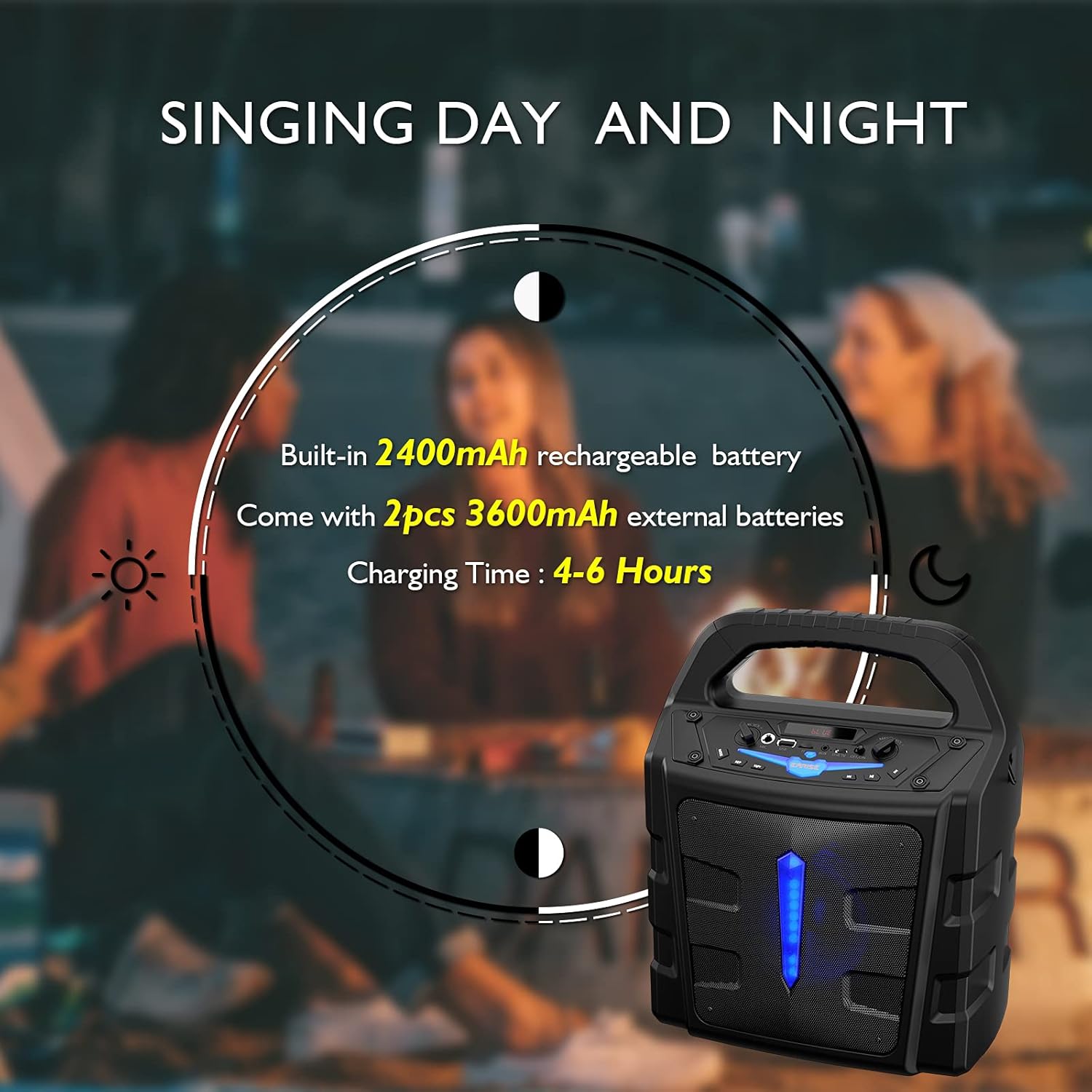
The T65 PA system comes with a built-in 2400mAh Li-ion battery and two external 3600mAh Li-ion batteries. Before first use, it is recommended to fully charge the unit.
- Connect the provided USB charging cable to the USB 5V input port on the T65.
- Connect the other end of the USB cable to a standard USB power adapter (not included) or a powered USB port.
- ചാർജിംഗ് ഇൻഡിക്കേറ്റർ ലൈറ്റ് പ്രകാശിക്കും. പൂർണ്ണമായി ചാർജ് ചെയ്യാൻ സാധാരണയായി 4-6 മണിക്കൂർ എടുക്കും.
4.2 Battery Installation (Wireless Microphones)
The wireless microphones require 2 x AA batteries each (not included). To install:
- Unscrew the bottom part of the microphone handle.
- ശരിയായ പോളാരിറ്റി (+/-) ഉറപ്പാക്കിക്കൊണ്ട് രണ്ട് AA ബാറ്ററികൾ ഇടുക.
- താഴത്തെ ഭാഗം സുരക്ഷിതമായി വീണ്ടും സ്ക്രൂ ചെയ്യുക.
5. പ്രവർത്തന നിർദ്ദേശങ്ങൾ
5.1 പവർ ഓൺ/ഓഫ്
അമർത്തിപ്പിടിക്കുക പവർ സ്വിച്ച് button on the control panel to turn the unit ON or OFF.
5.2 ബ്ലൂടൂത്ത് കണക്ഷൻ
ബ്ലൂടൂത്ത് വഴി നിങ്ങളുടെ മൊബൈൽ ഉപകരണം ബന്ധിപ്പിക്കുന്നതിന്:
- Turn on the T65 PA system. It will automatically enter Bluetooth pairing mode, indicated by a flashing 'BLUE' on the display.
- Enable Bluetooth on your mobile device (smartphone, tablet, PC, laptop).
- ഇതിനായി തിരയുക available devices and select "EARISE T65" from the list.
- Once connected, the 'BLUE' indicator will stop flashing, and you can play audio from your device through the T65.

5.3 Using Microphones
The T65 comes with two wireless microphones for karaoke or public speaking. You can also connect a wired microphone to the 'Mic In' port.
- Turn on the wireless microphones using their respective ON/OFF switches. They will automatically pair with the T65 unit.
- ഉപയോഗിച്ച് മൈക്രോഫോൺ വോളിയം ക്രമീകരിക്കുക മൈക്ക് വോളിയം നിയന്ത്രണം knob on the T65 control panel.
- Adjust the overall sound level using the മാസ്റ്റർ വോളിയം നിയന്ത്രണം.


5.4 USB/TF കാർഡ് പ്ലേബാക്ക്
Insert a USB flash drive or TF (Micro SD) card (up to 32GB) into the respective slot. The unit will automatically switch to USB/TF mode and begin playing compatible audio files.
- ഉപയോഗിക്കുക മുൻ ഗാനം, പ്ലേ/താൽക്കാലികമായി നിർത്തുക, ഒപ്പം അടുത്ത ഗാനം പ്ലേബാക്ക് നിയന്ത്രിക്കുന്നതിനുള്ള ബട്ടണുകൾ.
- അമർത്തുക REP button to cycle through repeat modes (e.g., repeat one, repeat all).
5.5 AUX ഇൻപുട്ട്
Connect an external audio device (e.g., MP3 player, CD player) to the ഓക്സ് ഇൻ port using a 3.5mm audio cable. Press the മോഡ് button until 'AUX' is displayed.
5.6 എഫ്എം റേഡിയോ മോഡ്
അമർത്തുക മോഡ് button repeatedly until 'FM' is displayed. The unit will enter FM radio mode.
- അമർത്തിപ്പിടിക്കുക പ്ലേ/താൽക്കാലികമായി നിർത്തുക ലഭ്യമായ എഫ്എം സ്റ്റേഷനുകൾ സ്വയമേവ സ്കാൻ ചെയ്യാനും സംരക്ഷിക്കാനും ബട്ടൺ.
- ഉപയോഗിക്കുക മുൻ ഗാനം ഒപ്പം അടുത്ത ഗാനം സംരക്ഷിച്ച സ്റ്റേഷനുകൾക്കിടയിൽ നാവിഗേറ്റ് ചെയ്യാനുള്ള ബട്ടണുകൾ.
5.7 ലൈറ്റ് ഇഫക്റ്റുകൾ
അമർത്തുക വെളിച്ചം button to toggle the LED light effects on the front panel.
6. പരിപാലനം
- വൃത്തിയാക്കൽ: യൂണിറ്റിന്റെ പുറംഭാഗം വൃത്തിയാക്കാൻ മൃദുവായതും ഉണങ്ങിയതുമായ തുണി ഉപയോഗിക്കുക. അബ്രസീവ് ക്ലീനറുകളോ ലായകങ്ങളോ ഉപയോഗിക്കരുത്.
- ബാറ്ററി കെയർ: To prolong battery life, fully charge the unit before long periods of storage. If storing for extended periods, recharge every 3 months.
- സംഭരണം: നേരിട്ടുള്ള സൂര്യപ്രകാശത്തിൽ നിന്നും തീവ്രമായ താപനിലയിൽ നിന്നും മാറി തണുത്തതും വരണ്ടതുമായ സ്ഥലത്ത് യൂണിറ്റ് സൂക്ഷിക്കുക.
- വാട്ടർ എക്സ്പോഷർ: This unit is not waterproof. Avoid exposure to rain, splashes, or high humidity.
7. പ്രശ്നപരിഹാരം
If you encounter any issues with your T65 PA system, please refer to the following table for common problems and solutions:
| പ്രശ്നം | സാധ്യമായ കാരണം | പരിഹാരം |
|---|---|---|
| ശക്തിയില്ല | ബാറ്ററി തീർന്നു. | Charge the unit using the USB charging cable. |
| ശബ്ദ ഔട്ട്പുട്ട് ഇല്ല | വോളിയം വളരെ കുറവാണ് അല്ലെങ്കിൽ മ്യൂട്ട് ചെയ്തിരിക്കുന്നു. തെറ്റായ ഇൻപുട്ട് മോഡ്. | Increase Master Volume. Press Mode button to select correct input (Bluetooth, AUX, USB, TF, FM). |
| മൈക്രോഫോണുകൾ പ്രവർത്തിക്കുന്നില്ല | Microphone batteries are low or incorrectly installed. Microphone is off. Mic Volume is too low. | Replace AA batteries in microphones, ensuring correct polarity. Turn on microphone power switch. Increase Mic Volume Control. |
| ബ്ലൂടൂത്ത് കണക്റ്റ് ചെയ്യുന്നില്ല | Unit is not in Bluetooth mode. Device is too far. Interference. | Press Mode button until 'BLUE' is displayed. Ensure device is within 10 meters. Move away from other electronic devices. |
| മോശം എഫ്എം റേഡിയോ സ്വീകരണം | ദുർബലമായ സിഗ്നൽ. | Relocate the unit to an area with better reception. Perform auto-scan again. |
8 സ്പെസിഫിക്കേഷനുകൾ
Detailed technical specifications for the EARISE Vigorowl T65 Portable PA System:
| ഫീച്ചർ | സ്പെസിഫിക്കേഷൻ |
|---|---|
| പീക്ക് പവർ ഔട്ട്പുട്ട് | 30W |
| R.Frequency | 90Hz-20KHz |
| ബിൽറ്റ്-ഇൻ ലി-അയൺ ബാറ്ററി | 3.7V / 2400mAh |
| External Li-ion Battery | 2pcs 3.7V / 3600mAh |
| ഡ്രൈവ് യൂണിറ്റ് | 5.25" 3Ω |
| എസ്/എൻ അനുപാതം | ≥60dB |
| DC ഇൻപുട്ട് | USB 5V |
| വൈദ്യുതി വിതരണം | എസി 100-240V |
| അളവുകൾ (L x W x H) | 280mm x 200mm x 340mm (11" x 7.9" x 13.4") |
| ഇനത്തിൻ്റെ ഭാരം | 2.72 കി.ഗ്രാം |
| കണക്റ്റിവിറ്റി ടെക്നോളജി | ബ്ലൂടൂത്ത്, യുഎസ്ബി |
| അനുയോജ്യമായ ഉപകരണങ്ങൾ | iPhone, smartphone, tablet, PC |
| പിന്തുണയ്ക്കുന്ന മീഡിയ തരം | Micro SD, USB |
9. വാറൻ്റിയും പിന്തുണയും
For warranty information or technical support, please refer to the contact details provided with your purchase documentation or visit the official EARISE webസൈറ്റ്. ഏതെങ്കിലും വാറന്റി ക്ലെയിമുകൾക്ക് വാങ്ങിയതിന്റെ തെളിവായി നിങ്ങളുടെ വാങ്ങൽ രസീത് സൂക്ഷിക്കുക.


