ആമുഖം
This manual provides comprehensive instructions for the setup, operation, maintenance, and troubleshooting of your OneOdio A30 Wireless Active Noise Cancelling Headphones. Please read thoroughly to ensure optimal performance and longevity of your device.
ബോക്സിൽ എന്താണുള്ളത്
- 1x OneOdio A30 ANC Headphones
- 1x ക്യാരി പൗച്ച്
- 1x Airplane Adapter
- 1x മൈക്രോ യുഎസ്ബി ചാർജിംഗ് കേബിൾ
- 1x 3.5mm AUX കേബിൾ
- 1x ഉപയോക്തൃ മാനുവൽ
ഉൽപ്പന്നം കഴിഞ്ഞുview
The OneOdio A30 headphones are designed for comfort and superior audio performance, featuring active noise cancelling technology and versatile connectivity options.

ചിത്രം 1: മുൻഭാഗം view of the OneOdio A30 Wireless Active Noise Cancelling Headphones, showcasing the over-ear design and included 3.5mm audio cable.
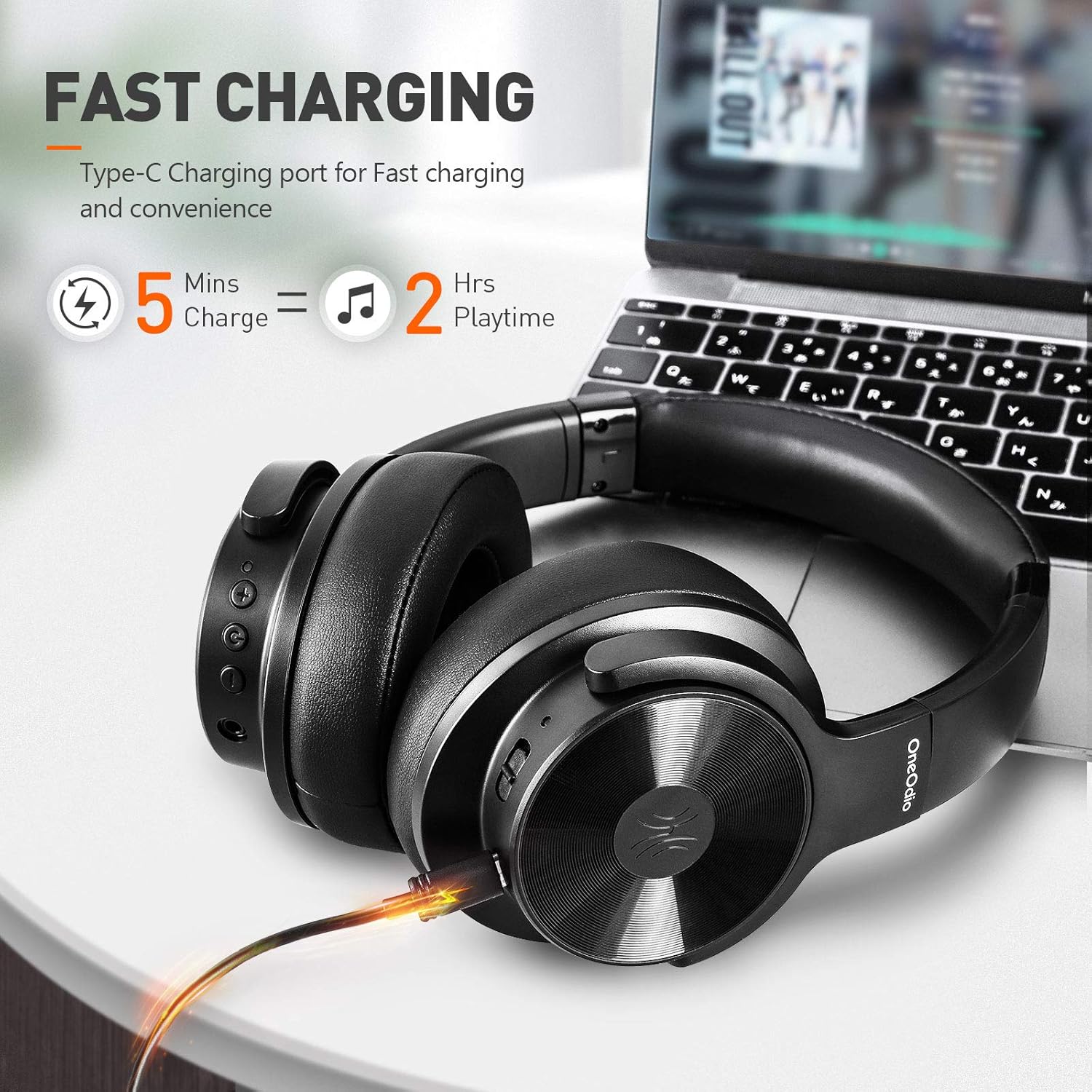
Figure 2: The OneOdio A30 headphones connected to a laptop via a Type-C charging cable, illustrating the fast charging capability: 5 minutes of charge provides 2 hours of playtime.

Figure 3: Close-up of the plush ear memory cushions on the OneOdio A30 headphones, highlighting the breathable mesh and soft protein earpad materials designed for comfort.
സജ്ജമാക്കുക
ബ്ലൂടൂത്ത് ജോടിയാക്കൽ
- ഹെഡ്ഫോണുകൾ ഓഫാണെന്ന് ഉറപ്പാക്കുക.
- Press and hold the power button for approximately 3-5 seconds until the LED indicator flashes red and blue alternately, indicating pairing mode.
- നിങ്ങളുടെ ഉപകരണത്തിൽ (സ്മാർട്ട്ഫോൺ, ടാബ്ലെറ്റ്, കമ്പ്യൂട്ടർ), ബ്ലൂടൂത്ത് പ്രവർത്തനക്ഷമമാക്കി ലഭ്യമായ ഉപകരണങ്ങൾക്കായി തിരയുക.
- Select "OneOdio A30" from the list of devices to connect.
- കണക്ട് ചെയ്തുകഴിഞ്ഞാൽ, LED ഇൻഡിക്കേറ്റർ പതുക്കെ നീല നിറത്തിൽ മിന്നിമറയും.
വയർഡ് കണക്ഷൻ
To use the headphones in wired mode, connect the provided 3.5mm AUX cable to the headphone's audio jack and to your audio source. This mode works even if the battery is depleted.
പ്രവർത്തന നിർദ്ദേശങ്ങൾ
ആക്ടീവ് നോയിസ് ക്യാൻസലിംഗ് (ANC)
The OneOdio A30 features advanced ANC technology to reduce ambient noise. ANC works in both wired and wireless modes.
- To activate ANC, slide the ANC switch located on the left earcup. The LED indicator will turn green.
- ANC നിർജ്ജീവമാക്കാൻ, ANC സ്വിച്ച് അതിന്റെ യഥാർത്ഥ സ്ഥാനത്തേക്ക് തിരികെ സ്ലൈഡ് ചെയ്യുക.
കോൾ കൈകാര്യം ചെയ്യൽ
The headphones include a high-quality built-in microphone for clear communication.
- To answer/end a call: Press the multi-function button once.
- To reject a call: Press and hold the multi-function button for 2 seconds.
സംഗീത പ്ലേബാക്ക്
- പ്ലേ/താൽക്കാലികമായി നിർത്തുക: മൾട്ടി-ഫംഗ്ഷൻ ബട്ടൺ ഒരിക്കൽ അമർത്തുക.
- Volume Up: Press the "+" button.
- Volume Down: Press the "-" button.
- Next Track: Press and hold the "+" button for 2 seconds.
- Previous Track: Press and hold the "-" button for 2 seconds.
ചാർജിംഗ്
Connect the Micro USB charging cable to the headphone's charging port and to a USB power source. The LED indicator will show a red light during charging and turn off when fully charged.
ചാർജിംഗ് സമയം: ഏകദേശം 2.5 മണിക്കൂർ.
ബാറ്ററി ലൈഫ്:
- 35 hours (ANC + Bluetooth)
- 54 hours (Bluetooth only)
- 50 മണിക്കൂർ (ANC മാത്രം)
പരിപാലനവും പരിചരണവും
- മൃദുവായതും ഉണങ്ങിയതുമായ തുണി ഉപയോഗിച്ച് ഹെഡ്ഫോണുകൾ പതിവായി വൃത്തിയാക്കുക.
- ഹെഡ്ഫോണുകൾ തീവ്രമായ താപനിലയിലോ, ഈർപ്പം അല്ലെങ്കിൽ ദ്രാവകങ്ങളിലോ തുറന്നുകാട്ടുന്നത് ഒഴിവാക്കുക.
- Store the headphones in the provided carry pouch when not in use to protect them from dust and scratches.
- ഹെഡ്ഫോണുകൾ ഡിസ്അസംബ്ലിംഗ് ചെയ്യാനോ പരിഷ്ക്കരിക്കാനോ ശ്രമിക്കരുത്, കാരണം ഇത് വാറന്റി അസാധുവാക്കും.
ട്രബിൾഷൂട്ടിംഗ്
പവർ ഇല്ല
- ഹെഡ്ഫോണുകൾ പൂർണ്ണമായും ചാർജ്ജ് ചെയ്തിട്ടുണ്ടെന്ന് ഉറപ്പാക്കുക.
- Press and hold the power button for 3-5 seconds to turn on.
ബ്ലൂടൂത്ത് വഴി ജോടിയാക്കാൻ കഴിയില്ല
- Ensure the headphones are in pairing mode (red and blue LED flashing).
- Make sure Bluetooth is enabled on your device and it is within range (10m/33ft).
- നിങ്ങളുടെ ഉപകരണത്തിലെ ബ്ലൂടൂത്ത് ജോടിയാക്കൽ ലിസ്റ്റ് മായ്ച്ച് വീണ്ടും ജോടിയാക്കാൻ ശ്രമിക്കുക.
Sound Distortion/Poor Quality
- Check the audio source and ensure the volume is not too high or too low.
- If using wired mode, ensure the 3.5mm AUX cable is securely connected.
- If using wireless mode, ensure there are no obstructions between the headphones and your device.
- Try turning ANC off and on to see if it resolves the issue.
സ്പെസിഫിക്കേഷനുകൾ
| ഫീച്ചർ | സ്പെസിഫിക്കേഷൻ |
|---|---|
| മോഡലിൻ്റെ പേര് | A30 |
| കണക്റ്റിവിറ്റി ടെക്നോളജി | Bluetooth v5.0, Wireless |
| ബ്ലൂടൂത്ത് പതിപ്പ് | 5.0 |
| ബ്ലൂടൂത്ത് ശ്രേണി | 10മീ / 33 അടി |
| ബാറ്ററി ശേഷി | 500mAh |
| ചാർജിംഗ് സമയം | ഏകദേശം 2.5 മണിക്കൂർ |
| Using Time (ANC+BT) | 35 മണിക്കൂർ |
| Using Time (BT Only) | 54 മണിക്കൂർ |
| Using Time (ANC Only) | 50 മണിക്കൂർ |
| ശബ്ദം കുറയ്ക്കുന്നതിനുള്ള ആഴം | -25 ~ -28dB |
| ഡ്രൈവർ വ്യാസം | 40 മി.മീ |
| ഫ്രീക്വൻസി പ്രതികരണം | 20Hz-20KHz |
| ഇനത്തിൻ്റെ ഭാരം | 12.6 ഔൺസ് |
| ഉൽപ്പന്ന അളവുകൾ | 6.4 x 5.3 x 3.3 ഇഞ്ച് |
വാറൻ്റി & പിന്തുണ
OneOdio products typically come with a 24-month extended warranty. For more information or to register your product, please visit the official OneOdio webസൈറ്റ്.
ഉപഭോക്തൃ സേവന അന്വേഷണങ്ങൾക്ക്, ദയവായി ബന്ധപ്പെടുക:
- ഇമെയിൽ: info@oneodio.com
- Phone: +00852 6940 3848 (Mon to Fri 9:00 am - 6:30 pm, UTC+8 HKT)
ഔദ്യോഗിക ഉൽപ്പന്ന വീഡിയോകൾ
Video 1: OneOdio A30 Active Noise Cancelling Headphones - An official product video showcasing പ്രധാന സവിശേഷതകളും ഡിസൈൻ ഘടകങ്ങളും.


