1. ഉൽപ്പന്നം കഴിഞ്ഞുview
The Hikvision DS-7108HQHI-F1/N is an 8-channel Digital Video Recorder (DVR) designed for surveillance systems. It supports high-definition video recording up to 2MP and 1080P Lite resolution for real-time viewing. This DVR is compatible with various camera types, including AHD, CVBS, and HDTVI, offering flexibility for different security setups.
പ്രധാന സവിശേഷതകൾ:
- തരം: നിരീക്ഷണ ഡിവിആർ
- ബ്രാൻഡ്: ഹൈക്വിഷൻ
- റെസലൂഷൻ: Supports up to 3 megapixels for recording on the first two channels.
- തൽസമയം Viewing: 1080p Lite resolution for real-time display.
- ചാനലുകൾ: 8 video input channels.
- വീഡിയോ കംപ്രഷൻ: H.264 digital media format.
- കണക്റ്റിവിറ്റി: VGA output, RCA audio input, 1 total USB port.
- Video Input Types: AHD, CVBS, HDTVI.
2 സുരക്ഷാ വിവരങ്ങൾ
Please read these safety instructions carefully before operating the device to prevent damage and ensure proper functionality. Keep this manual for future reference.
- Ensure the power supply matches the device's requirements.
- വെള്ളം അല്ലെങ്കിൽ ഈർപ്പം ഉപകരണം തുറന്നുകാട്ടരുത്.
- നേരിട്ട് സൂര്യപ്രകാശത്തിലോ ചൂട് സ്രോതസ്സുകൾക്ക് സമീപമോ ഉപകരണം സ്ഥാപിക്കുന്നത് ഒഴിവാക്കുക.
- അമിതമായി ചൂടാകുന്നത് തടയാൻ നന്നായി വായുസഞ്ചാരമുള്ള സ്ഥലത്ത് ഉപകരണം സ്ഥാപിക്കുക.
- നിർമ്മാതാവ് വ്യക്തമാക്കിയ ആക്സസറികൾ മാത്രം ഉപയോഗിക്കുക.
- ഉപകരണം ഡിസ്അസംബ്ലിംഗ് ചെയ്യാനോ പരിഷ്ക്കരിക്കാനോ ശ്രമിക്കരുത്. എല്ലാ സേവനങ്ങളും യോഗ്യതയുള്ള ഉദ്യോഗസ്ഥരെ ഏൽപ്പിക്കുക.
3. പാക്കേജ് ഉള്ളടക്കം
പാക്കേജ് തുറക്കുമ്പോൾ എല്ലാ ഇനങ്ങളും നിലവിലുണ്ടെന്നും നല്ല നിലയിലാണെന്നും ഉറപ്പാക്കുക:
- Hikvision DS-7108HQHI-F1/N DVR Unit
- പവർ അഡാപ്റ്റർ
- യുഎസ്ബി മൗസ്
- Screws for HDD Installation (Hard Disk Drive not included)
- ദ്രുത ആരംഭ ഗൈഡ്
4. ഉൽപ്പന്ന ഡയഗ്രം
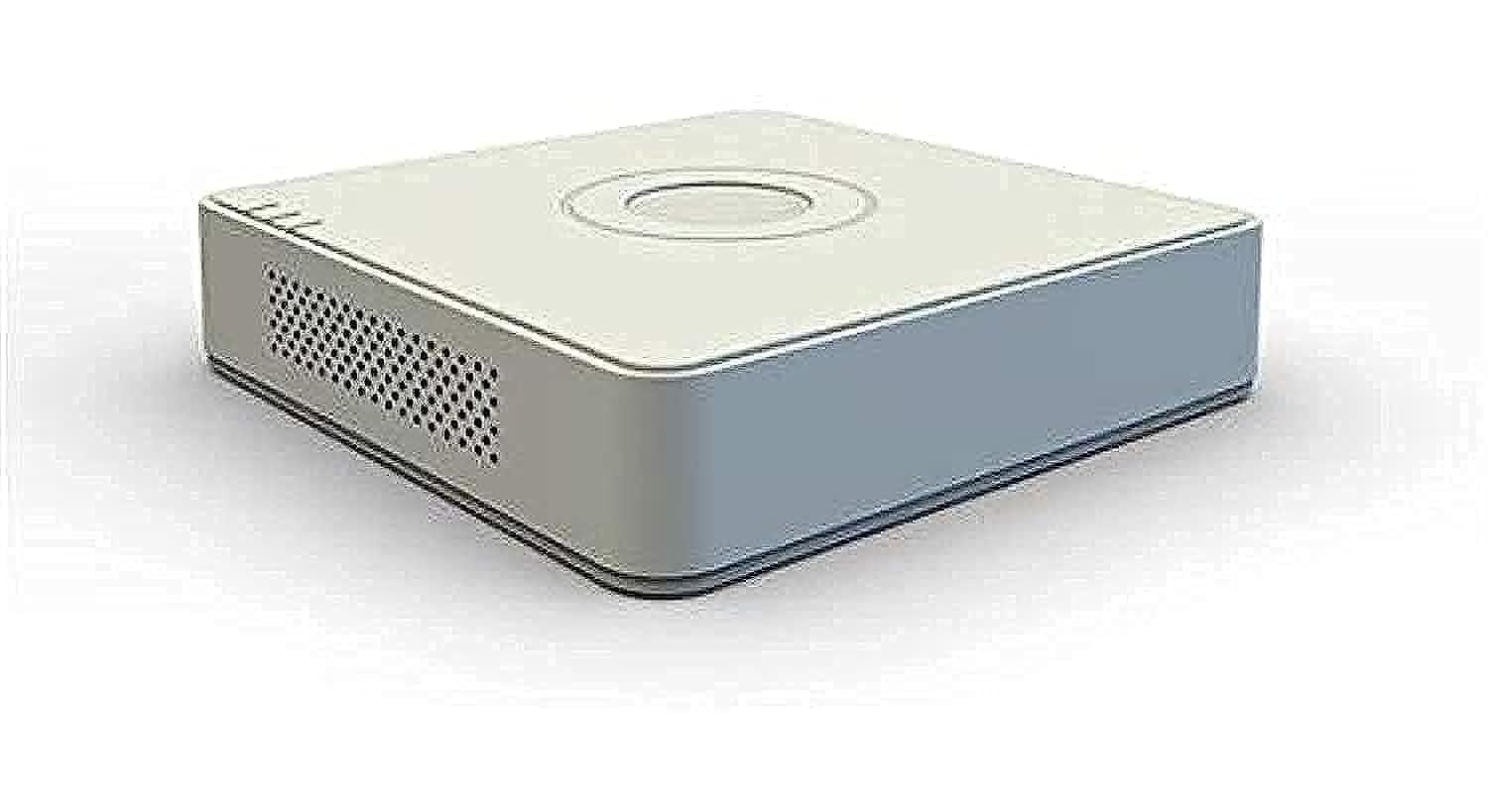
ചിത്രം 4.1: മുൻഭാഗം view of the Hikvision DS-7108HQHI-F1/N DVR, showing the brand logo and indicator lights.
The Hikvision DS-7108HQHI-F1/N DVR features a compact design with a white plastic casing. The front panel includes indicator lights for power, status, and hard drive activity. The rear panel houses all input and output ports for camera connections, display, audio, and network.
Video 4.1: A detailed demonstration of the Hikvision Turbo HD DVR (DS-7108HQHI-F1/N), showcasing its 8-channel capabilities, plastic material construction, and compact dimensions of approximately 3 x 10 x 10 cm. The video highlights the various ports and overall physical design of the unit.
5. സജ്ജീകരണ നിർദ്ദേശങ്ങൾ
5.1 Installing the Hard Disk Drive (HDD)
- Unscrew the cover of the DVR unit.
- Connect the SATA data cable and power cable to the HDD.
- നൽകിയിരിക്കുന്ന സ്ക്രൂകൾ ഉപയോഗിച്ച് HDD DVR ചേസിസിൽ ഉറപ്പിക്കുക.
- Replace the cover and secure it with screws.
5.2 ക്യാമറകൾ ബന്ധിപ്പിക്കുന്നു
- Connect your surveillance cameras to the BNC video input ports on the rear panel of the DVR. This model supports AHD, CVBS, and HDTVI cameras.
- എല്ലാ കണക്ഷനുകളും സുരക്ഷിതമാണെന്ന് ഉറപ്പാക്കുക.
5.3 Connecting to a Display and Network
- Connect a monitor to the VGA output port for video display.
- For network access and remote viewing, connect an Ethernet cable from the DVR's LAN port to your router or network switch.
- Connect the USB mouse to one of the USB ports for navigation.
5.4 പവർ ചെയ്യുന്നു
- Connect the power adapter to the DVR and then to a power outlet.
- The DVR will power on automatically. Follow the on-screen instructions for initial setup, including setting up a password and configuring network settings.
6. പ്രവർത്തന നിർദ്ദേശങ്ങൾ
6.1 തത്സമയം View
After successful setup, the DVR will display the live feed from connected cameras. Use the USB mouse to navigate the interface. Double-click on a camera view അത് വലുതാക്കാൻ.
6.2 റെക്കോർഡിംഗ്
The DVR is configured to record continuously by default once an HDD is installed. You can access recording settings through the main menu to configure motion detection recording, scheduled recording, or manual recording.
6.3 പ്ലേബാക്ക്
ലേക്ക് view രേഖപ്പെടുത്തി footage, go to the "Playback" menu. Select the desired camera(s) and time range. The timeline will show recorded events, which you can navigate using the mouse.
6.4 നെറ്റ്വർക്ക് കോൺഫിഗറേഷൻ
Access the "Network" settings in the main menu to configure IP addresses, port forwarding, and enable remote access features. Ensure your network settings are correctly configured for remote viewing via mobile apps or client software.
7. പരിപാലനം
- പതിവ് വൃത്തിയാക്കൽ: Keep the DVR unit clean and free from dust. Use a soft, dry cloth. Do not use liquid cleaners.
- ഫേംവെയർ അപ്ഡേറ്റുകൾ: ഇടയ്ക്കിടെ ഹൈക്വിഷൻ ഉദ്യോഗസ്ഥനെ പരിശോധിക്കുക webഫേംവെയർ അപ്ഡേറ്റുകൾക്കായുള്ള സൈറ്റ്. ഫേംവെയർ അപ്ഡേറ്റ് ചെയ്യുന്നത് പ്രകടനം മെച്ചപ്പെടുത്താനും പുതിയ സവിശേഷതകൾ ചേർക്കാനും കഴിയും.
- ഹാർഡ് ഡ്രൈവ് ആരോഗ്യം: Monitor the health of your hard drive through the DVR's system settings. Replace the HDD if any errors or warnings are detected.
- Backup Recordings: Regularly back up important recordings to an external USB drive or network storage.
8. പ്രശ്നപരിഹാരം
| പ്രശ്നം | സാധ്യമായ കാരണം | പരിഹാരം |
|---|---|---|
| മോണിറ്ററിൽ വീഡിയോ ഔട്ട്പുട്ട് ഇല്ല. | Loose VGA cable, incorrect display settings, monitor off. | Check VGA cable connection. Ensure monitor is on and set to correct input. Restart DVR. |
| ക്യാമറകൾ പ്രദർശിപ്പിക്കുന്നില്ല. | Loose BNC connection, camera power issue, incompatible camera type. | Verify BNC connections. Check camera power supply. Ensure cameras are AHD, CVBS, or HDTVI. |
| വിദൂരമായി DVR ആക്സസ് ചെയ്യാൻ കഴിയില്ല. | Network cable disconnected, incorrect network settings, firewall blocking. | Check Ethernet cable. Verify IP address, gateway, and DNS settings. Ensure port forwarding is correctly configured on your router. Disable firewall temporarily for testing. |
| റെക്കോർഡിംഗ് ഇല്ല. | No HDD installed, HDD full, HDD faulty, recording schedule not set. | Install an HDD. Check HDD status in system settings. Format or replace HDD if faulty. Configure recording schedule. |
9 സ്പെസിഫിക്കേഷനുകൾ
| ഫീച്ചർ | വിശദാംശങ്ങൾ |
|---|---|
| നിർമ്മാതാവ് | ഹൈക്വിഷൻ |
| മോഡൽ നമ്പർ | DS-7108HQHI-F1/N |
| ഇനത്തിൻ്റെ ഭാരം | 11 ഗ്രാം |
| കണക്റ്റിവിറ്റി ടെക്നോളജി | വിജിഎ |
| അനുയോജ്യമായ ഉപകരണങ്ങൾ | ക്യാമറ |
| ചാനലുകളുടെ എണ്ണം | 8 |
| Digital Video Media Format | H.264 |
| ഓഡിയോ ഇൻപുട്ട് | ആർസിഎ |
| മൊത്തം USB പോർട്ടുകൾ | 1 |
| വീഡിയോ ഇൻപുട്ട് തരങ്ങൾ | AHD, CVBS, HDTVI |
| ഉൽപ്പന്ന അളവുകൾ (ഏകദേശം.) | 3 x 10 x 10 cm (from video) |
| മെറ്റീരിയൽ | Plastic (from video) |
10. വാറൻ്റിയും പിന്തുണയും
This Hikvision product comes with a standard manufacturer's warranty. For detailed warranty terms and conditions, please refer to the warranty card included in your package or visit the official Hikvision webസൈറ്റ്.
For technical support, troubleshooting assistance, or service inquiries, please contact Hikvision customer support or your authorized dealer. Have your product model number (DS-7108HQHI-F1/N) and serial number ready when contacting support.
You may also find additional resources, FAQs, and software downloads on the official Hikvision support portal.