ആമുഖം
The Ctronics 3MP Solar Security Camera is a wireless outdoor surveillance solution designed for comprehensive home security. Featuring 2K HD resolution, spotlight color night vision, and PIR human detection, it provides clear monitoring day and night. Its battery-powered design, complemented by a solar panel, ensures continuous operation without constant recharging. With 355° pan and 95° tilt capabilities, two-way audio, and IP66 waterproofing, this camera offers flexible installation and robust performance in various outdoor conditions.

Figure 1: Ctronics 3MP Solar Security Camera with solar panel.
ബോക്സിൽ എന്താണുള്ളത്
എല്ലാ ഇനങ്ങളും ഉണ്ടെന്ന് ഉറപ്പാക്കാൻ നിങ്ങളുടെ പാക്കേജിന്റെ ഉള്ളടക്കങ്ങൾ പരിശോധിക്കുക:
- Ctronics 3MP Solar Security Camera (CT-S20)
- Solar Panel with integrated cable
- Mounting Bracket for camera
- Mounting Bracket for solar panel
- യുഎസ്ബി ചാർജിംഗ് കേബിൾ
- Screw Kit (screws and wall anchors)
- ഉപയോക്തൃ മാനുവൽ (ഈ പ്രമാണം)
വീഡിയോ 1: അൺബോക്സിംഗ്, പിന്നെയുംview of the Ctronics S20-G camera components.
സജ്ജീകരണവും ഇൻസ്റ്റാളേഷനും
The Ctronics CT-S20 camera offers flexible installation options: all-in-one or separated. Ensure the camera is fully charged before installation for optimal performance.
1. ക്യാമറ ചാർജ് ചെയ്യുന്നു
Before initial use, fully charge the camera's built-in 7800mAh battery using the provided USB cable. Connect the USB cable to the camera's charging port and a standard 5V USB power adapter (not included). The charging indicator light will show the charging status.

Figure 2: The camera is powered by a 7800mAh rechargeable battery, ensuring long-lasting operation.
2. Choosing Installation Method
You can install the camera and solar panel together (all-in-one) or separately to optimize solar charging and camera placement.
- ഓൾ-ഇൻ-വൺ ഇൻസ്റ്റലേഷൻ: The solar panel is directly attached to the top of the camera. This is ideal for locations where both the camera and solar panel can receive ample സൂര്യപ്രകാശം.
- Separated Installation: The solar panel is mounted separately from the camera, allowing you to place the panel in a location with maximum sun exposure while positioning the camera for optimal surveillance coverage.

Figure 3: Visual representation of all-in-one and separated installation methods.
Video 2: Detailed guide on both all-in-one and separated installation of the S20-G camera.
3. ക്യാമറയും സോളാർ പാനലും സ്ഥാപിക്കൽ
- Select a suitable mounting location. For the solar panel, choose an area that receives direct sunlight for most of the day.
- Use the provided mounting brackets and screw kit to securely attach the camera and/or solar panel to the desired surface (wall, eaves, etc.).
- If using separated installation, connect the solar panel cable to the camera's charging port. Ensure the connection is secure and the waterproof cap is properly sealed.

Figure 4: The camera and solar panel mounted together, ready for operation.
4. App Connection (2.4GHz WiFi Only)
The Ctronics camera operates on 2.4GHz WiFi. It does not support 5GHz WiFi. Download the "CTRONICS APP" from your smartphone's app store (iOS or Android). Follow the in-app instructions for QR scan setup to connect your camera to your home network.

Figure 5: The Ctronics app is compatible with iOS, Android, Mac OS, and Windows for broad accessibility.
ക്യാമറ പ്രവർത്തിപ്പിക്കുന്നത്
1. പാൻ, ടിൽറ്റ് നിയന്ത്രണം
The camera features 355° horizontal pan and 95° vertical tilt, allowing you to remotely adjust the viewing angle through the CTRONICS APP. This ensures comprehensive coverage without blind spots.

Figure 6: Remote control of camera pan (355°) and tilt (95°) via the mobile app.
2. 2K HD & Spotlight Color Night Vision
The camera provides 2K high-definition video. Its built-in spotlight enables full-color night vision, even in low-light conditions, capturing clear and detailed images after dark. You can switch between infrared and color night vision modes via the app.

Figure 7: The camera offers 2K 3MP QHD resolution and color night vision with an integrated spotlight.
വീഡിയോ 3: ഒരു ഓവർview of the Ctronics Solar Security Camera S20-G features, including night vision capabilities.
3. PIR Human Detection & Instant Alert
Advanced PIR sensors accurately detect human motion, minimizing false alarms. When motion is detected, the camera triggers instant alert notifications to your CTRONICS APP. You can adjust the alarm sensitivity and customize the push notification name.
Figure 8: The camera's PIR human detection feature sends instant alerts to your phone upon detecting human presence.
4. ടു-വേ ഓഡിയോ കമ്മ്യൂണിക്കേഷൻ
The built-in microphone and speaker allow for real-time two-way audio communication. You can speak to visitors or deter intruders directly through the camera using your smartphone.

Figure 9: Engage in two-way audio communication with individuals near the camera.
5. Multi-User View & Local Storage
Share camera access with multiple users through the CTRONICS APP. The camera supports local video recordings via a TF card (up to 128GB), ensuring your footage is stored securely.

Figure 10: Multiple users can view the camera feed simultaneously.
മെയിൻ്റനൻസ്
1. സോളാർ പാനൽ കാര്യക്ഷമത
The solar panel is designed to continually self-charge the camera's battery. For optimal charging efficiency, ensure the solar panel is clean and free from dust, dirt, or obstructions. Periodically wipe the surface with a soft, damp തുണി.
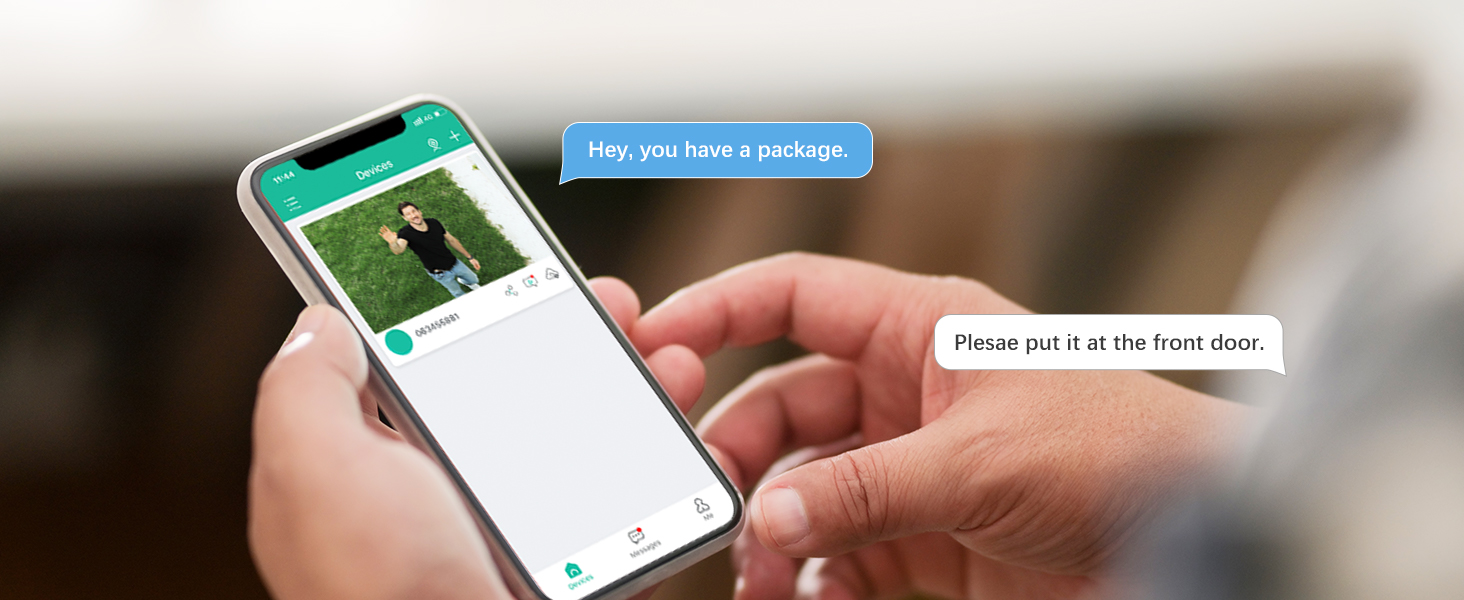
Figure 11: The solar panel continuously charges the camera's battery, reducing the need for manual recharging.
2. IP66 Waterproof Design
The camera boasts an IP66 waterproof rating, protecting it from dust and strong jets of water. This ensures reliable operation in various weather conditions, including rain and snow. While designed for outdoor use, avoid submerging the camera in water.

Figure 12: The IP66 waterproof design ensures the camera's durability in outdoor environments.
ട്രബിൾഷൂട്ടിംഗ്
| പ്രശ്നം | സാധ്യമായ കാരണം | പരിഹാരം |
|---|---|---|
| Camera not connecting to WiFi | Incorrect WiFi password; connecting to 5GHz network; camera too far from router. | Ensure correct 2.4GHz WiFi password. Move camera closer to router or use a WiFi extender. Restart camera and router. |
| Battery not holding charge / Draining quickly | Insufficient sunlight for solar panel; frequent motion detection events; extreme temperatures. | Relocate solar panel to an area with more direct sunlight. Reduce motion detection sensitivity or frequency of recordings. Ensure operating temperature is within 14°F to 122°F (-10°C to 50°C). |
| False alarms from PIR detection | High sensitivity setting; environmental factors (e.g., swaying branches, strong rain). | Adjust PIR sensitivity to a lower level in the app. Ensure camera is not pointed at areas with constant movement from non-human sources. |
| രാത്രിയിൽ മോശം വീഡിയോ നിലവാരം | Insufficient ambient light; dirty lens; camera too far from subject. | Ensure spotlight is enabled. Clean the camera lens. Position camera closer to the area of interest for clearer night vision. |
സ്പെസിഫിക്കേഷനുകൾ
| ഫീച്ചർ | വിശദാംശങ്ങൾ |
|---|---|
| മോഡലിൻ്റെ പേര് | CT-S20 |
| ഇൻഡോർ/ഔട്ട്ഡോർ ഉപയോഗം | ഔട്ട്ഡോർ |
| വീഡിയോ ക്യാപ്ചർ റെസല്യൂഷൻ | 2K (3MP Max Webക്യാമറ ഇമേജ് റെസല്യൂഷൻ) |
| കണക്റ്റിവിറ്റി ടെക്നോളജി | വയർലെസ്സ് (2.4GHz വൈ-ഫൈ) |
| പവർ ഉറവിടം | Solar/Battery Powered (7800mAh Lithium Metal battery included) |
| പാൻ/ടിൽറ്റ് ശ്രേണി | 355° തിരശ്ചീനം, 95° ലംബം |
| നൈറ്റ് വിഷൻ | Spotlight Color Night Vision, Infrared (80 Feet Range) |
| മനുഷ്യ കണ്ടെത്തൽ | PIR Human Detection (Motion Only Alert Type) |
| ഓഡിയോ | 2-വേ ഓഡിയോ |
| വാട്ടർപ്രൂഫ് റേറ്റിംഗ് | IP66 |
| പ്രാദേശിക സംഭരണം | Supports up to 128GB TF Card (Flash Memory Supported Size Maximum) |
| പ്രവർത്തന താപനില | 14°F മുതൽ 122°F വരെ (-10°C മുതൽ 50°C വരെ) |
| അളവുകൾ | 5 x 3 x 1 ഇഞ്ച് |
| ഇനത്തിൻ്റെ ഭാരം | 2.68 പൗണ്ട് |
വാറൻ്റിയും പിന്തുണയും
Ctronics is committed to providing advanced and reliable security cameras. For any inquiries or support, please refer to the following resources:
- ഔദ്യോഗിക ഉപയോക്തൃ ഗൈഡ് (PDF): PDF ഉപയോക്തൃ ഗൈഡ് ഡൗൺലോഡ് ചെയ്യുക
- Ctronics Brand Store: Explore more products and support information on the Ctronics Amazon Store.
- ഉപഭോക്തൃ പിന്തുണ: Contact Ctronics customer service through the official website or the CTRONICS APP for technical assistance and warranty claims.
Your feedback and suggestions are always a priority for Ctronics to continuously improve product quality and service.


