ആമുഖം
The Lomi Sunrise Alarm Clock with Himalayan Salt Base is designed to enhance your daily routine by providing a gentle and natural way to wake up. This multifunctional device combines an alarm clock with a sunrise simulation, room temperature display, and color-changing LED lights, all housed in an elegant design featuring real Himalayan salt rocks.
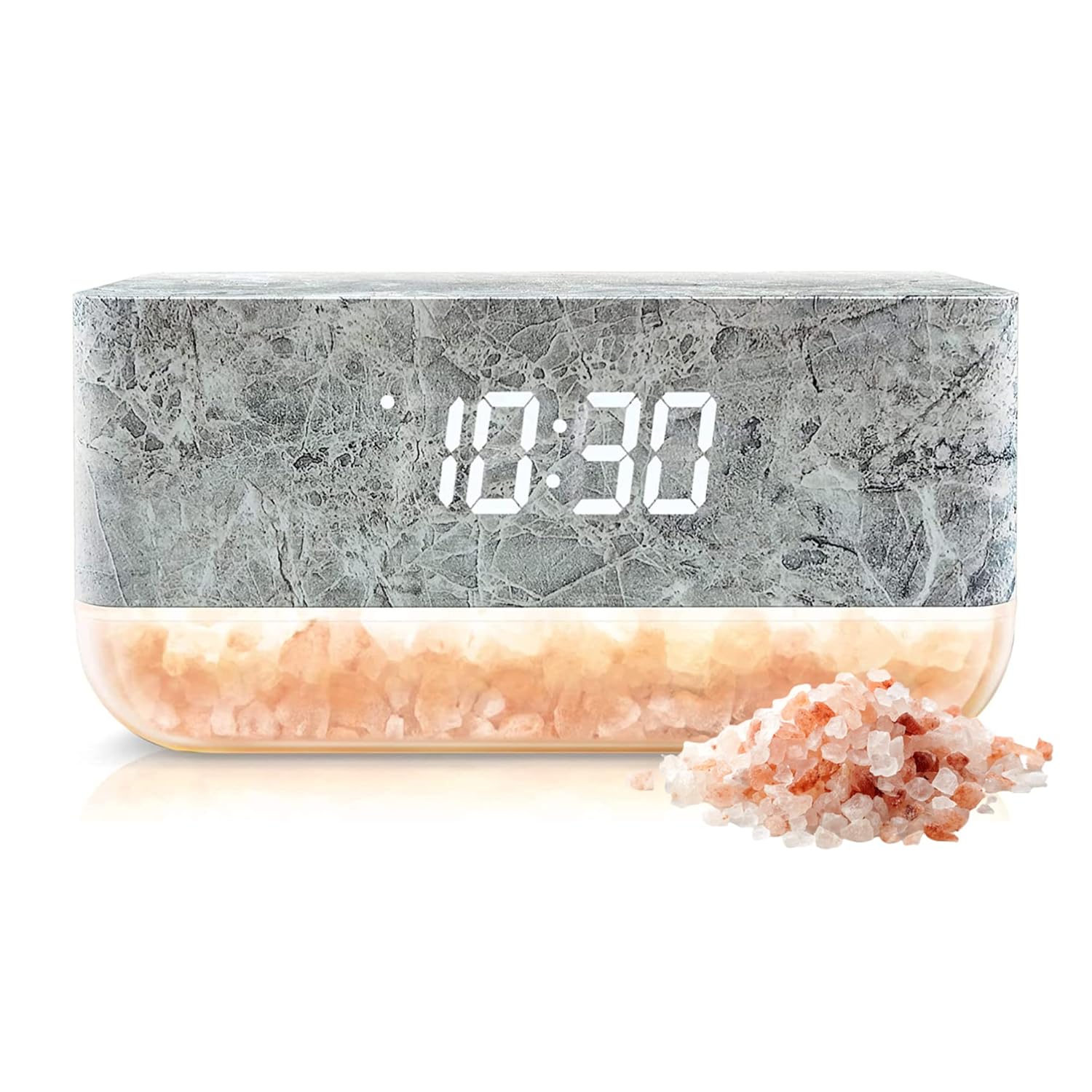
Figure 1: The Lomi Sunrise Alarm Clock, showcasing its marble finish, digital time display, and Himalayan salt base.
ഉൽപ്പന്ന സവിശേഷതകൾ
- ഗംഭീരമായ ഡിസൈൻ: Features a stylish marble print and real Himalayan salt rocks for a sophisticated aesthetic.
- സൺറൈസ് സിമുലേഷൻ: Emits an orange light from natural Himalayan salt to simulate a gradual sunrise, aiding in a pleasant awakening.
- മൾട്ടിഫങ്ഷണൽ ഡിസ്പ്ലേ: Warm LEDs display time and room temperature (in ℃ or ℉).
- Adjustable Light Strength: Offers 3 steps of light intensity for customizable illumination.
- നിറം മാറ്റുന്ന LED ലൈറ്റുകൾ: Provides various color options to illuminate your room with a pleasant, relaxing glow.
- സ്നൂസ് പ്രവർത്തനം: Includes an effective, non-intrusive snooze feature.
- യുഎസ്ബി ചാർജിംഗ് പോർട്ട്: Built-in USB port for charging external devices.
- Himalayan Salt Benefits: Contains 100% Himalayan salt crystals, known for their natural detoxifying properties and promotion of relaxation.

Figure 2: The alarm clock demonstrating its color-changing LED capabilities, displaying different hues from its base.
സജ്ജമാക്കുക
- അൺപാക്ക് ചെയ്യുന്നു: Carefully remove the Lomi Sunrise Alarm Clock from its packaging.
- പവർ കണക്ഷൻ: Connect the provided USB cable to the alarm clock. Plug the other end of the USB cable into a compatible USB power adapter (ഉൾപ്പെടുത്തിയിട്ടില്ല). Ensure the power adapter is plugged into a working electrical outlet.
- പ്ലേസ്മെൻ്റ്: Place the alarm clock on a stable, flat surface, such as a nightstand or desk. Ensure it is not exposed to direct sunlight or excessive moisture.

Figure 3: The alarm clock featuring a built-in USB port for charging other devices, such as a smartphone.
പ്രവർത്തന നിർദ്ദേശങ്ങൾ
സമയം ക്രമീകരിക്കുന്നു
- Locate the control buttons on the back of the alarm clock.
- Press and hold the "SET" button (or equivalent button for time setting) until the time display begins to flash.
- Use the "UP" and "DOWN" buttons to adjust the hours and minutes. Press "SET" again to confirm each setting.
- To switch between 12-hour and 24-hour (military) time format, while the clock is showing the time, press the "DOWN" button on the back.
അലാറം സജ്ജീകരിക്കുന്നു
- Press the "ALARM" button (or equivalent) to enter alarm setting mode. The alarm time will flash.
- Use the "UP" and "DOWN" buttons to set your desired alarm time.
- Press "ALARM" again to confirm the alarm time.
- To activate or deactivate the alarm, press the "ALARM" button briefly. An alarm icon will appear or disappear on the display.
- When the alarm sounds, press the "SNOOZE" button to temporarily silence it. The alarm will sound again after a set interval. To turn off the alarm completely, press any other button or let it ring until it automatically stops.
സൺറൈസ് സിമുലേഷൻ
The alarm clock features a sunrise simulation that gradually brightens before your set alarm time, mimicking a natural sunrise to help you wake up more gently.

Figure 4: The alarm clock's sunrise simulation feature, emitting a natural light to aid in a gentle awakening.
Adjusting Light Strength and Color
- To change the strength of the light, press the "LIGHT" button (or equivalent). The clock features 3 steps of light strength.
- To cycle through different LED colors, press the "COLOR" button (or equivalent).

Figure 5: The alarm clock demonstrating its adjustable light strength, shown here with a green illumination.
താപനില ഡിസ്പ്ലേ
The clock automatically displays the indoor room temperature. It can be displayed in either Celsius (℃) or Fahrenheit (℉).
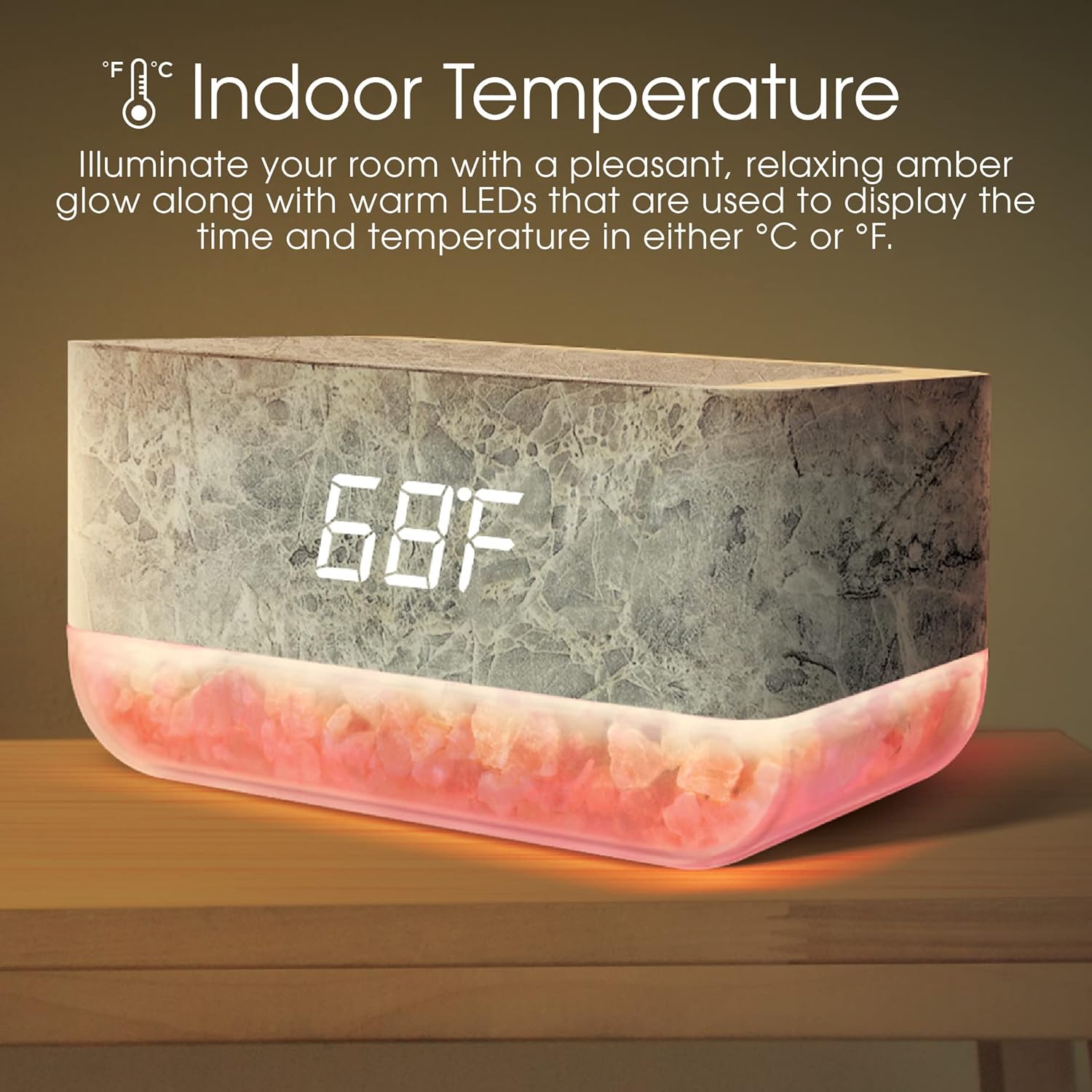
Figure 6: The alarm clock's display showing the indoor temperature in Fahrenheit.
Display Modes (Time, Date, Temperature)
The clock can cycle through displaying time, date, and temperature, or display only the time. While on the time screen, press the "UP" button to switch between display modes:
- dp-1: Displays time, date, and temperature in rotation.
- dp-2: Displays only the time.
മെയിൻ്റനൻസ്
- വൃത്തിയാക്കൽ: Use a soft, dry cloth to wipe the surface of the alarm clock. Do not use abrasive cleaners or solvents.
- Himalayan Salt Care: The Himalayan salt base may naturally absorb moisture from the air. If the salt appears damp or sticky, ensure the clock is placed in a dry environment. Do not wash the salt or submerge the unit in water.
- സംഭരണം: ഉപകരണം ദീർഘനേരം സൂക്ഷിക്കുകയാണെങ്കിൽ, അത് വൈദ്യുതിയിൽ നിന്ന് വിച്ഛേദിച്ച് തണുത്തതും വരണ്ടതുമായ സ്ഥലത്ത് സൂക്ഷിക്കുക.
ട്രബിൾഷൂട്ടിംഗ്
| പ്രശ്നം | സാധ്യമായ കാരണം | പരിഹാരം |
|---|---|---|
| ക്ലോക്ക് ഓണാക്കുന്നില്ല. | No power adapter included; USB cable too short; power not connected. | Ensure a compatible USB power adapter (5V/1A recommended) is used and properly connected to a working outlet. Consider using a longer USB cable if needed. |
| Alarm does not turn off or settings are unresponsive. | Incorrect button press; internal software issue. | Ensure you are pressing the correct button to deactivate the alarm (e.g., not just snooze). Try unplugging the device for a few seconds and plugging it back in to reset. |
| Time format is military (24-hour) and cannot be changed. | Unfamiliarity with time format change procedure. | While the clock is displaying the time, press the "DOWN" button on the back to toggle between 12-hour and 24-hour formats. |
| Alarm turns off after a few beeps. | Possible internal malfunction or specific alarm setting. | Verify alarm settings. If the issue persists, try a full power cycle (unplug and replug). If the problem continues, contact customer support. |
| Clock display is too bright at night. | Display brightness setting. | Refer to the "Adjusting Light Strength and Color" section to reduce the display brightness if available, or adjust ambient room lighting. |
| Battery backup does not last long during power outage. | Limited capacity of internal backup battery. | The internal battery is designed for short-term memory retention during brief power interruptions, not extended operation. Ensure continuous power supply for full functionality. |
സ്പെസിഫിക്കേഷനുകൾ
| ഫീച്ചർ | വിശദാംശങ്ങൾ |
|---|---|
| ബ്രാൻഡ് | ലോമി |
| മോഡൽ നമ്പർ | LOMD1082BKMB |
| ഡിസ്പ്ലേ തരം | ഡിജിറ്റൽ |
| പവർ ഉറവിടം | Battery Powered (with USB input for primary power) |
| മെറ്റീരിയൽ | Marble, Himalayan Salt |
| ഇനത്തിൻ്റെ ഭാരം | 503 ഗ്രാം |
| ഇനത്തിന്റെ അളവുകൾ (LxWxH) | 12.7 x 3.8 x 12.7 സെൻ്റീമീറ്റർ |
| പ്രത്യേക സവിശേഷതകൾ | Alarm, Snooze, Sunrise Simulation, Room Temperature, Color Changing Lights, USB Charging Port |
| യു.പി.സി | 680079490591 |
വാറൻ്റിയും പിന്തുണയും
Specific warranty details for the Lomi Sunrise Alarm Clock are not provided in the product information. For warranty claims, technical support, or further assistance, please contact the manufacturer, Southern Telecom Inc., or your point of purchase.
നിർമ്മാതാവ്: സതേൺ ടെലികോം ഇൻക്.
ഉൽപ്പന്ന പാക്കേജിംഗ് അല്ലെങ്കിൽ റീട്ടെയിലറുടെ വിവരങ്ങൾ പരിശോധിക്കുക. website for the most up-to-date contact information and warranty policy.
ഔദ്യോഗിക ഉൽപ്പന്ന വീഡിയോകൾ
ഈ ഇനത്തിന് വിൽപ്പനക്കാരനിൽ നിന്നുള്ള ഔദ്യോഗിക ഉൽപ്പന്ന വീഡിയോകളൊന്നും ഇപ്പോൾ ലഭ്യമല്ല.


