ആമുഖം
Thank you for choosing the LENRUE A35 Speaker. This portable Bluetooth speaker is designed to deliver clear and powerful audio for an enhanced listening experience. Please read this manual carefully before using the product to ensure proper operation and to maximize its lifespan. Keep this manual for future reference.
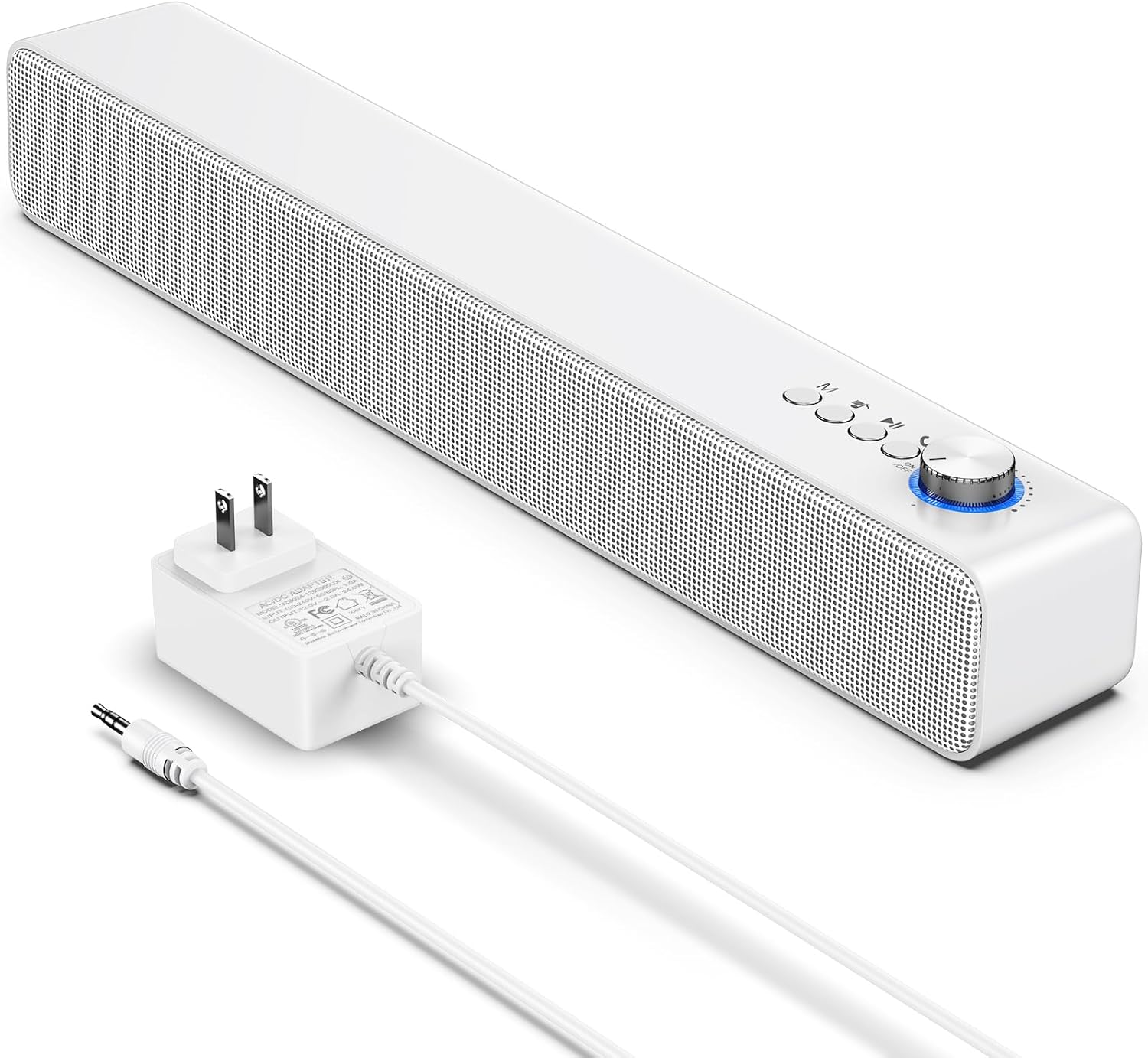
Image: The LENRUE A35 speaker, a white rectangular soundbar, shown with its power adapter and an auxiliary audio cable.
സുരക്ഷാ വിവരങ്ങൾ
സുരക്ഷിതമായ പ്രവർത്തനം ഉറപ്പാക്കുന്നതിനും കേടുപാടുകൾ തടയുന്നതിനും, ദയവായി ഇനിപ്പറയുന്ന മുൻകരുതലുകൾ പാലിക്കുക:
- സ്പീക്കറിനെ തീവ്രമായ താപനില, ഈർപ്പം, നേരിട്ടുള്ള സൂര്യപ്രകാശം എന്നിവയ്ക്ക് വിധേയമാക്കരുത്.
- സ്പീക്കറെ ശക്തമായ ആഘാതങ്ങൾക്ക് വിധേയമാക്കുകയോ താഴെയിടുകയോ ചെയ്യുന്നത് ഒഴിവാക്കുക.
- സ്പീക്കർ സ്വയം ഡിസ്അസംബ്ലിംഗ് ചെയ്യുകയോ നന്നാക്കുകയോ പരിഷ്കരിക്കുകയോ ചെയ്യരുത്. എല്ലാ സേവനങ്ങളും യോഗ്യതയുള്ള ഉദ്യോഗസ്ഥർക്ക് റഫർ ചെയ്യുക.
- Keep the speaker away from water and liquids. While the product is indicated as waterproof, prolonged submersion or exposure to high-pressure water jets should be avoided.
- Use only the provided or approved power adapter.
- മൃദുവായതും ഉണങ്ങിയതുമായ തുണി ഉപയോഗിച്ച് സ്പീക്കർ വൃത്തിയാക്കുക. അബ്രസീവ് ക്ലീനറുകളോ ലായകങ്ങളോ ഉപയോഗിക്കരുത്.
പാക്കേജ് ഉള്ളടക്കം
നിങ്ങളുടെ പാക്കേജിൽ എല്ലാ ഇനങ്ങളും ഉണ്ടോ എന്ന് ദയവായി പരിശോധിക്കുക:
- LENRUE A35 Speaker
- പവർ അഡാപ്റ്റർ
- ഓക്സിലറി ഓഡിയോ കേബിൾ
- ഉപയോക്തൃ മാനുവൽ (ഈ പ്രമാണം)
ഉൽപ്പന്നം കഴിഞ്ഞുview
Familiarize yourself with the components of your LENRUE A35 Speaker.
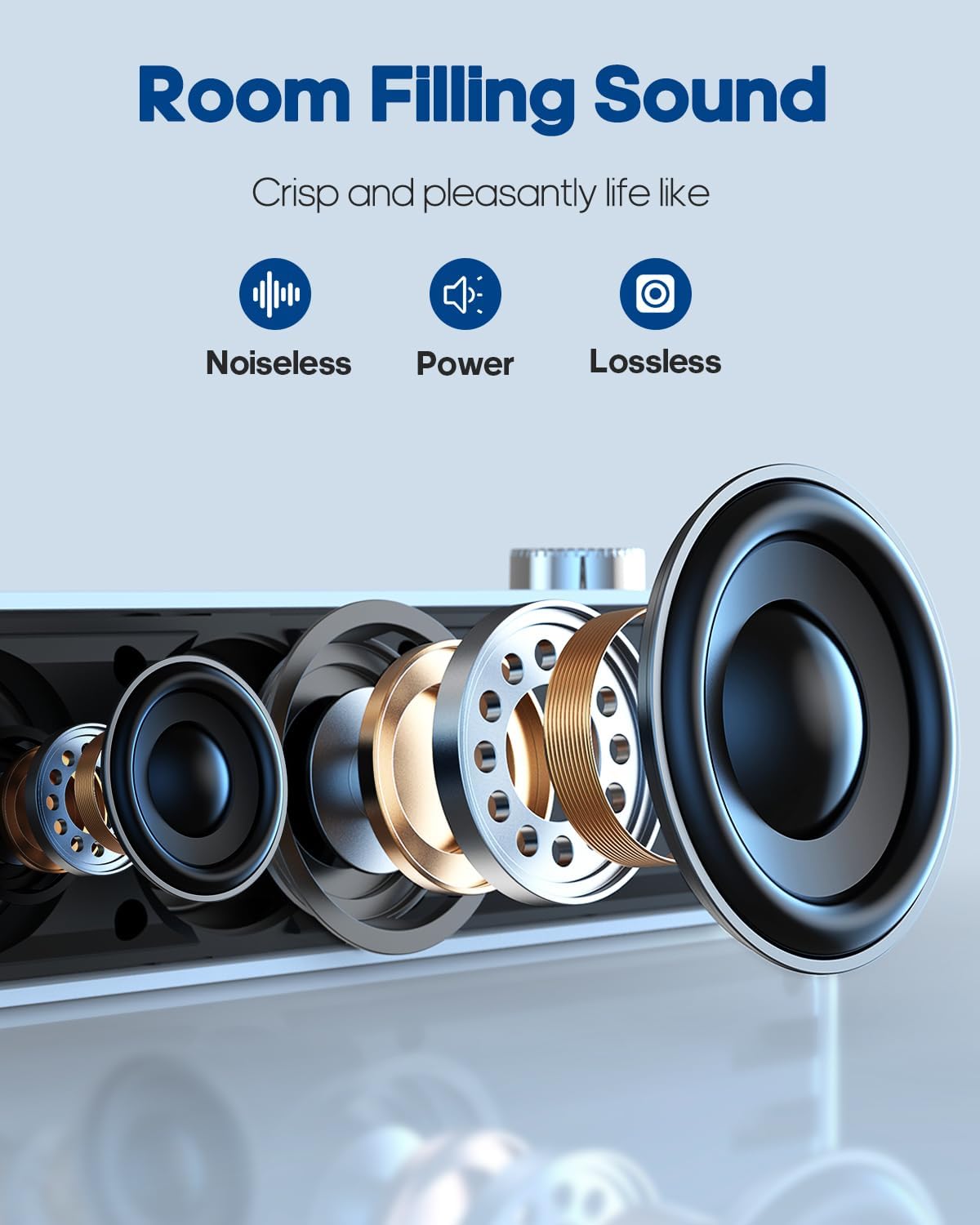
ചിത്രം: പൊട്ടിത്തെറിച്ച ഒരു view of the speaker's internal components, highlighting the drivers and sound technology for "Room Filling Sound".
ഫ്രണ്ട് പാനൽ നിയന്ത്രണങ്ങൾ:
- പവർ/വോളിയം നോബ്: ഓൺ/ഓഫ് ചെയ്യാനും വോളിയം ക്രമീകരിക്കാനും തിരിക്കുക.
- മോഡ് ബട്ടൺ (M): Press to switch between Bluetooth and AUX modes.
- മുമ്പത്തെ ട്രാക്ക് ബട്ടൺ: മുമ്പത്തെ പാട്ടിലേക്ക് പോകാൻ അമർത്തുക.
- പ്ലേ/താൽക്കാലികമായി നിർത്തുക ബട്ടൺ: ഓഡിയോ പ്ലേ ചെയ്യാനോ താൽക്കാലികമായി നിർത്താനോ അമർത്തുക.
- അടുത്ത ട്രാക്ക് ബട്ടൺ: അടുത്ത പാട്ടിലേക്ക് പോകാൻ അമർത്തുക.
പിൻ പാനൽ പോർട്ടുകൾ:
- തുറമുഖത്ത് ഡിസി: പവർ അഡാപ്റ്റർ ബന്ധിപ്പിക്കുന്നതിന്.
- AUX IN പോർട്ട്: For connecting external audio devices via 3.5mm audio cable.
സജ്ജമാക്കുക
പവർ കണക്ഷൻ:
- നൽകിയിരിക്കുന്ന പവർ അഡാപ്റ്റർ സ്പീക്കറിന്റെ പിൻഭാഗത്തുള്ള DC IN പോർട്ടുമായി ബന്ധിപ്പിക്കുക.
- ഒരു സാധാരണ മതിൽ ഔട്ട്ലെറ്റിലേക്ക് പവർ അഡാപ്റ്റർ പ്ലഗ് ചെയ്യുക.
- Rotate the Power/Volume knob clockwise to turn on the speaker. An indicator light will illuminate.
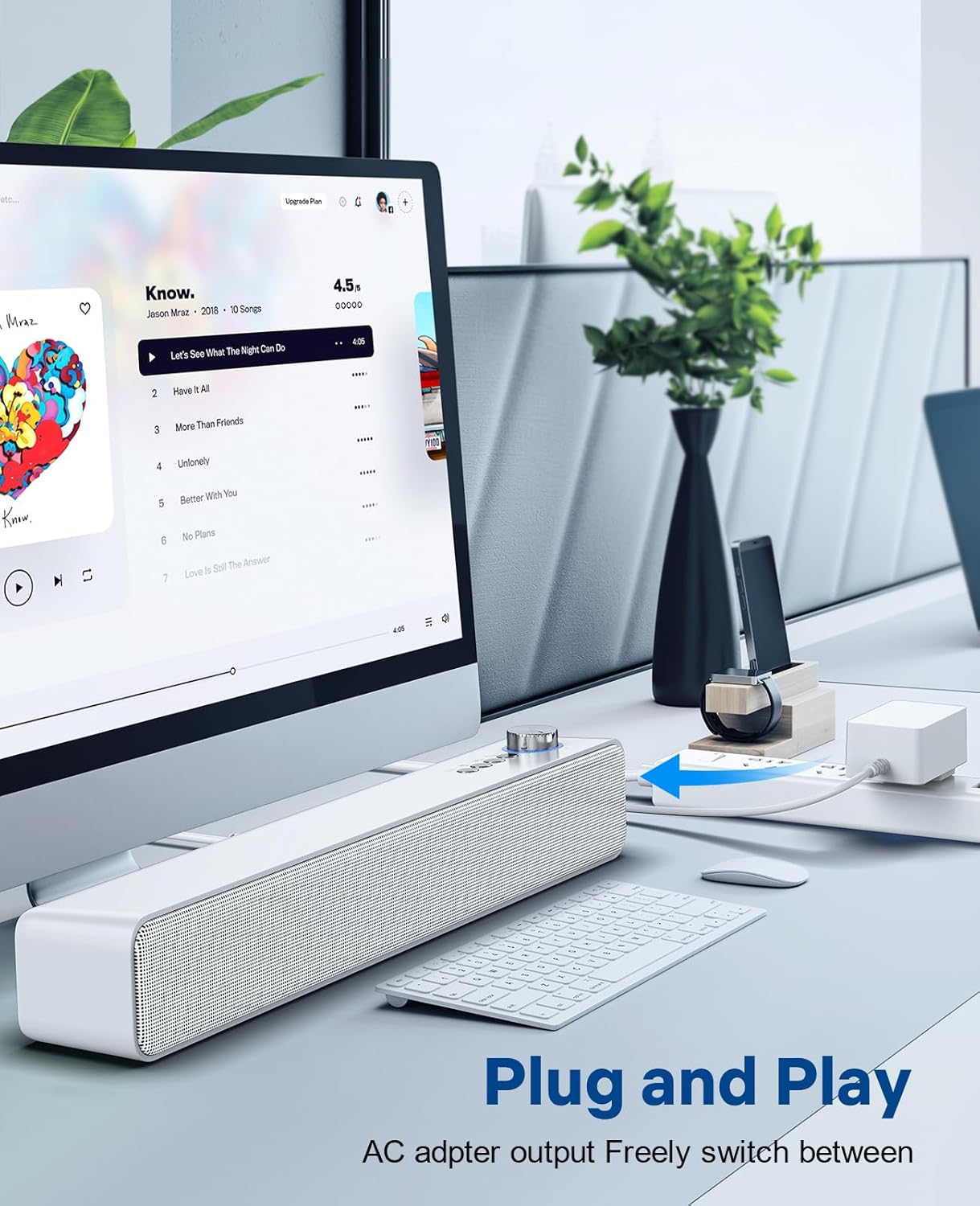
Image: The LENRUE A35 speaker positioned on a desk, connected to a computer setup, demonstrating its "Plug and Play" functionality.
പ്രവർത്തന നിർദ്ദേശങ്ങൾ
ബ്ലൂടൂത്ത് ജോടിയാക്കൽ:
- Turn on the speaker by rotating the Power/Volume knob clockwise. The speaker will automatically enter Bluetooth pairing mode (indicated by a flashing blue light or voice prompt).
- നിങ്ങളുടെ ഉപകരണത്തിൽ (സ്മാർട്ട്ഫോൺ, ടാബ്ലെറ്റ്, കമ്പ്യൂട്ടർ), ബ്ലൂടൂത്ത് പ്രവർത്തനക്ഷമമാക്കി ലഭ്യമായ ഉപകരണങ്ങൾക്കായി തിരയുക.
- Select "A35" from the list of devices.
- ജോടിയാക്കിക്കഴിഞ്ഞാൽ, ഇൻഡിക്കേറ്റർ ലൈറ്റ് കടും നീലയായി മാറും, നിങ്ങൾ ഒരു സ്ഥിരീകരണ ശബ്ദം കേൾക്കും.
- ഇപ്പോൾ നിങ്ങളുടെ ഉപകരണത്തിൽ നിന്ന് സ്പീക്കറിലൂടെ ഓഡിയോ പ്ലേ ചെയ്യാൻ കഴിയും.
AUX-in Connection:
- Connect one end of the 3.5mm auxiliary audio cable to the AUX IN port on the back of the speaker.
- Connect the other end of the cable to the audio output (headphone jack) of your external device.
- Press the "M" (Mode) button on the speaker to switch to AUX mode. The indicator light will change (e.g., to green or a different blue pattern).
- നിങ്ങളുടെ ബാഹ്യ ഉപകരണത്തിൽ നിന്ന് ഓഡിയോ പ്ലേ ചെയ്യുക.

Image: The LENRUE A35 speaker with visual cues for Bluetooth and Aux-in connectivity, showing it can connect to various devices like tablets, laptops, and monitors.
വോളിയം നിയന്ത്രണം:
- Rotate the Power/Volume knob clockwise to increase volume.
- Rotate the Power/Volume knob counter-clockwise to decrease volume.
- You can also adjust the volume from your connected device.
Playback Controls (Bluetooth Mode):
- അമർത്തുക പ്ലേ/താൽക്കാലികമായി നിർത്തുക നിലവിലെ ട്രാക്ക് പ്ലേ ചെയ്യാനോ താൽക്കാലികമായി നിർത്താനോ ഉള്ള ബട്ടൺ.
- അമർത്തുക മുമ്പത്തെ ട്രാക്ക് നിലവിലെ ട്രാക്കിന്റെ തുടക്കത്തിലേക്കോ മുമ്പത്തെ ട്രാക്കിലേക്കോ പോകാൻ ബട്ടൺ.
- അമർത്തുക അടുത്ത ട്രാക്ക് അടുത്ത ട്രാക്കിലേക്ക് പോകാൻ ബട്ടൺ.
മെയിൻ്റനൻസ്
Proper care will ensure the longevity of your speaker:
- വൃത്തിയാക്കൽ: Use a soft, dry, lint-free cloth to wipe the surface of the speaker. Do not use liquid cleaners, aerosols, or solvents.
- സംഭരണം: ദീർഘനേരം ഉപയോഗിക്കാത്തപ്പോൾ, നേരിട്ടുള്ള സൂര്യപ്രകാശത്തിൽ നിന്നും കടുത്ത താപനിലയിൽ നിന്നും മാറി തണുത്തതും വരണ്ടതുമായ സ്ഥലത്ത് സ്പീക്കർ സൂക്ഷിക്കുക.
- ശക്തി: Always disconnect the power adapter from the wall outlet and the speaker when not in use or during electrical storms.
ട്രബിൾഷൂട്ടിംഗ്
| പ്രശ്നം | സാധ്യമായ കാരണം | പരിഹാരം |
|---|---|---|
| ശക്തിയില്ല | Power adapter not connected; Power outlet not working; Speaker not turned on. | Ensure power adapter is securely connected and plugged into a working outlet. Rotate the Power/Volume knob clockwise to turn on the speaker. |
| ശബ്ദമില്ല | Volume too low; Incorrect mode selected; Device not paired (Bluetooth); Cable not connected (AUX). | Increase volume on speaker and connected device. Press 'M' button to select correct mode. Re-pair Bluetooth device. Check AUX cable connection. |
| ബ്ലൂടൂത്ത് ജോടിയാക്കൽ പരാജയപ്പെട്ടു | Speaker not in pairing mode; Device too far; Interference; Device already paired with another speaker. | Ensure speaker is in pairing mode (flashing blue light). Move device closer to speaker. Turn off other Bluetooth devices. Forget "A35" on your device and try pairing again. |
| ശബ്ദ വികലത | Volume too high; Audio source quality is poor. | Lower the volume on both the speaker and the connected device. Try a different audio source. |
സ്പെസിഫിക്കേഷനുകൾ
| ഫീച്ചർ | വിശദാംശങ്ങൾ |
|---|---|
| മോഡലിൻ്റെ പേര് | A35 |
| ബ്രാൻഡ് | ലെൻറു |
| സ്പീക്കർ തരം | സറൗണ്ട് സൗണ്ട് |
| കണക്റ്റിവിറ്റി ടെക്നോളജി | ബ്ലൂടൂത്ത്, ഓക്സിലറി, യുഎസ്ബി |
| സ്പീക്കർ പരമാവധി ഔട്ട്പുട്ട് പവർ | 10 വാട്ട്സ് |
| മൗണ്ടിംഗ് തരം | ടേബിൾടോപ്പ് |
| ഉൽപ്പന്ന അളവുകൾ | 6.6 x 42.93 x 6.1 സെ.മീ |
| ഇനത്തിൻ്റെ ഭാരം | 898 ഗ്രാം |
| വാട്ടർപ്രൂഫ് | അതെ |
വാറൻ്റിയും പിന്തുണയും
LENRUE products are designed and manufactured to the highest quality standards. For warranty information or technical support, please refer to the warranty card included with your purchase or visit the official LENRUE website. If you encounter any issues not covered in this manual, please contact our customer service team for assistance.
കൂടുതൽ സഹായത്തിന്, ദയവായി സന്ദർശിക്കുക: LENRUE Brand Store on Amazon


