1. ഉൽപ്പന്നം കഴിഞ്ഞുview
The Autel MaxiCOM MK808Z is an advanced OBD2 diagnostic scanner designed for comprehensive automotive analysis. Featuring a Rockchip RK3566 4-core CPU, 4GB RAM, and 64GB ROM on an Android 11 platform, it offers enhanced speed and performance. This tool provides extensive diagnostic capabilities, including bi-directional control, active tests, and over 28 service functions for a wide range of vehicle makes and models.
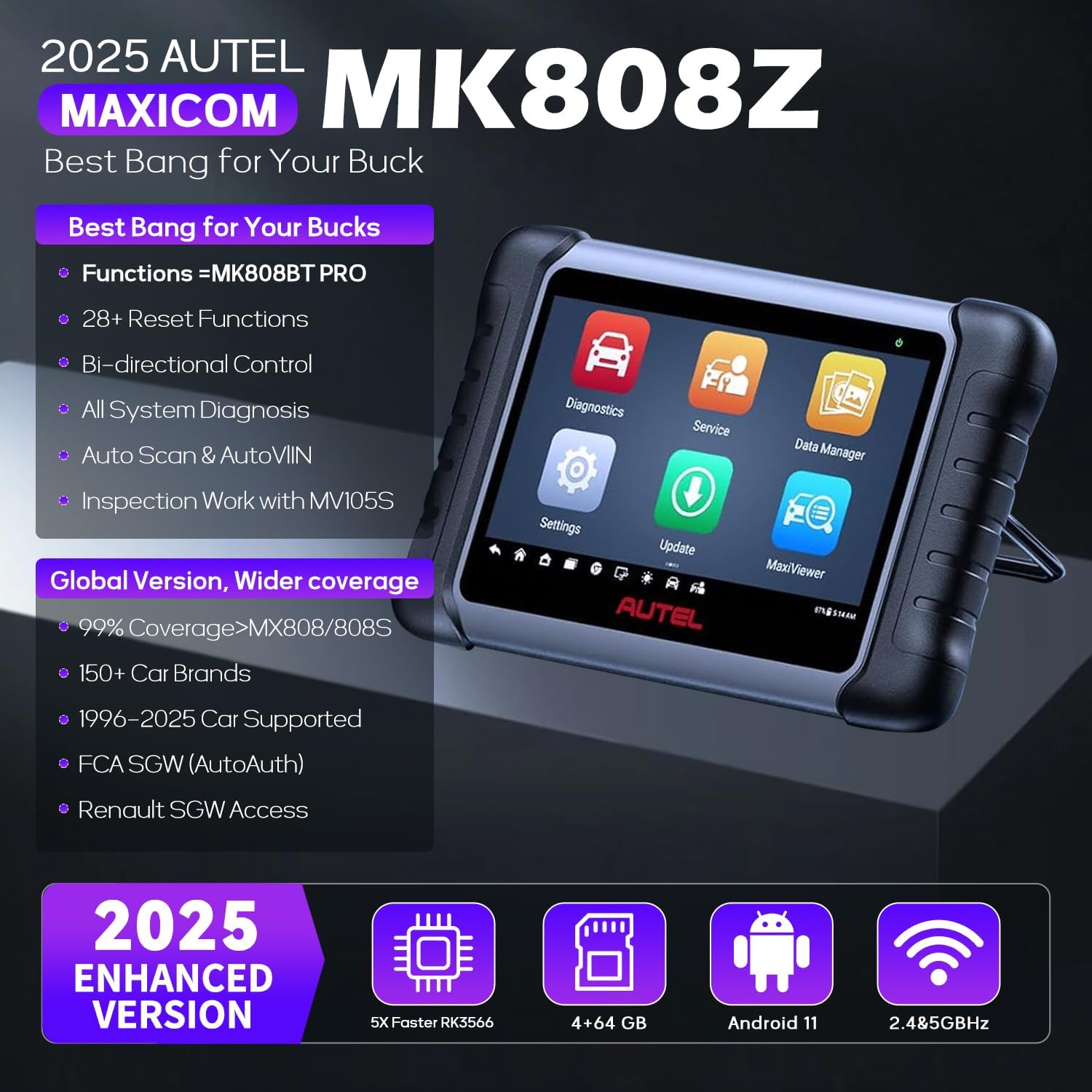
Figure 1: Autel MaxiCOM MK808Z OBD2 Scanner device.
പ്രധാന സവിശേഷതകൾ:
- മെച്ചപ്പെടുത്തിയ ഹാർഡ്വെയർ: Equipped with Rockchip RK3566 4-core CPU, 4GB RAM, and 64GB ROM for faster operation.
- Android 11 Platform: Provides a modern and efficient user experience.
- ദ്വിദിശ നിയന്ത്രണം: Perform active tests on vehicle subsystems and components.
- 28+ സേവന പ്രവർത്തനങ്ങൾ: Includes ABS bleed, oil reset, SAS reset, injector coding, SRS reset, BMS reset, EPB reset, and more.
- എല്ലാ സിസ്റ്റം ഡയഗ്നോസ്റ്റിക്സും: Read/clear codes, view ECU info, display live data, and perform special functions for all available modules.
- Auto VIN & Auto Scan: Quickly identify vehicle information and perform comprehensive system scans.
- വിപുലമായ വാഹന കവറേജ്: Supports over 150 vehicle brands, covering models from 1996 to 2024.
- എഫ്സിഎ ഓട്ടോഓത്ത്: Direct diagnostics and services for 2018+ FCA vehicles.

Figure 2: Comparison of MK808Z with previous models, highlighting hardware and feature upgrades.
2. സജ്ജീകരണവും പ്രാരംഭ ഉപയോഗവും
Before using your Autel MaxiCOM MK808Z, ensure the device is fully charged and connected to your vehicle's OBD2 port. The device operates on an Android 11 platform and does not require a computer for initial setup or updates.
പാക്കേജ് ഉള്ളടക്കം:

Figure 3: The MK808Z kit includes the scanner, OBD2 cable, power adapter, and user manual.
- Main Unit (Autel MaxiCOM MK808Z)
- MaxiVCI Mini (OBD2 connector)
- USB കേബിൾ
- പവർ അഡാപ്റ്റർ
- ദ്രുത റഫറൻസ് ഗൈഡ്
- പായ്ക്കിംഗ് ലിസ്റ്റ്
വാഹനവുമായി ബന്ധിപ്പിക്കുന്നു:
- വാഹനത്തിന്റെ OBD2 പോർട്ട് കണ്ടെത്തുക, സാധാരണയായി ഡ്രൈവറുടെ വശത്തുള്ള ഡാഷ്ബോർഡിന് താഴെ.
- Connect the MaxiVCI Mini to the vehicle's OBD2 port.
- Connect the MaxiVCI Mini to the MaxiCOM MK808Z main unit via the USB cable.
- Turn the vehicle's ignition to the ON position (engine off).
Video 1: Demonstrates connecting the Autel MaxiCOM MK808Z to a vehicle's OBD2 port and navigating the main menu. It highlights the service functions and auto scan features.
3. പ്രവർത്തന നിർദ്ദേശങ്ങൾ
The Autel MaxiCOM MK808Z offers a user-friendly interface with various functions accessible from the main menu. Ensure your device's battery is adequately charged (above 12V) before performing any programming or calibration tasks to prevent data corruption.
പ്രധാന മെനു പ്രവർത്തനങ്ങൾ:
- രോഗനിർണയം: Access vehicle-specific diagnostic functions.
- സേവനം: Perform maintenance and reset functions.
- ഡാറ്റ മാനേജർ: View, store, and manage diagnostic data.
- ക്രമീകരണങ്ങൾ: Configure device settings and preferences.
- അപ്ഡേറ്റ്: Download and install software updates.
- മാക്സിViewer: Access additional diagnostic tools and features.
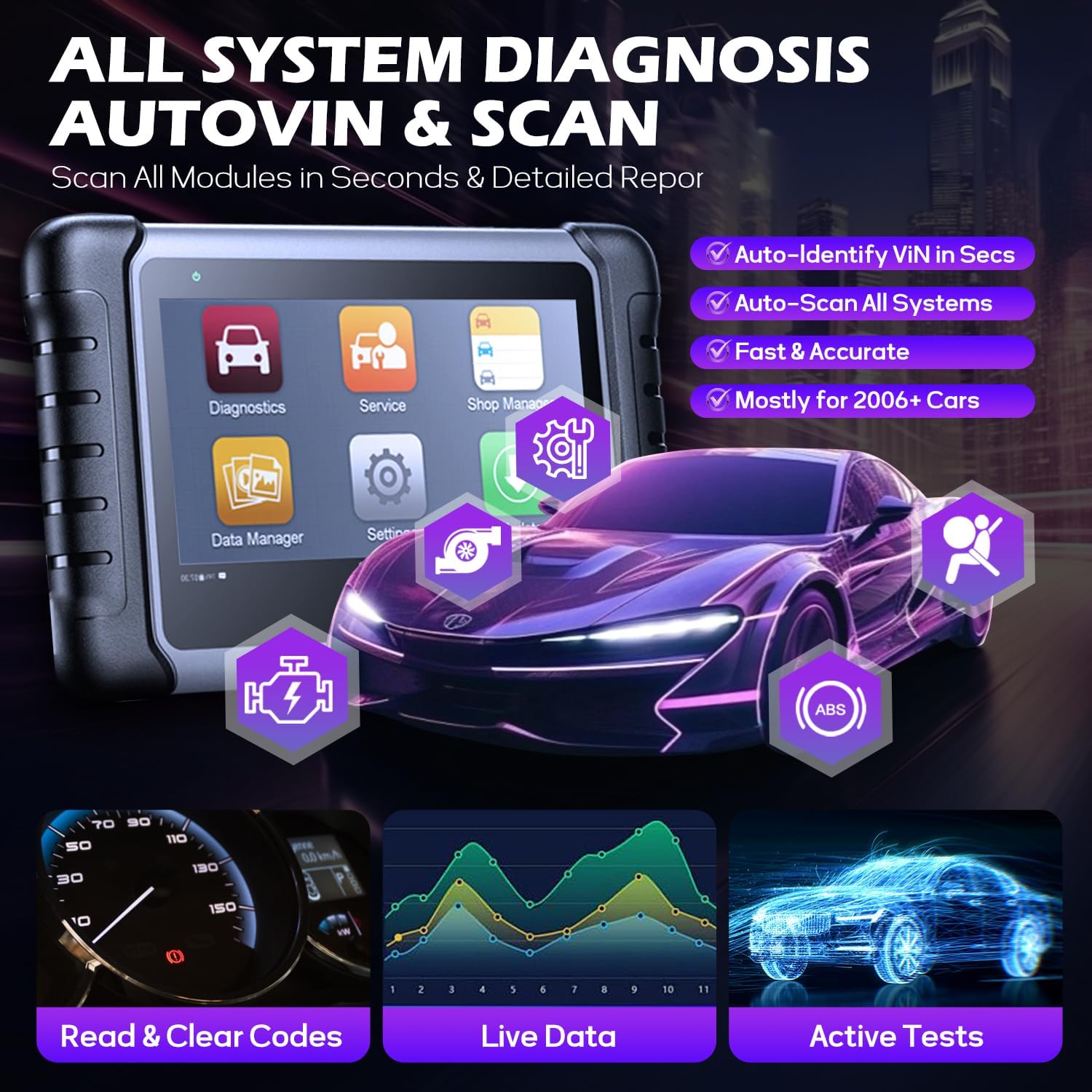
Figure 4: All System Diagnostics, AutoVIN & Scan features.
ഡയഗ്നോസ്റ്റിക് നടപടിക്രമങ്ങൾ:
- പ്രധാന മെനുവിൽ നിന്ന്, തിരഞ്ഞെടുക്കുക ഡയഗ്നോസ്റ്റിക്സ്.
- തിരഞ്ഞെടുക്കുക ഓട്ടോ സ്കാൻ to automatically identify the vehicle and scan all available systems, or select the vehicle make manually.
- The scanner will display a system list with fault codes (DTCs) if any are detected.
- Select a specific system (e.g., Engine, ABS, SRS) to view detailed information, read/clear codes, or perform active tests.

ചിത്രം 5: ഓവർview 28+ ഹോട്ട് സർവീസ് ഫംഗ്ഷനുകളിൽ.
Service Functions:
ദി സേവനം menu provides access to over 28 maintenance and reset functions. The availability of specific functions depends on the vehicle's make, model, and year.
- ഓയിൽ റീസെറ്റ്: ഓയിൽ മാറ്റത്തിനു ശേഷം ഓയിൽ ലൈഫ് സിസ്റ്റം റീസെറ്റ് ചെയ്യുക.
- EPB റീസെറ്റ്: Reset the electronic parking brake pads after replacement.
- SAS റീസെറ്റ്: സ്റ്റിയറിംഗ് ആംഗിൾ സെൻസർ പുനഃസജ്ജമാക്കുക.
- ഇൻജക്ടർ കോഡിംഗ്: Code new injector numbers to replace the previous ones.
- എബിഎസ് രക്തസ്രാവം: ഉറച്ച ബ്രേക്ക് പാഡ് ലഭിക്കാൻ ABS ബ്രേക്ക് ബ്ലീഡിംഗ് നടത്തുക.
- TPMS റീസെറ്റ്: Perform TPMS sensor relearn procedures.

Figure 6: Bi-directional Active Test process.
ദ്വിദിശ നിയന്ത്രണം (സജീവ പരിശോധനകൾ):
This function allows the scanner to send commands to vehicle components to test their functionality, significantly reducing diagnostic time. Examples include testing windows, mirrors, doors, fuel pumps, and various valves.
Video 2: Demonstrates the bi-directional control feature of the Autel MaxiCOM MK808BT, showing how to test a car window's operation directly from the scanner.
എഫ്സിഎ ഓട്ടോഓത്ത്:
The MK808Z supports FCA AutoAuth for 2018+ FCA vehicles, enabling direct diagnostics and services on secured modules. This requires registration and login to the AutoAuth system.
Video 3: Explains the 3 easy steps to access FCA AutoAuth with your Autel scanner, including account registration, platform confirmation, and secure gateway access.
4. പരിപാലനം
സോഫ്റ്റ്വെയർ അപ്ഡേറ്റുകൾ:
The MK808Z includes 1-year of free software updates, which improve functionality with new tests, models, and features. The tablet automatically checks for and installs updates when connected to the internet via Wi-Fi.
അനുയോജ്യത:
The device supports over 150 vehicle brands. Specific functionality may vary by model. It is recommended to verify compatibility for specific functions by contacting Autel support with your vehicle's VIN.
5. പ്രശ്നപരിഹാരം
ബാറ്ററി വോളിയംtage for Programming:
When performing programming, coding, or calibration functions, ensure the vehicle's battery voltage is stable and above 12V. Low battery voltage can lead to interrupted processes and potential damage to vehicle modules. If the battery is low, use a battery maintainer or charger during these operations.
Inaccurate Diagnostic Data:
If the scanner displays inaccurate or incomplete diagnostic data (e.g., catalyst monitor incomplete), ensure all necessary driving cycles have been completed for the vehicle's monitors to run. Clearing DTCs before a smog check can reset monitors, requiring driving cycles to be completed again.
6 സ്പെസിഫിക്കേഷനുകൾ
- ബ്രാൻഡ്: ഓട്ടോൽ
- മോഡൽ നമ്പർ: MP408-JMXD01 (MK808Z)
- ഇനത്തിൻ്റെ ഭാരം: 1 പൗണ്ട്
- പാക്കേജ് അളവുകൾ: 15.16 x 11.69 x 4.92 ഇഞ്ച്
- ഊർജ്ജ സ്രോതസ്സ്: ബാറ്ററി പവർ
- ഓപ്പറേറ്റിംഗ് സിസ്റ്റം: ആൻഡ്രോയിഡ് 11.0
- സ്ക്രീൻ വലിപ്പം: 8 ഇഞ്ച്
- UPC: 792499540456
7. വാറണ്ടിയും പിന്തുണയും
സോഫ്റ്റ്വെയർ അപ്ഡേറ്റുകൾ:
The Autel MaxiCOM MK808Z includes 1-year of free software updates from the date of purchase. After this period, updates may require an annual subscription fee.
സാങ്കേതിക സഹായം:
Autel provides technical support for its products. The device includes a remote desktop function, allowing Autel support technicians to remotely access your device for assistance with diagnostics or troubleshooting.