1. ആമുഖം
The C-LOGIC 5100 is a manual ranging digital multimeter designed for precise electrical measurements. This versatile instrument is capable of measuring AC/DC voltage, AC/DC current, resistance, capacitance, frequency, temperature, and transistor hFE. It features a durable rubber housing for enhanced grip and comfort, along with a hinged bracket for convenient table-top operation. This manual provides essential information for the safe and effective use of your C-LOGIC 5100 Digital Multimeter.
2 സുരക്ഷാ വിവരങ്ങൾ
Always observe the following safety precautions when operating the C-LOGIC 5100 Digital Multimeter to prevent personal injury or damage to the instrument:
- Ensure the multimeter is set to the correct function and range before connecting the test leads to any circuit.
- Do not exceed the maximum input values specified for each function. The C-LOGIC 5100 is rated for CAT III 600V.
- Disconnect the test leads from the circuit before changing functions or ranges.
- Inspect test leads for damaged insulation or exposed metal before each use. Replace damaged leads immediately.
- മൾട്ടിമീറ്റർ കേടായതായി തോന്നിയാലോ കേസ് തുറന്നിരിക്കുകയാണെങ്കിലോ അത് പ്രവർത്തിപ്പിക്കരുത്.
- വോള്യവുമായി പ്രവർത്തിക്കുമ്പോൾ അതീവ ജാഗ്രത പാലിക്കുകtag60V DC അല്ലെങ്കിൽ 30V AC RMS ന് മുകളിലാണ്, കാരണം ഇവ ഷോക്ക് അപകടമുണ്ടാക്കുന്നു.
- Remove test leads from the multimeter before opening the battery compartment or fuse cover.
3. ഉൽപ്പന്ന സവിശേഷതകൾ
The C-LOGIC 5100 Digital Multimeter incorporates several features designed for user convenience and functionality:
- Rubber Housing: Provides improved grip and protection against accidental drops.
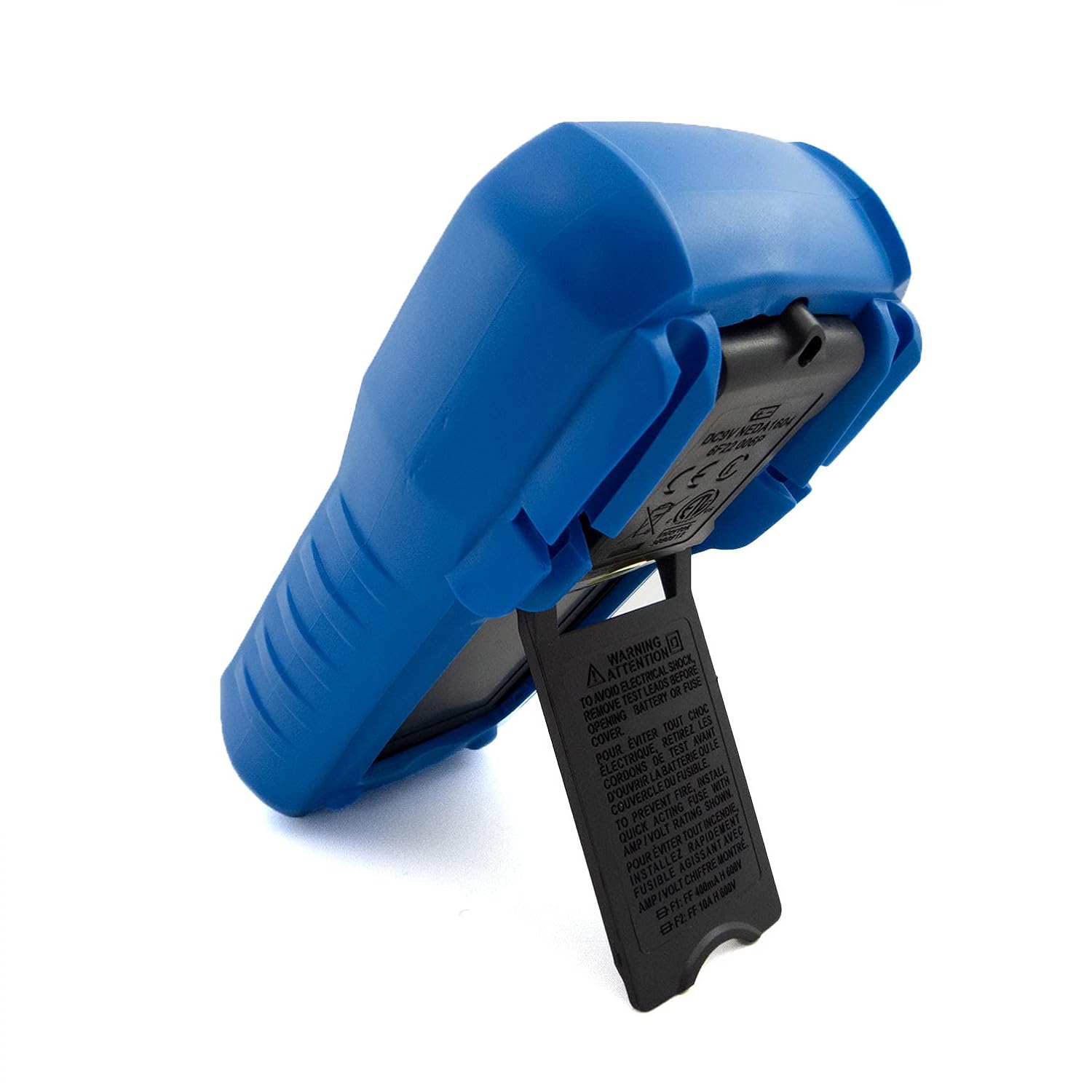
- Hinged Bracket: Allows the multimeter to stand upright for hands-free operation on a workbench.
- അളക്കാനുള്ള കഴിവുകൾ: എസി/ഡിസി വോളിയംtage, AC/DC Current, Resistance, Capacitance, Frequency, Temperature, and Transistor hFE.
- Display Counts: 2000-count digital display for clear readings.
- ഓട്ടോ പവർ ഓഫ് (എപിഒ): Automatically turns off the device after a period of inactivity to conserve battery life.
- ഡാറ്റ ഹോൾഡ്: Freezes the displayed reading for convenient recording.
- Low Battery Display (LBD): ബാറ്ററി മാറ്റിസ്ഥാപിക്കേണ്ടിവരുമ്പോൾ സൂചിപ്പിക്കുന്നു.
- Diode Test and Continuity Buzzer: For testing diodes and checking circuit continuity.
4. ഘടകങ്ങളും നിയന്ത്രണങ്ങളും

ചിത്രം 1: ഫ്രണ്ട് view of the C-LOGIC 5100 Digital Multimeter, showing the display, function selector, and input jacks.
Familiarize yourself with the main components of your multimeter:
- LCD ഡിസ്പ്ലേ: അളക്കൽ റീഡിംഗുകൾ, യൂണിറ്റുകൾ, പ്രവർത്തന സൂചകങ്ങൾ എന്നിവ കാണിക്കുന്നു.
- Function/Range Selector Dial: Used to select the desired measurement function and range.
- ഹോൾഡ് ബട്ടൺ: ഡിസ്പ്ലേയിൽ നിലവിലെ റീഡിംഗ് ഫ്രീസ് ചെയ്യാൻ അമർത്തുക. റിലീസ് ചെയ്യാൻ വീണ്ടും അമർത്തുക.
- ഓൺ/ഓഫ് സ്വിച്ച്: Powers the multimeter on or off.
- ഇൻപുട്ട് ജാക്കുകൾ:
- VΩHzTemp: Positive input for voltage, resistance, frequency, temperature, capacitance, diode, and continuity measurements.
- COM: എല്ലാ അളവുകൾക്കുമുള്ള പൊതുവായ (നെഗറ്റീവ്) ഇൻപുട്ട്.
- mA: Positive input for current measurements up to 200mA.
- 10A: Positive input for current measurements up to 10A (MAX 30 sec. every 15 min.). This input is fused.
- hFE Socket: For testing transistor hFE (DC current gain).
5. സജ്ജീകരണം
5.1 ബാറ്ററി ഇൻസ്റ്റാളേഷൻ
The C-LOGIC 5100 requires one 9V 6F22 battery (not included). To install or replace the battery:
- Ensure the multimeter is turned OFF and disconnect all test leads from the input jacks.
- Locate the battery compartment cover on the rear of the unit.
- Unscrew the retaining screw(s) and carefully remove the cover.
- ശരിയായ പോളാരിറ്റി നിരീക്ഷിച്ചുകൊണ്ട് 9V ബാറ്ററി ബാറ്ററി ക്ലിപ്പുമായി ബന്ധിപ്പിക്കുക.
- ബാറ്ററി കമ്പാർട്ടുമെന്റിൽ വയ്ക്കുക, കവർ മാറ്റി സ്ക്രൂ(കൾ) ഉപയോഗിച്ച് ഉറപ്പിക്കുക.
5.2 ടെസ്റ്റ് ലീഡ് കണക്ഷൻ
Proper connection of test leads is crucial for accurate and safe measurements:
- മിക്ക അളവുകൾക്കും (വാല്യംtage, resistance, capacitance, frequency, temperature, diode, continuity), insert the ചുവപ്പ് ടെസ്റ്റ് ലീഡ് VΩHzTemp ജാക്കും കറുപ്പ് ടെസ്റ്റ് ലീഡ് COM ജാക്ക്.
- For current measurements up to 200mA, insert the ചുവപ്പ് ടെസ്റ്റ് ലീഡ് mA ജാക്കും കറുപ്പ് ടെസ്റ്റ് ലീഡ് COM ജാക്ക്.
- For current measurements up to 10A, insert the ചുവപ്പ് ടെസ്റ്റ് ലീഡ് 10എ ജാക്കും കറുപ്പ് ടെസ്റ്റ് ലീഡ് COM ജാക്ക്.
6. പ്രവർത്തന നിർദ്ദേശങ്ങൾ

ചിത്രം 2: The C-LOGIC 5100 Digital Multimeter actively measuring voltagഒരു ഇലക്ട്രിക്കൽ പാനലിൽ.
Follow these general steps for making measurements:
- Turn the multimeter ON using the ON/OFF switch.
- Select the desired function and appropriate range using the rotary dial. If unsure of the range, start with the highest range and work downwards.
- Connect the test leads to the circuit or component under test.
- Read the measurement value on the LCD display.
- After measurement, disconnect the test leads and turn the multimeter OFF.
6.1 നിർദ്ദിഷ്ട അളവെടുപ്പ് പ്രവർത്തനങ്ങൾ
- ഡിസി വോളിയംtage (V=): Select the V= range. Connect the red lead to the positive side and the black lead to the negative side of the DC voltagസമാന്തരമായി ഇ ഉറവിടം.
- എസി വോളിയംtagഇ (V~): Select the V~ range. Connect the test leads across the AC voltage source in parallel. Polarity is not critical for AC voltage.
- DC Current (A=): Select the A= range (mA or 10A jack). Disconnect power to the circuit. Open the circuit where current is to be measured and connect the multimeter in series. Reapply power.
- AC Current (A~): Select the A~ range (mA or 10A jack). Follow the same series connection procedure as for DC current.
- Resistance (Ω): Select the Ω range. Ensure the circuit is de-energized. Connect the test leads across the component to measure its resistance.
- തുടർച്ച പരിശോധന (♫): Select the continuity function. If resistance is below approximately 50Ω, the buzzer will sound, indicating continuity.
- ഡയോഡ് ടെസ്റ്റ് (→|→): Select the diode function. Connect the red lead to the anode and the black lead to the cathode of the diode. The display will show the forward voltage drop. Reverse the leads; the display should show 'OL' (open loop) for a good diode.
- കപ്പാസിറ്റൻസ് (F): Select the F range. Ensure the capacitor is discharged before connecting the test leads.
- ആവൃത്തി (Hz): Select the Hz range. Connect the test leads across the signal source.
- താപനില (താപനില): Select the Temp range. Connect a K-type thermocouple (if included or purchased separately) to the VΩHzTemp and COM jacks.
- Transistor hFE: Insert the transistor's emitter, base, and collector leads into the corresponding holes in the hFE socket, ensuring correct NPN/PNP type selection.
7. പരിപാലനം
7.1 ബാറ്ററി മാറ്റിസ്ഥാപിക്കൽ
When the low battery indicator appears on the display, replace the 9V battery as described in Section 5.1. Using a multimeter with a low battery can lead to inaccurate readings.
7.2 വൃത്തിയാക്കൽ
മൾട്ടിമീറ്റർ വൃത്തിയാക്കാൻ, പരസ്യം ഉപയോഗിച്ച് കേസ് തുടയ്ക്കുക.amp cloth and a mild detergent. Do not use abrasive cleaners, solvents, or alcohol, as these may damage the casing or display. Ensure the multimeter is completely dry before use.
7.3 ഫ്യൂസ് മാറ്റിസ്ഥാപിക്കൽ
If the 10A current measurement function stops working, the fuse may need replacement. This procedure should only be performed by qualified personnel. Refer to the specifications for the correct fuse type and rating. Always disconnect test leads and power off the unit before opening the case.
8. പ്രശ്നപരിഹാരം
If your C-LOGIC 5100 Multimeter is not functioning as expected, refer to the following common issues and solutions:
- ഡിസ്പ്ലേ ഇല്ല: Check if the multimeter is turned ON. Verify the 9V battery is correctly installed and has sufficient charge. Replace the battery if necessary.
- തെറ്റായ വായനകൾ: Ensure the correct function and range are selected for the measurement. Check that the test leads are securely connected to the correct input jacks and to the circuit. Verify the battery is not low.
- 'OL' (Overload) Indication: This indicates that the input value exceeds the selected range. Switch to a higher range or ensure the input is within the multimeter's maximum specifications.
- No Continuity Buzzer: Check if the continuity function is selected. Ensure the circuit is de-energized.
- കറന്റ് അളക്കൽ പ്രവർത്തിക്കുന്നില്ല: Check the fuse for the current input (especially the 10A input). Replace if blown. Ensure test leads are connected to the correct current jacks (mA or 10A) and the multimeter is in series with the circuit.
9 സ്പെസിഫിക്കേഷനുകൾ

ചിത്രം 3: Detailed specifications and features of the C-LOGIC 5100 Digital Multimeter.
| അളക്കൽ | ശ്രേണി/മൂല്യം |
|---|---|
| ഡിസി വോളിയംtage | 600V വരെ |
| എസി വോളിയംtage | 600V വരെ |
| ഡിസി കറൻ്റ് | 10A വരെ |
| എസി കറന്റ് | 10A വരെ |
| പ്രതിരോധം | 200MΩ വരെ |
| കപ്പാസിറ്റൻസ് | Up to 100µF |
| ആവൃത്തി | 20kHz വരെ |
| താപനില | -20°C മുതൽ 1000°C / 1°F മുതൽ 1832°F വരെ |
| ഡിസ്പ്ലേ കൗണ്ട്സ് | 2000 |
| വൈദ്യുതി വിതരണം | 1x 9V 6F22 ബാറ്ററി |
| ഉൽപ്പന്ന അളവുകൾ (LxWxH) | 18.8 x 9.3 x 5 സെ.മീ (7.4 x 3.7 x 1.96 ഇഞ്ച്) |
| ഉൽപ്പന്ന ഭാരം | 380 ഗ്രാം (0.84 പൗണ്ട്) |
| സുരക്ഷാ റേറ്റിംഗ് | ക്യാറ്റ് III 600 വി |
| സർട്ടിഫിക്കേഷനുകൾ | CE, ETL, RoHS |
10. Main Applications
ചിത്രം 4: Visual representation of common domestic and electronics applications for the C-LOGIC 5100 Multimeter.
The C-LOGIC 5100 Digital Multimeter is suitable for a wide range of applications, including:
- Domestic Electrical Testing: Checking household wiring, outlets, batteries, and appliance continuity.
- ഓട്ടോമോട്ടീവ് ഡയഗ്നോസ്റ്റിക്സ്: Testing vehicle electrical systems, battery voltage, and component resistance.
- Electronics Troubleshooting: അളവ് അളവ്tage, current, resistance, and capacitance in electronic circuits, testing diodes and transistors.
- HVAC System Checks: Verifying voltage and current in heating, ventilation, and air conditioning systems.
- Hobbyist and DIY Projects: Essential tool for various electrical and electronic projects.
11. വാറൻ്റിയും പിന്തുണയും
For information regarding warranty coverage, technical support, or customer service, please visit the official C-LOGIC website or contact their support team directly. You can find more product details at clogic-intl.com/clogic-5100 അല്ലെങ്കിൽ പ്രധാനം webസൈറ്റ് clogic-intl.com.


