1. ആമുഖം
Thank you for choosing the REXING PRD615 Smart Home Projector. This device is designed to transform your living space into an immersive entertainment hub, offering high-definition visuals, robust audio, and smart connectivity features. This manual provides essential information for setting up, operating, and maintaining your projector to ensure optimal performance and longevity.

Image: The REXING PRD615 Smart Home Projector, a sleek, rectangular device with a lens on the front and ventilation grilles on the sides.
2 സുരക്ഷാ വിവരങ്ങൾ
- വൈദ്യുതി വിതരണം: നൽകിയിരിക്കുന്ന പവർ അഡാപ്റ്റർ മാത്രം ഉപയോഗിക്കുക. വോളിയം ഉറപ്പാക്കുകtage matches the projector's requirements.
- വെൻ്റിലേഷൻ: വെന്റിലേഷൻ ദ്വാരങ്ങൾ തടയരുത്. അമിതമായി ചൂടാകുന്നത് തടയാൻ പ്രൊജക്ടറിന് ചുറ്റും മതിയായ വായുസഞ്ചാരം ഉറപ്പാക്കുക.
- ദ്രാവക എക്സ്പോഷർ: Keep the projector away from water or other liquids. Do not operate in damp പരിസരങ്ങൾ.
- വൃത്തിയാക്കൽ: വൃത്തിയാക്കുന്നതിന് മുമ്പ് വൈദ്യുതി വിച്ഛേദിക്കുക. മൃദുവായതും ഉണങ്ങിയതുമായ തുണി ഉപയോഗിക്കുക. ഉരച്ചിലുകൾ ഉള്ള ക്ലീനറുകൾ ഒഴിവാക്കുക.
- ലെൻസ് കെയർ: Do not touch the projector lens directly. Use a lens cleaning cloth if necessary.
- നേത്ര സുരക്ഷ: l ചെയ്യുമ്പോൾ പ്രൊജക്ടർ ലെൻസിലേക്ക് നേരിട്ട് നോക്കരുത്amp തിളക്കമുള്ള വെളിച്ചം കണ്ണിന് ആയാസമോ കേടുപാടുകളോ ഉണ്ടാക്കുമെന്നതിനാൽ ഓണാണ്.
- വേർപെടുത്തുക: പ്രൊജക്ടർ സ്വയം വേർപെടുത്താനോ നന്നാക്കാനോ ശ്രമിക്കരുത്. എല്ലാ സേവനങ്ങളും യോഗ്യതയുള്ള ഉദ്യോഗസ്ഥർക്ക് റഫർ ചെയ്യുക.
3. പാക്കേജ് ഉള്ളടക്കം
താഴെ പറയുന്ന ഇനങ്ങൾക്കായി ബോക്സ് ചെക്ക് ചെയ്യുക:
- REXING PRD615 Smart Home Projector
- പവർ അഡാപ്റ്റർ
- റിമോട്ട് കൺട്രോൾ
- ഉപയോക്തൃ മാനുവൽ
- HDMI കേബിൾ (പാക്കേജിന് അനുസരിച്ച് വ്യത്യാസപ്പെടാം)
4. ഉൽപ്പന്നം കഴിഞ്ഞുview ഫീച്ചറുകളും
The REXING PRD615 is equipped with advanced features for a superior home entertainment experience:
- Theatre Experience: Projects stunning ultra-bright 750 ANSI DLP HD video (1280x800 resolution) with a throw ratio of 1.2:1, supporting projection sizes from 40 to 150 inches.
- Incredible Audio: Features dual built-in 3W stereo speakers for clear, lag-free audio. Supports external audio via 3.5mm headphone jack or Bluetooth.
- ഓട്ടോഫോക്കസ്: Automatically calculates the distance to the projection surface for crystal-clear imaging without manual adjustment.
- 3D പ്രവർത്തനം: Supports 3D movies and games for an immersive viewing experience (3D glasses not included).
- Multimedia Connectivity: Access thousands of apps via the Google Play Store (Android TV 9.0). Connect devices via HDMI, USB, SD card, or wirelessly via Wi-Fi and Miracast.

Image: The REXING PRD615 projector displaying its smart interface with icons for Airplay, Miracast, HDMI, App Store, YouTube, Netflix, and other apps, along with various multimedia ports on the rear.
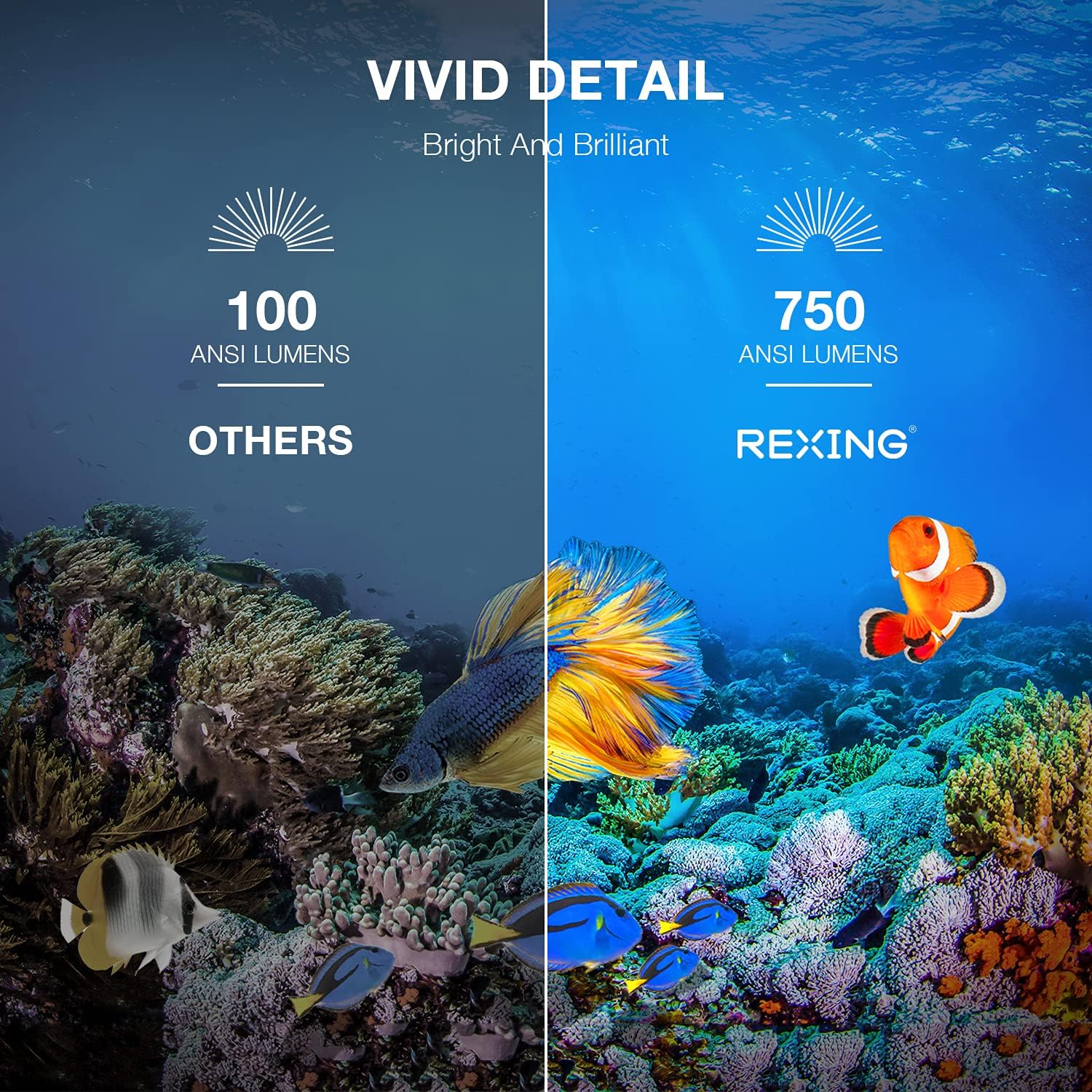
Image: A visual comparison showing the vivid detail of 750 ANSI Lumens (REXING) versus 100 ANSI Lumens (Others) in an underwater scene with colorful fish.

Image: A split screen comparison of a cityscape, demonstrating the clarity of 1080P resolution (REXING) compared to 720P (Other Projectors).
5. സജ്ജീകരണം
5.1 പ്ലേസ്മെൻ്റ്
പ്രൊജക്ടർ ഒരു സ്ഥിരതയുള്ളതും പരന്നതുമായ പ്രതലത്തിൽ സ്ഥാപിക്കുക. ഒപ്റ്റിമൽ ആയി viewing, ensure the projection surface (wall or screen) is clean and smooth. The projector can create an image size from 40 to 150 inches diagonally, depending on the distance from the screen.
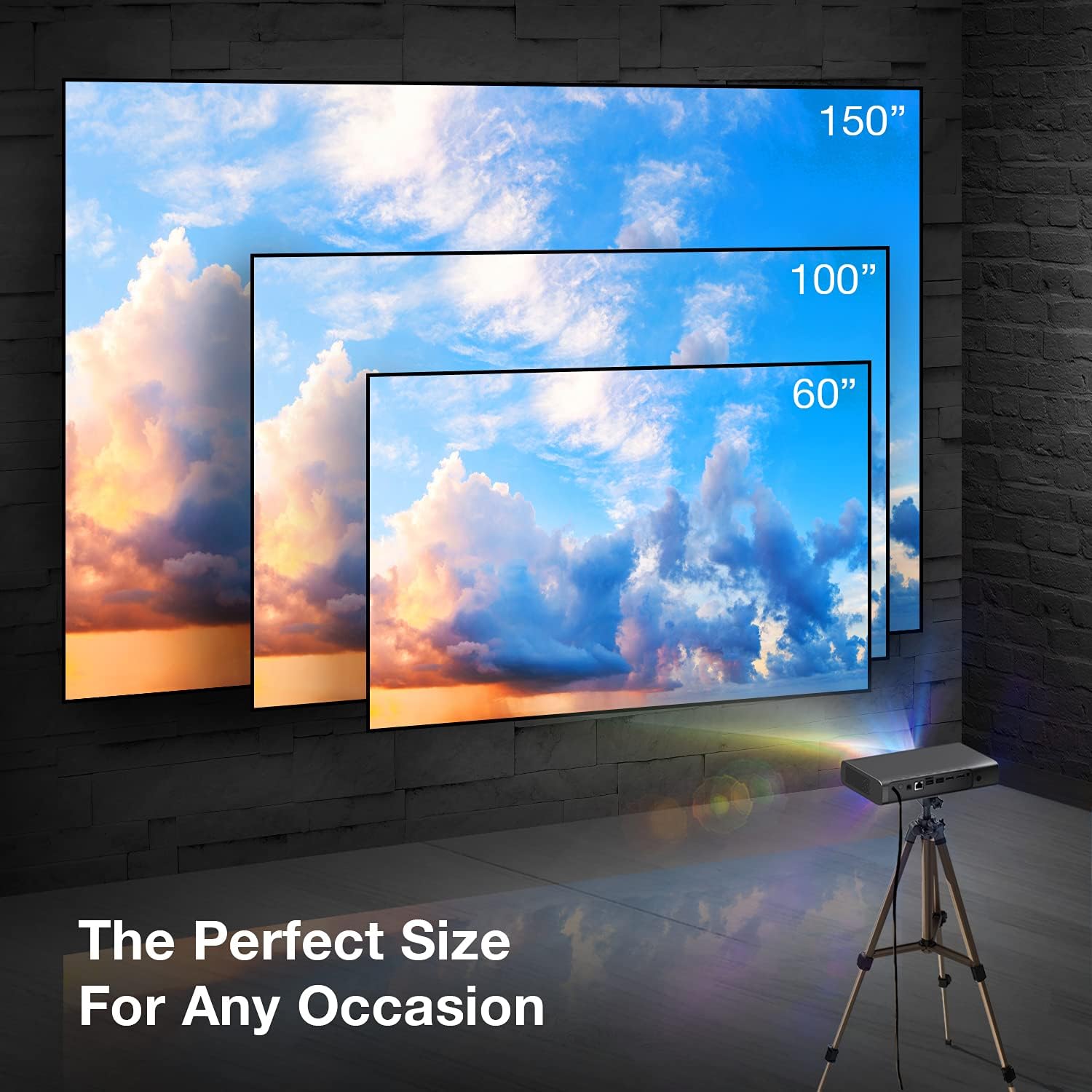
Image: A visual representation showing different projection sizes (60", 100", 150") achievable with the REXING PRD615 projector, illustrating its versatility for various room sizes.
5.2 പവർ കണക്ഷൻ
- പ്രൊജക്ടറിലെ DC IN പോർട്ടിലേക്ക് പവർ അഡാപ്റ്റർ ബന്ധിപ്പിക്കുക.
- ഒരു മതിൽ ഔട്ട്ലെറ്റിലേക്ക് പവർ അഡാപ്റ്റർ പ്ലഗ് ചെയ്യുക.
- ഉപകരണം ഓണാക്കാൻ പ്രൊജക്ടറിലോ റിമോട്ട് കൺട്രോളിലോ ഉള്ള പവർ ബട്ടൺ അമർത്തുക.
5.3 Initial Configuration (Autofocus & Auto Keystone)
Upon startup, the PRD615 will automatically adjust the focus and keystone correction. This feature ensures a clear, rectangular image even if the projector is not perfectly aligned with the screen.

ചിത്രം: ഒരു ആകാശ ചിത്രം view showing the REXING PRD615 projector on a table, projecting an image onto a wall, with an overlay illustrating the automatic focus and keystone correction capabilities.
5.4 നെറ്റ്വർക്ക് കണക്ഷൻ
To access smart features and online content, connect the projector to your Wi-Fi network:
- Navigate to the 'Settings' menu on the projector's interface.
- 'നെറ്റ്വർക്ക്' അല്ലെങ്കിൽ 'വൈ-ഫൈ' തിരഞ്ഞെടുക്കുക.
- ലിസ്റ്റിൽ നിന്ന് നിങ്ങൾക്ക് ആവശ്യമുള്ള വൈഫൈ നെറ്റ്വർക്ക് തിരഞ്ഞെടുത്ത് ആവശ്യപ്പെടുകയാണെങ്കിൽ പാസ്വേഡ് നൽകുക.
6. പ്രവർത്തന നിർദ്ദേശങ്ങൾ
6.1 ബാഹ്യ ഉപകരണങ്ങൾ ബന്ധിപ്പിക്കുന്നു
- എച്ച്ഡിഎംഐ: Connect Blu-ray players, gaming consoles, laptops, or other HDMI-enabled devices to the HDMI 1 or HDMI 2 ports.
- USB: Insert USB flash drives into the USB 2.0 ports to play media fileനേരിട്ട്.
- ബ്ലൂടൂത്ത്: Pair Bluetooth speakers or headphones for enhanced audio.
- TF കാർഡ്: Insert a TF (microSD) card into the designated slot to access media.
6.2 Using Smart Features (Android TV, Apps, Miracast)
The REXING PRD615 runs on Android TV 9.0, providing access to a wide range of applications:
- App Store/Google Play: Download and install your favorite streaming apps like Netflix, YouTube, Chrome, and more.
- അത്ഭുതം: Wirelessly mirror content from compatible smartphones, tablets, or computers to the projector screen.
- 3D Playback: For 3D content, ensure your media is in a compatible 3D format and use active shutter 3D glasses (sold separately).

Image: Two individuals playing a racing video game projected onto a large screen by the REXING PRD615, demonstrating the ability to cast content from a phone to the projector.
7. പരിപാലനം
- ലെൻസ് വൃത്തിയാക്കൽ: Use a professional lens cleaning cloth or air blower to gently remove dust. Do not use liquid cleaners directly on the lens.
- സി വൃത്തിയാക്കൽasing: പ്രൊജക്ടറിന്റെ പുറംഭാഗം മൃദുവായതും ഉണങ്ങിയതുമായ തുണി ഉപയോഗിച്ച് തുടയ്ക്കുക. കഠിനമായ പാടുകൾക്ക്, അല്പം ഡി.amp ഉണങ്ങിയ തുണി ഉപയോഗിച്ച ശേഷം തുടയ്ക്കാം.
- സംഭരണം: ദീർഘനേരം ഉപയോഗിക്കാത്തപ്പോൾ, പൊടിയിൽ നിന്നും കടുത്ത താപനിലയിൽ നിന്നും സംരക്ഷിച്ചിരിക്കുന്ന തണുത്തതും വരണ്ടതുമായ സ്ഥലത്ത് പ്രൊജക്ടർ സൂക്ഷിക്കുക.
8. പ്രശ്നപരിഹാരം
| പ്രശ്നം | സാധ്യമായ കാരണം | പരിഹാരം |
|---|---|---|
| ഒരു ചിത്രവും പ്രൊജക്റ്റ് ചെയ്തിട്ടില്ല. | Power off; input source incorrect; cable loose | Check power connection; select correct input source; ensure cables are securely connected. |
| ചിത്രം മങ്ങുന്നു | Out of focus; projector too close/far | Allow autofocus to adjust; reposition projector within recommended throw distance. |
| ശബ്ദമില്ല | Volume too low; audio output incorrect; external device muted | Increase projector volume; check audio settings; unmute external device. |
| റിമോട്ട് പ്രവർത്തിക്കുന്നില്ല | Batteries low/dead; obstruction; not pointed at IR receiver | Replace batteries; remove obstructions; point remote directly at the projector's IR receiver. |
| Wi-Fi കണക്ഷൻ പ്രശ്നങ്ങൾ | Incorrect password; router too far; network interference | Verify password; move projector closer to router; restart router. |
9 സ്പെസിഫിക്കേഷനുകൾ
| ഫീച്ചർ | വിശദാംശങ്ങൾ |
|---|---|
| ബ്രാൻഡ് | റെക്സിംഗ് |
| മോഡൽ | PRD615 |
| ഡിസ്പ്ലേ ടെക്നോളജി | ഡി.എൽ.പി |
| തെളിച്ചം | 750 ആൻസി ലുമെൻസ് |
| നേറ്റീവ് റെസല്യൂഷൻ | 1280 x 800 (HD) |
| പരമാവധി ഡിസ്പ്ലേ റെസല്യൂഷൻ | 1280 x 800 |
| പ്രൊജക്ഷൻ വലിപ്പം | 40-150 ഇഞ്ച് |
| ത്രോ അനുപാതം | 1.2:1 |
| സ്പീക്കർ തരം | Dual 3W Stereo, Built-In |
| കണക്റ്റിവിറ്റി ടെക്നോളജി | Bluetooth, USB, HDMI, Wi-Fi |
| പ്രത്യേക സവിശേഷതകൾ | Wireless, Portable, Built-In Wi-Fi, Autofocus, Auto Keystone Correction |
| ഓപ്പറേറ്റിംഗ് സിസ്റ്റം | ആൻഡ്രോയിഡ് ടിവി 9.0 |
| ഇനത്തിൻ്റെ ഭാരം | 4.8 പൗണ്ട് |
| പാക്കേജ് അളവുകൾ | 11.2 x 8 x 4.6 ഇഞ്ച് |
| ആദ്യ തീയതി ലഭ്യമാണ് | ജൂൺ 4, 2021 |
10. വാറൻ്റിയും പിന്തുണയും
REXING stands behind its products. The PRD615 Smart Home Projector comes with an 18-മാസ വാറൻ്റി from the date of purchase. This warranty covers manufacturing defects and ensures your product functions as intended.
For any questions, technical assistance, or warranty claims, please contact our US-Based Customer Support team. Our dedicated team is ready to assist you.
- ഇമെയിൽ: Refer to your product packaging or the official REXING webബന്ധപ്പെടാനുള്ള ഇമെയിലിനുള്ള സൈറ്റ്.
- ഫോൺ: Refer to your product packaging or the official REXING website for customer support phone number.

Image: A customer support representative with a headset, indicating the availability of US-based customer support for the REXING PRD615 projector.


