1. ആമുഖം
The ThinkScan SR6 is a professional OBD2 diagnostic scanner designed for comprehensive vehicle system analysis and maintenance. It supports diagnostics for six major vehicle systems: Anti-lock Braking System (ABS), Supplemental Restraint System (SRS), Body Control Module (BCM), Tire Pressure Monitoring System (TPMS), Engine Control Module (ECM), and Transmission Control Module (TCM). Additionally, it offers five essential reset functions: Electronic Parking Brake (EPB) Reset, Tire Pressure Monitoring System (TPMS) Reset, Oil Light Reset, Steering Angle Sensor (SAS) Reset, and Throttle Body Adjustment (TBA).
This manual provides detailed instructions on how to set up, operate, and maintain your ThinkScan SR6 device to ensure accurate and efficient vehicle diagnostics.
ബോക്സിൽ എന്താണുള്ളത്
- ThinkScan SR6 Diagnostic Tool (with integrated OBD2 cable)
- USB ചാർജിംഗ്/ഡാറ്റ കേബിൾ
- ഉപയോക്തൃ മാനുവൽ
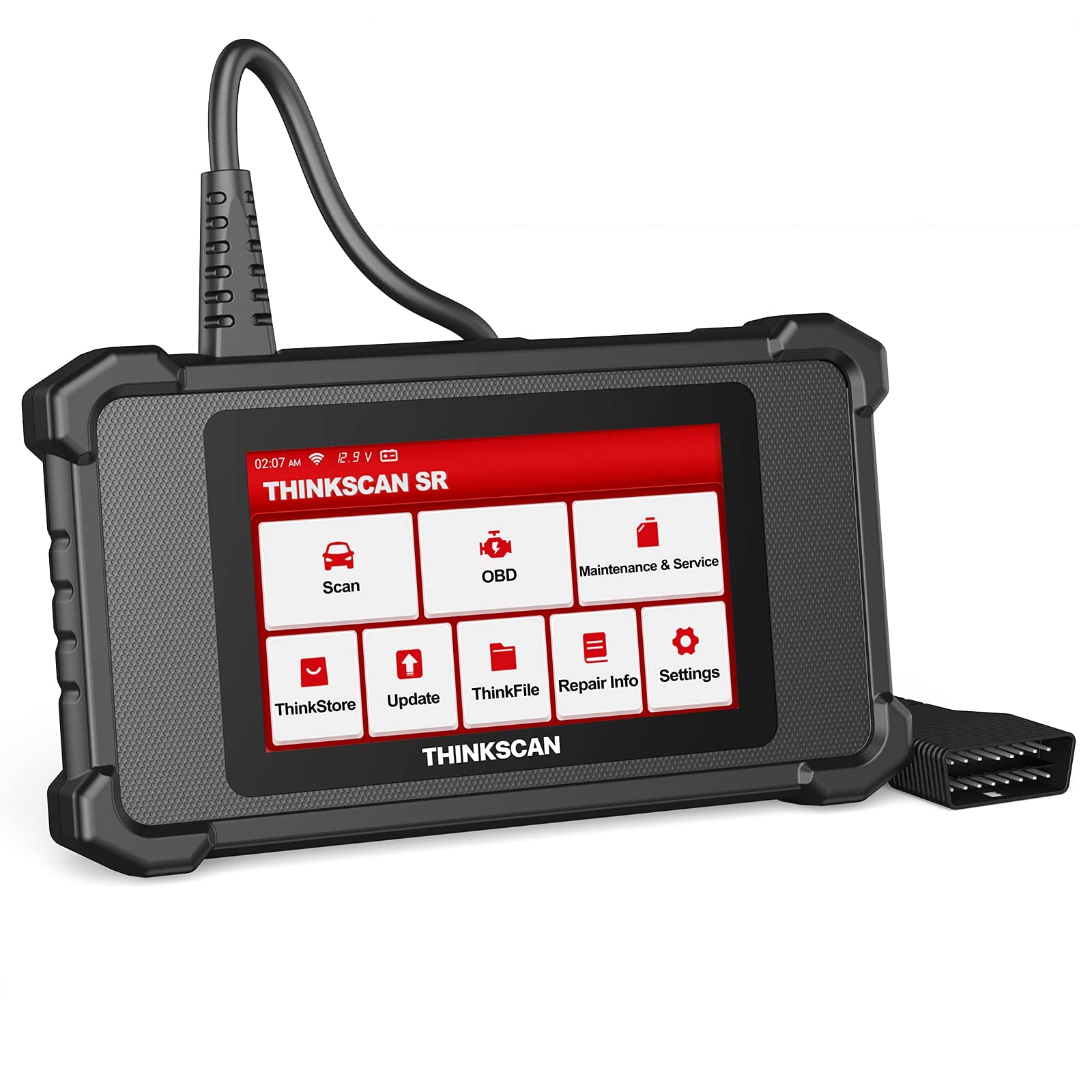
Image: ThinkScan SR6 OBD2 Scanner device and its packaging.
വീഡിയോ: ഒരു ഓവർview of the ThinkScan SR6 Scan Tool, demonstrating its unboxing and initial features. This video highlights the device's physical components and basic interface.
2. സജ്ജീകരണം
2.1 നിങ്ങളുടെ വാഹനവുമായി ബന്ധിപ്പിക്കൽ
- വാഹനത്തിന്റെ 16-പിൻ ഡാറ്റ ലിങ്ക് കണക്റ്റർ (DLC) കണ്ടെത്തുക. ഇത് സാധാരണയായി ഡ്രൈവറുടെ വശത്തുള്ള ഡാഷ്ബോർഡിനടിയിൽ കാണപ്പെടുന്നു.
- വാഹനത്തിന്റെ ഇഗ്നിഷൻ ഓഫ് പൊസിഷനിൽ ആണെന്ന് ഉറപ്പാക്കുക.
- Plug the ThinkScan SR6's integrated OBD2 cable into the vehicle's DLC. Ensure a secure connection.
- Turn the vehicle's ignition to the ON position (engine can be off or running, depending on the diagnostic task). The device will power on automatically.
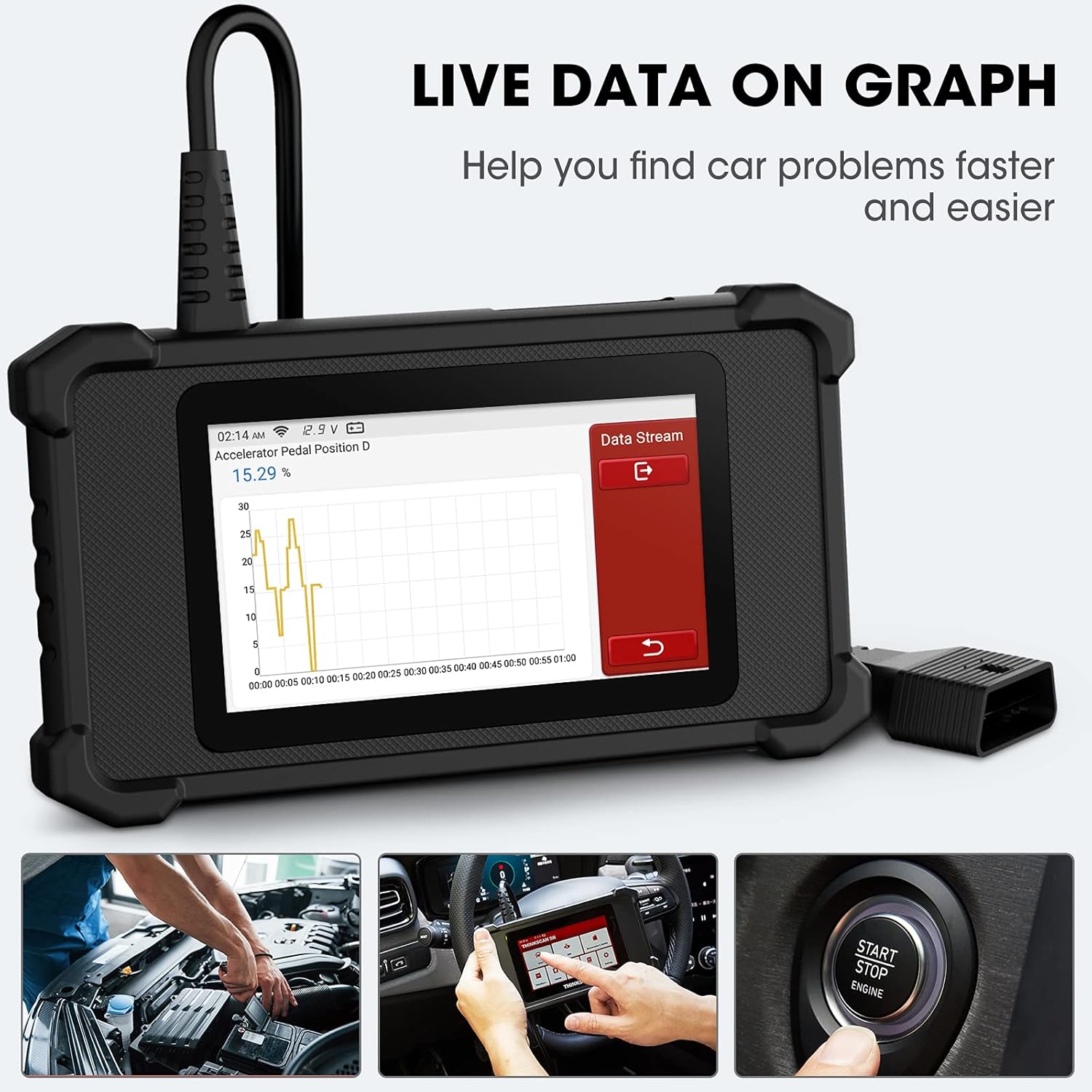
Image: The ThinkScan SR6 device connected to a vehicle's OBD2 port, ready for operation.
2.2 പ്രാരംഭ ഉപകരണ കോൺഫിഗറേഷൻ
- Upon first use, the device may prompt you to select a language. Follow the on-screen instructions.
- Connect the device to a Wi-Fi network for software updates. Navigate to ക്രമീകരണങ്ങൾ > വൈഫൈ നിങ്ങളുടെ നെറ്റ്വർക്ക് തിരഞ്ഞെടുക്കുക.
- Perform a software update to ensure you have the latest vehicle coverage and diagnostic functions. Go to അപ്ഡേറ്റ് പ്രധാന മെനുവിൽ.
3. ഓപ്പറേഷൻ
3.1 സിസ്റ്റം ഡയഗ്നോസ്റ്റിക്സ്
The ThinkScan SR6 supports comprehensive diagnostics for six key vehicle systems. From the main menu, select സ്കാൻ ചെയ്യുക ആരംഭിക്കാൻ.
- എബിഎസ് സിസ്റ്റം: Diagnoses issues related to the anti-lock braking system.
- SRS System: Checks the supplemental restraint system (airbags).
- BCM System: Analyzes the body control module for electrical and body-related faults.
- TPMS System: Monitors tire pressure and related sensor issues.
- ECM System: Diagnoses engine control module faults.
- TCM System: Checks the transmission control module for transmission-related problems.

Image: Visual representation of the six major vehicle systems supported for diagnostics by the ThinkScan SR6.
3.2 പൂർണ്ണ OBD2 പ്രവർത്തനങ്ങൾ
Access standard OBD2 functions by selecting ഒ.ബി.ഡി from the main menu. These functions are crucial for emissions-related diagnostics and general engine health checks.
- കോഡുകൾ വായിക്കുക: വാഹനത്തിന്റെ കമ്പ്യൂട്ടറിൽ നിന്ന് ഡയഗ്നോസ്റ്റിക് ട്രബിൾ കോഡുകൾ (ഡിടിസി) വീണ്ടെടുക്കുന്നു.
- കോഡുകൾ മായ്ക്കുക: Erases DTCs and turns off the Check Engine Light (MIL).
- ഫ്രീസ് ഫ്രെയിം: Displays a snapshot of vehicle operating conditions at the time an emission-related fault occurred.
- തത്സമയ ഡാറ്റ: Shows real-time data streams from various sensors and components.
- I/M സന്നദ്ധത: എമിഷൻ മോണിറ്ററിംഗ് സിസ്റ്റങ്ങളുടെ സന്നദ്ധത പരിശോധിക്കുന്നു.
- O2 സെൻസർ ടെസ്റ്റ്: O2 സെൻസർ മോണിറ്ററിംഗ് പരിശോധനാ ഫലങ്ങൾ വീണ്ടെടുക്കുന്നു.
- വാഹന വിവരം: Displays vehicle identification information (VIN, CID, CVN).
- EVAP സിസ്റ്റം ടെസ്റ്റ്: Initiates a test of the Evaporative Emission Control System.
- ഓൺ-ബോർഡ് മോണിറ്റർ ടെസ്റ്റ്: ഓൺ-ബോർഡ് ഡയഗ്നോസ്റ്റിക് മോണിറ്ററിംഗ് ടെസ്റ്റുകളുടെ ഫലങ്ങൾ വീണ്ടെടുക്കുന്നു.
- ഘടക പരിശോധന: Allows testing of specific vehicle components.
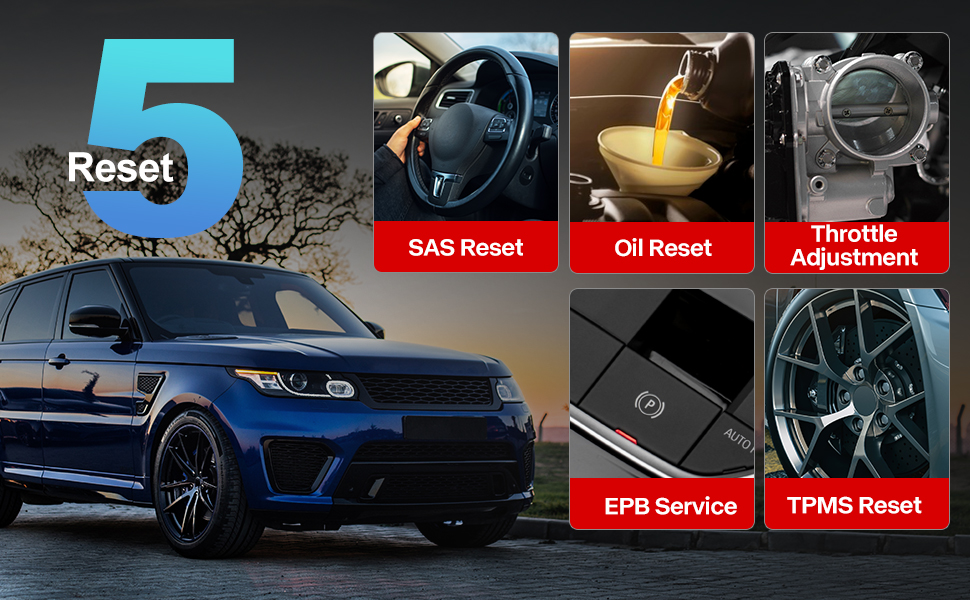
Image: A visual guide to the comprehensive OBD2 functions available on the ThinkScan SR6, including code reading, live data, and vehicle information retrieval.
3.3 DTC Lookup Function
When a Diagnostic Trouble Code (DTC) is retrieved, the ThinkScan SR6 can help you understand its meaning. Navigate to റിപ്പയർ വിവരം > OBD തെറ്റ് കോഡ് ലൈബ്രറി to input the code and receive a detailed description.
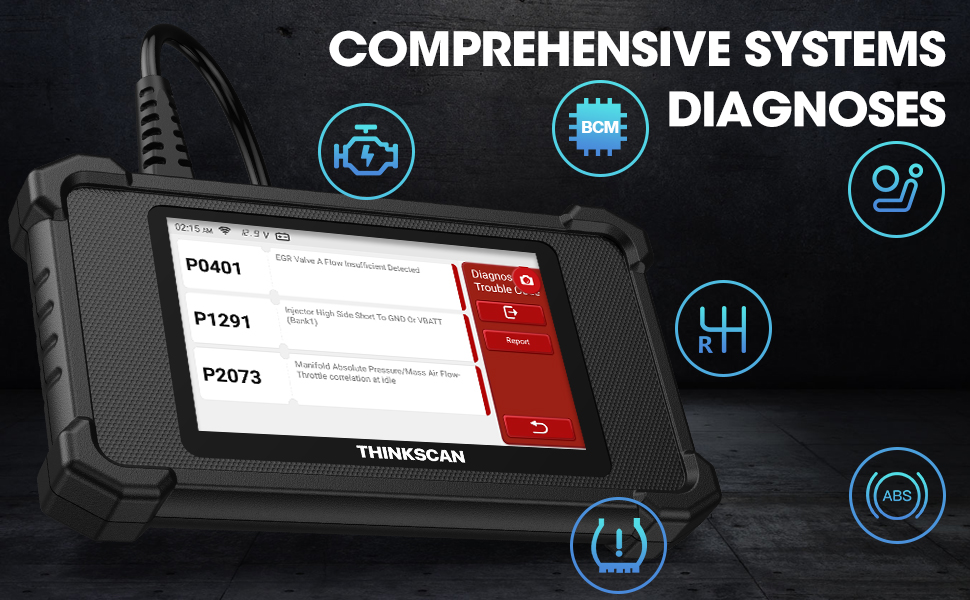
Image: The DTC Lookup function displaying fault codes and their corresponding meanings, aiding in quick diagnosis.
3.4 Live Data Graph
ലൈവ് ഡാറ്റ ഫംഗ്ഷൻ നിങ്ങളെ അനുവദിക്കുന്നു view real-time sensor data in a graphical format, making it easier to identify anomalies and diagnose intermittent problems. Select ഒ.ബി.ഡി > തത്സമയ ഡാറ്റ ഈ സവിശേഷത ആക്സസ് ചെയ്യാൻ.
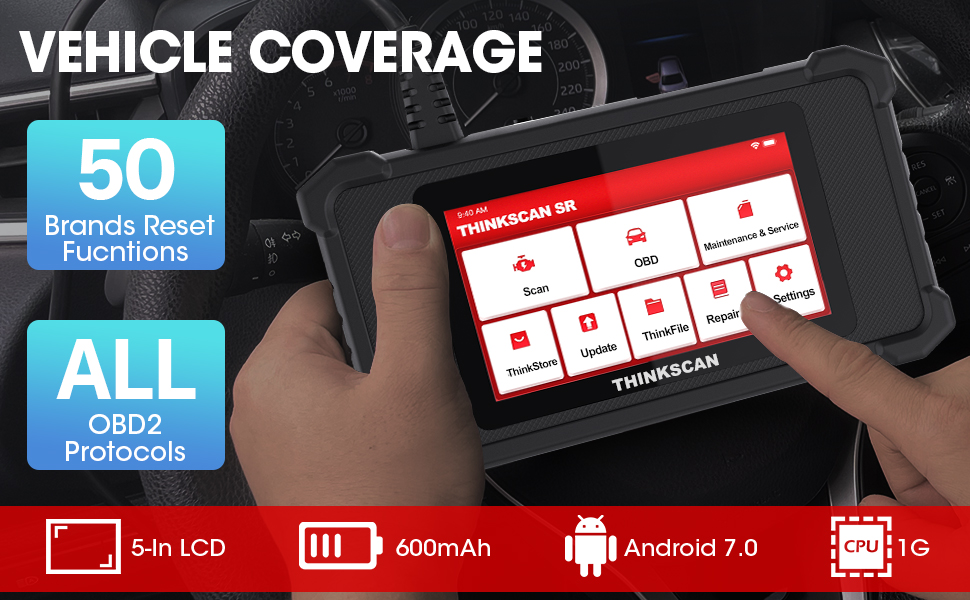
Image: The ThinkScan SR6 displaying live vehicle data in a graphical format, illustrating real-time sensor readings for diagnostic purposes.
4. Maintenance & Service Functions
The ThinkScan SR6 provides five commonly used reset functions to assist with vehicle maintenance. Access these by selecting പരിപാലനവും സേവനവും പ്രധാന മെനുവിൽ നിന്ന്.
- ഓയിൽ ലൈറ്റ് റീസെറ്റ്: ഓയിൽ മാറ്റത്തിന് ശേഷം ഓയിൽ സർവീസ് ലൈറ്റ് റീസെറ്റ് ചെയ്യുന്നു.
- EPB Service: ബ്രേക്ക് പാഡ് മാറ്റിസ്ഥാപിച്ചതിന് ശേഷം ഇലക്ട്രോണിക് പാർക്കിംഗ് ബ്രേക്ക് സിസ്റ്റം പുനഃസജ്ജമാക്കുന്നു.
- SAS റീസെറ്റ്: Calibrates the steering angle sensor after steering system repairs.
- TPMS റീസെറ്റ്: Resets the tire pressure monitoring system after tire rotation or sensor replacement.
- TBA (Throttle Body Adjustment): ത്രോട്ടിൽ ബോഡി സ്ഥാനം വീണ്ടും പഠിക്കുന്നു.

Image: An illustration of the five free reset functions offered by the ThinkScan SR6, including throttle adjustment and various system resets.
4.1 സോഫ്റ്റ്വെയർ അപ്ഡേറ്റുകൾ
Regular software updates are essential to ensure your ThinkScan SR6 has the latest vehicle models, diagnostic functions, and bug fixes. The device supports Wi-Fi updates for convenience.
- ഉപകരണം ഒരു സ്ഥിരതയുള്ള വൈഫൈ നെറ്റ്വർക്കിലേക്ക് കണക്റ്റുചെയ്തിട്ടുണ്ടെന്ന് ഉറപ്പാക്കുക.
- പ്രധാന മെനുവിൽ നിന്ന്, തിരഞ്ഞെടുക്കുക അപ്ഡേറ്റ്.
- ലഭ്യമായ അപ്ഡേറ്റുകൾ ഡൗൺലോഡ് ചെയ്ത് ഇൻസ്റ്റാൾ ചെയ്യാൻ ഓൺ-സ്ക്രീൻ നിർദ്ദേശങ്ങൾ പാലിക്കുക.

Image: A comparison highlighting the ThinkScan SR6's features, including its 5-inch touch screen, Android 7.0 OS, and one-click Wi-Fi update capability.
5. പ്രശ്നപരിഹാരം
If you encounter issues with your ThinkScan SR6, consider the following common solutions:
- ഉപകരണം ഓണാക്കുന്നില്ല: Ensure the OBD2 cable is securely connected to the vehicle's DLC and the vehicle's ignition is ON. Check the vehicle's battery voltage.
- Connection errors: Verify the OBD2 cable connection. Try connecting to a different vehicle (if available) to rule out vehicle-specific issues. Ensure Wi-Fi is stable for updates.
- രോഗനിർണ്ണയ പ്രവർത്തനം പ്രവർത്തിക്കുന്നില്ല: Ensure the vehicle model and year are supported for the specific function. Perform a software update.
- Understanding fault codes: ഉപയോഗിക്കുക OBD തെറ്റ് കോഡ് ലൈബ്രറി കീഴിൽ റിപ്പയർ വിവരം to look up DTC meanings.
For more detailed troubleshooting or specific repair information, the device includes a റിപ്പയർ വിവരം section with a fault code library, coverage list, and video tutorials. You can also connect the device to Wi-Fi and use the വീഡിയോ option to search for relevant repair guides.
6 സ്പെസിഫിക്കേഷനുകൾ
| ഫീച്ചർ | വിശദാംശങ്ങൾ |
|---|---|
| ബ്രാൻഡ് | തിങ്ക്കാർ |
| മോഡൽ നമ്പർ | TKSR6 |
| സ്ക്രീൻ വലിപ്പം | 5 ഇഞ്ച് |
| ഓപ്പറേറ്റിംഗ് സിസ്റ്റം | ആൻഡ്രോയിഡ് 7.0 |
| പവർ ഉറവിടം | ബാറ്ററി പവർ |
| ഇനത്തിൻ്റെ ഭാരം | 1 പൗണ്ട് |
| ഉൽപ്പന്ന അളവുകൾ | 4.13 x 8.07 x 1.18 ഇഞ്ച് |
| ബാറ്ററികൾ | 1 ലിഥിയം പോളിമർ ബാറ്ററികൾ ആവശ്യമാണ് (ഉൾപ്പെടുത്തിയിരിക്കുന്നു) |
| വാഹന കവറേജ് | US-based vehicles after 1996, EU-based vehicles after 2000, Asia-based vehicles after 2008 |
7. വാറൻ്റിയും പിന്തുണയും
For technical assistance, warranty information, or any inquiries regarding your ThinkScan SR6 device, please contact thinkcar customer support. The manufacturer provides 7*24 hours support.
ഇമെയിൽ: jushi@thinkcar.com
Please refer to the official thinkcar website or the included warranty card for detailed warranty terms and conditions.


